Sava lalana
Thank you for choosing the VONROC CH516AC 2500W WiFi Electric Convector Heater. This manual provides essential information for the safe and efficient operation, installation, and maintenance of your new heater. Please read these instructions carefully before use and retain them for future reference.
Torolàlana manan-danja momba ny fiarovana
Always observe basic safety precautions when using electrical appliances to reduce the risk of fire, electric shock, and injury to persons. This includes:
- Vakio ny toromarika rehetra alohan'ny hampiasana ity heater ity.
- Aza mampiasa ity heater ity eo akaikin'ny fandroana, douche na dobo filomanosana.
- Do not cover the heater. A warning label "DO NOT COVER" is present on the appliance.
- Ataovy azo antoka ny voltage voalaza eo amin'ny mari-pamantarana naoty mifanaraka amin'ny mains voltage ao an-tranonao.
- Arovy ny ankizy sy ny biby fiompy lavitra amin'ny heater.
- Do not insert any objects into the heater openings.
- Esory ny fantson-drano rehefa tsy ampiasaina.
- Raha simba ny tadin'ny famatsiana, dia tsy maintsy soloin'ny mpanamboatra, mpiasan'ny serivisy na olona mahafeno fepetra mitovy amin'izany mba hisorohana ny loza.

Endriky ny vokatra
- 2500W heating power.
- Integrated WiFi for smart control via Tuya App.
- Adjustable thermostat (5-50 °C).
- Famerenana fotoana.
- Multiple operating modes: Eco, Comfort, Anti-freeze.
- IP24 splash-proof rating.
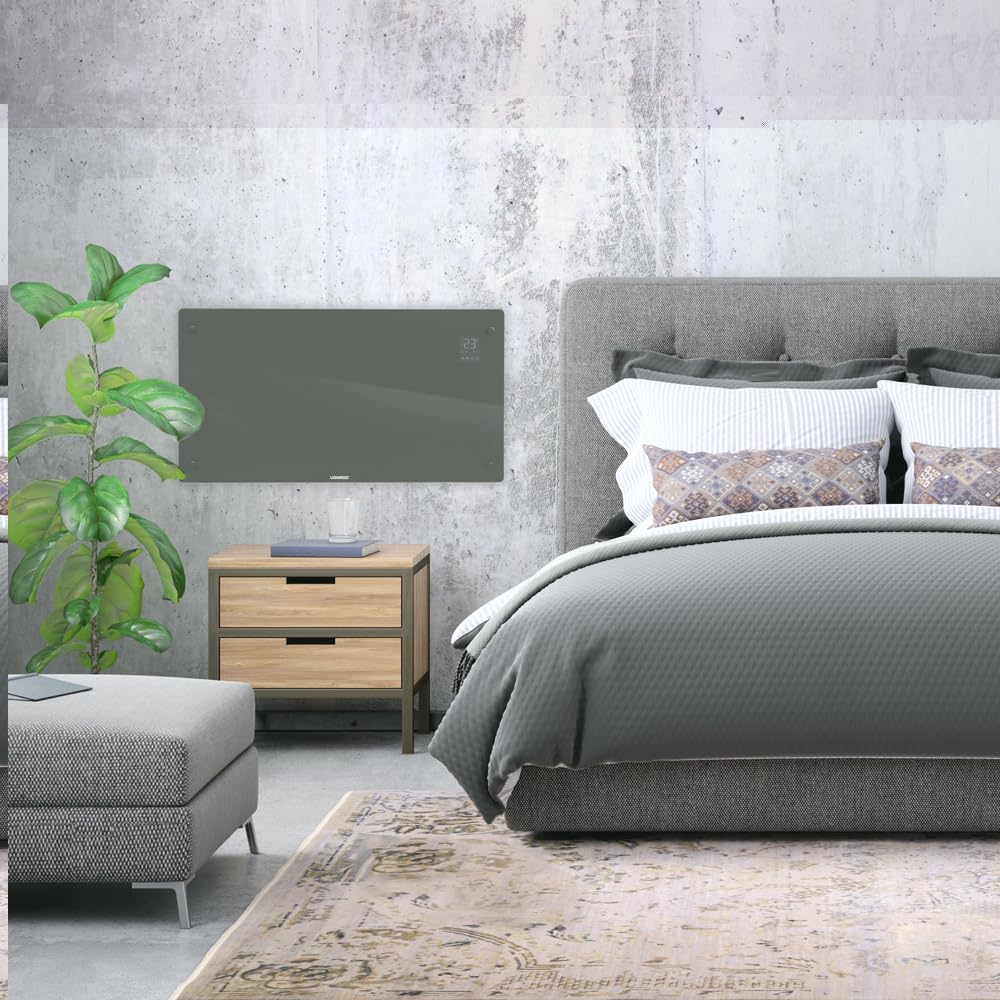
- Suitable for wall mounting or floor standing.
- Heats areas up to 30 m².
Fonosana fonosana
Hamarino tsara fa eo daholo ny singa rehetra ary tsy simba rehefa esorina:
- VONROC CH516AC Convector Heater
- Feet for floor standing (if applicable)
- Wall mounting kit (screws, anchors)
- User Manual
Fametrahana sy fametrahana
1. Floor Standing Installation
- Carefully unpack the heater and all accessories.
- Attach the provided feet to the bottom of the heater using the screws. Ensure they are securely fastened.
- Place the heater on a flat, stable surface, away from flammable materials and at least 1 meter from furniture or curtains.

2. Wall Mounting Installation
- Choose a suitable wall location, ensuring sufficient clearance around the heater (at least 15 cm from the floor and ceiling, and 30 cm from side walls).
- Mark the drilling points on the wall using the provided template or by measuring the mounting brackets on the back of the heater.
- Manaova lavaka ary ampidiro ny vatofantsika rindrina.
- Secure the wall mounting brackets to the wall with screws.
- Carefully hang the heater onto the wall brackets, ensuring it is securely seated.

Torolàlana miasa
1. Herin'ny voalohany
Plug the heater into a suitable electrical outlet. The digital display will illuminate.

2. Fanaraha-maso manual
- Bokotra hery: Tsindrio hamerenana ny heater ON/OFF.
- Fanitsiana ny maripana: Use the '+' and '-' buttons on the control panel or app to set the desired temperature between 5°C and 50°C.
- Safidy fomba: Cycle through Eco, Comfort, and Anti-freeze modes using the mode button.
- Timer: Mametraha fameram-potoana ho an'ny fanakatonana mandeha ho azy.
3. WiFi and App Control (Tuya App)
- Ampidino ny fampiharana "Tuya Smart" avy amin'ny fivarotana fampiharana finday.
- Misoratra anarana na midira amin'ny kaontinao Tuya.
- Ensure your heater is powered on and the WiFi indicator on the display is blinking (if not, press and hold the WiFi button on the heater for 5 seconds to enter pairing mode).
- In the Tuya app, tap '+' to add a device. Select "Heater" or "Convector Heater" from the list.
- Follow the on-screen instructions to connect the heater to your home WiFi network.
- Once connected, you can control the heater remotely, set schedules, and monitor its status via the app.
fikarakarana
Ny fikojakojana tsy tapaka dia miantoka ny fampandehanana tsara indrindra sy ny faharetan'ny heater anao.
- Fanadiovana: Disconnect the heater from the power supply before cleaning. Wipe the exterior with a soft, damp lamba. Aza mampiasa mpanadio abrasive na solvents.
- fitahirizana: If storing the heater for an extended period, unplug it, allow it to cool completely, and store it in a dry, dust-free location.
- Fanaraha-maso: Periodically check the power cord and plug for any signs of damage. If damaged, contact qualified personnel for repair.

Fanamboarana
| OLANA | Antony mety hitranga | vahaolana |
|---|---|---|
| Tsy mandeha ny heater. | Tsy misy famatsiana herinaratra; Tsy voatsindry ny bokotra fampandehanana herinaratra; Miasa ny fiarovana amin'ny hafanana tafahoatra. | Check power connection; Press power button; Unplug and allow to cool for 30 minutes. |
| Tsy mandeha tsara ny fanafanana. | Temperature setting too low; Room size too large; Obstruction of air vents. | Increase temperature setting; Ensure heater is appropriate for room size; Clear any obstructions. |
| Olana amin'ny fifandraisana WiFi. | Incorrect WiFi password; Heater too far from router; Router issues; Heater not in pairing mode. | Verify WiFi password; Move heater closer to router; Restart router; Put heater in pairing mode (long press WiFi button). |
| Feo na fofona tsy mahazatra. | Dust accumulation; Internal fault. | Unplug and clean the heater; If problem persists, discontinue use and contact customer support. |
fepetra arahana
| endri-javatra | antsipirihany |
|---|---|
| Marika | VONROC |
| Laharana modely | CH516AC |
| Hery fanafanana | 2500 Watts |
| BOKYtage | 230 Volts |
| Elanelana mari-pana amin'ny thermostat | 5 - 50 °C |
| Fametrahana maripana ambony indrindra | 35 °C |
| IP Rating | IP24 (tsy tselatra) |
| PO | Digital display, Buttons, Tuya App (WiFi) |
| Safidy fametrahana | Wall-mounted or Floor standing |
| Haben'ny Efitrano Recommended | Mahatratra 30 m² |
Warranty sy fanohanana
VONROC products are manufactured to high quality standards. In the unlikely event of a defect, please contact your retailer or VONROC customer service for assistance. Keep your proof of purchase for warranty claims.
For further support, visit the official VONROC webtranokala na mifandray amin'ny departemantan'ny serivisy mpanjifany.


