1. Fampidirana
This manual provides detailed instructions for the setup, operation, maintenance, and troubleshooting of your GMKtec Nucbox G10 Mini PC. The Nucbox G10 is a compact and powerful desktop computer designed for various applications, from office tasks to multimedia entertainment, featuring an AMD Ryzen 5 3500U processor, 16GB DDR4 RAM, and a 1TB NVMe SSD.
2. Ny votoatin'ny fonosana
Hamarino fa ao anaty fonosanao avokoa ny entana rehetra voatanisa etsy ambany:
- Ordinatera kely GMKtec Nucbox G10 AMD Ryzen 5 3500U
- Famatsiana herinaratra sy tariby
- Cable HDMI
- Fametrahana sy visy VESA
- User Manual (ity antontan-taratasy ity)

Image: Retail Boxed Packaging. This image displays the GMKtec Nucbox G10 Mini PC, power supply, HDMI cable, VESA mount, screws, and user manual, illustrating the complete contents of the product package.
3. Vokatra mihoatraview
3.1 Lafin-javatra fototra
- Processeur: AMD Ryzen 5 3500U (4 Cores, 8 Threads, up to 3.70GHz Turbo Boost)
- Saripika: Integrated AMD Radeon Vega 8 Graphics (1200 MHz)
- fahatsiarovana: 16GB Dual Channel DDR4 RAM (expandable up to 64GB)
- fitahirizana: 1TB M.2 2280 NVMe SSD (expandable up to 16TB via dual M.2 2280 PCIe 3.0 slots)
- Tambajotra: 2.5GbE Ethernet, WiFi 5, Bluetooth 5.0
- Asehoy ny vokatra: Triple 4K display support via HDMI 2.1, DisplayPort 1.4, and Full Function USB-C
- Mangatsiaka: Silent Turbo Cooling Fan system

Image: Nucbox G10 Feature Overview. This image provides a visual summary of the mini PC's core components including the AMD Ryzen 5 3500U CPU, Radeon Vega 8 Graphics, DDR4 RAM, M.2 SSD, 2.5GbE LAN, WiFi 5, Bluetooth 5.0, triple display support, and cooling system.
3.2 Seranana sy mpampitohy
The Nucbox G10 features a comprehensive set of ports for connectivity:
- Eo anoloana: 1x CTIA Audio Jack, 2x USB 3.2 (5Gbps), 1x Power Button
- aoriana: 1x Type-C (PD Only), 1x USB 2.0, 1x 2.5G Giga LAN, 1x HDMI 2.1 (4K@60Hz), 1x DP 1.4 (4K@60Hz), 1x Full Function USB-C (PD/DP/Data), 1x Kensington Lock slot

Image: Front Panel Ports. This image shows the front of the Nucbox G10, highlighting the power button, two USB 3.2 ports, and the CTIA audio jack.

Image: Rear Panel Ports. This image illustrates the rear of the Nucbox G10, detailing the USB-C (PD Only), USB 2.0, 2.5G LAN, HDMI 2.1, DisplayPort 1.4, Full Function USB-C, and Kensington Lock slot.
4. Torolàlana fananganana
4.1 Fampifandray ny periferika
- Manara-maso: Connect your monitor(s) to the Mini PC using the HDMI, DisplayPort, or USB-C ports. The Nucbox G10 supports up to three 4K displays simultaneously.
- Kitendry sy totozy: Ampifandraiso amin'ny seranana USB misy ny klavier sy ny totozy USB anao.
- Tambajotra: For a wired connection, connect an Ethernet cable from your router/modem to the 2.5GbE LAN port. For wireless, ensure your WiFi network is available.
- Audio: Connect speakers or headphones to the 3.5mm audio jack on the front panel if needed.
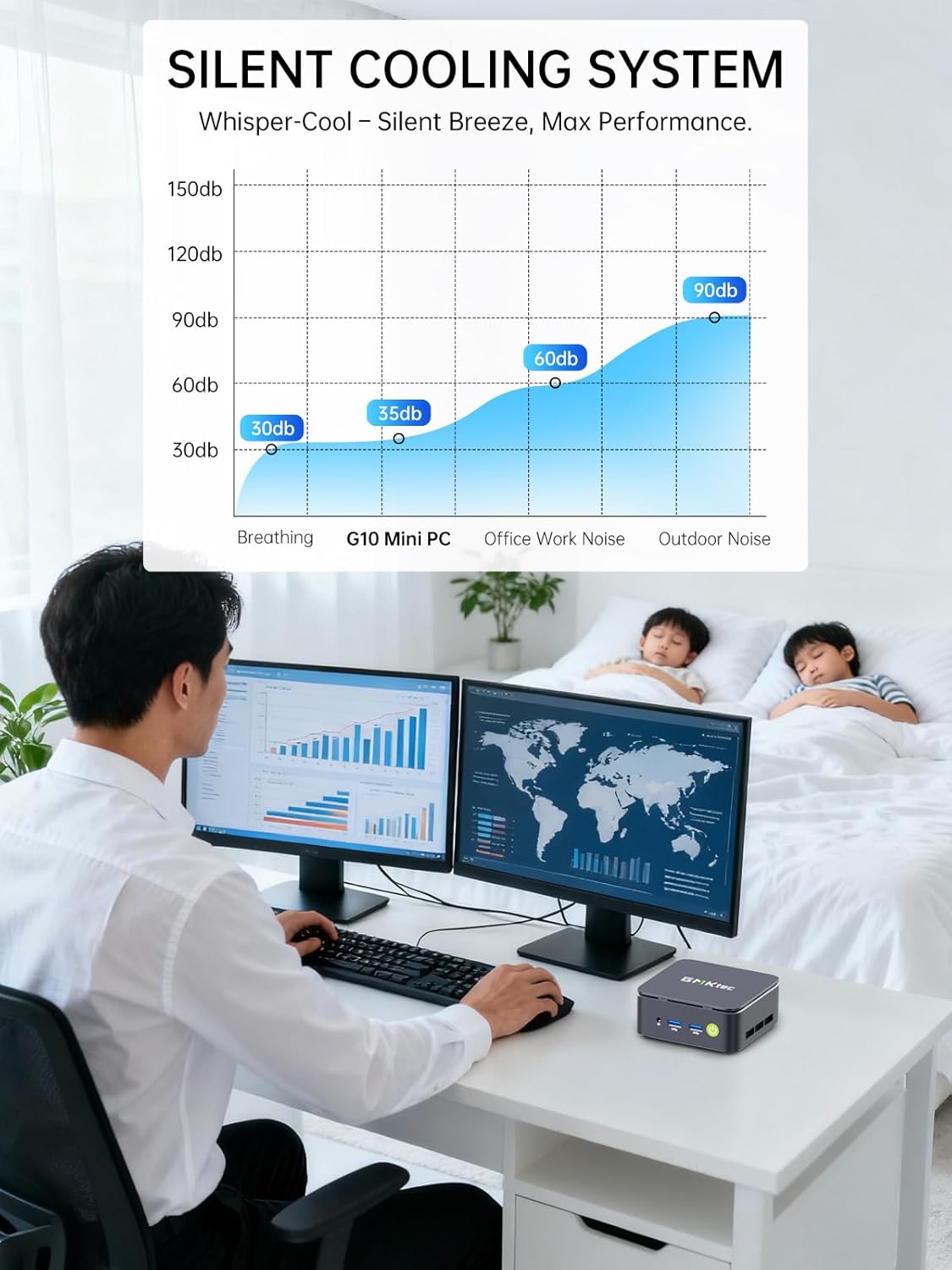
Image: Triple Display Setup. This image demonstrates the Nucbox G10 connected to two vertical monitors and a tablet, showcasing its triple display capability for enhanced productivity.
4.2 Fampifandraisana herinaratra
Connect the provided power adapter to the DC-in port on the Mini PC, then plug the power cable into a wall outlet. The Mini PC is designed for low power consumption.
4.3 Boot voalohany
Press the power button on the front panel. The Mini PC will boot into the pre-installed Windows 11 Pro operating system. Follow the on-screen instructions for initial Windows setup.
5. Torolàlana miasa
5.1 Power On/off
- Herim-batana: Tsindrio indray mandeha ny bokotra herinaratra.
- Mamono hery: From Windows, go to Start > Power > Shut down. Alternatively, press and hold the power button for 5 seconds to force a shutdown (use only when necessary).
5.2 Rafitra fiasana
Your Nucbox G10 comes with Windows 11 Pro pre-installed. Ensure you keep your operating system updated for optimal performance and security.
5.3 Fifandraisana amin'ny tambajotra
- Wired (Ethernet): Once the Ethernet cable is connected, the system should automatically detect the network.
- Tsy misy tariby (Wi-Fi): In Windows, click the Wi-Fi icon in the taskbar, select your network, enter the password, and connect.
- Bluetooth: To connect Bluetooth devices, go to Windows Settings > Bluetooth & devices, and pair your device.
6. Fikojakojana
6.1 Fanadiovana
Regularly clean the exterior of the Mini PC with a soft, dry cloth. Ensure ventilation openings are free from dust to maintain optimal cooling performance. Do not use liquid cleaners directly on the device.

Image: Ultra Efficient Cooling System. This image provides an internal view of the Nucbox G10, highlighting the silent turbo cooling fan designed for efficient heat dissipation.
6.2 Fanavaozana rindrambaiko
Keep your Windows operating system and drivers updated to ensure system stability, security, and performance. Windows Update can be accessed via Settings > Windows Update.
6.3 Fitehirizana sy Fanitarana ny Fahatsiarovana
The Nucbox G10 supports memory expansion up to 64GB DDR4 RAM and storage expansion up to 16TB via its dual M.2 2280 PCIe 3.0 slots. Consult a qualified technician for hardware upgrades to avoid voiding your warranty or damaging the device.
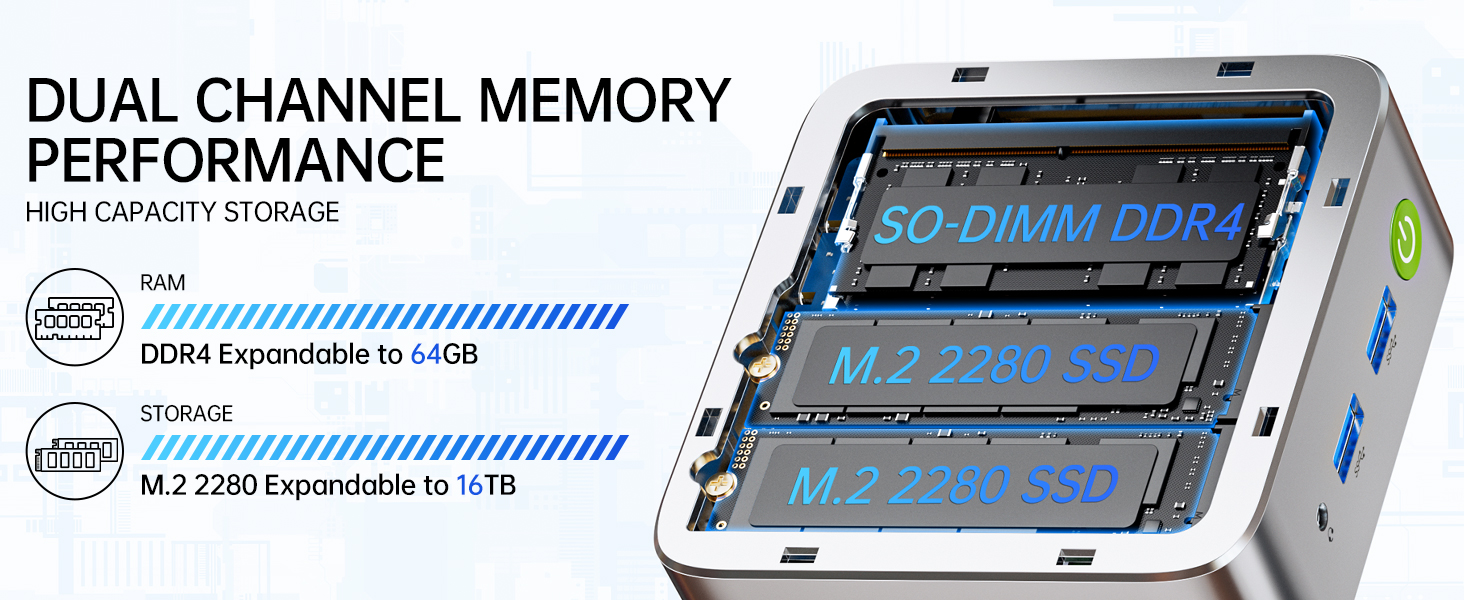
Image: Dual Channel Memory Performance and High Capacity Storage. This diagram illustrates the internal layout for SO-DIMM DDR4 RAM and M.2 2280 SSDs, indicating their expandability.
7. Famahana olana
Raha sendra olana amin'ny Mini PC-nao ianao dia jereo ireto olana sy vahaolana mahazatra manaraka ireto:
- Tsy misy hery:
- Ataovy azo antoka fa mifandray tsara amin'ny PC Mini sy ny fivoahana herinaratra miasa ny adaptatera herinaratra.
- Hamarino fa miasa ny fivoahana herinaratra amin'ny alàlan'ny fampifandraisana fitaovana hafa.
- Tsy misy fampisehoana:
- Check that the HDMI, DisplayPort, or USB-C cable is firmly connected to both the Mini PC and the monitor.
- Hamarino tsara fa mandeha ny efijery ary apetraka amin'ny loharano fidirana marina.
- Andramo ampifandraiso amin'ny efijery hafa na ampiasao tariby hafa.
- Olana mifandray amin'ny tambajotra:
- Tariby: Check the Ethernet cable connection. Restart your router/modem.
- Wireless: Ensure Wi-Fi is enabled in Windows settings. Verify your Wi-Fi password. Restart your router.
- Fahombiazana miadana:
- Akatona ny fampiharana tsy ilaina mandeha ao ambadika.
- Ensure the system has adequate ventilation and is not overheating.
- Jereo ary apetraho izay fanavaozana Windows na fanavaozana mpamily mbola miandry.
- Manaova fanadiovana kapila mafy mba hanafaka toerana fitahirizana.
8. Famaritana
| endri-javatra | famaritana |
|---|---|
| Marika | GMKtec |
| Anarana modely | G10 |
| Rafitra fikirakirana | Windows 11 Pro |
| Modely CPU | AMD Ryzen 5 3500U |
| Hafaingan'ny CPU | 3.7 GHz (Boost) |
| Isan'ny processeur | 4 |
| Graphics Coprocessor | AMD Radeon Vega 8 Graphics 1200 MHz |
| RAM Memory Installed | 16 GB DDR4 |
| RAM Memory Maximum Size | 64 GB |
| Hafainganam-pahatsiarovana | 2400 MT/s |
| Fahaizana fitahirizana fahatsiarovana | 1 TB NVMe SSD |
| Hard Disk Description | Dual Slot M.2 2280 PCIE Max. 16TB |
| Teknolojia fifandraisana | HDMI 2.1, RJ45 2.5GbE LAN, USB 3.2, USB-C (DP/DATA/PD), WIFI5/ BT 5.0 |
| Fifanarahana tsy misy tariby | 802.11a/b/g/n/ac (WiFi 5), Bluetooth 5.0 |
| Video Output | HDMI 2.1, DisplayPort, Type-C (Triple Display) |
| Asehoy ny fanapahan-kevitra ambony indrindra | 4096 × 2160 Pixels (4K) |
| Total seranan-tsambo USB | 4 (2x USB 3.2, 1x USB 2.0, 1x USB-C Full Function) |
| Fanjifana herinaratra | 25 Watts (Typical) |
| Item refy | 4.1 x 3.8 x 1.7 santimetatra |
| Lanja entana | 0.95 kg |
| Fomba fampangatsiahana | Dual Cooling Fan |
| Endri-javatra fanampiny | RTC Wake, Auto Power On, Wake On LAN, PXE Boot |
9. Warranty sy fanohanana
9.1 Fampahalalana momba ny fiantohana
Manolotra ny GMKtec Garantie voafetra 1 taona for each Mini PC, starting from the date of purchase. This warranty covers defects due to design and workmanship. Please retain your proof of purchase for warranty claims.
9.2 Fanohanana ny mpanjifa
For technical assistance, warranty claims, or any questions regarding your GMKtec Nucbox G10 Mini PC, please contact GMKtec customer support. You can typically find contact information on the official GMKtec website or through the seller's contact page where you purchased the product (e.g., GMKtec-Direct on Amazon).