1. Fampidirana
Thank you for choosing the Blackstorm 27-inch QHD Mini-LED Gaming Monitor. This monitor is designed to provide an exceptional visual experience for gaming enthusiasts, offering unparalleled precision and performance. Featuring a 27-inch IPS panel with advanced Mini-LED backlighting, it delivers superior image quality, making every gaming moment vivid and immersive. This manual will guide you through the setup, operation, and maintenance of your new monitor.
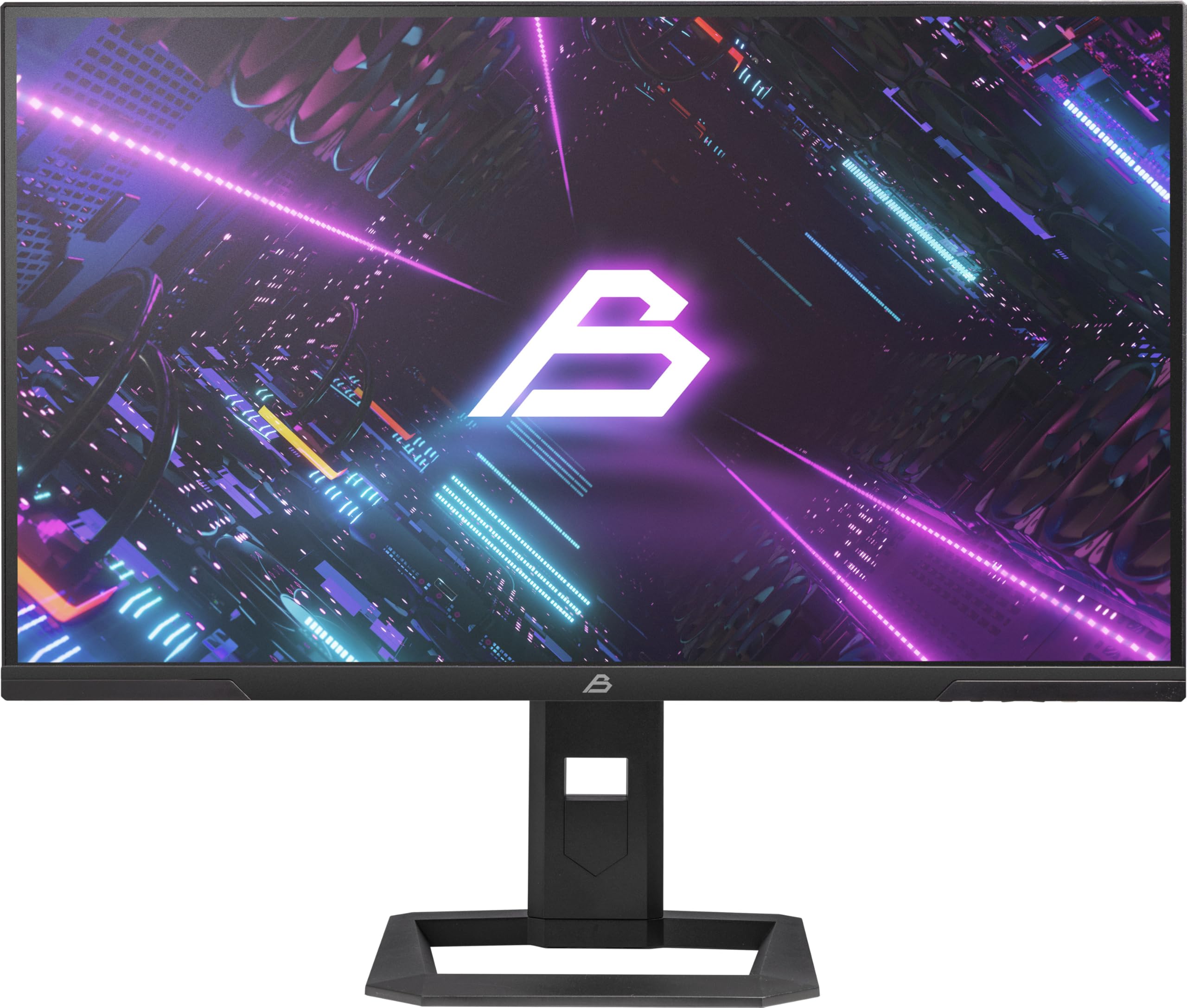
Sary 1: Eo anoloana view of the Blackstorm 27-inch QHD Mini-LED Gaming Monitor.
2. Endri-javatra fototra
- High-Performance Gaming Display: A 27-inch IPS panel with Mini-LED backlighting provides exceptional brightness, contrast, and color reproduction, ideal for visual precision and performance in all game types.
- Smooth Gaming Experience: WQHD resolution (2560 x 1440) and a 180 Hz refresh rate ensure smooth, detailed visuals. A rapid 2 ms response time is crucial for fast-paced games.
- Superior Color Reproduction and Brightness: Covers 99% of AdobeRGB and DCI-P3 color spaces for accurate and vibrant colors. Features 450 nits (SDR) brightness and HDR1000 compatibility for an impressive gaming experience in any environment.
- Ergonomic Design and Connectivity: The ergonomic stand allows for height, tilt, swivel, and pivot adjustments. VESA 100x100 mount compatible. Includes HDMI 2.1 and DisplayPort 1.4 connections for high-resolution, fast image transfer.
- Teknolojia fampisehoana avo lenta: IPS panel with Mini-LED technology, 576 dimming zones, and a 1,000,000:1 contrast ratio.
3. Ny votoatin'ny fonosana
Azafady, jereo tsara ny ao anaty fonosana. Raha misy entana tsy hita na simba dia mifandraisa amin'ny mpivarotra anao.
- Blackstorm 27-inch QHD Mini-LED Gaming Monitor
- Monitor Stand (fototra sy vozony)
- Cable herinaratra
- Cable HDMI
- Tariby DisplayPort
- User Manual (ity antontan-taratasy ity)
- Karatra fiantohana (raha misy)
4. Torolàlana fananganana
4.1 Fanangonana ny Stand
- Esory amim-pitandremana ny fitaovana fanaraha-maso sy ajoro eo amin'ny fonosana.
- Apetaho amin'ny tontonana fanaraha-maso ny vozon'ny fitoeran-jiro. Ataovy azo antoka fa mikitika tsara eo amin'ny toerany izy io na mifatotra amin'ny visy araka ny voalaza ao amin'ny torolàlana fanombohana haingana.
- Attach the stand base to the stand neck. Tighten any screws firmly to ensure stability.
- Apetraho eo amin'ny toerana marin-toerana sy fisaka ilay monitora mitambatra.

Sary 2: aoriana view of the monitor showing the stand attachment and port area.
4.2 Fifandraisana amin'ny solosaina
- Ensure both your computer and the monitor are powered off.
- Connect one end of the provided HDMI or DisplayPort cable to the corresponding port on your computer's graphics card.
- Connect the other end of the cable to the HDMI 2.1 or DisplayPort 1.4 input on the back of the monitor.
- Connect the power cable to the monitor's power input, then plug the other end into a power outlet.
- Power on your computer, then power on the monitor. The monitor should automatically detect the input signal.
4.3 Fanitsiana ergonomika
Ny fijoroana monitor dia mamela ny fanitsiana isan-karazany mba hanatsarana ny fahaizanao viewfampiononana:
- Fanitsiana ny haavony: Tosika na sintonina moramora miakatra na midina ny fanaraha-maso mankany amin'ny haavony tianao.
- Fanitsiana mitongilana: Tilt the monitor screen forward or backward to find the optimal viewing zoro.
- Fanitsiana fihodinana: Ahodiho miankavia na miankavanana eo amin'ny fotony ny monitor.
- Fanitsiana pivot: Rotate the monitor 90 degrees to switch between landscape and portrait orientation.

Sary 3: lafiny view illustrating the monitor's adjustable stand.
5. Fampandehanana ny Monitor
5.1 Menu amin'ny efijery (OSD).
The OSD menu allows you to adjust various monitor settings. Typically, buttons are located on the back or bottom edge of the monitor. Refer to the quick start guide for exact button locations.
- Press the OSD button to open the menu.
- Use the navigation buttons (up/down/left/right) to browse through menu options.
- Press the select button to enter a sub-menu or confirm a setting.
- Press the exit button to return to the previous menu or close the OSD.
5.2 Fanitsiana ny firafitry ny fampisehoana
Key settings you can adjust include:
- Famirapiratana/mifanohitra: Adjust for optimal visual comfort.
- Fikirana loko: Fine-tune color temperature, gamma, and color space (e.g., AdobeRGB, DCI-P3).
- Havaozina: Ensure your computer's display settings are configured to utilize the monitor's 180 Hz refresh rate for the smoothest experience.
- Fomba HDR: Enable HDR1000 for compatible content to experience enhanced dynamic range.
- Dynamic Backlight: This feature enhances depth and realism. For competitive gaming requiring extreme responsiveness, you may choose to disable dynamic backlighting for a more consistent and precise image.
6. Fikojakojana
Proper care ensures the longevity and optimal performance of your monitor.
- Manadio ny efijery:
- Vonoy ary esory amin'ny herinaratra foana ny efijery alohan'ny hanadiovana azy.
- Mampiasà lamba malefaka sady tsy misy sosotra moramora dampened with water or a non-ammonia, non-alcohol based screen cleaner.
- Wipe the screen gently to remove dust and smudges. Avoid applying direct pressure.
- Fanadiovana ny Casing:
- Mampiasà lamba malefaka sy maina mba hamafana ny efijery.asing.
- Fadio ny mampiasa mpanadio maloto na solvent mety hanimba ny tany.
- rivotra: Ataovy azo antoka fa tsy voasakana ny fidiran'ny rivotra ao amin'ny monitor mba hisorohana ny hafanana be loatra.
- fitahirizana: Rehefa tsy ampiasaina mandritra ny fotoana maharitra dia tehirizo ao amin'ny toerana mangatsiaka sy maina ny efijery, tsara kokoa raha ao anaty fonosany tany am-boalohany.
7. Famahana olana
If you encounter issues with your monitor, refer to the following common solutions:
| OLANA | Vahaolana mety |
|---|---|
| No image on screen / "No Signal" message |
|
| Manjavozavo na mivadika ny sary |
|
| Tsy mandeha ny monitor |
|
| Toa tsy mety ny loko |
|
If the problem persists after trying these solutions, please contact Blackstorm customer support.
8. Famaritana ara-teknika
| endri-javatra | famaritana |
|---|---|
| Marika | Blackstorm |
| MODELY | GMF27QHD180-MLED |
| Haben'ny efijery | 27 santimetatra |
| Display Technology | IPS with Mini-LED |
| vahaolana | 2560 x 1440 Piksela (WQHD) |
| Ny tahan'ny fanavaozana | 180 Hz |
| Fotoam-pamaliana | 2 Miliseconds |
| Brightness (SDR) | 450 candela/square meter |
| Contrast Ratio | 1,000,000:1 |
| Color Gamut | 99% AdobeRGB, DCI-P3 |
| Fanohanana HDR | HDR1000 |
| Faritra Manjavozavo | 576 |
| Aspect ratio | 16:9 (1.77:1) |
| Hardware Interface | DisplayPort 1.4, HDMI 2.1 |
| Endri-javatra manokana | HDR, Height Adjustment, Tilt Adjustment, Swivel Adjustment, Pivot Adjustment, Adjustable Stand |
| VESA Compatibility | 100x100 mm |
| Ny refin'ny vokatra | 23.5 x 54 x 96 cm; 12.66 kg |

Figure 4: Energy efficiency label. For more details, visit Takelaka data EPREL.
9. Warranty sy fanohanana
For warranty information, please refer to the separate warranty card included with your product or visit the official Blackstorm website. For technical support, troubleshooting assistance beyond this manual, or service inquiries, please contact Blackstorm customer support through their official channels.
Afaka mahita fampahalalana bebe kokoa sy antsipirian'ny fifandraisana ianao ao amin'ny Blackstorm Store on Amazon.


