Sava lalana
This manual provides essential information for the safe and efficient operation of your AOC XL2-211 Smart Projector. Please read it thoroughly before using the device and retain it for future reference.
The AOC XL2-211 is a portable 1080P Full HD smart projector featuring Android 12.0, Wi-Fi 6, Bluetooth 5.0, and a fully enclosed optical engine for dust protection. It offers a large projection screen size from 40 to 250 inches, integrated stereo speakers, and versatile connectivity options.
Information momba ny fiarovana
Araho ireto fepetra fiarovana manaraka ireto mba hisorohana ny fahasimban'ny projecteur sy hahazoana antoka ny fiarovana ny mpampiasa:
- Aza mijery mivantana amin'ny family projector rehefa mandeha ny lamp mandeha.
- Ataovy azo antoka tsara ny rivotra mba hisorohana ny hafanana be loatra. Aza sakanana ny fisokafan'ny rivotra.
- Ny adaptatera herinaratra omena miaraka amin'ny projecteur ihany no ampiasao.
- Arovy amin'ny rano na ranon-javatra hafa ny projecteur.
- Aza manandrana manala na manamboatra ny projecteur samirery. Mifandraisa amin'ny mpiasan'ny fanamboarana mahafeno fepetra.
- Apetraho eo amin'ny toerana mirindra tsara ny projector.
Fonosana fonosana
Hamarino fa misy ny entana rehetra ao anaty fonosana:
- AOC XL2-211 Smart Projector
- Cable herinaratra
- Cable HDMI
- Fanaraha-maso lavitra
- User Manual (ity antontan-taratasy ity)

Image: The AOC XL2-211 Smart Projector and its included accessories, including the power cable, HDMI cable, and remote control.
Vita ny vokatraview
Fitaovana Projector
Familiarize yourself with the main components of your projector:
- Lens projection: Mamoaka ny sary.
- Bokotra hery: Mandefa ny projector on/off.
- Sensor fifantohana: Ampiasaina hanitsiana ny fifantohana ho azy.
- Fitaratra rivotra: Ataovy izay hahazoana fikorianan'ny rivotra tsara mba hampangatsiaka azy.
- Fandraisana seranana: HDMI, USB, Audio Out (3.5mm jack).
- Fampidirana herinaratra: Mifandray amin'ny tariby herinaratra.

Sary: aoriana view of the AOC XL2-211 projector, highlighting the HDMI, USB, and power input ports.
Hametraka
1. Fampifandraisana herinaratra
- Ampifandraiso amin'ny seranana fidirana herinaratra an'ny projecteur ny tariby herinaratra.
- Ampidiro ao amin'ny faladia elektrika ny ilany ilany amin'ny tariby herinaratra.
2. Fametrahana voalohany
- Place the projector on a stable surface or mount it on a tripod (not included).
- Ensure the projection surface is flat and clear of obstructions.
- The projector supports flexible placement, including tabletop and tripod mounting.
3. Mampirehitra/Efa
- Tsindrio ny bokotra herinaratra eo amin'ny projector na ny fanaraha-maso lavitra mba hampandeha azy.
- Tsindrio ary hazòny ny bokotra herinaratra mba hamonoana azy.
4. Fanitsiana fifantohana sy Keystone
The projector features automatic focus and keystone correction for a clear, rectangular image.
- Fiantohana fiara: The projector will automatically adjust the focus upon startup or movement. You can enable/disable this in the settings.
- Fanitsiana Keystone mandeha ho azy: The projector automatically corrects image distortion caused by angled projection. This can also be adjusted in settings.
- Fanitsiana tanana: For fine-tuning, manual focus and keystone correction options are available in the Projection Settings menu.

Image: The AOC XL2-211 projector displaying its intelligent auto-focus and keystone correction capabilities, ensuring a clear image from various angles.
Torolàlana miasa
1. Navigation sy Interface
The projector runs on Android 12.0, providing a user-friendly interface. Use the remote control to navigate through menus and select options.
- Efijery voalohany: Access installed applications, settings, and media sources.
- Menu Settings: Adjust network, Bluetooth, projection, language, and other system settings.
2. Safidy fifandraisana
The projector offers multiple ways to connect and display content:
Wireless Connectivity (Wi-Fi 6 & Bluetooth 5.0)
- Wifi: Connect to your home network for internet access and streaming. Navigate to Fikirana > Wireless mifandray.
- Fijery fitaratra: Wirelessly cast content from your smartphone (iPhone, Android) or tablet. Ensure both devices are on the same Wi-Fi network.
- Bluetooth: Connect external Bluetooth speakers or headphones for enhanced audio. Go to Fikirana > Bluetooth to pair devices.

Image: The AOC XL2-211 projector displaying content mirrored from a smartphone, illustrating seamless wireless sharing.
Wired Connectivity
- HDMI: Connect devices like laptops, gaming consoles, or TV decoders using an HDMI cable.
- USB: Ampidiro ao anaty kapila USB ny kapila mba handefasana rakitra media files mivantana.
- Fivoahana feo (Jack 3.5mm): Ampifandraiso amin'ny écouteur misy tariby na haut-parleur ivelany.
Sary: A antsipirihany view of the AOC XL2-211 projector's input panel, showing HDMI, USB, and audio ports for versatile connections.
3. Media Playback
The projector supports various media formats and streaming applications.
- Apps mivantana: Access pre-installed apps like Netflix, Hulu, Disney+, Prime Video, and YouTube.
- Fampahalalam-baovao eo an-toerana: Play videos, photos, and music from a connected USB drive.
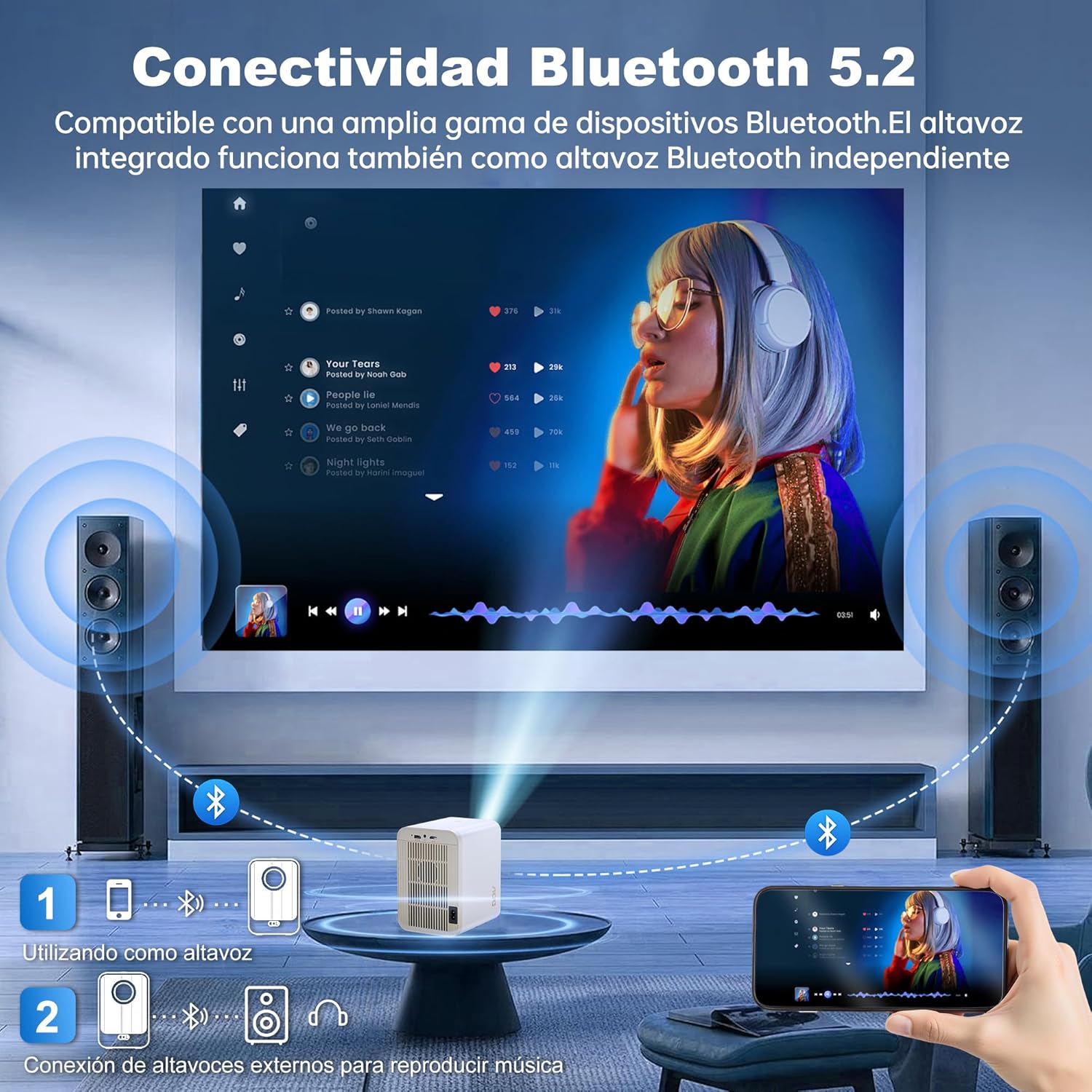
Image: The AOC XL2-211 projector displaying its smart interface with various streaming applications, ready for entertainment.
4. Audio Output
The projector includes built-in 2x12W stereo speakers. For alternative audio experiences:
- Connect Bluetooth speakers or headphones via Fikirana > Bluetooth.
- Use the 3.5mm audio jack for wired external speakers or headphones.

Image: The AOC XL2-211 projector wirelessly connected to external Bluetooth speakers, demonstrating enhanced audio capabilities.
fikarakarana
1. Manadio ny Projector
- Ensure the projector is turned off and unplugged before cleaning.
- Use a soft, dry cloth to wipe the exterior of the projector.
- For the lens, use a lens cleaning cloth and specialized lens cleaning solution. Do not use abrasive materials.
- The fully enclosed optical engine minimizes dust accumulation, but regular external cleaning is recommended.
2. fitahirizana
- Store the projector in a cool, dry place away from direct sunlight and extreme temperatures.
- If storing for an extended period, place it back in its original packaging or a protective case.
Fanamboarana
| OLANA | Antony mety hitranga | vahaolana |
|---|---|---|
| Tsy misy sary naseho | Power cable disconnected, incorrect input source, lens cap on. | Check power connection, select correct input source (HDMI/USB), remove lens cap. |
| Manjavozavo ny sary | Out of focus, incorrect keystone correction. | Allow auto-focus to adjust, or manually adjust focus/keystone in Projection Settings. |
| Tsy misy feo | Volume too low, external audio device not connected/paired, internal speakers disabled. | Increase volume, ensure Bluetooth device is paired or wired audio is connected, check audio settings. |
| Tsy afaka mifandray amin'ny Wi-Fi/Bluetooth | Incorrect password, device too far, interference. | Verify password, move device closer to router/projector, restart devices. |
| Tsy mandeha ny fanaraha-maso lavitra | Low batteries, obstruction. | Replace batteries, ensure no obstruction between remote and projector. |
fepetra arahana
| endri-javatra | antsipirihany |
|---|---|
| Marika | AOC |
| Laharana modely | XL2-211 |
| Native Resolution | 1280 x 800 piksel |
| Fanapahan-kevitra tohanana | 1920 x 1080 Pixels (Full HD) |
| ny famirapiratry ny mazava | 12000 Lumens (300 ANSI) |
| Contrast Ratio | 12000:1 |
| Rafitra fikirakirana | Android 12.0 |
| ram | 1GB |
| Rom | 8GB |
| Wireless fifandraisana | Wi-Fi 6 (2.4G/5G), Bluetooth 5.0 |
| Ports fampidirana | HDMI, USB, Audio (3.5mm jack), TF Card |
| Ports Output | Audio (3.5mm jack) |
| gazety | Built-in 2x12W Stereo Speakers |
| Haben'ny projection | 40-250 santimetatra |
| Form Factor | portable |
| Ny refin'ny vokatra | 19 x 21 x 26 cm |
| Lanja entana | 750 grama |
| Fanjifana herinaratra | 40 watts |
Warranty sy fanohanana
Warranty Information
Your AOC XL2-211 Smart Projector comes with a antoka iray taona manomboka amin'ny datin'ny fividianana, mandrakotra ny lesoka amin'ny fanamboarana. Tazomy azafady ny porofon'ny fividiananao ho an'ny fangatahana antoka.
Fanohanana ny mpanjifa
For technical assistance, troubleshooting, or warranty inquiries, please contact AOC customer support. Refer to the official AOC webtranonkala ho an'ny vaovao farany momba ny fifandraisana.
Loharano an-tserasera: Tsidiho ny AOC Brand Store for additional product information and FAQs.
Video Fampisehoana
Watch this official video for a visual guide on setting up and using your AOC XL2-211 Smart Projector, including unboxing, connectivity, and key features.
Video: An official demonstration of the AOC XL2-211 Smart Projector, showcasing its unboxing, setup, and various functionalities.


