1. Vokatra mihoatraview
The House of Marley Positive Vibration Rebel Wireless ANC Headphones are designed to provide an immersive audio experience with adaptive noise cancelling technology. Crafted from sustainable materials, these over-ear headphones offer extended playtime and comfortable wear.

Image 1.1: House of Marley Positive Vibration Rebel Wireless ANC Headphones, Cream.
Lafin-javatra fototra:
- Fanafoanana ny tabataba adaptive: Intelligently blocks distractions for an immersive listening experience.
- Rich Balanced Sound: Precision-tuned 40mm drivers deliver full-spectrum audio.
- Miitatra ny fiainana bateria: Up to 130 hours of playtime (75 hours with ANC activated).
- Fitaovana maharitra: Constructed with FSC certified wood and recycled aluminum.
- Portable Comfort: Soft memory foam cushions, adjustable headband, foldable design, and IPX5 water resistance.
- Bluetooth 5.4: Ensures smooth and stable wireless connectivity.
2. Fametrahana
2.1 Inona no ao anaty boaty
- Positive Vibration Rebel Wireless ANC Headphones
- USB-C Charging Cable
- Cable Audio 3.5mm AUX
- Quick Start Guide (jereo ity boky ity ho an'ny torolalana amin'ny antsipiriany)
2.2 Famandrihana ny écouteur
- Locate the USB-C charging port on the headphones.
- Connect the provided USB-C cable to the headphones and the other end to a USB power source (e.g., wall adapter, computer USB port).
- The LED indicator on the headphones will show charging status. Refer to the LED indicator section for details.
- A full charge provides up to 130 hours of playtime (75 hours with ANC). A quick 15-minute charge can provide approximately 4 hours of playtime.
2.3 Fanambadiana Bluetooth
- Ataovy azo antoka fa maty ny écouteur.
- Tsindrio ary hazòny ny bokotra Hery mandra-pipoitra manga sy mena ny famantarana LED, izay manondro ny fomba fampiarahana.
- On your device (smartphone, laptop, tablet), enable Bluetooth and search for available devices.
- Select "Positive Vibration Rebel" from the list of devices.
- Rehefa mifandray dia hivadika manga mivaingana ny famantarana LED.
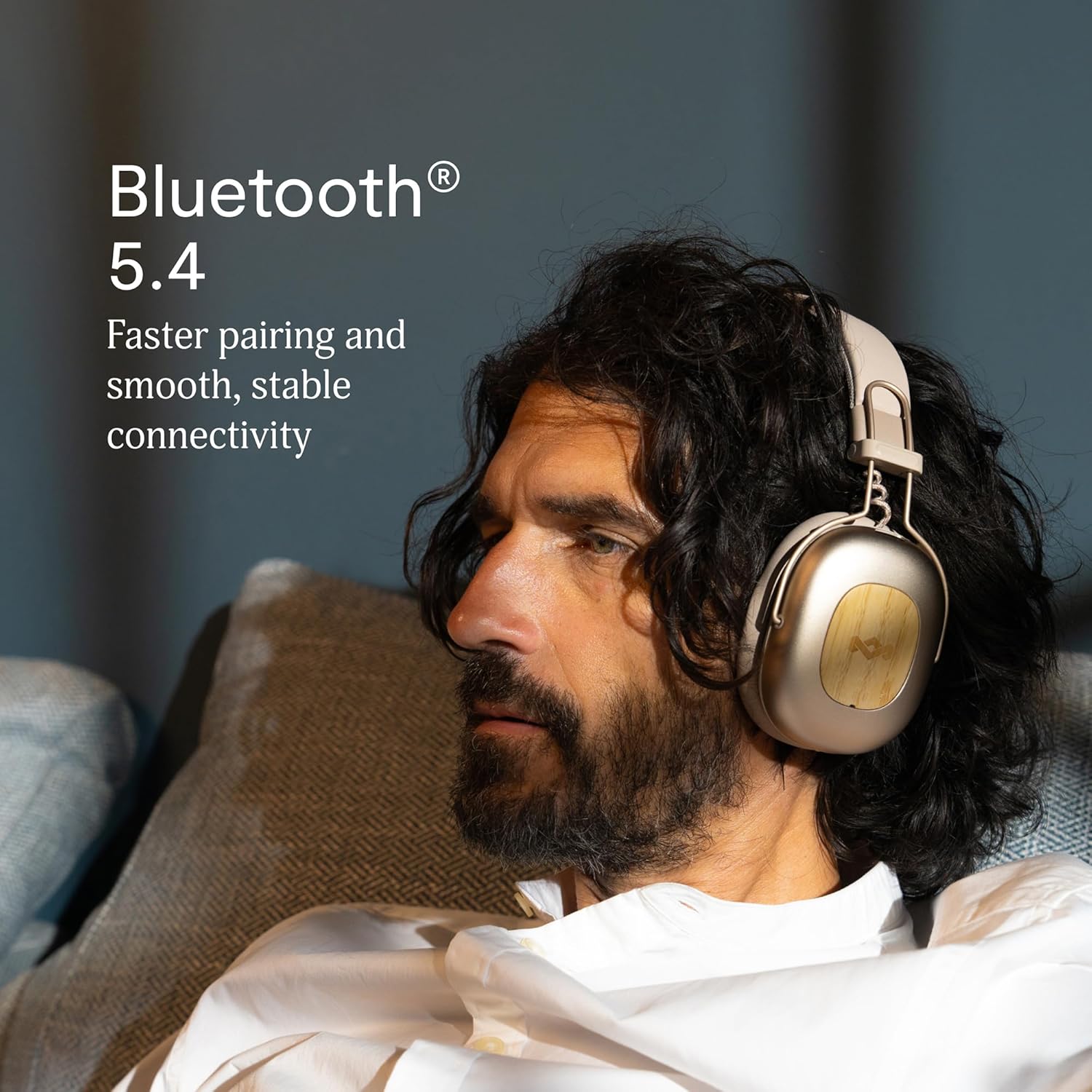
Image 2.1: Bluetooth 5.4 connectivity for stable pairing.
2.4 Fanitsiana ny fitoviana
The headphones feature an adjustable headband and soft memory foam ear cushions for comfortable wear. Adjust the headband to ensure the earcups sit comfortably over your ears, creating a good seal for optimal sound and noise cancelling performance.

Image 2.2: Ergonomic design for all-day comfort.
3. Torolàlana miasa
3.1 Power On/off
- Herim-batana: Press and hold the Power button for 2-3 seconds until the LED indicator lights up.
- Mamono hery: Press and hold the Power button for 3-4 seconds until the LED indicator turns off.
3.2 Famerenana mozika
- Play/Pause: Tsindrio indray mandeha ny bokotra Multi-function.
- Track manaraka: Tsindrio ary hazòny ny bokotra Fampiakarana ny volume mandritra ny 2 segondra.
- Làlana teo aloha: Tsindrio ary hazòny mandritra ny 2 segondra ny bokotra "Volume Down".
- Fiakaram-peo: Tsindrio vetivety ny bokotra Volume Up.
- Mihena ny feo: Tsindrio vetivety ny bokotra "Volume Down".
3.3 Fitantanana ny antso
- Valio/Atsaharo ny antso: Tsindrio indray mandeha ny bokotra Multi-function.
- Mandà ny antso: Tsindrio ary mihazona ny bokotra Multi-function mandritra ny 2 segondra.
3.4 Adaptive Noise Cancelling (ANC)
The headphones feature Adaptive Noise Cancelling to reduce ambient noise. There are typically multiple modes:
- ANC mandeha: Blocks out most external noise.
- Ambient Mode (Transparency): Mamela anao handre ny manodidina anao rehefa mihaino feo.
- ANC miala: Standard listening without noise cancelling.
Press the ANC button (usually located on one of the earcups) to cycle through the available ANC modes.

Image 3.1: Adaptive Noise Cancelling for distraction-free listening.
3.5 Fifandraisana tariby
For a wired connection, use the provided 3.5mm AUX audio cable. Plug one end into the headphone's 3.5mm port and the other end into your audio device. Note that some features like ANC may still function, but power is drawn from the headphone's battery.
4. Fikojakojana
4.1 Fanadiovana
- Gently wipe the headphones with a soft, dry, lint-free cloth.
- Aza mampiasa akora simika mahery vaika, solvents fanadiovana, na savony matanjaka.
- Fadio ny mahazo hamandoana amin'ny varavarana rehetra.
4.2 Fitehirizana
When not in use, store the headphones in a cool, dry place, away from extreme temperatures and direct sunlight. The foldable design allows for compact storage.
4.3 Fikarakarana bateria
- Fadio ny fanalana tanteraka ny bateria matetika.
- Charge the headphones regularly, even if not used for extended periods, to maintain battery health.
- Do not attempt to replace the battery yourself. Contact customer support if battery issues arise.
4.4 Fanamafisana ny rano (IPX5)
The headphones are rated IPX5 water resistant, meaning they can withstand a sustained, low-pressure water jet spray. This makes them suitable for light rain or sweaty workouts. However, they are not designed for submersion in water. Do not expose them to heavy rain or immerse them in any liquid.
5. Famahana olana
5.1 Tsy misy hery
- Hamarino tsara fa voafahana ny écouteur. Ampifandraiso amin'ny loharanon-kery amin'ny alalan'ny tariby USB-C izy ireo.
- Press and hold the Power button for the specified duration to turn them on.
5.2 Tsy afaka ampiarahina amin'ny fitaovana
- Ensure the headphones are in pairing mode (LED flashing blue and red).
- Make sure Bluetooth is enabled on your device and it is within range (typically 10 meters).
- Adinoy ao amin'ny fikirana Bluetooth-n'ny findainao ilay fitaovana ary andramo ampifandraisina indray.
- Avereno indray ny écouteur sy ny fitaovanao.
5.3 Tsy misy feo na feo ambany
- Jereo ny haavon'ny feo eo amin'ny écouteur sy ny fitaovana mifandray aminao.
- Ensure the headphones are properly connected via Bluetooth or the 3.5mm AUX cable.
- If using a wired connection, ensure the cable is fully inserted into both ports.
- Andramo milalao feo avy amina loharano na fampiharana hafa.
5.4 Adaptive Noise Cancelling Not Working Effectively
- Tsindrio ny bokotra ANC mba hahazoana antoka fa miasa ny ANC.
- Check that the earcups form a good seal around your ears. Adjust the fit if necessary.
- ANC is most effective against low-frequency, constant noise. It may not completely eliminate sudden or high-frequency sounds.
6. Famaritana
| endri-javatra | antsipirihany |
|---|---|
| Anarana modely | Positive Vibration Rebel |
| Laharana modely | EM-JH152 |
| Teknolojia fifandraisana | Wireless (Bluetooth) |
| Bluetooth Version | 5.4 |
| Karazana mpamily Audio | Driver Dynamic (40mm) |
| Endri-javatra mifehy ny tabataba | Adaptive Noise Fanafoanana |
| Fiainana bateria | Up to 130 Hours (75 Hours with ANC) |
| Time Charging | 15 minutes for 4 hours playtime (quick charge) |
| Ny haavon'ny fanoherana ny rano | IPX5 |
| KEVITRA | Aluminum, Wood (FSC certified), REWIND™ Fabric |
| Fametrahana sofina | Over sofina |
| Fitaovana mifanentana | Smartphone, Solosaina, Tablets, Smart Speakers |
| Ny refin'ny vokatra | 8.13 x 3.75 x 8.36 santimetatra |
| Lanja entana | 1.14 kg |
| UPC | 846885011874 |
7. Warranty sy fanohanana
7.1 Fampahalalana momba ny fiantohana
House of Marley products typically come with a limited warranty. For specific details regarding the warranty period and terms for your Positive Vibration Rebel Wireless ANC Headphones, please refer to the warranty card included with your product or visit the official House of Marley website. Tehirizo ny porofon'ny fividiananao ho an'ny fitakiana fiantohana.
7.2 Fanohanana ny mpanjifa
If you encounter any issues not covered in this manual or require further assistance, please contact House of Marley customer support. You can usually find contact information (phone, email, or support portal) on the official House of Marley webtranokala:


