Sava lalana
This manual provides detailed instructions for the safe and efficient operation, maintenance, and troubleshooting of your HOTO PixelDrive Electric Screwdriver, Model QWLSD014. Please read this manual thoroughly before using the product and retain it for future reference.
Vita ny vokatraview

Figure 1: HOTO PixelDrive Electric Screwdriver with included 30-piece bit set and cylindrical storage case.
Lafin-javatra fototra:
- Smart Display: Shows real-time torque levels and battery charge.
- Torque azo zahana: Six levels from 0.5 N·m to 6 N·m for various tasks.
- Fanaraha-maso hafainganam-pandeha roa: 80 RPM for precision (half-press) and 200 RPM for efficiency (full-press).
- 30-Piece Bit Set: Includes 10 C6.3x25mm and 20 C6.3x50mm bits, organized in a triple-layer cylindrical case.
- Jiro LED Integrated: 360-degree illumination for dark or confined spaces.
- Batterie azo averina: 2000 mAh Lithium-Ion battery with USB-C charging.
Anisan'ny singa:
- 1 x HOTO PixelDrive Cordless Screwdriver
- 1 x 30-Piece Screwdriver Bit Set (10 x C6.3x25mm, 20 x C6.3x50mm)
- 1 x USB-C Charging Cable (not explicitly listed but implied by USB-C charging)
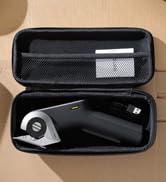
Sary 2: Nipoaka view illustrating the screwdriver and its organized bit storage system.
Hametraka
1. Charging the Screwdriver:
Before first use, fully charge the HOTO PixelDrive Electric Screwdriver. Connect the provided USB-C cable to the charging port located at the bottom of the screwdriver and plug the other end into a compatible USB power adapter (not included). The smart display will indicate the battery charge status during charging.
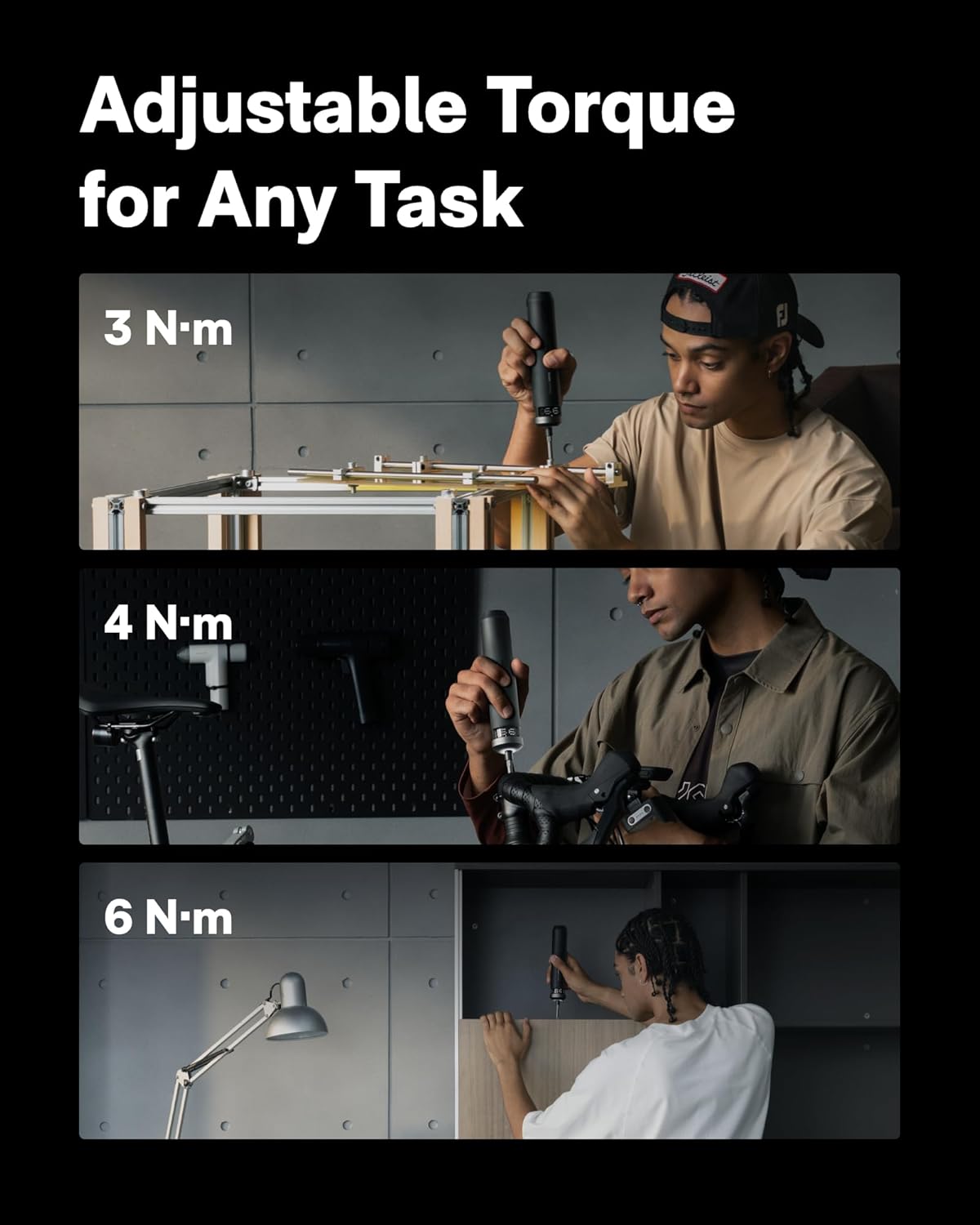
Figure 3: The screwdriver features a 2000 mAh battery and a convenient USB-C charging port.
2. Bit Installation:
- Open the cylindrical bit storage case by rotating the sections.
- Safidio ny bit screwdriver mety amin'ny asanao.
- Insert the chosen bit into the magnetic bit holder at the tip of the screwdriver. Ensure it is securely seated.
Figure 4: Visual guide for opening the bit cylinder, attaching a bit, and adjusting torque.
Torolàlana miasa
1. Power On/Off and Torque Adjustment:
- Rotate the ring at the top of the screwdriver to select one of the six torque levels (0.5 N·m to 6 N·m). The smart display will show the selected torque.
- To turn off the screwdriver, rotate the ring to the "OFF" position.
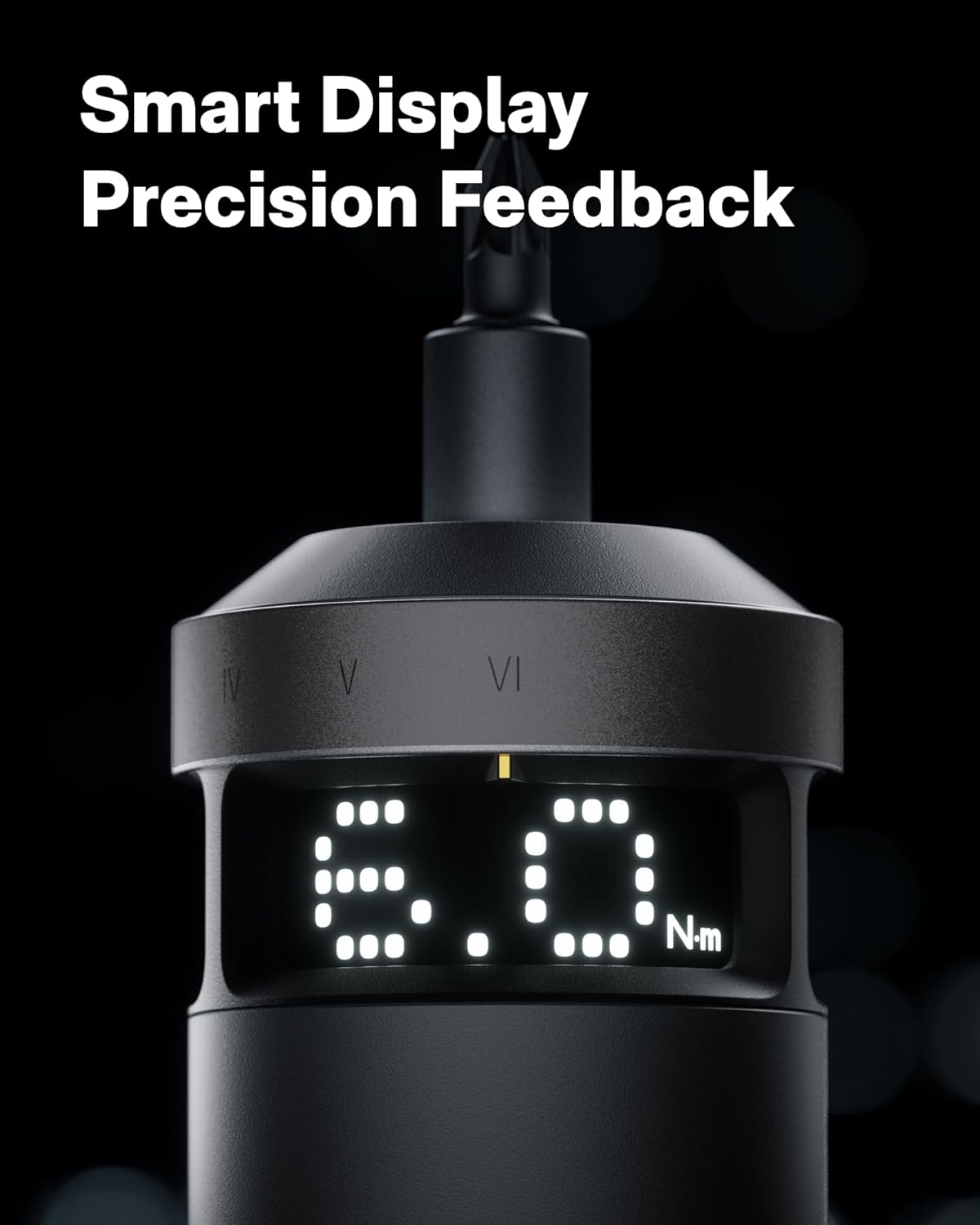
Figure 5: The smart display provides real-time feedback on torque and battery life.
2. Speed Control (Dual Speed):
- The screwdriver features a dual-speed trigger.
- Fanerena antsasaky: Activates the low speed (80 RPM) for precision work.
- Press feno: Activates the high speed (200 RPM) for faster operation and increased productivity.

Figure 6: Dual-speed control allows for precise or rapid operation based on trigger pressure.
3. Switching Torque Units (N·m / lb-in):
To switch between Newton-meters (N·m) and Inch-pounds (lb-in) on the smart display, press and hold both the forward and reverse buttons simultaneously for 3 seconds. Wake the screen with a forward/reverse press, then adjust torque.
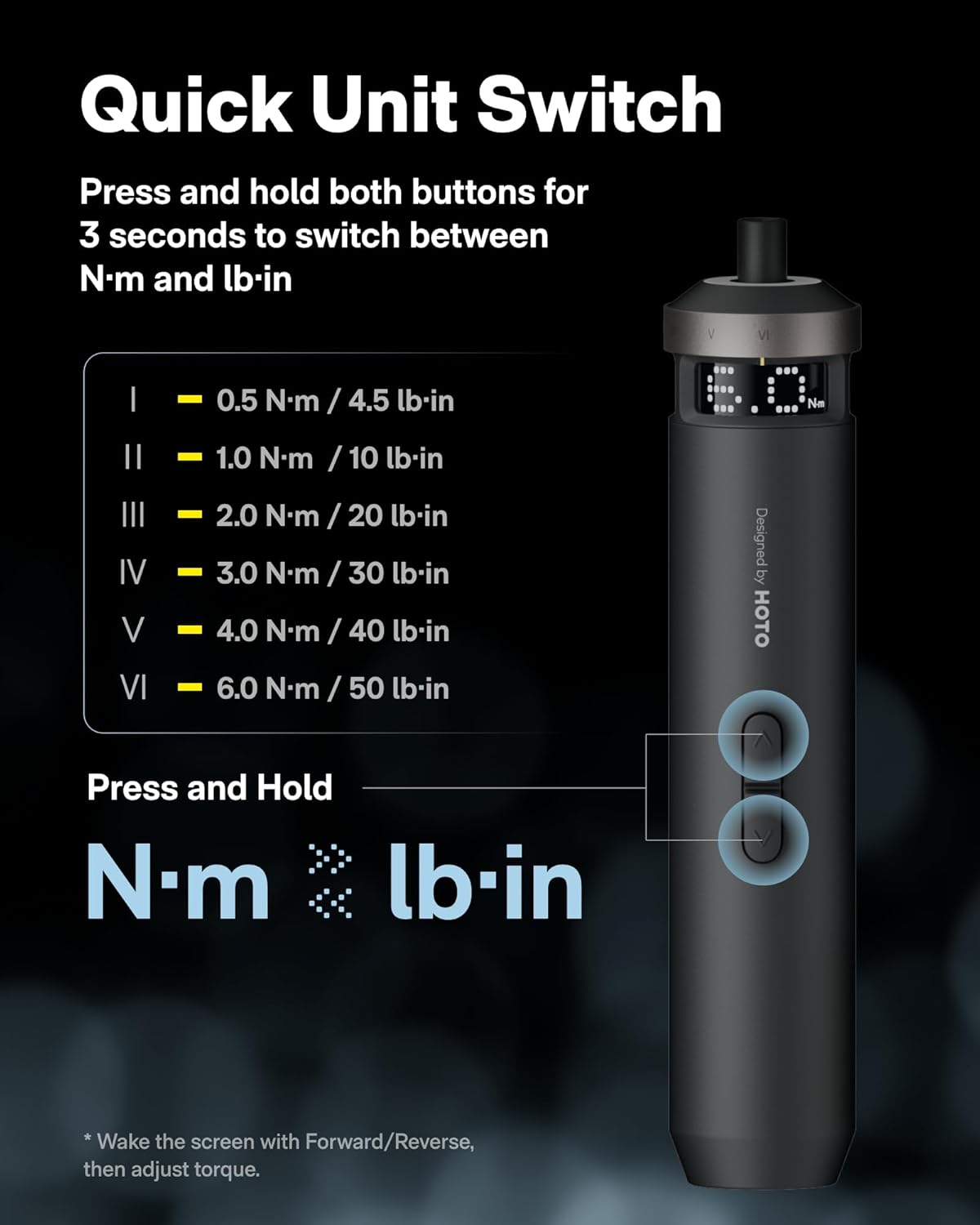
Figure 7: Instructions for switching between N·m and lb-in torque units on the smart display.
4. Recommended Torque Settings for Various Applications:
| Torque Level | Fampiharana | Example Bits |
|---|---|---|
| 0.5 N·m (4.5 lb-in) | Delicate electronics repairs, small appliances, thin plates, M1.2-M2 screws. | PH0, SL4, U2.6, Δ2.3 |
| 1 N·m (10 lb-in) | Light repairs, M2.5-M3 machine screws, printer/camera mounts. | PH1, SL6, T10H |
| 2 N·m (20 lb-in) | Everyday fixes, M3-M4 assembly, furniture fittings, 3D printers, plastic parts tightening. | S1, T15H, H3 |
| 3 N·m (30 lb-in) | Flat-pack assembly, M3.5-M4.5 mm wood screws, wall brackets, hardware joints. | PH2, PZ2, T20H, H4 |
| 4 N·m (40 lb-in) | Garage-to-mountain builds, M5-M6 furniture connectors, hinges. | PH3, S2, H5, T28H |
| 6 N·m (50 lb-in) | Heavy fixes, large-size pre-tightening (long wood screws, M6-M8 furniture). Final tightening with larger tools or a torque wrench is recommended. | T30H, H6 |

Figure 8: Torque level guide for various tasks and compatible bit types.
fikarakarana
- Tazomy ho madio sy maina ny tondro sy ny visy. Fafao amin'ny lamba malefaka syamp lamba.
- Store the screwdriver and bits in their original cylindrical case to prevent loss and damage.
- Fadio ny mampiseho ny fitaovana amin'ny mari-pana tafahoatra, tara-masoandro mivantana, na ny hamandoana.
- Regularly check the bits for wear and replace them if they become dull or damaged.
Fanamboarana
| OLANA | Antony mety hitranga | vahaolana |
|---|---|---|
| Screwdriver not turning on. | bateria kely. | Charge the screwdriver using the USB-C cable. |
| Bit tsy mitazona tsara. | Bit not fully inserted or magnetic holder is dirty. | Ensure the bit is fully inserted. Clean the magnetic holder if necessary. |
| Insufficient torque for task. | Incorrect torque setting selected. | Increase the torque level using the rotary ring. Refer to the "Recommended Torque Settings" table. |
| Screwdriver stops unexpectedly. | Overload protection activated or low battery. | Reduce pressure or check battery level. Allow the tool to cool down if overheated. |
fepetra arahana
- Anaran'ny modely: QWLSD014
- marika: Rohy
- Fitaovana: VIRATY
- Lanja entana: 11.2 ounces (317 grama)
- Haben'ny vokatra: 1.5 x 1.5 x 7.8 santimetatra
- Batterie: 1 Lithium Ion (included), 2000 mAh
- Loharano herinaratra: Batterie (azo averina averina USB-C)
- BOKYtage: 4 Volts
- Torque Range: 0.5 - 6 N·m (up to 50 Inch Pounds)
- Haingana: Dual-speed (80 RPM / 200 RPM)
- Endri-javatra manokana: Adjustable Torque, Dual-Speed Control, LED Light, Smart Display
- Anisan'ny singa: 1 × PixelDrive Cordless Screwdriver, 30-Piece Screwdriver Bit Set (10 × C6.3 × 25mm, 20 × C6.3 × 50mm)
Information momba ny fiarovana
- Always wear appropriate safety gear, such as safety glasses, when operating power tools.
- Ataovy madio sy mazava tsara ny toeram-piasana. Ny faritra mikorontana na maizina dia miteraka loza.
- Aza mampiasa fitaovam-pamokarana amin'ny atmosfera mipoaka, toy ny fisian'ny ranon-javatra mirehitra, entona, na vovoka.
- Tazony lavitra ny ankizy sy ny olona eo am-piasana rehefa mampiasa fitaovana herinaratra. Mety hahatonga anao tsy hifehy intsony ny fanelingelenana.
- Tehirizo tsy ho azon'ny ankizy ny fitaovana mandeha amin'ny herinaratra ary aza avela ny olona tsy zatra amin'ny fitaovam-pamokarana herinaratra na ireo toromarika ireo hampiasa ny fitaovana herinaratra.
- Use the correct bit for the application. Forcing the tool may cause damage or injury.
- Do not disassemble or modify the screwdriver. Repairs should only be performed by qualified personnel.
Lahatsary vokatra ofisialy
HOTO PixelDrive - Precision Meets Smart Display
Video 1: Vitaview of the HOTO PixelDrive Electric Screwdriver, highlighting its precision features and smart display capabilities.
High-Tech Screwdriver - Power, Precision, Perfection
Video 2: Demonstrates the power and precision of the HOTO PixelDrive screwdriver in various applications.
First Look at the [PixelDrive] | Smart Electric Screwdriver
Video 3: A first look at the HOTO PixelDrive, showcasing its smart features and design.
Warranty sy fanohanana
For warranty information and customer support, please refer to the official HOTO webtranokala na mifandray mivantana amin'ny serivisy mpanjifany. Tehirizo ny tapakila fividiananao ho porofon'ny fividianana ho an'ny fitakiana fiantohana.
Manufacturer: HOTO


