Sava lalana
Misaotra anao nividyasing the CHEREEKI Digital LED Alarm Clock. This manual provides detailed instructions for setting up and operating your new alarm clock. Please read it thoroughly before use and keep it for future reference.
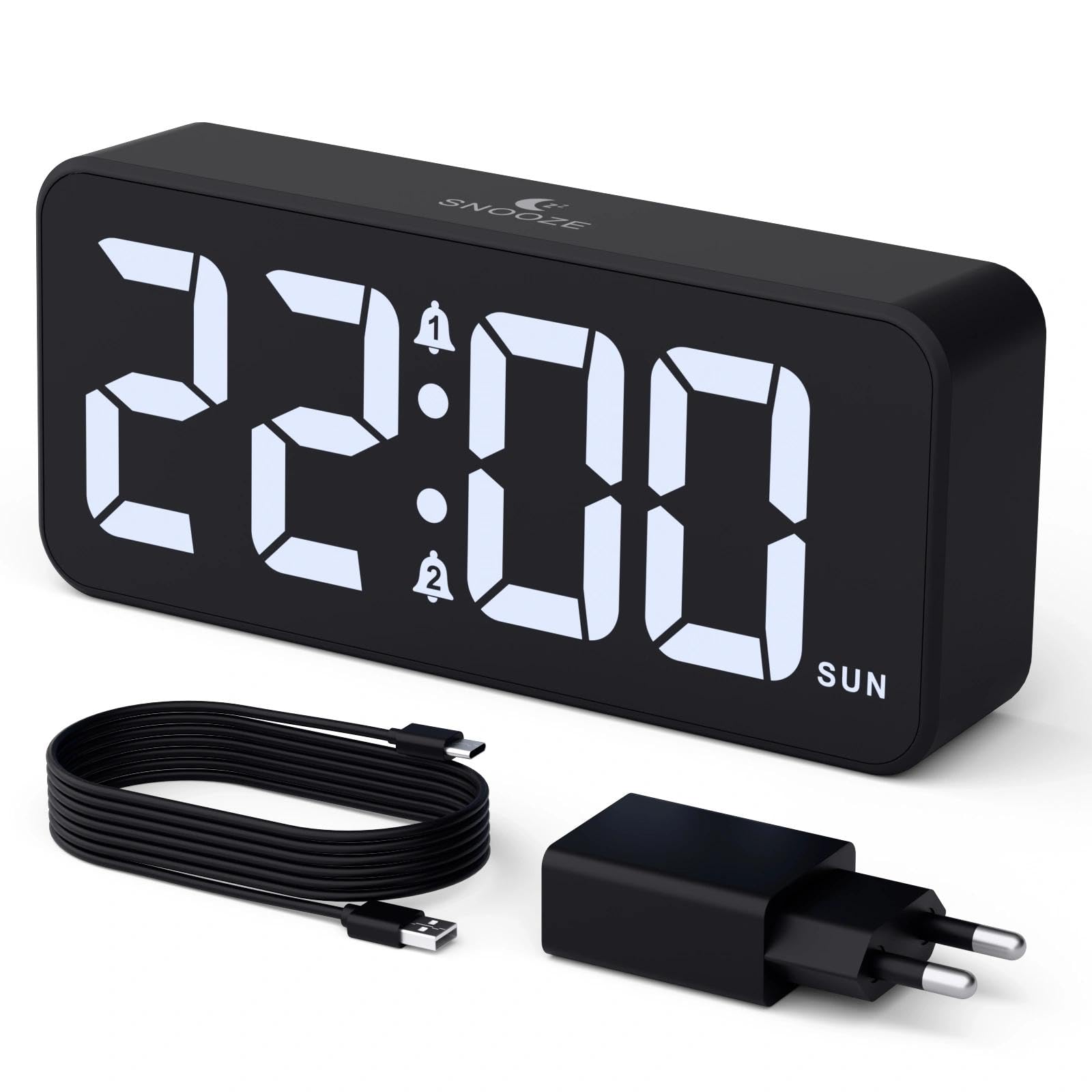
Image: The CHEREEKI Digital LED Alarm Clock, showcasing its large LED display and key features.
Information momba ny fiarovana
- Ensure the power adapter and cable are compatible with the device's voltage requirements (5V/1A or 5V/2A).
- Aza atao rano na hamandoana be loatra ny fitaovana.
- Fadio ny mametraka ny fitaovana eo akaikin'ny loharano mafana na amin'ny tara-masoandro mivantana.
- Aza manandrana manongotra na manamboatra ilay fitaovana. Mifandraisa amin'ny fanohanan'ny mpanjifa raha misy olana.
- Arovy amin'ny ankizy.
Fonosana fonosana
- CHEREEKI Digital LED Alarm Clock
- Power Adapter (5V/1A or 5V/2A)
- USB Charging Cable (1.5m)
- User Manual
- CR2032 Backup Battery (pre-installed or included)

Image: Illustration of the items included in the product package.
Firafitry ny vokatra sy ny fanaraha-maso

Image: Rear panel of the alarm clock with labels for all buttons and ports.
- Bokotra Fametrahana Fotoana: Tsindrio raha hiditra amin'ny fomba famerana fotoana.
- Bokotra fanairana 1: Press to set Alarm 1.
- Bokotra fanairana 2: Press to set Alarm 2.
- Bokotra ambony/midina: Adjust values during setting.
- Kitendry Dimmer: Rotate to adjust display brightness (0-100%).
- Knob feo: Rotate to adjust alarm volume (10 levels).
- Port USB Output: Ho an'ny famandrihana fitaovana ivelany.
- Type-C seranan-tsambo: For power supply to the alarm clock.
- DST Button: For Daylight Saving Time adjustment.
- Efitra bateria: Houses the CR2032 backup battery.
Hametraka
1. Fampifandraisana herinaratra
The alarm clock operates solely on AC power. Connect the provided USB cable to the Type-C input port on the back of the clock and plug the adapter into a standard wall outlet (5V/1A or 5V/2A). The display will light up.

Image: The alarm clock connected to a power source via its adapter.
2. Bateria backup
A CR2032 backup battery is included to retain time and alarm settings during power outages. This battery does not power the display or alarm functions; it only preserves memory. Ensure the battery is correctly installed in the compartment on the back of the clock.

Image: Close-up of the backup battery compartment, indicating its purpose to retain settings during power loss.
Torolàlana miasa
Fametrahana ny fotoana
- Press the "TIME SET" button. The hour digits will flash.
- Use the "UP" or "DOWN" buttons to adjust the hour.
- Press "TIME SET" again to confirm the hour and move to minute setting. The minute digits will flash.
- Ampiasao ny bokotra "UP" na "DOWN" mba hanitsiana ny minitra.
- Press "TIME SET" once more to confirm the minutes and exit time setting mode.
Setting Alarms (Alarm 1 and Alarm 2)
This clock supports two independent alarms with three scheduling options.
- Press the "ALARM 1" or "ALARM 2" button. The alarm hour digits will flash.
- Use the "UP" or "DOWN" buttons to adjust the alarm hour.
- Press the respective alarm button again to confirm the hour and move to minute setting. The minute digits will flash.
- Use the "UP" or "DOWN" buttons to adjust the alarm minutes.
- Press the alarm button again to select the alarm schedule:
- andro fiasana: Alatsinainy hatramin'ny zoma
- faran'ny herinandro: Sabotsy hatramin’ny alahady
- isan'andro: Alatsinainy hatramin'ny alahady
- Press the alarm button once more to confirm the schedule and exit alarm setting mode.
- To enable/disable an alarm, press the "ALARM 1" or "ALARM 2" button briefly outside of setting mode. An alarm icon will appear/disappear on the display.

Image: The alarm clock demonstrating dual alarm settings with various scheduling options.
Function Snooze
When the alarm sounds, touch the top of the clock to activate the 5-minute snooze function. The alarm will temporarily stop and sound again after 5 minutes. To turn off the alarm completely, press any other button on the back of the clock.
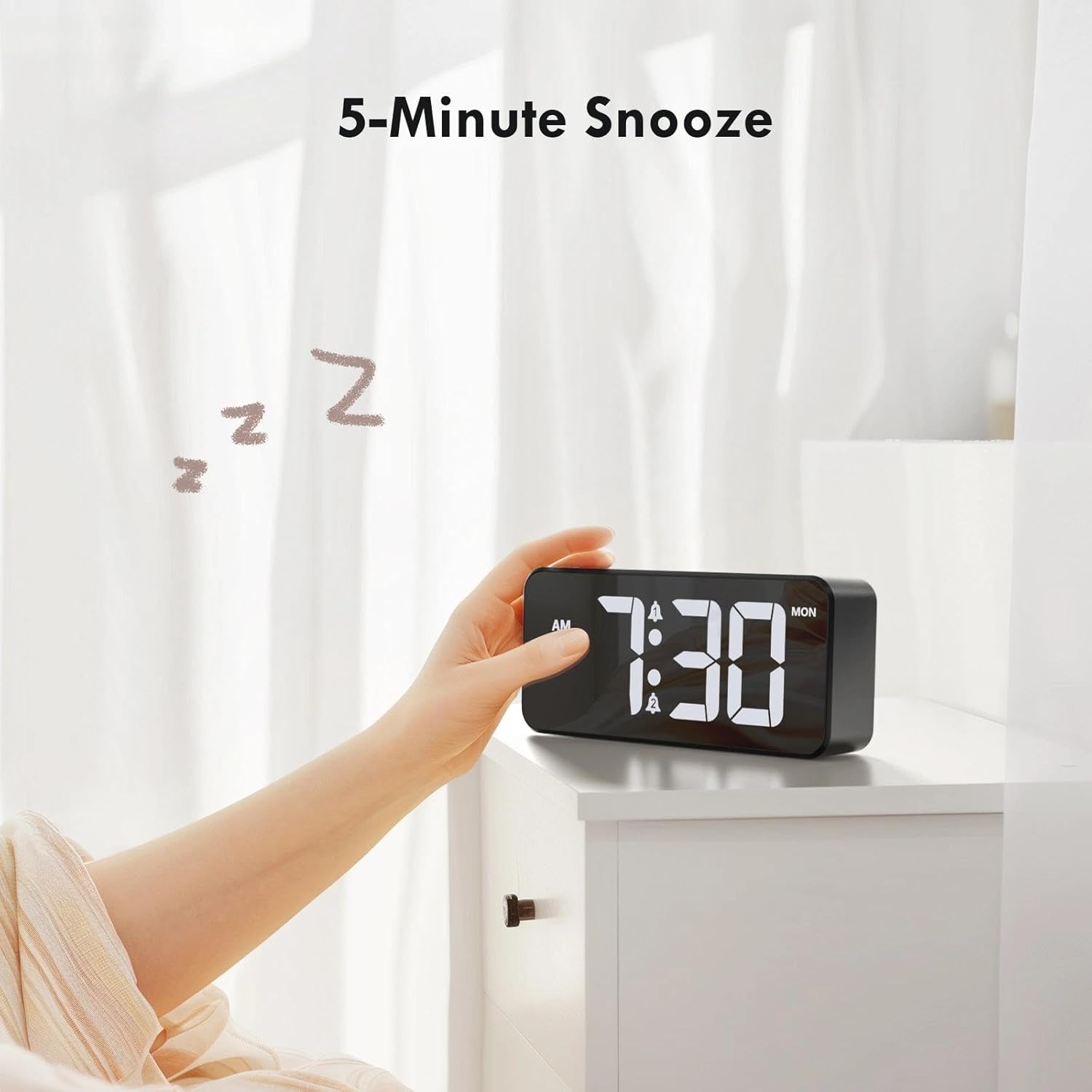
Image: A user activating the snooze function by touching the top of the alarm clock.
Fanitsiana ny famirapiratry ny fampisehoana
Rotate the "DIMMER" knob on the back of the clock to adjust the display brightness from 0% (off) to 100% (maximum brightness). This allows for comfortable viewao anatin'ny toe-pahazavana rehetra.

Image: Visual representation of the adjustable brightness feature and the dimmer knob.
Fanitsiana ny haavon'ny fanairana
Rotate the "VOLUME" knob on the back of the clock to select one of the 10 available alarm volume levels. Choose a volume that suits your preference.

Image: The volume control knob and a visual scale indicating adjustable volume levels.
Fomba 12/24 ora
To switch between 12-hour and 24-hour time formats, press and hold the "TIME SET" button for a few seconds until the format changes. In 12-hour format, "AM" or "PM" indicators will be displayed.

Image: The alarm clock showing both 12-hour and 24-hour time display options.
USB Charging Port
The USB-A output port on the back of the clock allows you to charge other devices, such as smartphones or tablets. Simply connect your device's charging cable to this port.

Image: The alarm clock charging a smartphone via its integrated USB port.
Andro fitsitsiana antoandro (DST)
To adjust for Daylight Saving Time, press the "DST" button on the back of the clock. This will advance or set back the time by one hour. Press it again to revert.
fikarakarana
- Diovy amin'ny lamba malefaka sy maina ny velaran'ny famantaranandro. Aza mampiasa mpanadio na solvents mikikisana.
- Arovy amin'ny vovoka sy potipoti-javatra ilay fitaovana.
- If the backup battery needs replacement, use a CR2032 coin cell battery. Ensure correct polarity.
Fanamboarana
| OLANA | Antony mety hitranga | vahaolana |
|---|---|---|
| Tsy mandeha ny fampisehoana. | Not connected to power; Dimmer set to 0%. | Ensure the clock is plugged into a working power outlet. Rotate the Dimmer knob to increase brightness. |
| Tsy maneno ny fanairana. | Alarm not activated; Volume set to minimum. | Press the ALARM 1/2 button to activate the alarm (icon should appear). Rotate the Volume knob to increase volume. |
| Settings lost after power outage. | Maty na tsy eo ny bateria fanampiny. | Soloy ny bateria backup CR2032. |
| Tsy mandeha ny charging USB. | Clock not powered; Device cable faulty. | Ensure the alarm clock is powered. Try a different USB cable or device. |
fepetra arahana
- marika: CHEREEKI
- Modely: B0FHHKMP1X
- loko: Mainty
- Karazana fampisehoana: LED nomerika
- Fitaovana: Acrylonitrile Butadiene Styrene (ABS)
- Haben'ny vokatra: 14.5 x 3.81 x 6.5 sm (5.7 x 1.5 x 2.5 santimetatra)
- Lanja entana: 230 grama (0.5 lbs)
- Loharano herinaratra: Wired Electric (5V/1A or 5V/2A adapter)
- Backup Battery: CR2032 (for memory retention only)
- Endri-javatra manokana: Adjustable Brightness, Dual Alarm, Snooze, USB Charging Port, 12/24H Format, Adjustable Volume, Day of Week Display
Warranty sy fanohanana
This CHEREEKI Digital LED Alarm Clock comes with a Garantie mandritra ny androm-piainany. For any product inquiries, technical support, or warranty claims, please contact CHEREEKI customer service through the retailer where you purchased the product or visit the official CHEREEKI webtranokala momba ny fifandraisana.
Azafady, tehirizo ny porofon'ny fividiananao ho an'ny fiantohana.
