1. Fampidirana
Thank you for choosing Bluedee BD-SK900 Computer Speakers. This manual provides essential information for the proper setup, operation, and maintenance of your new speakers. Please read this guide thoroughly before use to ensure optimal performance and longevity of your device. These speakers are designed to deliver high-fidelity audio with versatile connectivity and dynamic RGB lighting for an enhanced audio-visual experience.
2. Ny votoatin'ny fonosana
Hamarino azafady fa ny entana rehetra voatanisa etsy ambany dia tafiditra ao anatin'ny fonosanao:
- 1x Bluedee Computer Speaker (Pair)
- 1x USB/USB-C Cable
- 1x Guide Start haingana
3. Toetran'ny vokatra
The Bluedee BD-SK900 speakers are equipped with advanced features for a superior audio experience:
- Feo Stereo Mahatoky: Features 2 tweeters, 2 full-range drivers, and 2 passive radiators for clear highs, rich mids, and powerful bass with a 20W output.
- All-in-One Control Knob: A single, intuitive knob allows for play/pause, volume adjustment, lighting control, and switching between connection modes.
- Fifandraisana Bluetooth 5.4: Ensures a stable, low-latency wireless connection for seamless audio streaming. (Note: Requires USB power supply for operation).
- Famolavolana Plug & Play: Connects easily via the included USB/USB-C cable for both audio and power, requiring no additional drivers or software.
- Jiro RGB Dynamic: Offers 5 distinct RGB lighting modes, including dynamic color-shifting and static single-color glows, controllable via the knob.
- Unique Egg-shaped Acoustic Design: A minimalist and space-saving design (5.1"D x 5"W x 7.2"H) that enhances sound projection.
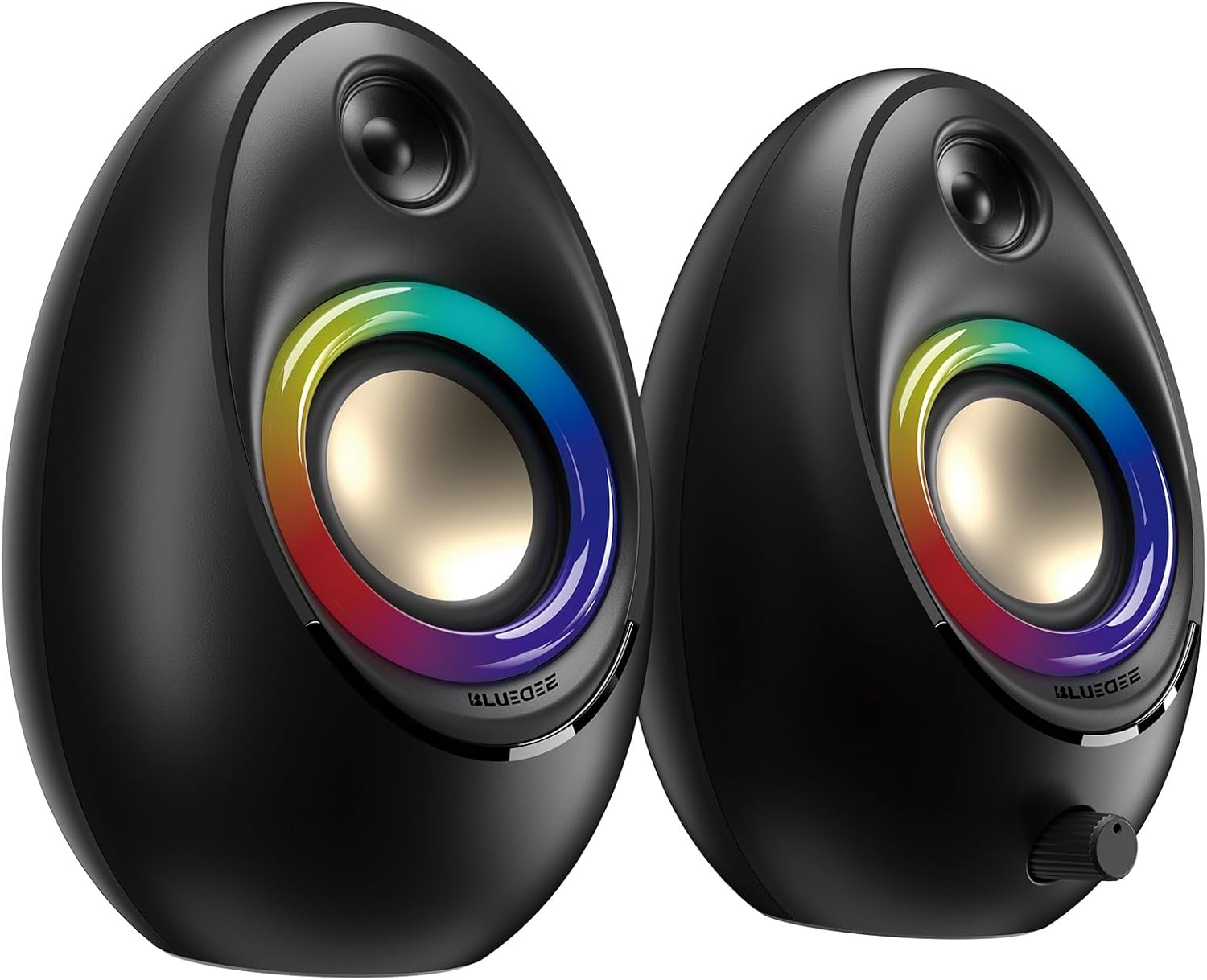
Figure 3.1: Bluedee BD-SK900 Computer Speakers, showcasing their design and RGB lighting.

Figure 3.2: Internal acoustic architecture of the Bluedee BD-SK900 speakers.

Figure 3.3: The multi-functional control knob for easy operation.
4. Torolàlana fananganana
Follow these steps to set up your Bluedee BD-SK900 speakers:
- Fametrahana: Position the two speakers on your desktop or desired surface, ensuring they are spaced appropriately for optimal stereo sound.
- Connect Power and Audio: Use the provided all-in-one USB/USB-C cable. Connect the USB-A or USB-C end to an available port on your computer (desktop, laptop) or a compatible USB power adapter (not included). The speakers will power on automatically.
- Fifandraisana voalohany: Upon connecting, the speakers will typically default to USB audio mode. If your computer recognizes the speakers, audio will play directly through them.
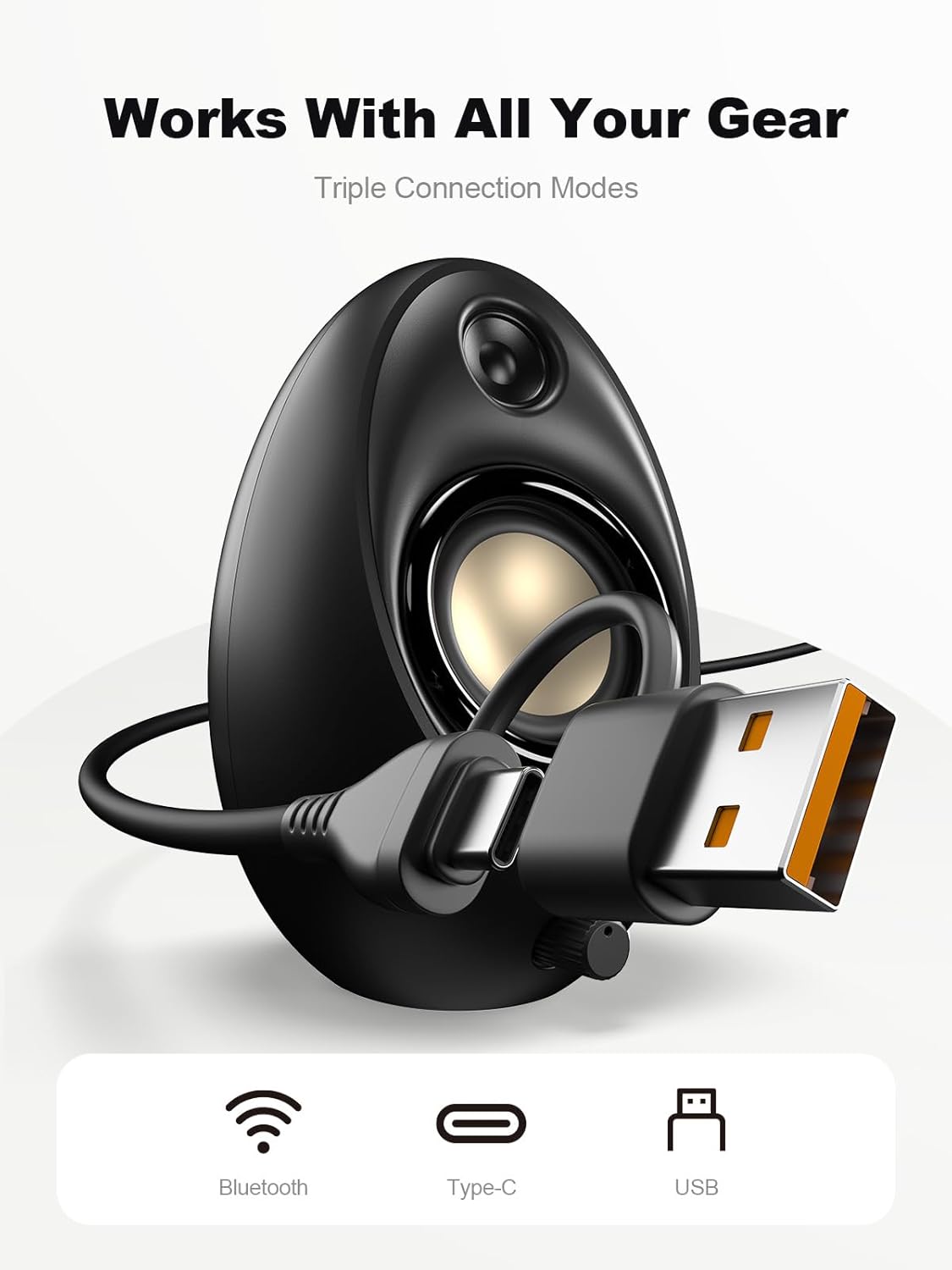
Figure 4.1: Connecting the speakers via USB/USB-C cable.
5. Torolàlana miasa
5.1 Power On/off
The speakers power on automatically when connected to a USB power source. To power off, disconnect the USB cable.
5.2 Fanaraha-maso ny volume
Rotate the multi-functional knob clockwise to increase volume and counter-clockwise to decrease volume.
5.3 Fanambadiana Bluetooth
- Mivadika amin'ny maody Bluetooth: Press and hold the multi-functional knob for approximately 2-3 seconds until the speaker indicates Bluetooth mode (e.g., a specific light pattern or audio prompt).
- Alefaso ny Bluetooth amin'ny fitaovana: Amin'ny findainao, tablette, na solosaina findainao, avelao ny Bluetooth ary tadiavo ireo fitaovana misy.
- mpivady: Select "Bluedee BD-SK900" from the list of devices. Once paired, the speakers will confirm the connection.
5.4 USB/Type-C Connection
When connected via the USB/USB-C cable, the speakers will automatically function as an audio output device for your computer. To switch back to USB mode from Bluetooth, press and hold the multi-functional knob again.
5.5 Fanaraha-maso ny Jiro RGB
The speakers feature 5 dynamic RGB lighting effects. Briefly press the multi-functional knob to cycle through the available lighting modes. This allows you to customize the ambiance to your preference.

Figure 5.1: Dynamic RGB lighting effects.
6. Famahana olana
If you encounter issues with your Bluedee BD-SK900 speakers, please refer to the following common solutions:
- Tsy misy feo:
- Ensure the USB/USB-C cable is securely connected to both the speakers and your device/power source.
- Check the volume level on both the speakers (using the knob) and your connected device.
- Verify that the correct audio output device is selected in your computer's sound settings.
- If using Bluetooth, ensure the speakers are in Bluetooth mode and successfully paired.
- Bluetooth Disconnection/Pairing Issues:
- Ensure the speakers are within the 10-meter Bluetooth range of your device.
- Vonoy sy velomy ny Bluetooth amin'ny fitaovanao, dia andramo indray ny mampiaraka.
- Forget the device from your Bluetooth list and re-pair.
- Ensure the speakers are not connected to another device.
- Jiro RGB tsy mandeha:
- Hamarino tsara fa mandeha tsara ny fanamafisam-peo.
- Briefly press the multi-functional knob to cycle through lighting modes; the lights might be off or in a static mode.
- Audio diso:
- Ahenao ny hamafin'ny feon'ny fanamafisam-peo sy ny fitaovanao mifandray aminy.
- Ataovy azo antoka fa tsara kalitao ny loharanon-peo.
- Check for any interference if using Bluetooth.
7. Famaritana
| Anarana modely | BD-SK900 |
| Karazana mpandahateny | Speaker amin'ny solosaina |
| Teknolojia fifandraisana | Bluetooth, USB |
| Bluetooth Version | 5.4 |
| Bluetooth Range | 10 metatra |
| Famoahana herinaratra | 20W |
| Famaritana fanamafisam-peo | 70 dB |
| Famaliana matetika | 20 KHz (Upper limit, typical for full-range) |
| RGB Lighting Modes | 5 |
| Fitaovana mifanentana | Birao birao, Solosaina finday, Finday avo lenta, Takelaka |
| Haben'ny vokatra (mpiteny tsirairay) | 5.1" D x 5" W x 7.2" H |
| Lanja entana | 2.88 kg |
| Loharanon-kery | Corded Electric (USB/Type-C) |

Figure 7.1: Speaker dimensions and design.
8. Fikojakojana
Mba hahazoana antoka fa maharitra ela sy miasa tsara ny fanamafisam-peonao dia araho ireto torolalana momba ny fikojakojana ireto:
- Fanadiovana: Use a soft, dry cloth to clean the speaker surfaces. Avoid using abrasive cleaners, solvents, or strong chemicals, as they may damage the finish.
- fitahirizana: Rehefa tsy ampiasaina mandritra ny fotoana maharitra dia tehirizo ao amin'ny toerana mangatsiaka sy maina lavitry ny tara-masoandro mivantana sy ny mari-pana tafahoatra ny fanamafisam-peo.
- Fikarakarana: Tandremo tsara ny fanamafisam-peo. Aza avela hianjera na hidona mafy izy ireo.
- rivotra: Ensure proper ventilation around the speakers to prevent overheating. Do not block any vents.
9. Information momba ny fiarovana
Tandremo azafady ireto fepetra fiarovana manaraka ireto:
- Do not expose the speakers to water, moisture, or extreme temperatures.
- Do not attempt to disassemble or modify the speakers. This will void the warranty and may cause damage or injury.
- Keep the speakers away from heat sources, open flames, and direct sunlight.
- Use only the provided USB/USB-C cable for connection.
- Fadio ny mihaino feo avo loatra mandritra ny fotoana maharitra mba hisorohana ny fahasimban'ny fandrenesana.
10. Warranty sy fanohanana
Bluedee provides comprehensive support for your BD-SK900 Computer Speakers:
- Garantie kalitao: Your speakers are covered by a 540-day quality warranty from the date of purchase.
- Fanohanana mandritra ny fiainana: Bluedee offers lifetime customer support for this product.
- Fifandraisana: For any questions, technical assistance, or warranty claims, please contact us via Amazon Messages or refer to the contact details provided in your Quick Start Guide.


