1. Vokatra mihoatraview
The UPERFECT 24.5" Portable Monitor (Model MT03) is designed to enhance your visual experience, whether for work, gaming, or entertainment. Featuring a 24.5-inch IPS matte screen with 1080P Full HD resolution and 100% sRGB color gamut, it offers a broad and vivid display. With a 240Hz refresh rate, FreeSync technology, and a 0.1ms response time, it delivers smooth and tear-free visuals, particularly beneficial for fast-paced gaming. Its portable design includes a built-in 180° adjustable stand and VESA compatibility, providing flexible placement options. Connectivity is simplified with two USB Type-C ports and one Mini HDMI port, ensuring wide compatibility with various devices.
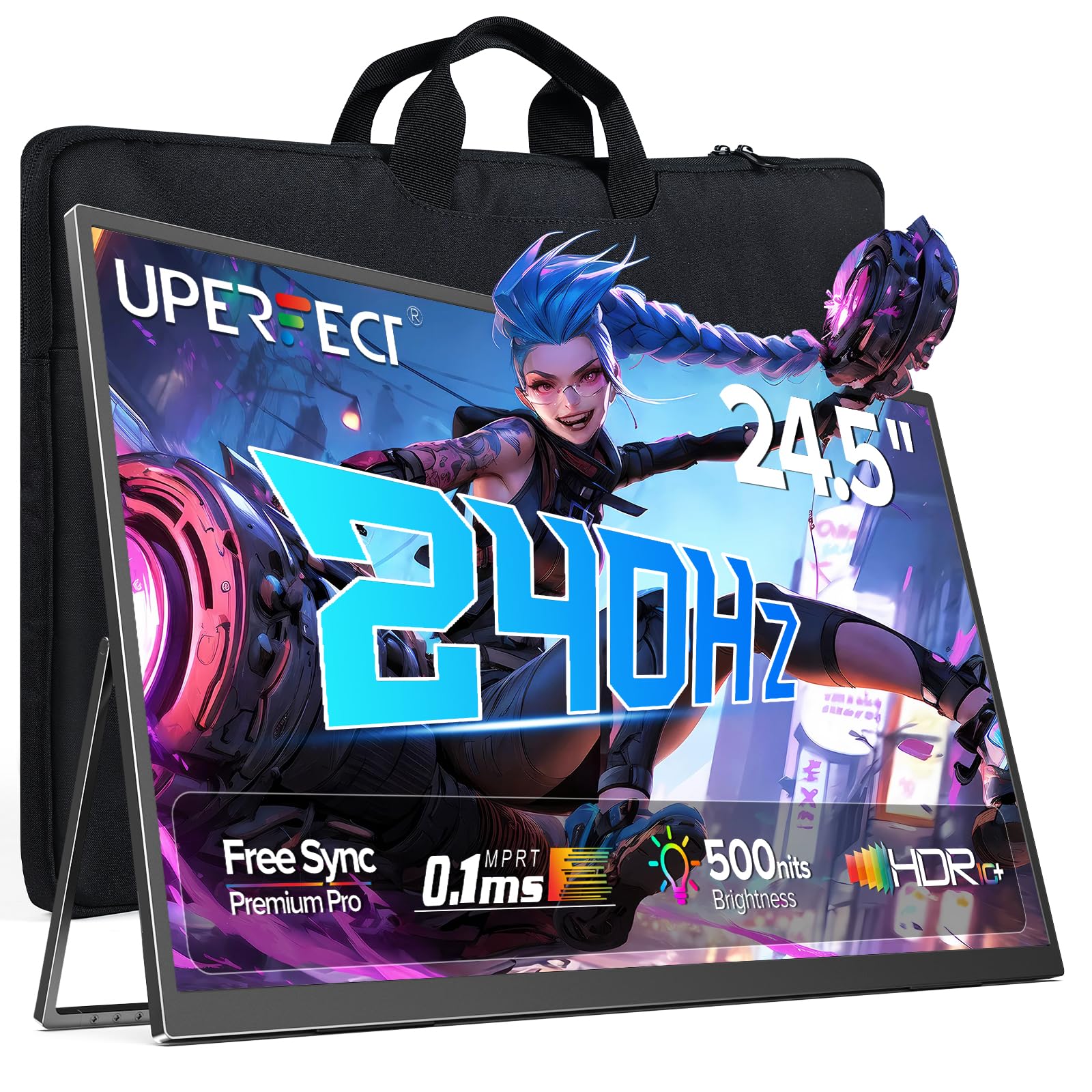
Figure 1: UPERFECT 24.5" Portable Monitor (Model MT03)
2. Ny votoatin'ny fonosana
Azafady mba hamarino tsara fa ao anaty fonosana daholo ny entana rehetra alohan'ny hanohizana ny fametrahana.
- UPERFECT 24.5" Portable Monitor (Model MT03)
- USB Type-C to Type-C Cable (for power and video signal)
- Mini HDMI to HDMI Cable (for video signal)
- Power Adapter
- Kitapo fitahirizana
- User Manual (ity antontan-taratasy ity)
Video 1: Unboxing and initial setup of the UPERFECT Portable Monitor, showing included accessories.
3. Torolàlana fananganana
3.1. Fikarakarana ara-batana
- Esory ny Monitor: Esory tsara ny monitor sy ny kojakoja rehetra ao anaty fonosana.
- Ahitsio ny fijoroana: The monitor features a built-in 180° adjustable stand. Gently pull out the stand from the back of the monitor and adjust it to your desired viewing zoro.

Figure 2: Adjusting the built-in 180° kickstand for optimal viewing.
- Fametrahana VESA (tsy voatery): For alternative mounting solutions, the monitor supports VESA standard wall mounting (75x75 mm, M4x5 mm screws). Ensure the stand is folded back before mounting.

Figure 3: UPERFECT monitor mounted on a VESA-compatible arm.
3.2. Fifandraisana amin'ny fitaovana
The monitor offers versatile connectivity options. Always ensure the monitor is powered via the provided adapter for optimal performance, especially when connecting to devices that do not supply sufficient power.

Sary 4: Tapitraview ny seranana fidirana/fivoahana amin'ny monitor.
- Fifandraisana USB Type-C: Use the included USB Type-C to Type-C cable to connect to compatible laptops, smartphones, or game consoles (e.g., Nintendo Switch). This single cable can transmit both power and video signal if your device supports it. If your device does not provide enough power, connect the monitor to the power adapter.
- Fifandraisana Mini HDMI: Use the included Mini HDMI to HDMI cable to connect to devices such as PCs, Xbox, PlayStation 4/5, or other HDMI-enabled devices. An additional USB Type-C cable connected to the power adapter will be required for power.
- Audio Output: Connect headphones or external speakers to the 3.5mm audio jack for private listening or enhanced sound.

Sary 5: Eksamples of widely compatible devices and their connection methods.
4. Fampandehanana ny Monitor
4.1. Fanaraha-maso fototra
The monitor's controls are typically located on the side or back panel.
- Bokotra hery: Press and hold to turn the monitor On or Off. A short press may activate/deactivate the OSD menu or confirm selections.
- Bokotra Menu/Manamarina: Accesses the On-Screen Display (OSD) menu. Also used to confirm selections within the menu.
- Volume +/-: Manamboatra ny hamafin'ny feo avoakan'ny feo.
- Famirapiratana +/-: Manitsy ny famirapiratry ny efijery.
- Return/Signal Source: Used to go back in the OSD menu or to switch between input sources (USB-C 1, USB-C 2, Mini HDMI).
4.2. Menu eo amin'ny efijery (OSD).
Ny menu OSD dia ahafahanao mampifanaraka ny firafitry ny fampisehoana isan-karazany.
- Tsindrio ny Menu/Manamafy bokotra hanokafana ny menio OSD.
- Ampiasao ny Volume +/- or Famirapiratana +/- bokotra hitetezana ireo safidy ao amin'ny menio.
- Tsindrio ny Menu/Manamafy button to select an option or enter a sub-menu.
- Ampiasao ny bokotra fitetezana hanitsiana ny fanovana.
- Tsindrio ny Return/Signal Source button to exit a sub-menu or the main OSD menu.
Fikirana OSD fototra:
- Fikirana sary: Ahitsio ny famirapiratana, ny fifanoherana, ny hakingan-tsaina ary ny hafanan'ny loko.
- Fikirana loko: Fine-tune color balance, gamma, and saturation.
- Loharano fidirana: Manually select between USB-C 1, USB-C 2, and Mini HDMI inputs.
- Fikirana feo: Ahitsio ny feo sy ny moana.
- Fikirana rafitra: Language, OSD timeout, reset to factory defaults.
- FreeSync: Enable or disable FreeSync for adaptive synchronization with compatible graphics cards.

Figure 6: FreeSync technology ensures a seamless gaming experience by eliminating screen tearing and stuttering.
5. Fikojakojana
5.1. Manadio ny Monitor
- Vonoy ary esory amin'ny herinaratra foana ny efijery alohan'ny hanadiovana azy.
- Mampiasà lamba malefaka sady tsy misy sosotra moramora dampesorina amin'ny rano na mpanadio écran tsy mikosoka.
- Aza manipy mpanadio mivantana eo amin'ny efijery.
- Avoid using alcohol, ammonia, or abrasive cleaners, as these can damage the screen surface.
5.2. Fitehirizana sy fikarakarana
- When not in use, store the monitor in its provided storage bag to protect it from dust and scratches.
- Fadio ny mametraka zavatra mavesatra eo amin'ny monitor.
- Aza apetraka amin'ny hafanana tafahoatra na ny hamandoana ny monitor.
- Handle the monitor by its edges to avoid touching the screen directly.

Figure 7: The monitor is designed for easy portability and comes with a storage bag for protection.
6. Famahana olana
If you encounter issues with your UPERFECT portable monitor, refer to the following common problems and solutions.
| OLANA | Antony mety hitranga | vahaolana |
|---|---|---|
| Tsy misy fampisehoana/Tsy misy famantarana |
|
|
| Screen flickering or unstable image |
|
|
| Tsy misy feo |
|
|
| Tsy mandeha ny monitor |
|
|
7. Famaritana
Detailed technical specifications for the UPERFECT 24.5" Portable Monitor (Model MT03).
| endri-javatra | antsipirihany |
|---|---|
| Laharana modely | MT03 |
| Haben'ny efijery | 24.5 santimetatra |
| Karazana tontonana | IPS |
| vahaolana | 1920 x 1080 Piksela (FHD 1080p) |
| Ny tahan'ny fanavaozana | 240Hz |
| Fotoam-pamaliana | 0.1ms |
| Contrast Ratio | 2000:1 |
| Color Gamut | 100% sRGB |
| Ecran Surface | Matte |
| Aspect ratio | 16:9 |
| fifandraisana | 2 x USB Type-C, 1 x Mini HDMI, 1 x 3.5mm Audio Jack |
| Ny refin'ny vokatra | 21.65 x 11.81 x 0.31 santimetatra |
| Lanja entana | 5.4 kg |
| VESA Compatibility | 75x75 mm |
8. Warranty sy fanohanana
UPERFECT is committed to providing quality products and customer satisfaction.
- Fanomezana antoka: Information regarding extended warranty options and screen break replacement can be found on the warranty card included with your product.
- Points Program: Participate in the UPERFECT Points Program to earn rewards. Details are available on the warranty card or UPERFECT's official website.
- Earth-Care Plan: UPERFECT supports environmental sustainability through its Earth-Care Plan, encouraging reduction, reuse, and recycling.
- Fanohanana ny mpanjifa: For any inquiries, technical assistance, or warranty claims, please refer to the contact information provided on your warranty card or visit the official UPERFECT website for 24/7 support.