1. Getting Started: Unboxing and Components
This section details the contents of your TABWEE T80 package and provides an overview of the tablet's physical features.
1.1 Ny votoatin'ny fonosana
Hamarino fa ao anaty fonosanao avokoa ny entana rehetra voatanisa etsy ambany:
- TABWEE T80 Android Tablet
- Kitendry Bluetooth
- Wireless Mouse
- Stylus Pen
- Raharaha fiarovana
- Screen Protector (pre-applied or separate)
- Mitsangana tablet
- Charger and USB-C Cable

1.2 Ny vokatraview
Familiarize yourself with the tablet's buttons, ports, and camera locations.
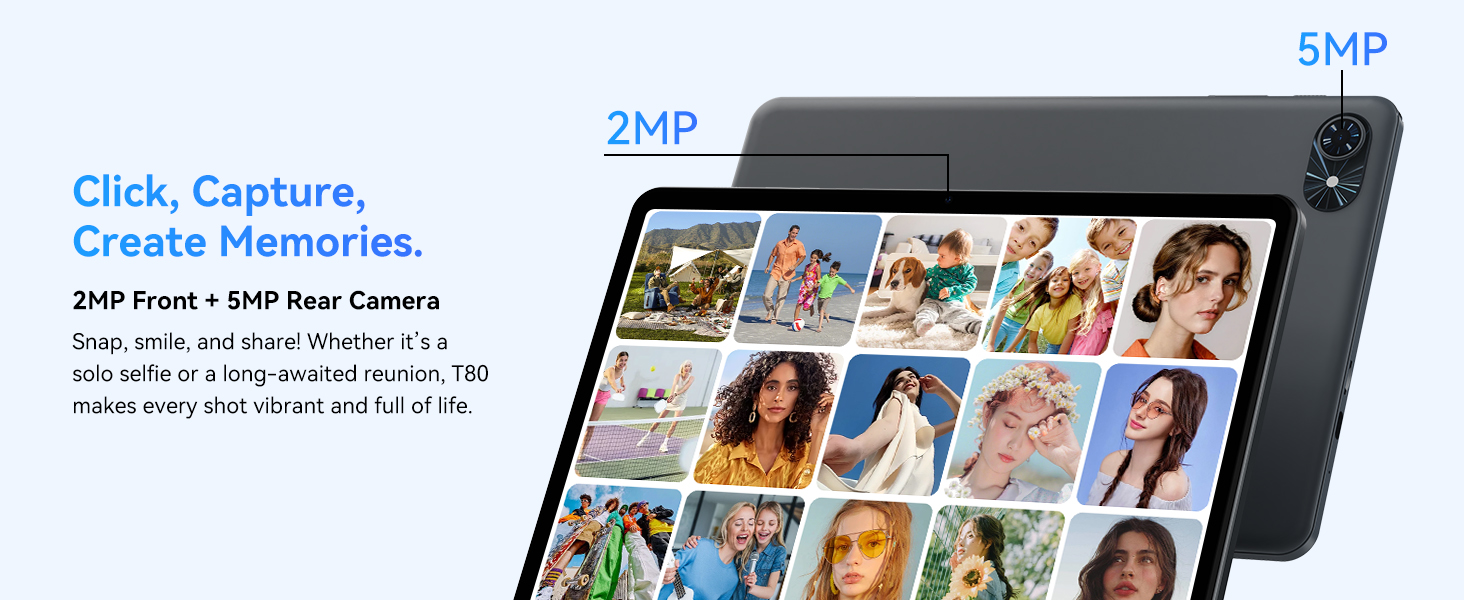
- Fakan-tsary eo anoloana: Located at the top center when held in landscape orientation. (2MP)
- Fakantsary aoriana: Located on the back panel, typically in the upper left corner. (5MP)
- Bokotra hery: Used to turn the tablet on/off or wake/sleep the screen.
- Botom-peo: Ahitsio ny haavon'ny famoahana feo.
- Seranan-tsambo USB-C: Ho an'ny fiampangana sy famindrana angona.
- Kardan'ny MicroSD Card: Mba hanitarana ny fitahirizana hatramin'ny 2TB.
- Mpandahateny: Mpandahateny roa ho an'ny famoahana feo.
2. Torolàlana fananganana
Follow these steps to set up your TABWEE T80 tablet for first-time use.
2.1 Fahefana voalohany sy Fanamboarana fototra
- Ampidiro ny takelaka: Connect the provided USB-C cable and charger to the tablet and a power outlet. Allow the tablet to charge for at least 30 minutes before first use.
- Herim-batana: Press and hold the Power button until the TABWEE logo appears on the screen.
- Fiteny sy Faritra: Araho ny toromarika eo amin'ny efijery mba hisafidianana ny fiteny sy ny faritra tianao.
- Mifandray amin'ny Wi-Fi: Select your Wi-Fi network from the list and enter the password. A stable internet connection is required for initial setup and updates.
- Kaonty Google: Midira amin'ny kaontinao Google na mamorona iray vaovao. Ilaina izany mba hisintonana fampiharana avy amin'ny Google Play Store.
- Daty sy ora: Confirm the date and time settings.
- Fiarovana: Mametraha hidin'ny efijery (PIN, lamina, na tenimiafina) ho fiarovana.
2.2 Fitaovana fampifandraisana
The TABWEE T80 comes with several accessories to enhance its functionality.
- Bluetooth Keyboard and Mouse:
- Hamarino tsara fa voaarina sy mandeha ny fitendry sy ny totozy.
- Ao amin'ny takelakao, mandehana mankany Fikirana > fitaovana mifandray > Bluetooth.
- Enable Bluetooth and scan for new devices.
- Safidio ny fitendry sy ny totozy avy amin'ny lisitra mba hampiarahana azy ireo. Araho izay toromarika eo amin'ny efijery.
- Stylus pen: The stylus pen can be used directly on the screen for navigation, drawing, or writing. No pairing is typically required for basic capacitive styluses.
- Protective Case and Stand: Attach the protective case to the tablet. The case often includes a foldable stand for hands-free viewing.
3. Torolàlana miasa
This section covers the daily operation of your TABWEE T80 tablet.
3.1 Basic Navigation and Android 15 Features
- Efijery voalohany: Swipe left or right to access different home screens. Tap and hold an empty space to customize widgets, wallpaper, and settings.
- Fampandrenesana sy Fikirana haingana: Swipe midina avy eo an-tampon'ny efijery mankany view fampandrenesana ary miditra amin'ny fikirana haingana toy ny Wi-Fi, Bluetooth ary ny famirapiratana.
- App Drawer: Swipe miakatra avy any amin'ny farany ambany amin'ny efijery hidirana amin'ny fampiharana napetraka rehetra.
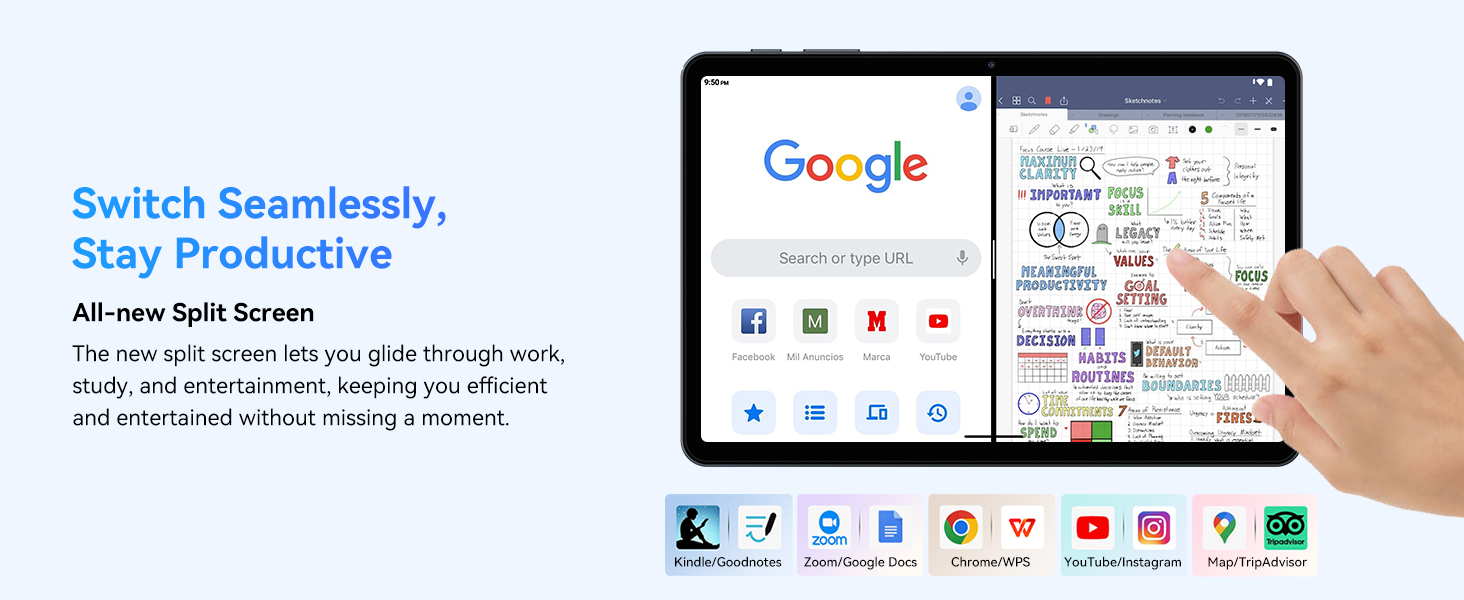
- Multitasking (Split Screen): Android 15 supports enhanced split-screen functionality. To use, open an app, then swipe up from the bottom, hold, and drag another app icon to either side of the screen.
- Gemini AI 2.0: Your tablet integrates Gemini AI 2.0 for enhanced task management, smart chats, text-to-image generation, voice-enabled Q&A, and real-time conversations. Access AI features through compatible apps or dedicated AI interfaces.
- Fiarovana sy fiarovana: Android 15 offers improved privacy controls. Review and adjust app permissions in Fikirana > Privacy.
3.2 Fifandraisana
- Wifi: Supports 802.11a/b/g/n/ac for fast 5G Wi-Fi connectivity. Manage Wi-Fi connections in Settings> Network & Internet> Wi-Fi.
- Bluetooth 5.0: For connecting wireless headphones, speakers, keyboards, and mice. Manage Bluetooth devices in Fikirana > fitaovana mifandray > Bluetooth.
- GPS: The tablet includes GPS functionality for location services and navigation apps.
- OTG (Eo am-pandehanana): Supports OTG, allowing you to connect USB devices like flash drives or external hard drives using an appropriate adapter.
3.3 Fampiasana fakan-tsary
The TABWEE T80 features a 2MP front camera and a 5MP rear camera.
- Sokafy ny fampiharana Camera avy amin'ny efijerin'ny tranonao na ny sarinao fampiharana.
- Tap the shutter button to take photos.
- Mifandimby eo amin'ny fakan-tsary eo aloha sy aoriana amin'ny fampiasana ny kisary fakan-tsary.
- Explore different modes such as video recording or panorama if available.

3.4 Fitehirizana sy Fampisehoana
- RAM: The tablet comes with 6GB of physical RAM, expandable virtually to 18GB for smooth multitasking. Adjust RAM settings in Fikirana raha ilaina.
- Fitehirizana anatiny: 128GB ROM is provided for apps and files.
- Fitehirizana azo itarina: A MicroSD card slot allows for storage expansion up to 2TB. Insert a compatible MicroSD card into the designated slot.
- Processeur: Powered by a Quad-Core Unisoc T310 processor (1x A75 2.0GHz, 3x A55 1.8GHz) and GE8300 GPU for efficient performance.
3.5 bateria sy fameperana
- Fahaizana bateria: Equipped with a 6000mAh battery, providing over 10 hours of typical usage.
- famandrihana: Use the provided 10W fast charger and USB-C cable. Connect the cable to the tablet's USB-C port and the charger to a power outlet.
- Fanamafisana ny bateria: Android 15 includes AI Super Power Saving Algorithms to extend battery life. Monitor battery usage in Fikirana > Bateria.

3.6 Display and Entertainment
- Aseho: 10-inch IPS display with a resolution of 1280 x 800 pixels.
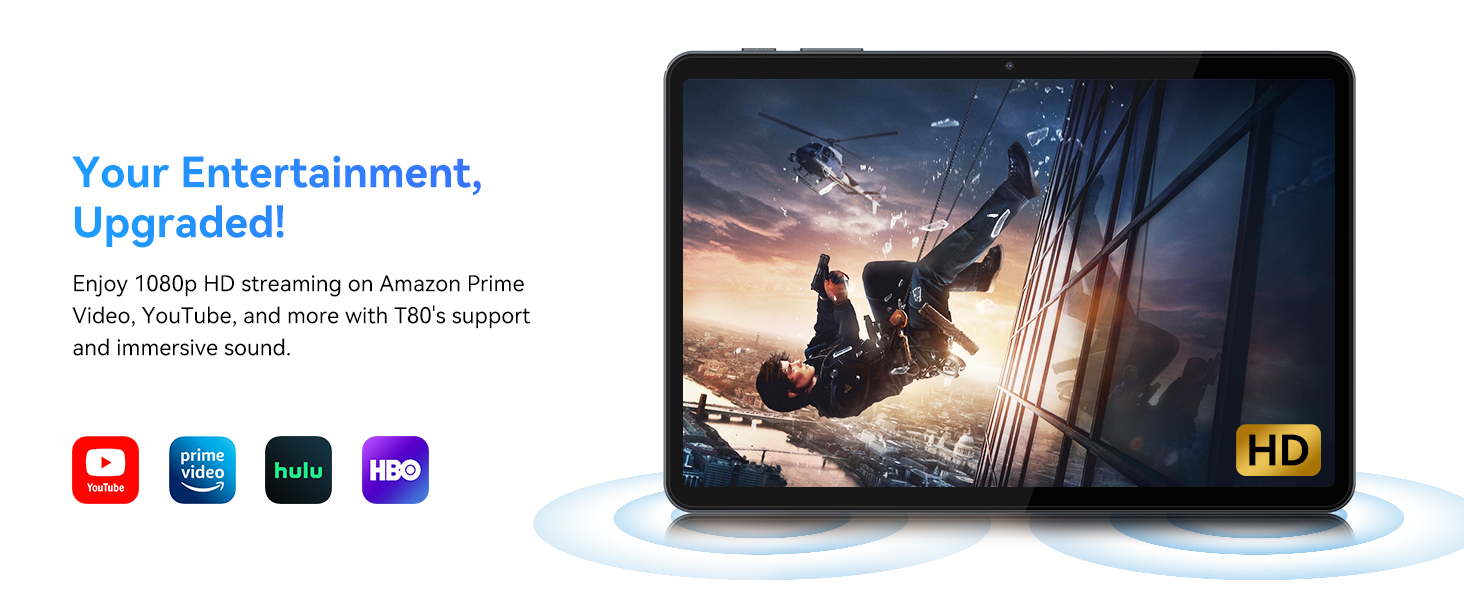
- Playback amin'ny horonan-tsary: Supports 1080P video playback for streaming services like Amazon Prime Video, YouTube, Hulu, and HBO.
- Audio: Dual speakers provide clear audio for media consumption.
4. Fikojakojana
Proper maintenance ensures the longevity and optimal performance of your tablet.
4.1 Fikarakarana bateria
- Fadio ny hafanana tafahoatra, satria mety hanimba ny fiainan'ny batterie.
- Do not let the battery completely drain frequently. Charge it before it reaches 0%.
- Ampiasao ihany ny charger sy ny tariby omena mba hisorohana ny fahasimbana.
4.2 Fanadiovana
- Mampiasà lamba malefaka sady tsy misy loko mba hanadiovana ny efijery sy ny vatan'ilay takelaka.
- Ho an'ny setroka mafy loha, kely dampen ilay lamba misy rano na vahaolana fanadiovana ecran. Fadio ny zavatra simika mahery vaika.
- Hamarino tsara fa tsy misy vovoka sy poti-javatra ny seranana rehetra.
4.3 Fanavaozana rindrambaiko
- Regularly check for and install system updates. These updates often include performance improvements, security patches, and new features.
- Mandehana any Fikirana > Rafitra > Fanavaozana ny rafitra hijerena ny fanavaozana misy.
5. Famahana olana
This section addresses common issues you might encounter with your TABWEE T80 tablet.
Takelaka 5.1 Tsy mandeha ny herinaratra
- Ensure the tablet is sufficiently charged. Connect it to the charger and wait a few minutes before attempting to power it on again.
- Try holding the Power button for 10-15 seconds to force a restart.
5.2 Olana amin'ny fifandraisana Wi-Fi
- Ampidino ary vonoina ny Wi-Fi ao amin'ny Quick Settings.
- Avereno indray ny router Wi-Fi-nao.
- Adino ny tambajotra ao Settings> Network & Internet> Wi-Fi ary mifandray indray.
5.3 Fampisehoana miadana
- Akatona ny fampiharana lafika tsy ilaina.
- Clear cache for frequently used apps in Settings> Apps> [Anaran'ny App]> Fitahirizana & cache> Fadio ny cache.
- Ensure you have sufficient free storage space. Delete old files or move them to expandable storage.
- Avereno ampiasaina indray ny takelaka tsy tapaka.
5.4 Accessories Not Connecting
- For Bluetooth accessories, ensure they are charged, powered on, and in pairing mode.
- Verify Bluetooth is enabled on the tablet and try re-pairing the device.
- Check the battery level of the accessories.
6. Famaritana
Detailed technical specifications for the TABWEE T80 Android 15 Tablet.
| endri-javatra | famaritana |
|---|---|
| Anarana modely | T80(6+128) |
| Rafitra fikirakirana | Android 15 |
| Haben'ny efijery | 10 santimetatra |
| Max Screen Resolution | 1280 x 800 piksel |
| processeur | Unisoc T310 Quad-Core (1x A75 2.0GHz, 3x A55 1.8GHz) |
| ram | 18GB (6GB ara-batana + 12GB virtoaly) |
| Flash Memory Size (ROM) | 128 GB |
| Fitehirizana azo itarina | Hatramin'ny 2TB amin'ny alàlan'ny karatra MicroSD |
| Karazana Wireless | 802.11a, 802.11ac, 802.11b, 802.11g, 802.11n (5G WiFi) |
| Bluetooth | Bluetooth 5.0 |
| Fahaizana bateria | 6000mAh |
| Salanisan'ny fiainana bateria | 480 Hours (Standby) / 10+ Hours (Usage) |
| Camera Front | 2MP |
| Fakan-tsary aoriana | 5MP |
| Lanja entana | 1.1 kg |
| Ny refin'ny vokatra | 9.5 x 6.3 x 0.3 santimetatra |
| loko | Volafotsy Volafotsy |
7. Warranty sy fanohanana
Information regarding your product warranty and how to obtain customer support.
7.1 Warranty amin'ny vokatra
The TABWEE T80 tablet comes with a Garantie 2 taona, covering manufacturing defects and ensuring product reliability. This warranty provides peace of mind and support for your device.
7.2 Fanohanana ny mpanjifa
For any technical assistance, inquiries, or warranty claims, please contact TABWEE customer support:
- mailaka: serviceplus.linda@gmail.com
- Telefaonina (US): +1 (717) 896-6060
- Telefaona (UK): +44 7700 156388
- Phone (CA): +1 (587) 841-0500
- Telefaonina (DE): +49 157 3598 0115
TABWEE offers 24/7 customer support and lifetime technical assistance to ensure you have the best experience with your product.