1. Fampidirana
The ZIBOO FT-1000W Solar Panel Tester MPPT Meter is a professional-grade device designed for evaluating the performance of photovoltaic (PV) modules. It accurately measures maximum power (Pmax), open-circuit voltage (Voc), and short-circuit current (Isc), making it an essential tool for R&D, manufacturing, and field maintenance of solar systems.
1.1. Ny votoatin'ny fonosana
Rehefa manokatra ny fonosana, ataovy azo antoka fa misy ireto singa manaraka ireto:
- 1x ZIBOO FT-1000W Solar Panel Tester MPPT Meter
- 1x Special Test Lead (MC4 connectors)
- 1x User Manual
- 1x mitondra kitapo
- 1x fefy
- 2x Special Interface Wrench Tools

Figure 1: All items included in the ZIBOO FT-1000W package.
2. Endri-javatra fototra
- Professional-Grade PV Testing: Measures maximum power (Pmax) up to 1000W, open-circuit voltage (Voc: 12-80V), and short-circuit current (Isc: 35A) with ±0.8% accuracy.
- MPPT Efficiency Optimization: Tracks Vmp (80V) & Amp (35A) in real-time to identify panel degradation or shading issues.
- Industrial Safety & Durability: Rated CAT III 1000V/CAT IV 600V with double-insulated probes, meeting IEC/EN 61010 standards.
- Smart Data Management: Features data hold and a backlit LCD for reading values in various environments.
- Famolavolana mora ampiasaina: Auto-ranging simplifies operation, while IP54 dust/water resistance and low-power auto-off ensure reliability.
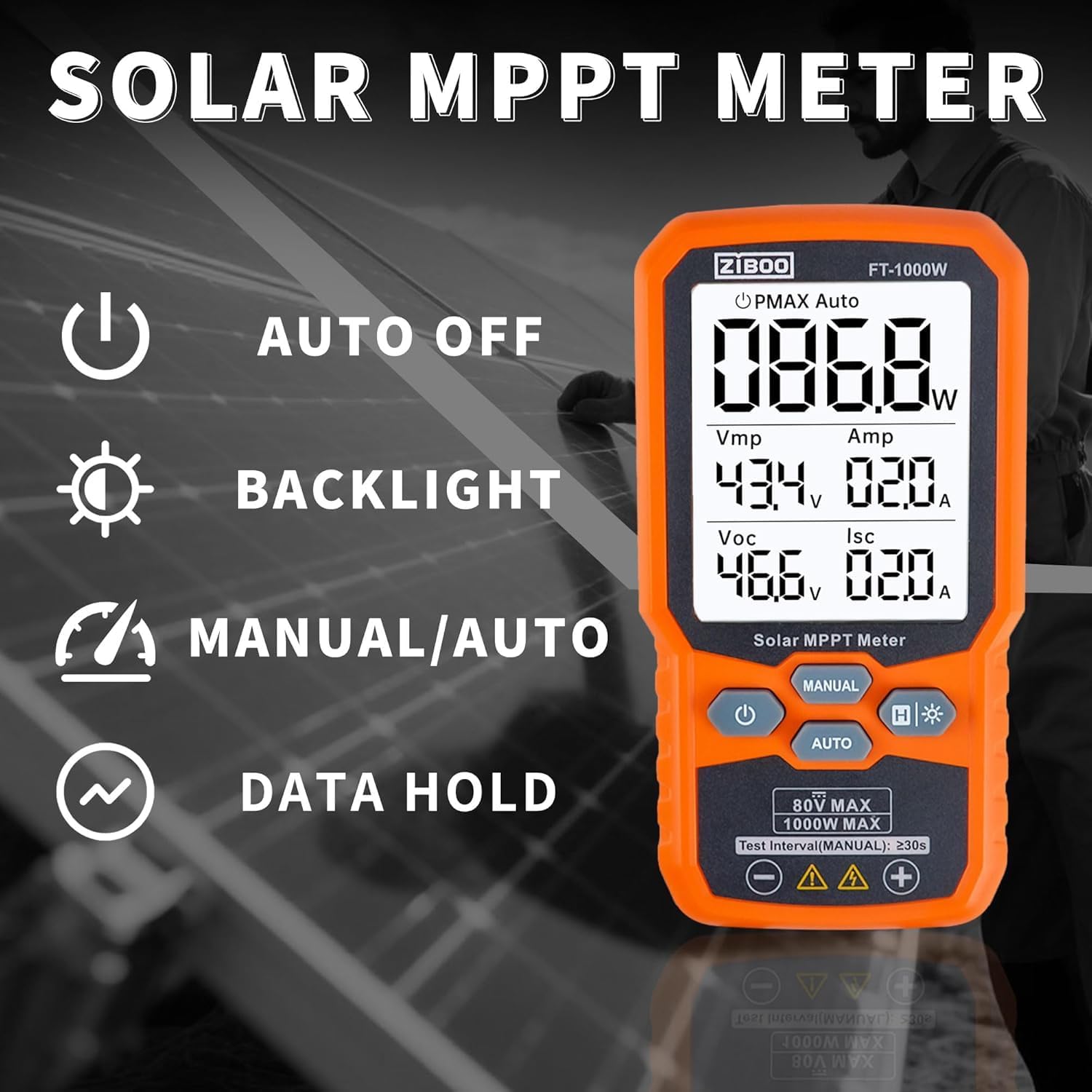
Sary 2: Tapitraview of the ZIBOO FT-1000W's operational features.
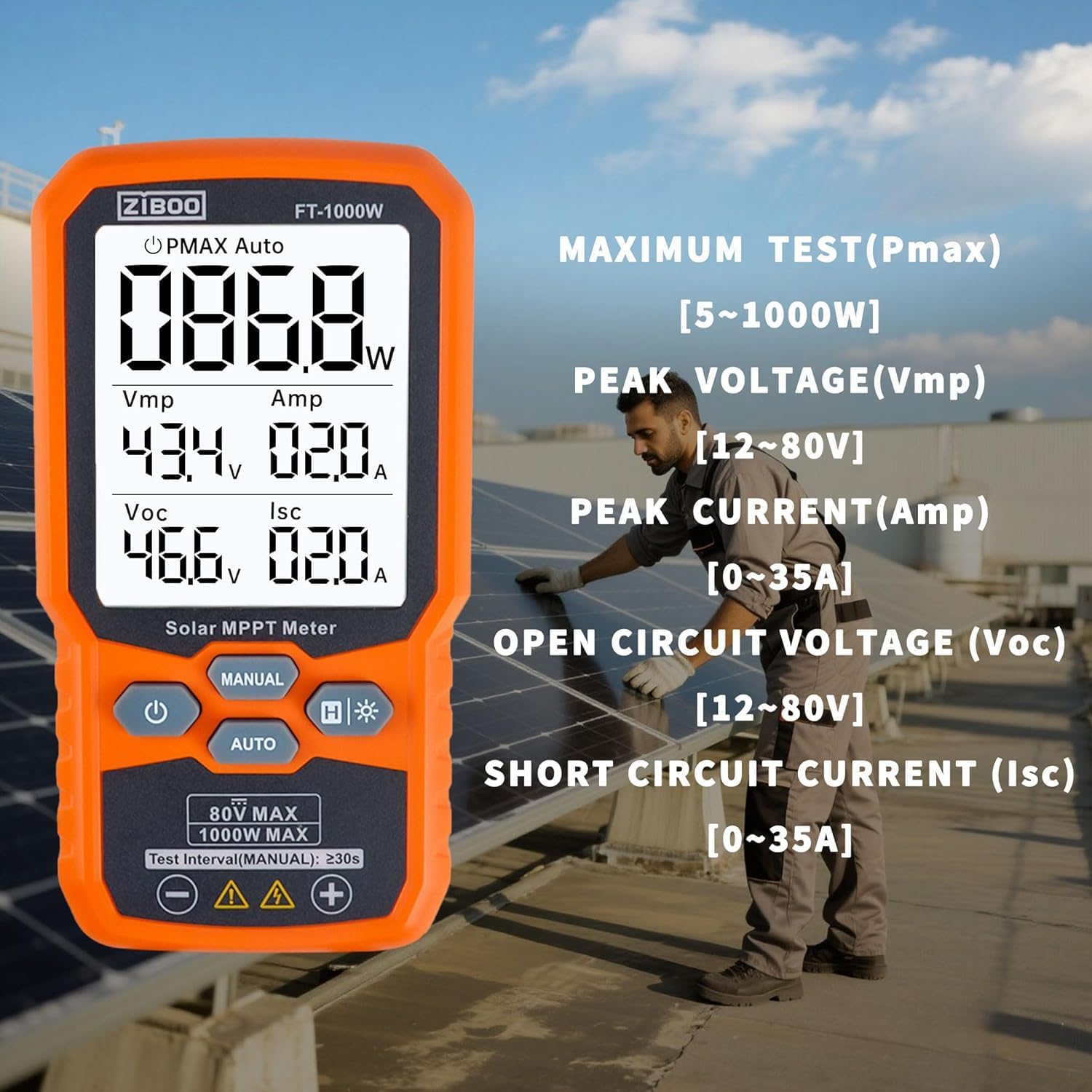
Figure 3: Detailed display of test parameters on the ZIBOO FT-1000W.
3. Famaritana ara-teknika
| fikirana | sarobidy |
|---|---|
| Hery ambony indrindra (Pmax) | 1000 Watts |
| Open-Circuit Voltage (Voc) | 12-80V |
| Current Circuit (Isc) | 35A |
| Peak Power Voltage (Vmp) | 80V |
| Peak Power Current (Amp) | 35A |
| araka ny marina | ±0.8% |
| Naoty fiarovana | CAT III 1000V/CAT IV 600V, IEC/EN 61010 |
| lafiny | 5.51" L x 2.99" W x 1.26" H |
| Lanja entana | 10.4 oz |
| KEVITRA | Aluminum, Monocrystalline Silicon, Tempered Glass |
| Loharanon-kery | Batterie 3x AAA (tsy tafiditra) |

Figure 4: Product dimensions of the ZIBOO FT-1000W.
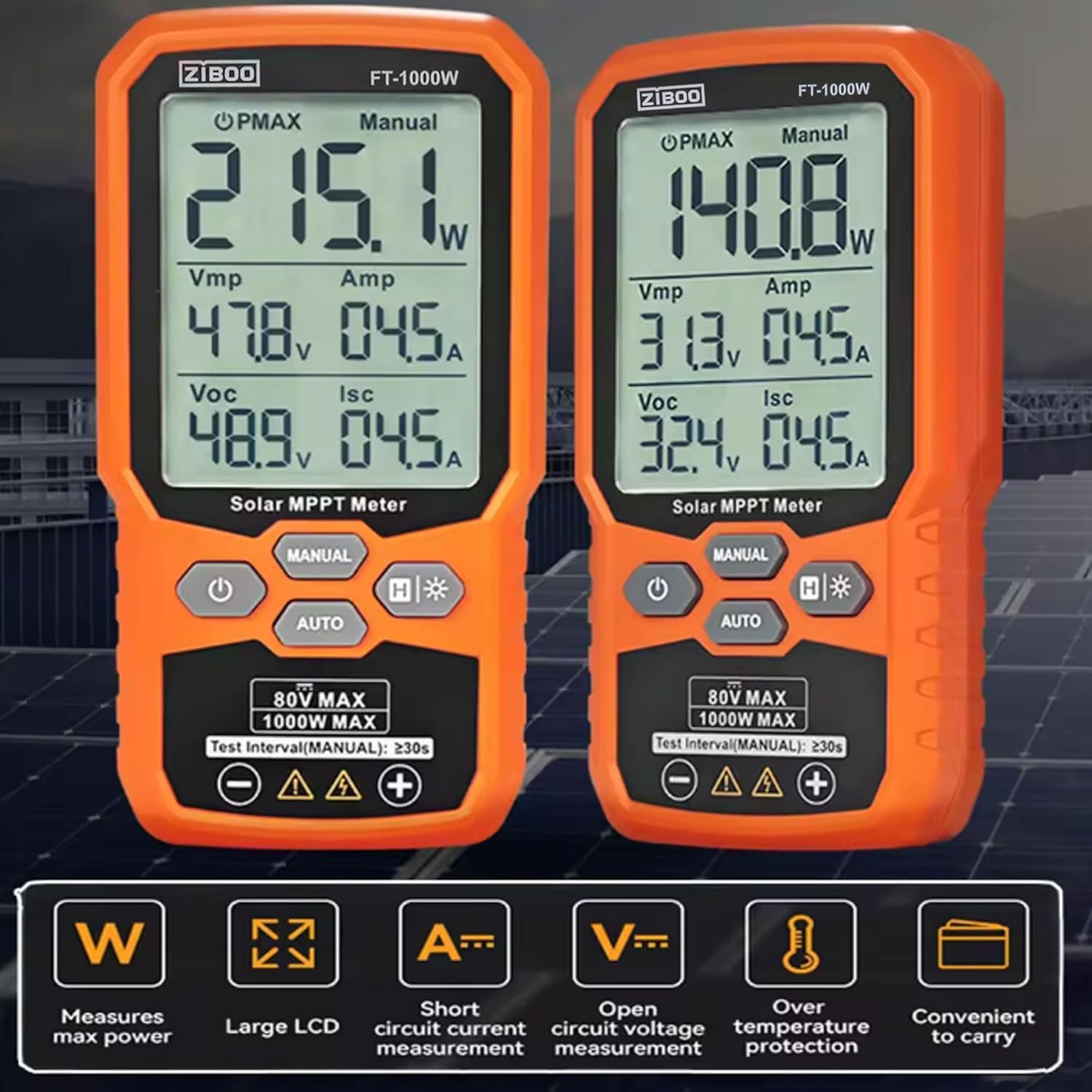
Figure 5: Comparison of FT-1000W and FT-2000W models.
4. Fametrahana
4.1. Fametrahana bateria
- Tadiavo ny toerana misy ny bateria ao ambadiky ny metatra.
- Ampiasao tournevis kely hanokafana ny fonon'ny bateria.
- Ampidiro bateria AAA 3x, ary ataovy izay hahazoana antoka fa marina ny polarity (+/-).
- Soloy ny fonon'ny batterie ary arotsaho amin'ny visy izany.
4.2. Fampifandraisana ireo Tariby Fitsapana
The ZIBOO FT-1000W comes with special MC4 test leads for direct connection to solar panels.
- Connect the red test lead to the positive (+) input terminal on the meter.
- Connect the black test lead to the negative (-) input terminal on the meter.
- Ensure the MC4 connectors on the test leads are securely attached to the corresponding connectors on your solar panel or array.

Figure 6: Standard MC4 Test Leads included with the meter.
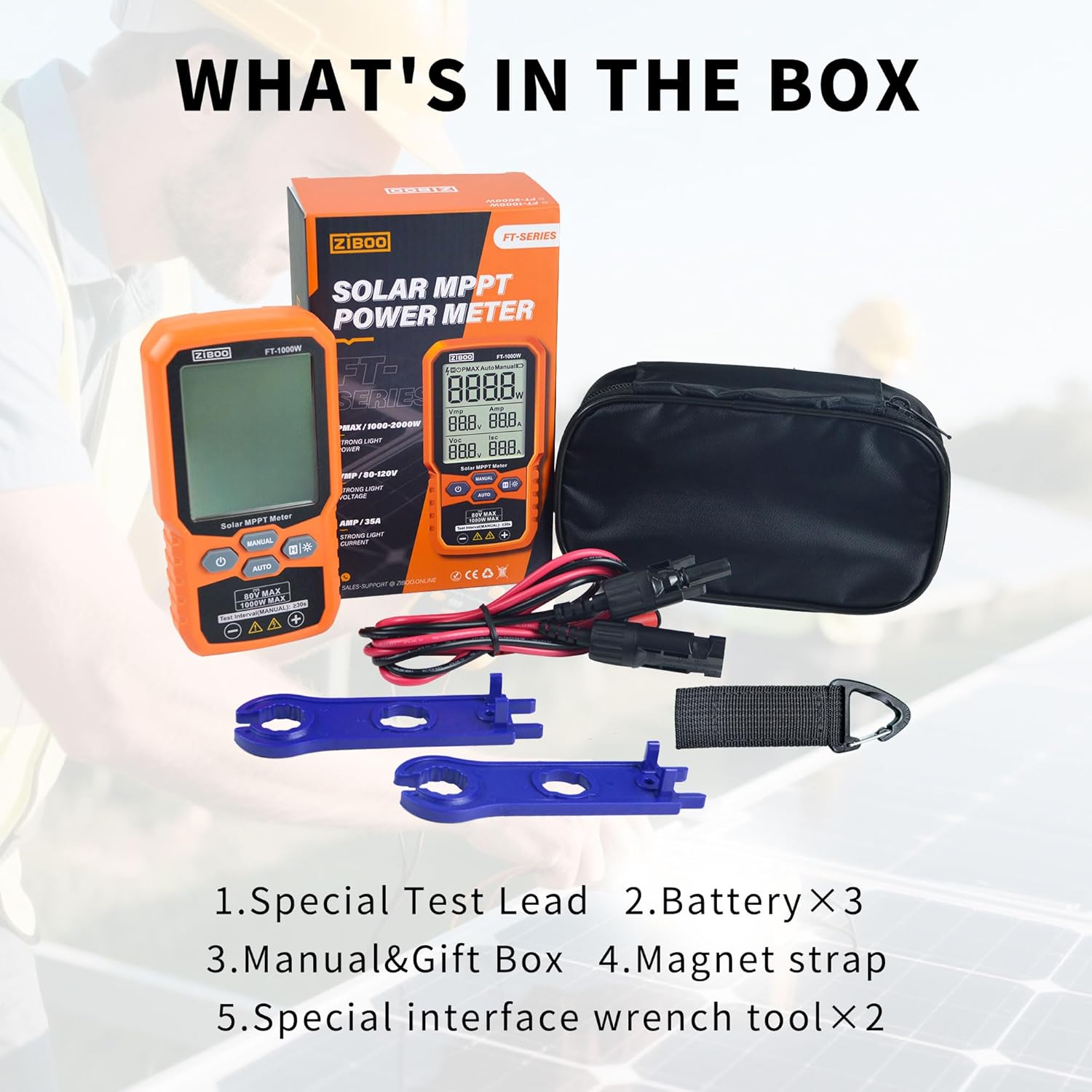
Figure 7: Special Interface Wrench Tools for MC4 connectors.
Video 1: Demonstrates the connection process of the ZIBOO FT-1000W Solar Panel Tester to a solar panel using MC4 connectors, and shows the device in operation.
5. Torolàlana miasa
5.1. Power On/off
- To power on: Press and hold the power button (U) mandritra ny 3 segondra eo ho eo.
- To power off: Press and hold the power button (U) for approximately 2 seconds. The device also features an auto-off function to conserve battery.
5.2. Measurement Modes (Manual/Auto)
The meter offers two measurement modes:
- Fomba mandeha ho azy: Tsindrio ny fiara button. The meter will automatically scan and display the PV module's parameters (Pmax, Vmp, Amp, Voc, Isc) every few seconds. This mode is ideal for quick, continuous monitoring.
- Fomba tanana: Tsindrio ny BOKY button. In this mode, each press of the button initiates a single measurement cycle. Wait for approximately 3 seconds after pressing to allow the measurement to complete and display.
5.3. Asa Fitehirizana Angon-drakitra
Mba hampijanonana ny famakiana ankehitriny eo amin'ny efijery, tsindrio ny H button. Press it again to release the data hold and resume live readings.
5.4. Backlight Activation
For improved visibility in low-light conditions, press and hold the backlight button (H*) to activate the display backlight. Press and hold again to turn it off.

Figure 8: ZIBOO FT-1000W in operation, displaying real-time solar panel data.
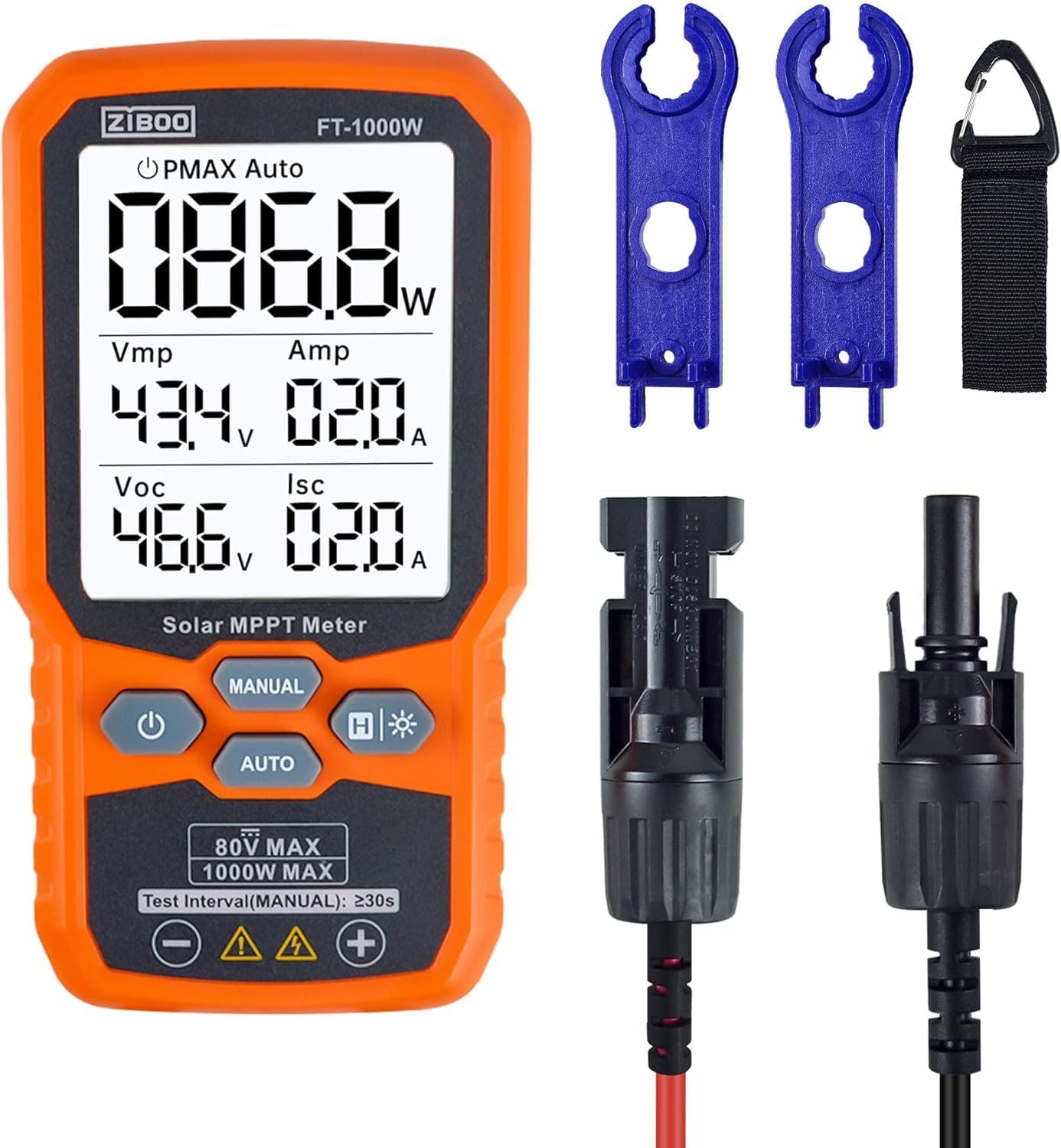
Sary 9: Eo anoloana view of the ZIBOO FT-1000W meter with accessories.
6. Fikojakojana
- Fanadiovana: Mampiasà lamba malefaka sy maina hanadiovana ny ivelany amin'ny metatra. Aza mampiasa mpanadio na solvents mikikisana.
- fitahirizana: Store the meter and its accessories in the provided carrying pouch in a cool, dry place away from direct sunlight and extreme temperatures.
- Fanoloana bateria: Replace batteries promptly when the low battery indicator appears to ensure accurate readings and prevent damage.
- Fanaraha-maso: Regularly inspect test leads and connectors for any signs of wear or damage. Replace damaged components immediately to ensure safety and performance.
7. Famahana olana
| OLANA | Antony mety hitranga | vahaolana |
|---|---|---|
| Tsy mandeha ny metatra | Batterie ambany na maty; Fametrahana batterie tsy mety | Soloy ny bateria; Jereo ny polarité-n'ny bateria |
| No readings displayed | Incorrect connection to solar panel; Insufficient sunlight; Faulty test leads | Ensure secure and correct connection; Test under adequate sunlight; Inspect and replace test leads if damaged |
| Vakiteny tsy marina | Environmental factors (e.g., shading, temperature); Damaged meter or leads | Ensure clear, direct sunlight; Verify connections; Contact support if issues persist |
| Display backlight not working | Backlight function not activated; Low batteries | Press and hold backlight button; Replace batteries |
8. Warranty sy fanohanana
For warranty information, technical support, or service inquiries, please refer to the contact details provided in the product packaging or visit the official ZIBOO website. Tehirizo ny tapakila fividiananao ho porofon'ny fividianana ho an'ny fitakiana fiantohana.


