1. Vokatra mihoatraview
The TABWEE T20 is a versatile 10-inch Android tablet designed for both productivity and entertainment. It features a high-resolution Incell display, a powerful Octa-Core processor, and ample memory and storage, making it suitable for a wide range of applications from content creation to multimedia consumption.
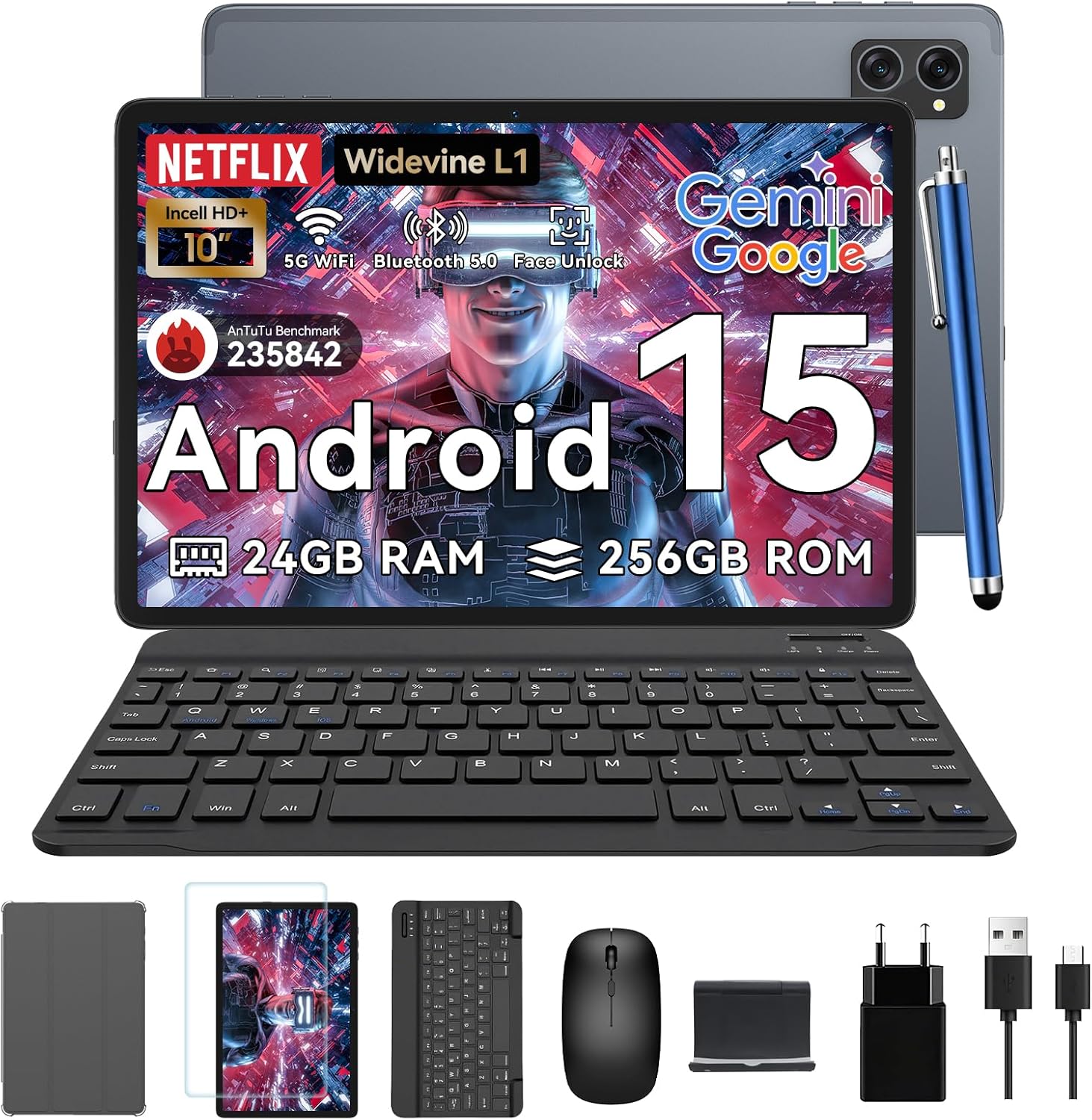
Figure 1.1: TABWEE T20 Tablet and its complete accessory package, including a Bluetooth keyboard, mouse, stylus, protective case, screen protector, charger, and USB cable.
Inona no ao anaty boaty
Upon unboxing your TABWEE T20 Tablet, verify that all components are present:

Figure 1.2: Contents of the TABWEE T20 Tablet retail package.
- 1x TABWEE T20 Tablet
- 1x Bluetooth Keyboard
- 1x totozy
- 1x Stylus
- 1x Case Fiarovana
- 1x Screen Protector
- 1x Tablet Stand
- 1x charger
- 1x USB Cable
2. Fametrahana sy fampiasana voalohany
Charging ny Tablet
Before first use, fully charge the tablet using the provided charger and USB cable. Connect the charger to a power outlet and the USB cable to the tablet's charging port. The charging indicator will illuminate.
Mamelona/Efa
- Hamelona: Press and hold the Power button until the TABWEE logo appears on the screen.
- Mamono: Tsindrio ary hazòny ny bokotra Hery mandra-pisehoan'ny menio safidy herinaratra. Safidio ny "Power Off" ary hamafiso.
- Hanomboka indray: Avy amin'ny menio safidy herinaratra, safidio ny "Atombohy indray" ary hamafiso.
Wizard Setup voalohany
Amin'ny alàlan'ny fampandehanana voalohany, ny takelaka dia hitarika anao amin'ny alàlan'ny mpametaveta fanamboarana voalohany. Araho ny bitsika eo amin'ny efijery mba:
- Fidio ny fiteninao.
- Mifandray amin'ny tambajotra Wi-Fi.
- Midira amin'ny kaontinao Google na mamorona vaovao.
- Mametraha ny hidin'ny efijery (PIN, lamina, tenimiafina, na Face Unlock).
- Review ary manaiky ny fepetra sy fepetra.
Fitaovana mampifandray
The TABWEE T20 comes with a Bluetooth keyboard and mouse for enhanced productivity.
- Fitendry Bluetooth:
- Hamarino tsara fa voaarina ny fitendry ary mandeha.
- Ao amin'ny takelaka, mandehana mankany Fikirana > fitaovana mifandray > Bluetooth.
- Ampidiro ny Bluetooth ary tsindrio ny "Pair new device".
- Select the keyboard from the list of available devices and follow pairing instructions.
- Totozy Bluetooth:
- Ataovy azo antoka fa mandeha ny totozy ary amin'ny fomba fampiarahana.
- Ao amin'ny takelaka, mandehana mankany Fikirana > fitaovana mifandray > Bluetooth.
- Tap "Pair new device" and select the mouse from the list.
- Stylus: The included stylus can be used directly on the screen for navigation, drawing, and note-taking. It features palm-rejection precision.
3. Fampandehanana ny Tablet
Rafitra fandidiana Android 15
The TABWEE T20 runs on Android 15, offering enhanced privacy controls, seamless cross-device collaboration, and improved multitasking capabilities.

Figure 3.1: Key features of the Android 15 operating system.
Fampidirana ny Gemini AI
The tablet integrates Google Gemini AI, which intelligently optimizes tasks, from photo editing to document formatting, while prioritizing security with a dedicated encrypted privacy space.

Sary 3.2: Tapitraview of Gemini AI capabilities on the tablet.
Display and Multimedia
The 10.1-inch Incell HD+ display (1280x800 resolution) provides vivid colors and crisp details. With Widevine L1 certification, you can enjoy 1080P streaming on platforms like Netflix, Disney+, and Hulu.

Figure 3.3: Display features and eye-friendly modes.
The tablet also features Dual Smart-K Box Speakers for an immersive audio experience.

Figure 3.4: Dual Smart-K Box Speakers for enhanced audio.
Fakan-tsary Features
Equipped with an 8MP rear camera and a 5MP front camera, the tablet supports Google Lens integration for smart scanning and object recognition. Face Unlock is also supported for convenient security.

Figure 3.5: Camera specifications and features.

Figure 3.6: Smart Google Lens functionalities.
fifandraisana
The TABWEE T20 supports dual-band 5G WiFi and Bluetooth 5.0 for fast and stable connections.
- Wifi: Connect to 2.4GHz or 5GHz networks for seamless streaming and quick downloads.
- Bluetooth 5.0: Pair with wireless earbuds, speakers, or other Bluetooth-enabled devices with 20% faster data transfer speed.
- Fanohanana OTG: Allows for easy transfer of files to and from external storage devices.

Figure 3.7: Advanced Bluetooth 5.0 connectivity.

Figure 3.8: Lightning Fast WiFi 5 Technology.
4. Fikojakojana sy fikarakarana
Proper maintenance ensures the longevity and optimal performance of your TABWEE T20 Tablet.
Fitantanana bateria
The 5000mAh battery provides extended usage times. To maximize battery life:
- Fadio ny hafanana tafahoatra.
- Use the provided charger.
- Enable smart power-saving modes in settings.
- Akatona ny fampiharana tsy ampiasaina mandeha ao ambadika.

Figure 4.1: 5000mAh Mega Battery performance metrics.
Fanadiovana ny takelaka
- Mampiasà lamba malefaka sy tsy misy loko mba hanadiovana ny efijery sy ny vatana.
- Ho an'ny setroka mafy loha, kely dampen ilay lamba misy rano na mpanadio écran.
- Fadio ny mampiasa akora simika mahery vaika na akora abrasive.
Fitantanana sy fitadidiana
The tablet comes with 256GB of internal storage and supports up to 2TB TF card expansion. It also features 24GB RAM (8GB physical + 16GB virtual) for smooth multitasking.

Figure 4.2: Storage and RAM expansion capabilities.
To optimize performance and storage:
- Regularly clear cache and temporary files.
- Esory ny fampiharana tsy ampiasaina.
- Utilize the 2TB TF card slot for large files like 4K videos and design documents.
5. Famahana olana
This section addresses common issues you might encounter with your TABWEE T20 Tablet.
| OLANA | Antony mety hitranga | vahaolana |
|---|
| Tsy mandeha ny tablette. | bateria ambany; fianjeran'ny rafitra. | Avereno ampiasaina mandritra ny 30 minitra farafahakeliny ny takelaka. Raha mbola tsy mihetsika ihany, tsindrio ary hazòny ny bokotra Herinaratra mandritra ny 10-15 segondra mba hamerenana azy indray. |
| Olana amin'ny fifandraisana Wi-Fi. | Incorrect password; router issues; out of range. | Verify Wi-Fi password. Restart your router. Ensure tablet is within Wi-Fi range. Forget the network and reconnect. |
| Bluetooth accessories not pairing. | Accessory not in pairing mode; Bluetooth off on tablet. | Ensure accessory is in pairing mode. Turn Bluetooth off and on again on the tablet. Restart both devices. |
| Slow performance or app crashes. | Be loatra ny fampiharana mandeha; ambany fitehirizana; logiciel efa lany andro. | Close background apps. Clear app caches. Free up storage space. Check for system updates in Fikirana > Rafitra > Fanavaozana ny rafitra. |
| Screen tsy mamaly. | Fahadisoana rindrambaiko vonjimaika. | Tsindrio ny bokotra Power mandritra ny 10-15 segondra mba hamerenana indray ny takelaka. |
Raha mbola mitohy ny olana na dia efa nanandrana ireo vahaolana ireo aza ianao dia mifandraisa amin'ny serivisy ho an'ny mpanjifa.
7. Warranty sy fanohanana
TABWEE is committed to providing excellent customer service and support for your T20 Tablet.
Warranty Information
Your TABWEE T20 Tablet is covered by a Garantie 2 taona from the date of purchase. This warranty covers manufacturing defects and ensures risk-free ownership.
Fanohanana ny mpanjifa
For any technical assistance, troubleshooting, or warranty claims, please contact our support team:
- Fanohanana mailaka: serviceplus.linda@gmail.com
- Online Call Support: Available 24/7 for US/CA customers.
- Repair Support: 2-Year Repair Support is provided.

Figure 7.1: TABWEE Customer Support Services.
Please have your purchase details and tablet model number ready when contacting support to expedite the process.


