Sava lalana
Welcome to the user manual for your new Samsung Galaxy S25 Ultra SM-S938B/DS AI Smartphone. This guide provides essential information to help you set up, operate, and maintain your device, ensuring you get the most out of its advanced features, including its powerful AI capabilities and high-resolution camera system.
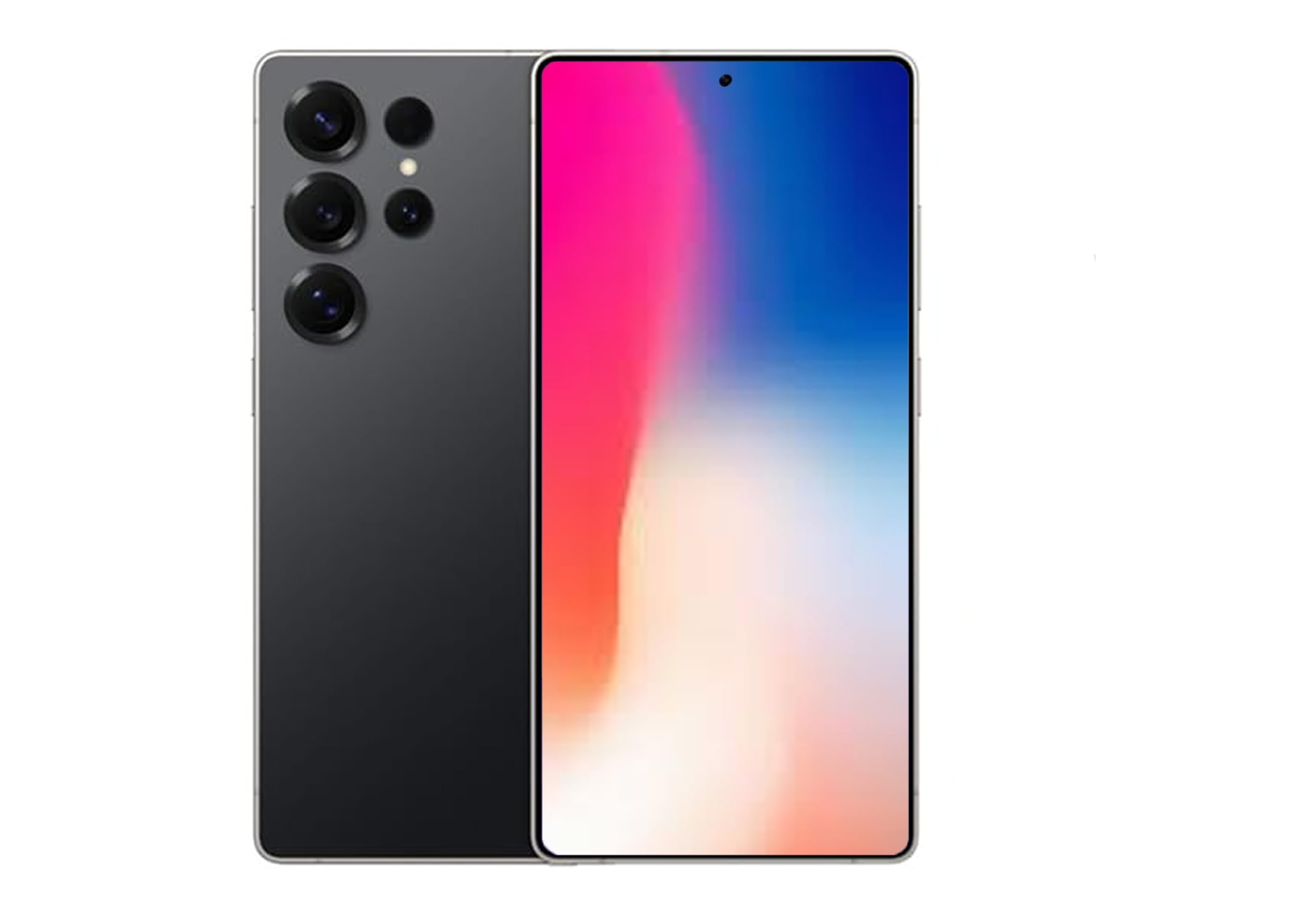
Figure 1: Samsung Galaxy S25 Ultra in Titanium Black.
1. Fametrahana sy Fandrindrana voalohany
1.1 Fampidirana ny karatra SIM
The Samsung Galaxy S25 Ultra supports Dual SIM functionality. To insert your SIM card(s):
- Tadiavo ny lovia karatra SIM eo amin'ny sisin'ny fitaovanao.
- Use the provided ejection tool to open the tray.
- Apetraho ao anaty fitoeran-javatra ny karatra Nano-SIM-nao, ary mitodika midina ireo tariby volamena. Ataovy azo antoka fa mipetraka tsara izy ireo.
- Atsipazo moramora ao anatin'ilay slot ilay lovia mandra-pikitikitika amin'ny toerany.
Fanamarihana: For USA buyers, this device is compatible with GSM carriers such as T-Mobile, Metro, Tello, Mint, and Ultra. It is not compatible with CDMA carriers like Verizon, Sprint, Boost, AT&T, Cricket, US Cellular, Xfinity, or Visible.
1.2 Mamelona/Mamono
- Hamelona: Tsindrio ary hazòny ny bokotra Side mandra-pisehoan'ny logo Samsung.
- Mamono: Press and hold the Side key and Volume Down button simultaneously, then tap "Power off" on the screen. Alternatively, swipe down from the top of the screen to open the Quick Panel, tap the Power icon, and select "Power off".
1.3 Mpampiasa fanamafisam-peo voalohany
Upon first power-on, follow the on-screen instructions to complete the initial setup, including language selection, Wi-Fi connection, Google account setup, and security settings (Face Recognition is available).
2. Operating Your Galaxy S25 Ultra
2.1 Fikarohana fototra
Navigate your device using intuitive touch gestures. Swipe, tap, pinch, and spread to interact with apps and content on the 6.9-inch AMOLED display.
2.2 AI Features (Galaxy AI)
The Galaxy S25 Ultra integrates advanced AI features to enhance your daily experience:
- Fohy izao: Stay informed with daily insights and information from selected apps, displayed proactively on your device.
- AI Camera with Audio Eraser: Capture vibrant videos even in low-light conditions. The Audio Eraser feature minimizes unwanted background noises, allowing for clearer audio in your recordings.
- Smart Switch: Easily transfer your photos, videos, music, apps, contacts, and conversations securely from your old device to your new Galaxy S25 Ultra.
- Interpreter Calls: Utilize AI for real-time translation during phone calls.
- Google Gemini Integration: Access advanced AI assistance for various tasks and queries.
2.3 Fakan-tsary Functions
Your Galaxy S25 Ultra features a powerful camera system with a 200 MP effective video resolution and 8K video capture capabilities. It includes four rear-facing cameras and one 12 MP front-facing camera.
- Portrait Features: Advanced portrait modes automatically adjust skin tones and preserve natural textures for professional-looking photos.
- Fandraketana horonantsary: Record stunning 8K videos at 30 frames per second.
- Zoom: Utilize the advanced zoom capabilities for capturing distant subjects with clarity.
2.4 Famerenana ny Media
Control your music and other media directly from the lock screen. Swipe through tracks and manage playback with ease.
3. Fikojakojana sy fikarakarana
3.1 Fanadiovana ny fitaovanao
To keep your Galaxy S25 Ultra in optimal condition:
- Fafao amin'ny lamba malefaka sy tsy misy loko ny efijery sy ny vatana.
- Fadio ny mampiasa akora simika mahery vaika na akora abrasive.
3.2 Fanavaozana rindrambaiko
Hamarino sy asio fanavaozam-baovao tsy tapaka mba hahazoana antoka fa ny fitaovanao dia manana ny endri-javatra farany indrindra, ny paty fiarovana ary ny fanatsarana ny fampisehoana. Mandehana any Fikirana > Fanavaozana rindrambaiko hanamarina ny fanavaozana.
3.3 Ny fanoherana ny rano
The Galaxy S25 Ultra is water resistant. However, it is not waterproof. Avoid submerging the device in water for extended periods or exposing it to high-pressure water jets. Always ensure the SIM tray is properly closed to maintain water resistance.
4. Famahana olana iraisana
- Tsy mandeha ny fitaovana: Ensure the battery is charged. Connect the device to a charger and try powering it on after a few minutes.
- Mijanona na mirodana ny fampiharana: Akatona ilay fampiharana misy olana ary sokafy indray. Raha mbola mitohy ny olana dia avereno indray ny fitaovanao.
- Ratsy ny fifandraisana amin'ny tambajotra: Check your SIM card insertion. Ensure you are within your carrier's coverage area. Restarting the device can often resolve minor network issues.
- Mihena haingana ny bateria: Adjust screen brightness, close unused apps, and review battery usage in settings to identify power-hungry applications.
- Screen tsy mamaly: Perform a forced restart by pressing and holding the Side key and Volume Down button for more than 7 seconds.
5. Famaritana
| endri-javatra | famaritana |
|---|---|
| Marika | Samsung |
| Anarana modely | SM-S938BZKKTPA |
| Fahaizana fitahirizana fahatsiarovana | 512 GB |
| Haben'ny efijery | 6.9 santimetatra |
| vahaolana | 3120x1440 |
| Ny tahan'ny fanavaozana | 120 Hz |
| Wireless Carrier | Tsy voahidy (Mifanaraka amin'ny GSM) |
| Teknolojia finday | 5G |
| Teknolojia fifandraisana | 2G, 3G, 4G, 5G |
| loko | Mainty |
| Isan'ny toerana misy ny karatra SIM | Dual SIM |
| Form Factor | bara |
| Biometric Security Feature | Famantarana tarehy |
| Haben'ny karatra SIM | Nano |
| Ny haavon'ny fanoherana ny rano | Mahazaka rano |
| Headphone Jack | Tsy misy headphone jack |
| Flash Memory tohanana Habe Maximum | 512 GB |
| Taona modely | 2025 |
| Fotoana miresaka an-telefaona | 24 ora |
| Fanapahan-dahatsary mahomby | 200 MP |
| Fanapahan-dahatsary fakana sary | 8k |
| Frame Rate | 30 fps |
| Karazana fampisehoana | AMOLED |
| Asehoy ny fanapahan-kevitra ambony indrindra | 3120x1440 |
| Display Pixel Density | 498 Pixels Per Inch (PPI) |
| Front Photo Sensor Resolution | 12 MP |
| Number of Rear Facing Cameras | 4 |
| Number of Front Cameras | 1 |
| Fahaizana bateria | 5000 Miliamp ORA |
| Lanja entana | 250g ny |
| Item refy | 6.3 x 4.72 x 1.18 santimetatra |
| GPS Geotagging Functionality | Marina |
6. Warranty sy fanohanana
For detailed warranty information, technical support, and service inquiries, please visit the official Samsung support website or contact their customer service. You can find more information at the Samsung Store amin'ny Amazon or the official Samsung website.


