1. Fampidirana
This manual provides detailed instructions for the operation and maintenance of your XTOOL IP900BT Wireless OBD2 Diagnostic Scanner. The IP900BT is a professional automotive diagnostic tool designed for comprehensive vehicle system analysis, offering advanced functions such as full-system diagnostics, bi-directional control, ECU coding, and various reset services. Please read this manual thoroughly before using the device to ensure proper and safe operation.
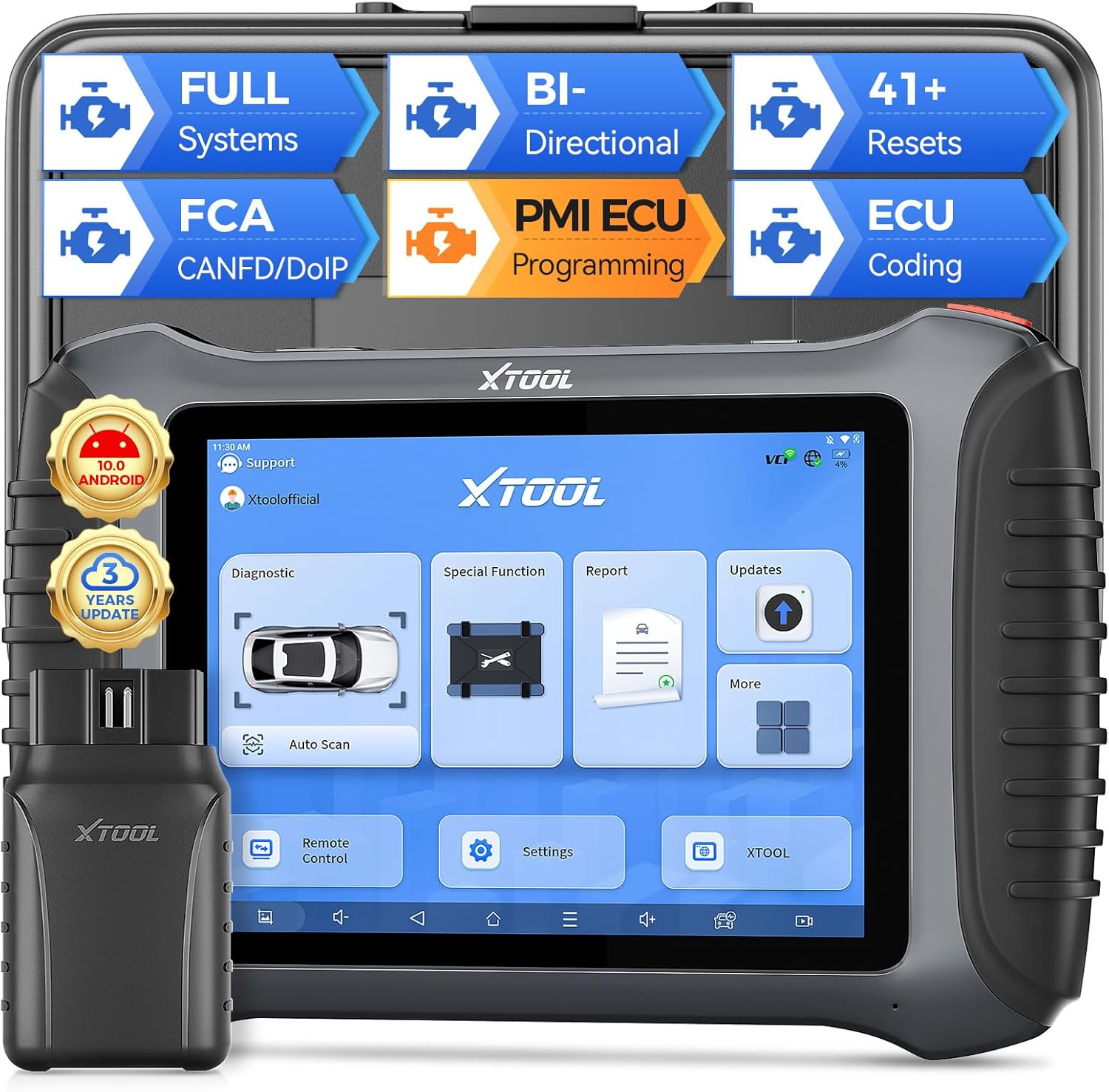
Image 1.1: XTOOL IP900BT Diagnostic Scanner with its Wireless VCI module.
2. Inona no tafiditra
Hamarino fa ao anatin'ny fonosanao ny entana rehetra:
- IP900BT Diagnostic Scan Tool (Tablet)
- Wireless VCI Box (OBD II -16 Connector)
- Charger Adapter (US, UK, EU)
- Tariby famandrihana Type-C mankany Type-C
- Adaptatera Type-C mankany Type-A
- Fitaovana fitaovana
- QuickStart Guide & Packing List
- Various OBD Adapters: for Honda-3, for Hyundai/for KIA-10, for KIA-20, for BMW-20, for Toyota -17, for Mazda-17, for Nissan-14, for GM/for Daewoo-12, for SUZUKI-3, for FIAT-3, for MITSUBISHI-12+16, for BENZ-38, for Audi-4, for UNIVERSAL-3, for BD15 M to VAG

Image 2.1: Visual representation of the items included in the XTOOL IP900BT package.
3. Initial Setup and Connection
3.1 Famelomana sy famelomana
- Connect the provided charger to the Type-C port on the IP900BT tablet.
- Plug the charger into a power outlet. The device will begin charging.
- Tsindrio ary hazòny ny bokotra herinaratra mba hampandeha ny takelaka.
3.2 Fifandraisana amin'ny Môdioly VCI
- Locate the vehicle's OBD2 port, typically under the dashboard on the driver's side.
- Plug the Wireless VCI Box (OBD II -16 Connector) firmly into the vehicle's OBD2 port. The VCI indicator lights will illuminate.
- On the IP900BT tablet, ensure Wi-Fi is enabled and connected to a stable network for updates and certain online functions. The VCI module communicates wirelessly with the tablet.
3.3 Fanavaozana rindrambaiko
It is recommended to update the software upon initial setup to ensure access to the latest vehicle models and diagnostic functions. The IP900BT includes 3 years of free software updates.
- Ampifandraiso amin'ny tambajotra Wi-Fi azo antoka ny takelaka.
- Navigate to the 'Updates' section on the tablet's main menu.
- Select and download available updates for your vehicle makes.
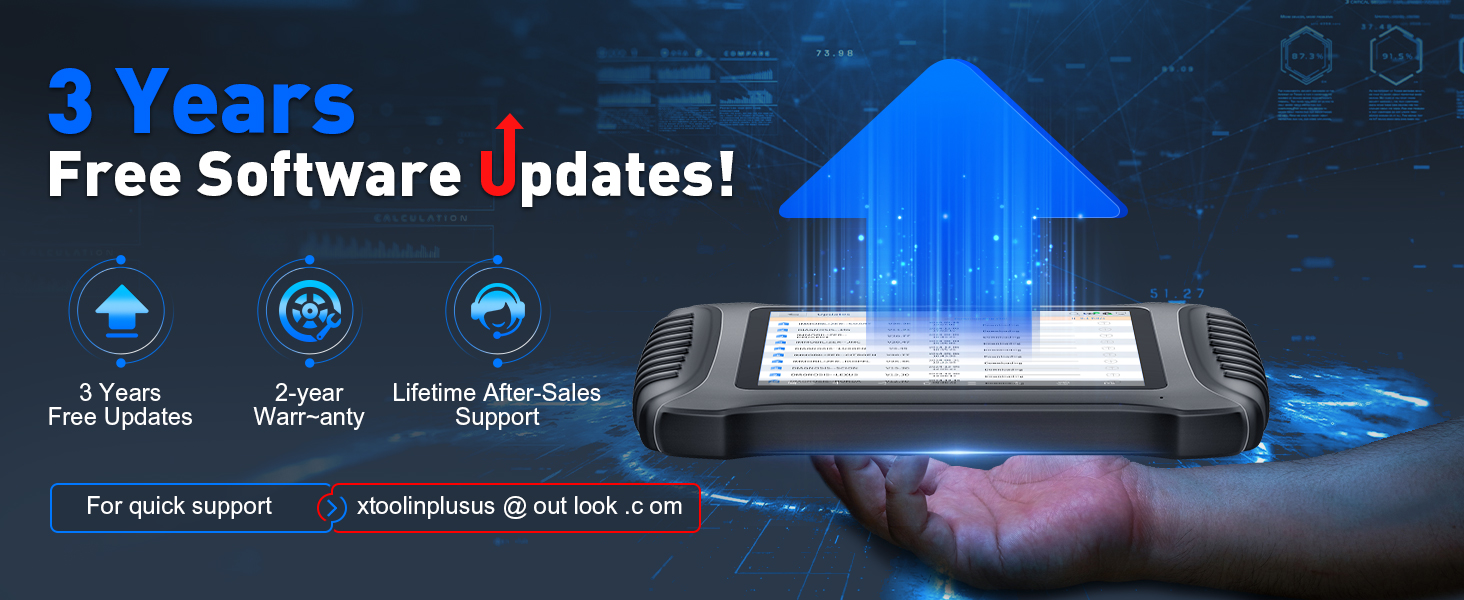
Image 3.1: The XTOOL IP900BT displaying the software update interface.
4. Operating the Device: Key Features and Functions
4.1 Diagnostika feno momba ny rafitra
The IP900BT performs OE-level diagnostics across all available vehicle systems, including Engine, Transmission, ABS, SRS, EPB, BMS, TPMS, and more. It supports CAN fast scan for quick fault detection.
- Mamaky/Mamafa DTC: Retrieve and erase diagnostic trouble codes.
- Auto Scan VIN: Automatically identify vehicle information for faster diagnostics.
- Data mivantana: View real-time sensor data.

Image 4.1: The IP900BT interface showing full system diagnostic capabilities.
4.2 Fanaraha-maso roa sosona (Fitsapana mavitrika)
This function allows you to send commands to vehicle subsystems and components to perform active tests, verifying their functionality without using the vehicle's controls. This is useful for quickly pinpointing issues.
- Test components such as fuel injectors, cooling fans, windshield wipers, power mirrors, and electronic throttle body.

Image 4.2: Illustration of bi-directional control functionality, sending commands to vehicle components.
4.3 41+ Special Functions (Resets)
The IP900BT provides over 41 essential maintenance and reset services, covering common repair jobs.
- Solika Reset
- Electronic Parking Brake (EPB) Reset
- Fandrefesana angle sensor (SAS).
- Battery Management System (BMS) Reset
- ABS mandeha ra
- Throttle Relearn
- Injector Coding
- Fampifanarahana ny Fampitana
- Tire Size Reset
- Reset Airbag
- Ary maro hafa koa.

Image 4.3: Screen showing a selection of the 41+ special functions available on the device.
4.4 Fandrafetana kaody ECU
ECU Coding adapts the vehicle to different operating conditions after maintenance or component replacement. It provides component matching and adaptive data reset for various vehicle brands.
- Fandrafetana kaody an-tserasera: For BMW.
- Fandrafetana kaody ivelan'ny aterineto: For VW, Audi, Skoda, BENZ, Mitsubishi.

Image 4.4: Diagram explaining the online and offline ECU coding capabilities.
4.5 Asa PMI (Fametrahana Môdioly Azo Fandaharana)
The PMI function supports Ford, Mazda, and Lincoln vehicles. It allows for adjusting parameters like engine power output, fuel injection, and shift logic. It also enables coding new hardware components to ensure compatibility with the vehicle's existing systems.

Image 4.5: Visual representation of the PMI (Programmable Module Installation) function.
4.6 ECU Configuration
This feature allows users to customize vehicle functions by activating or deactivating certain features that may be hidden or redundant. Note that this function is only compatible with specific vehicle models.
- Unfold desired functions.
- Turn off unwanted functions.

Image 4.6: The ECU Configuration interface on the IP900BT tablet.
4.7 CANFD/DoIP/FCA Autoauth Support
The IP900BT supports advanced communication protocols for a wider range of modern vehicles.
- CANFD: Improves on the original CAN protocol with faster transmission speeds (up to 8x faster).
- DoIP: Enables high-speed data transmission via Ethernet/IP networks for diagnostic tools.
- Fanomezan-dàlana ho azy FCA: Provides OE vehicle-approved Security Gateway access for FCA SGW-equipped vehicles (2018+ Chrysler, Dodge, Jeep, Fiat). Note: FCA account registration and subscription plan selection are required, administered by FCA. An XTOOL 12+8 cable can be used as an alternative.
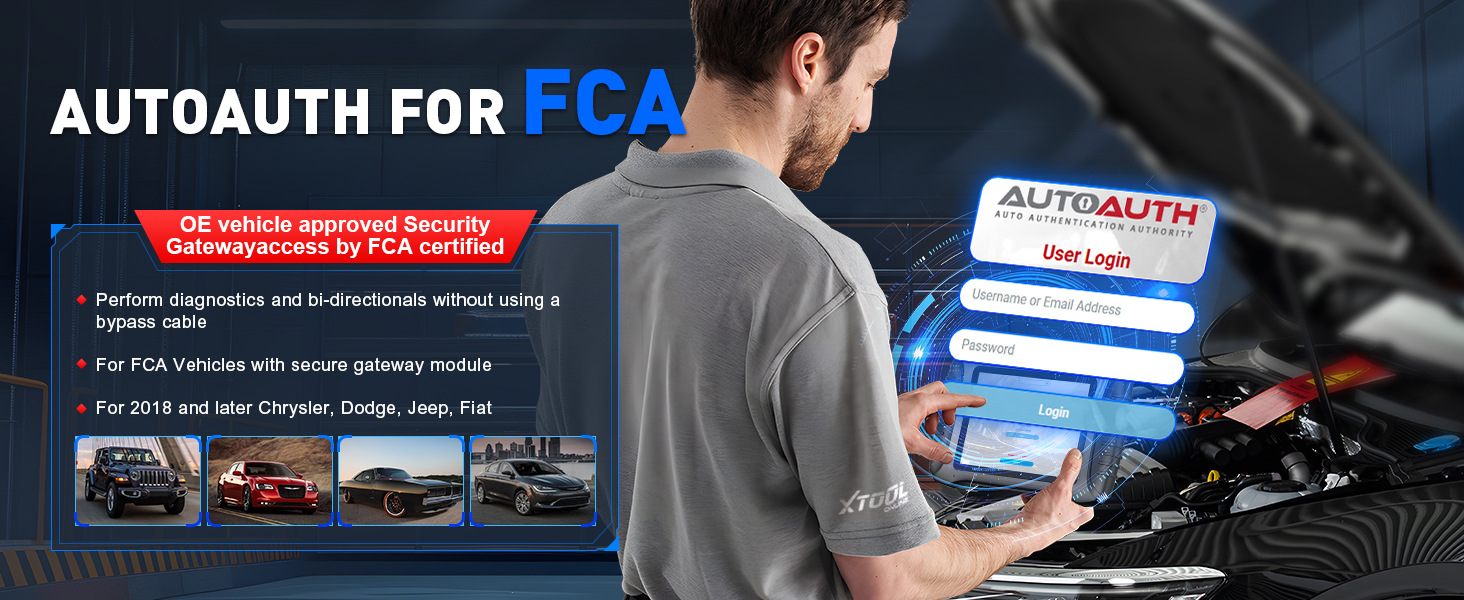
Image 4.7: The FCA AutoAuth login screen on the IP900BT.
4.8 Live Data Visualization & Export
The device allows for detailed analysis of live sensor data.
- Graph up to 8 live data PIDs (Parameter IDs) into one chart.
- Display up to 8 individual graphs on one screen.
- Raketo ary view data.
- Export data as a CSV file ho an'ny fanadihadiana fanampiny.

Image 4.8: The IP900BT showing multiple live data streams graphically.
4.9 Mialoha/Aorian'ny Scan
This feature allows you to document the vehicle's condition before and after repairs.
- Generate reports to track repair progress.
- Create comprehensive analysis reports for clients or colleagues.

Image 4.9: The Pre/Post Scan function displaying diagnostic reports.
4.10 ADAS calibration
The IP900BT supports ADAS (Advanced Driver-Assistance Systems) calibration, which is crucial for maintaining the proper functionality of safety features after repairs or component replacements. This function may require additional calibration tools.
5. Vehicle Coverage
The XTOOL IP900BT is designed to work on most OBD2-compliant vehicles from 1996 onwards, covering over 10,000 OBDII/EOBD vehicle models. It supports diagnostics of CAN-FD and DoIP compliant models without requiring specialized adapters, facilitating faster diagnostic speeds.

Image 5.1: Illustration of the extensive vehicle coverage provided by the IP900BT.
6. Famaritana
| endri-javatra | famaritana |
|---|---|
| MODELY | XTOOL-IP900 BT |
| Rafitra fikirakirana | Android 10.0 |
| processeur | Quad-core 1.5GHz |
| fahatsiarovana | 4GB RAM + 64GB fitahirizana |
| miseho | 8-inch Touch Screen (1024x768 resolution) |
| Batterie | 5000mAh 7.3V Lithium Ion (included) |
| fifandraisana | Wireless (Wi-Fi), Type-C |
| Tohanana Protocols | CANFD, DoIP, FCA AutoAuth |
| Lanja entana | 1.65 kg |
| Ny haben'ny fonosana | 15.5 x 12 x 5 santimetatra |
7. Fikojakojana
7.1 Fikarakarana fitaovana
- Ataovy madio sy tsy misy vovoka sy hamandoana ny fitaovana.
- Avoid dropping the device or exposing it to extreme temperatures.
- Use only the provided charger and cables.
7.2 Fanavaozana rindrambaiko
Regularly check for and install software updates to ensure optimal performance and compatibility with the latest vehicle models. Updates are provided free for 3 years from the date of purchase.
8. Famahana olana
If you encounter issues with your XTOOL IP900BT, consider the following general troubleshooting steps:
- Tsy mandeha ny fitaovana: Hamarino tsara fa feno ny bateria. Ampifandraiso amin'ny charger ary andramo indray.
- Tsy mifandray ny VCI: Verify the VCI module is securely plugged into the vehicle's OBD2 port and that the vehicle's ignition is on. Check the tablet's wireless connection.
- Error amin'ny fifandraisana: Ensure the vehicle's ignition is in the ON position (engine off). Check for loose connections. Try another vehicle to rule out a vehicle-specific issue.
- Software Freezing/Lagging: Close unnecessary applications. Restart the device. Ensure sufficient storage space.
- Olana amin'ny fanavaozana: Ensure a stable and strong Wi-Fi connection. Try updating at a different time.
For persistent issues, refer to the support section below.
9. Information momba ny fiarovana
- Ampiasao ao amin'ny toerana mahazo rivotra tsara foana ny fitaovana.
- Do not wear loose clothing or jewelry when working near moving engine parts.
- Arovy amin'ny rano, menaka ary ranon-javatra hafa ny fitaovana.
- Ensure the vehicle is in Park (P) or Neutral (N) with the parking brake engaged before performing any diagnostic tests.
- Never attempt to disassemble or modify the device.
10. Warranty sy fanohanana
The XTOOL IP900BT comes with a 2-year warranty and lifetime after-sales support. For technical assistance, troubleshooting, or warranty claims, please contact XTOOL customer support.
- Fanavaozana rindrambaiko: 3 years of free software updates are included.
- Contact Support: For quick support, you may reach out via email at xtoolinplusus@outlook.com.