1. Vokatra mihoatraview
The MOVE SPEED 145W Laptop Power Bank is a high-capacity portable charging solution designed for a wide range of electronic devices, including laptops, smartphones, and tablets. Featuring PD 3.1 fast charging technology and a 25,000mAh capacity, it ensures your devices remain powered during travel, work, or outdoor activities. The integrated digital display provides real-time charging insights, enhancing user convenience.
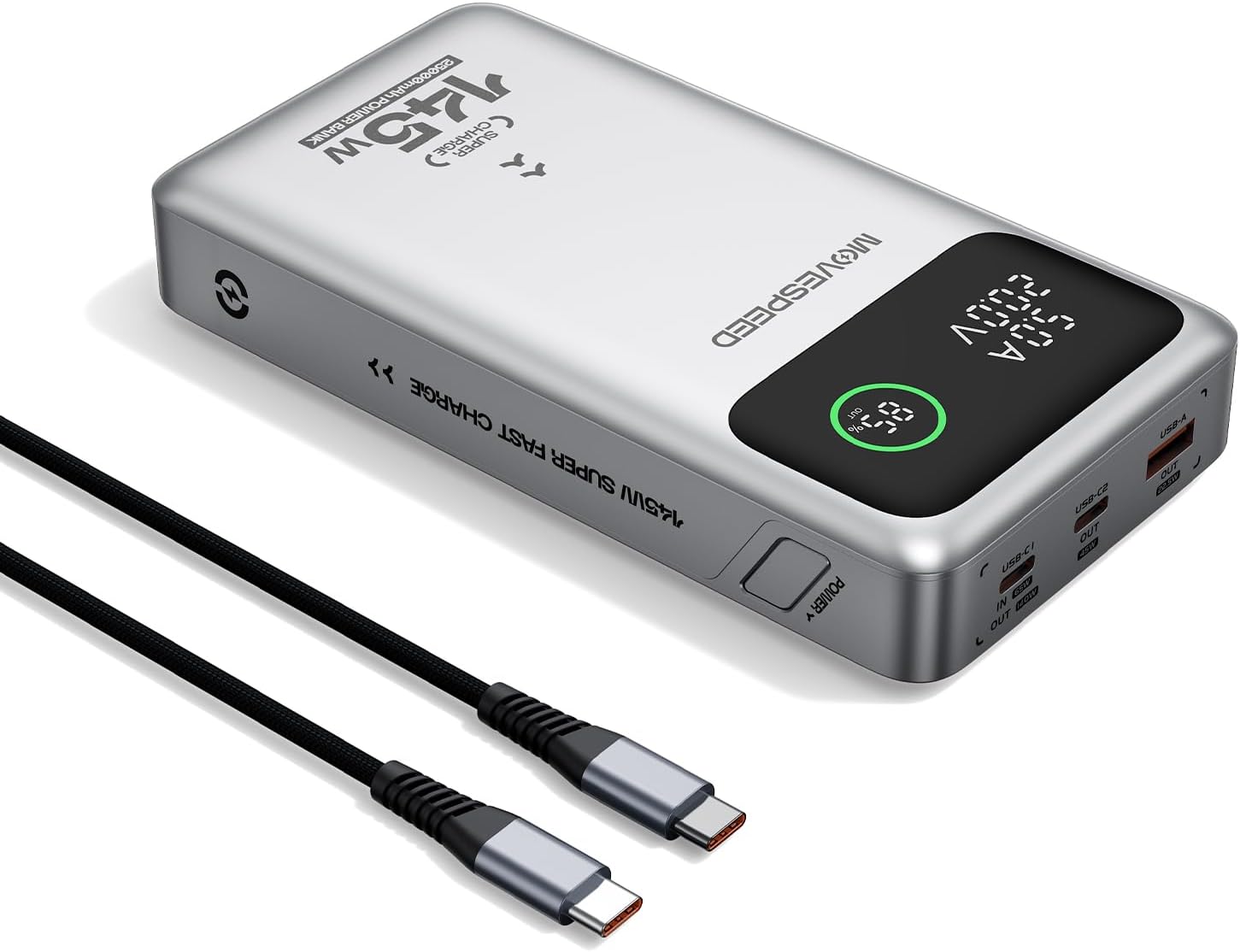
Figure 1.1: MOVE SPEED 145W Laptop Power Bank and 240W Type-C Cable.
2. Information momba ny fiarovana
Fiarovana manan-danja:
- Aza atao amin'ny mari-pana tafahoatra, tara-masoandro mivantana, na afo ny power bank.
- Fadio ny fandatsahana, ny fandravana, na ny manandrana manamboatra ny fitaovana.
- Halaviro ny rano sy ny hamandoana be.
- Ataovy izay hahazoana rivotra tsara mandritra ny fampiasana sy ny famandrihana.
- This power bank is flight-approved (25000mAh/92.5Wh) and meets FAA and TSA carry-on regulations.
- The device incorporates 9-layer protection against overcharging, overheating, and short circuits.

Figure 2.1: The power bank is designed to be air-travel friendly.

Figure 2.2: Built-in NTC Temperature Sensor and comprehensive protection features.
3. Ny votoatin'ny fonosana
Hamarino fa misy ny entana rehetra ao anaty fonosana:
- MOVE SPEED 145W Laptop Power Bank x 1
- 240W 3.28Ft Type-C Cable x 1
- Torolàlana ho an'ny mpampiasa x 1

Figure 3.1: Items included in the product package.
4. Toetran'ny vokatra
- 140W Ultra-Fast Single-Port Charging: Supports PD 3.1, capable of charging a 16-inch MacBook Pro to 56% in approximately 30 minutes.
- 65W Ultra-Fast Recharging: Fully recharges the power bank in about 2 hours using a compatible high-wattage charger.
- Fahaizana lehibe 25,000mAh: Provides multiple charges for various devices (e.g., 4 full charges for iPhone 16, 3 for Galaxy S24, 2 for iPad 11).
- Triple-Port Output:
- USB-C1 (IN/OUT): Up to 140W output, 65W input.
- USB-C2 (OUT): Up to 45W output.
- USB-A (OUT): Up to 22.5W output.

Figure 4.1: Single port output capabilities.

Figure 4.2: Two-port simultaneous output capabilities.

Figure 4.3: Three-port simultaneous output capabilities.
- Smart Dynamic Charging: Optimizes power distribution up to 145W combined output when multiple USB-C ports are active.
- Smart LED Display: Mampiseho isan-jaton'ny bateria marinatage, charging status (INPUT/OUTPUT), and real-time voltage and current for each active port.
- Fampandrenesana mandalo: Allows simultaneous charging of devices while the power bank itself is being recharged.

Figure 4.4: Key features of the MOVE SPEED 145W Power Bank.

Figure 4.5: Fast charging capability for laptops.

Figure 4.6: Extended power supply for multiple devices.

Figure 4.7: Simultaneous charging of up to three devices.

Figure 4.8: Rapid recharging of the power bank.

Figure 4.9: The smart LED display provides comprehensive charging information.

Figure 4.10: Pass-through charging capability for convenience.
5. Fametrahana
Alohan'ny hampiasana azy voalohany dia tsara raha fenoina tanteraka ny power bank.
- Connect the included 240W Type-C cable to the USB-C1 port (IN/OUT) on the power bank.
- Connect the other end of the cable to a compatible USB-C wall charger (65W or higher recommended for optimal charging speed).
- The digital display will show "IN" and the battery percentagmitomboasing, indicating that the power bank is charging.
- Raha vao miseho 100% ny fampiratiana, dia fenoina ny banky herinaratra ary vonona hampiasaina.
6. Torolàlana miasa
6.1 Fitaovana famandrihana
Mba hamenoana ny fitaovana elektronika:
- Connect your device's charging cable to the appropriate output port on the power bank (USB-C1, USB-C2, or USB-A).
- Ampifandraiso amin'ny fitaovanao ny faran'ny tariby hafa.
- The digital display will show "OUT" and the real-time voltage and current, indicating that your device is charging.
- The power bank will automatically detect the connected device and deliver the optimal charging speed.
Video 6.1: Demonstration of the MOVE SPEED power bank charging a laptop. This video highlights the product's ability to provide power to larger devices.
Lahatsary 6.2: Mihoatraview of the MOVE SPEED laptop power bank's features and usage. This video provides a general demonstration of the product.
Video 6.3: Demonstration of the MOVESPEED portable laptop charger and its 145W power bank capabilities. This video showcases the power bank in action with various devices.
6.2 Famerenana ny Power Bank
Mba hamerenana ny banky herinaratra:
- Connect the included 240W Type-C cable to the USB-C1 port (IN/OUT) on the power bank.
- Connect the other end of the cable to a power source, such as a wall adapter or a computer's USB-C port.
- The digital display will indicate "IN" and the charging progress.
Note: For optimal recharging speed, use a power adapter that supports 65W Power Delivery (PD) or higher.
7. Famaritana
| endri-javatra | antsipirihany |
|---|---|
| Laharana modely | YSPB-M25pro-US |
| Fahaizana bateria | 25,000mAh / 92.5Wh |
| USB-C1 fampidirana | 65W Max |
| USB-C1 Output | 140W Max (PD 3.1) |
| USB-C2 Output | 45W Max |
| USB-A Output | 22.5W Max |
| Total Output | 145W Max (Dynamic Distribution) |
| lafiny | 8.19 x 4.49 x 1.56 santimetatra |
| lanja | 1.41 kg |
| Misy Cable | 240W 3.28Ft Type-C Cable |
| Safety Features | 9-layer protection (overcharging, overheating, short circuits, etc.), UN38.3 certified |
| Flight Approved | Yes (under 100Wh limit) |
8. Fikojakojana
- Diovy amin'ny lamba malefaka sy maina ny banky herinaratra. Aza mampiasa akora simika mahery vaika na akora abrasive.
- Tehirizo ao amin'ny toerana mangatsiatsiaka sy maina lavitry ny tara-masoandro mivantana sy ny hafanana tafahoatra ny banky herinaratra.
- Raha tehirizina mandritra ny fotoana maharitra dia avereno ampiasaina isaky ny 3-6 volana ny power bank mba hihazonana ny fahasalaman'ny bateria.
- Avoid exposing the ports to dust or debris.
9. Famahana olana
Olana iraisana sy vahaolana:
- Power bank tsy mi-charge:
- Ensure the charging cable is securely connected to both the power bank (USB-C1 port) and the power adapter.
- Verify that the wall adapter is functioning correctly and provides sufficient power (65W recommended).
- Manandrama tariby famandrihana na adaptatera herinaratra hafa.
- Tsy voafafa avy amin'ny power bank ny fitaovana:
- Hamarino raha ampy ny fiampangana ny banky herinaratra.
- Ataovy azo antoka fa mifandray tsara amin'ny power bank sy ny fitaovanao ny tariby famandrihana.
- Manandrama seranana famoahana hafa amin'ny banky herinaratra.
- Verify that your device's charging cable is not damaged.
- Famandrihana miadana:
- Ensure you are using the included 240W Type-C cable or another high-quality cable that supports fast charging.
- For recharging the power bank, use a 65W or higher PD-compatible wall adapter.
- When charging multiple devices, the total output power is dynamically distributed, which may result in slower charging for individual devices compared to single-port charging.
- Tsy mandeha ny fampisehoana nomerika:
- Ataovy azo antoka fa ampy ny chargeur ny power bank.
- Raha mitohy ny olana dia mifandraisa amin'ny fanohanan'ny mpanjifa.
10. Warranty sy fanohanana
MOVE SPEED offers a 36-month protection plan for this product. If you encounter any issues or have questions regarding your MOVE SPEED 145W Laptop Power Bank, please contact our customer support team for assistance.
For further support, visit the official MOVE SPEED store on Amazon: MOVE SPEED Store


