1. Fampidirana
The Godox iM20 is a compact and lightweight manual camera flash designed for photographers who require portability and precise lighting control. This manual provides detailed instructions for the safe and effective use of your iM20 flash.
2. Information momba ny fiarovana
- Aza esorina na ovaina ny fitaovana flash.
- Keep the flash away from water and high humidity.
- Avoid direct eye exposure to the flash, especially at close range.
- Ampiasao ihany ny tariby famandrihana sy ny loharanon-kery voalaza.
- Do not operate in the presence of flammable gases or liquids.
3. Ny votoatin'ny fonosana
Hamarino fa ao anatin'ny fonosanao ny entana rehetra:
- 1x Godox iM20 Camera Flash
- 1x USB Cable
- Kitapo fitehirizana 1x
- 1x User Manual (ity antontan-taratasy ity)
4. Vokatra mihoatraview
The Godox iM20 is a mini manual flash with a built-in 470 mAh lithium battery, offering 5 adjustable power levels and quick recycling times.
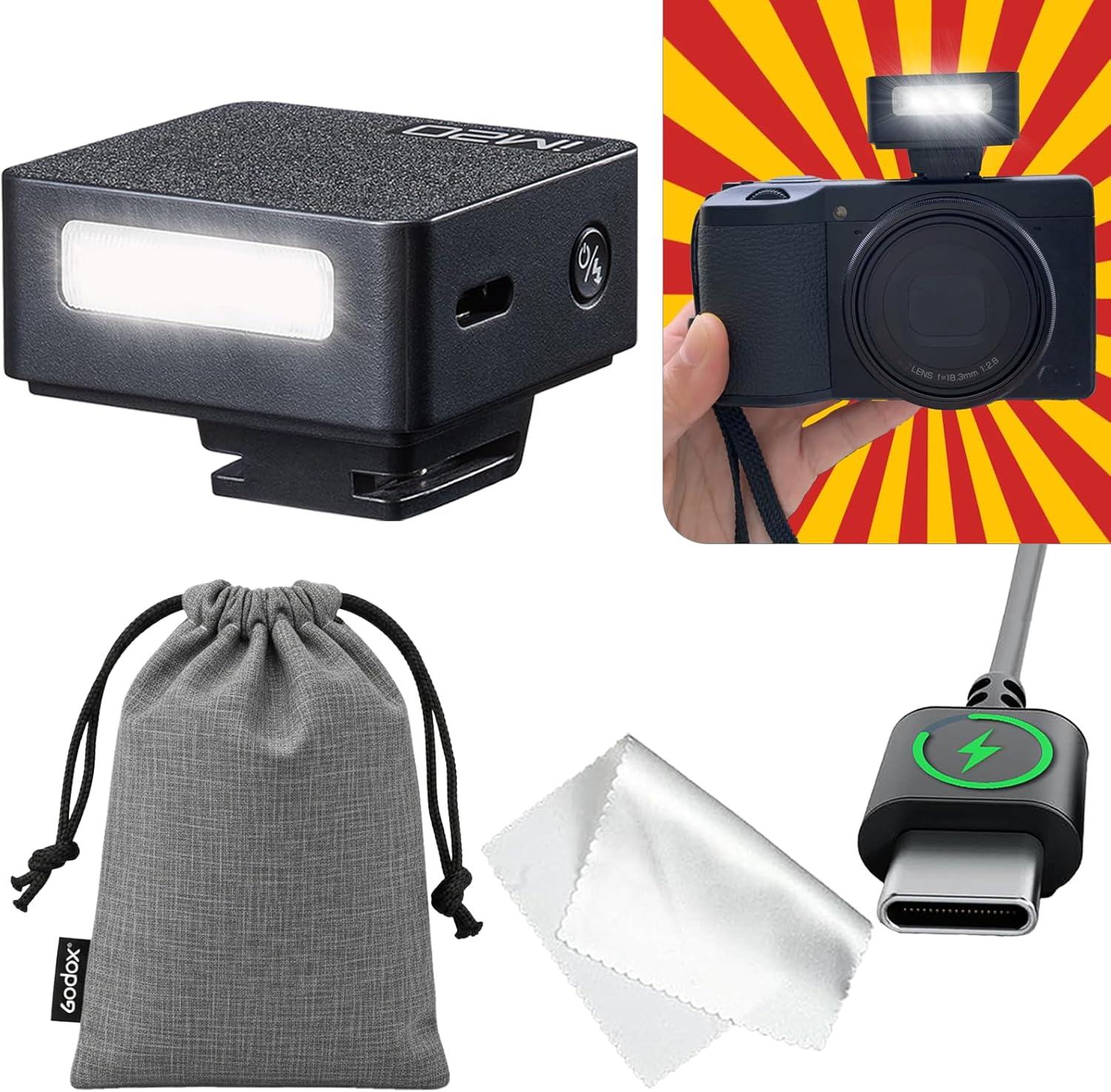
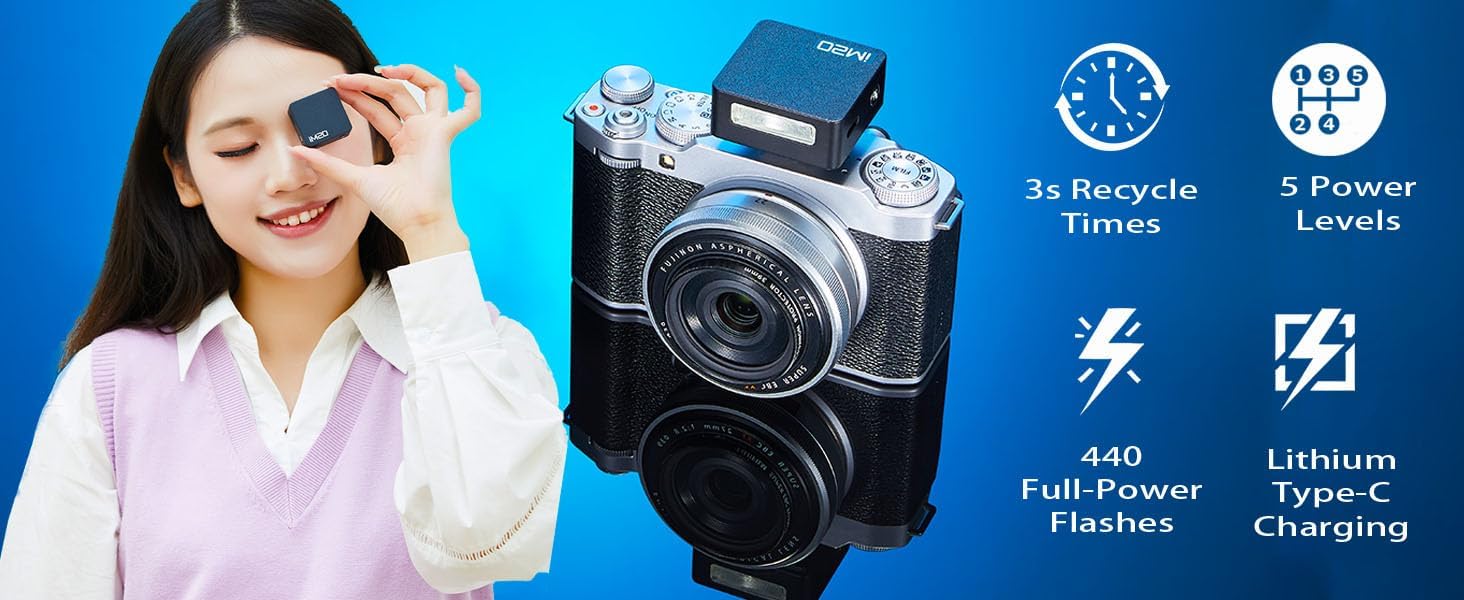
Figure 1: Godox iM20 Camera Flash mounted on a camera. This image highlights the flash's compact design and its integration with a camera body, along with icons indicating 440 full-power flashes, Lithium Type-C charging, 3-second recycle times, and 5 power levels.
Lafin-javatra fototra:
- Design Compact: Weighs approximately 100g (as per specifications), ideal for portability.
- Famoahana herinaratra: 5 adjustable power levels for precise lighting control.
- Batterie: Built-in 470 mAh lithium battery.
- famandrihana: USB Type-C port for convenient and rapid recharging.
- Flash Capacity: Up to 440 full-power flashes per charge.
- Fotoana fanodinana: Approximately 3 seconds for full power flashes.
5. Fametrahana
5.1 Charging the Flash
Before initial use, fully charge the Godox iM20 flash. The built-in lithium battery ensures stable output.
- Connect the provided USB Type-C cable to the charging port on the flash unit.
- Connect the other end of the USB cable to a compatible USB power adapter (not included).
- The charging indicator lights will show the charging status. A full charge takes approximately 70 minutes.
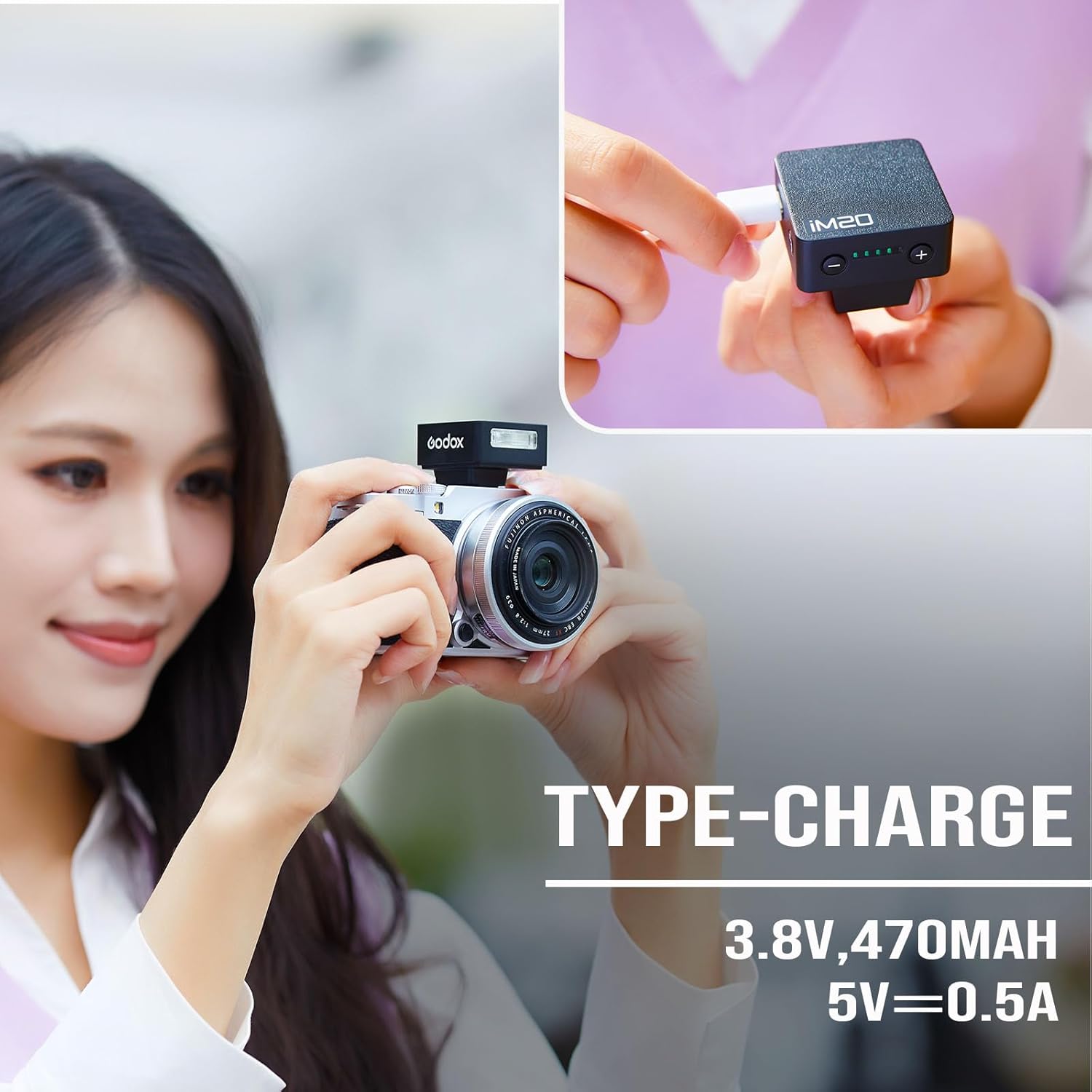
Figure 2: Charging the Godox iM20 flash via its USB Type-C port. The image illustrates the connection process and the battery indicator lights.
5.2 Fametrahana ny Flash amin'ny fakantsarinao
The Godox iM20 is designed to mount onto a camera's hot shoe. Ensure your camera has a compatible hot shoe with a universal touchpoint.
- Slide the flash unit into your camera's hot shoe mount.
- Ensure the flash is securely seated.
- Fanamarihana mifanentana: This flash is compatible with hot shoes that have a universal touchpoint. Refer to Figure 3 for examples of compatible hot shoe contacts.
Sary 3: Eksamples of compatible hot shoe mounts for various camera brands. The image shows hot shoes with a universal touchpoint marked with a green check, and an incompatible hot shoe marked with a red cross.
Fampahalalana manan-danja mifanaraka:
- Not compatible with Sony: ZV-1F, A9III, A99, A77, A350, ZV1 Mark 2.
- Not compatible with Canon: EOS Rebel SL3, 250D, T7, 1500D, 2000D, T100, 3000D, 4000D, 200DII, R7, R6II, R8, R10, R50.
- Not compatible with Fuji: X-A3, X100F, X100T.
- When used with larger lenses or lens hoods, shadows may appear on your subject. For optimal results, pair with smaller lenses.
6. Torolàlana miasa
The Godox iM20 is a manual flash, meaning exposure settings must be adjusted on your camera and the flash unit.
6.1 Famelomana/Famonoana ary Fanitsiana ny Haavon'ny Herinaratra
- To power on the flash, press and hold the power button.
- Use the '+' and '-' buttons on the flash to adjust the power output. There are 5 adjustable power levels.
- Mba hamonoana dia tsindrio indray ny bokotra herinaratra.

Figure 4: The Godox iM20 flash with its power adjustment buttons and battery level indicators. This image demonstrates the 5-level adjustment capability and the flash's compact form factor.
6.2 Camera Settings for Manual Flash
Since the iM20 does not support TTL function or High-Speed Sync (HSS), manual camera settings are crucial for proper exposure.
- Hafainganam-pamonoana: Set your camera's shutter speed to less than 1/200 second to avoid synchronization issues or dark edges in your photos.
- ISO Setting: Start with ISO 100. Adjust ISO upwards as needed based on ambient light conditions to prevent underexposure. Be aware that higher ISO settings can introduce noise.
- Aperture Setting: Adjust the aperture to control depth of field and exposure. Use a larger aperture (e.g., f/2.8) for shallower depth of field. Use a smaller aperture (e.g., f/5.6 or f/8) for greater depth of field or in bright ambient light.
7. Fikojakojana
- Clean the flash unit with a soft, dry cloth. Do not use solvents or abrasive cleaners.
- Store the flash in a cool, dry place when not in use.
- Regularly charge the battery to maintain its health, even if not used frequently.
8. Famahana olana
| OLANA | Antony mety hitranga | vahaolana |
|---|---|---|
| Tsy mirehitra ny flash. | Low battery; incorrect mounting; flash not powered on; camera settings incorrect. | Charge the flash; ensure it is securely mounted on the hot shoe; power on the flash; check camera shutter speed and other settings. |
| Photos are too dark (underexposed). | Flash power too low; camera ISO too low; aperture too small. | Increase flash power; increase camera ISO; open up the aperture (smaller f-number). |
| Photos are too bright (overexposed). | Flash power too high; camera ISO too high; aperture too large. | Decrease flash power; decrease camera ISO; close down the aperture (larger f-number). |
| Dark band or black edges in photos. | Shutter speed too fast for flash sync. | Reduce camera shutter speed to 1/200 second or slower. |
| Shadows from lens/hood. | Large lens or lens hood blocking flash light. | Use a smaller lens or remove the lens hood. |
9. Famaritana
| endri-javatra | antsipirihany |
|---|---|
| Marika | GODOX |
| Anarana modely | Godox iM20 |
| Laharana modely | GODOX IM20 |
| Karazana Tselatra Fakan-tsary | Flash manual |
| Karazana fanaraha-maso ny fampiratiana | BOKY |
| Teknolojia fifandraisana | Kiraro mafana |
| Hardware Interface | USB Type-C (ho fiampangana) |
| Karazana bateria | Batterie Lithium naorina (470mAh) |
| Jiro mahery vaika | Hatramin'ny 440 |
| Recycle Time | Approx. 3 segondra |
| Flash Sync Speed | Max 1/200 second (camera dependent) |
| Lanja entana | 100g ny |
| loko | Mainty |
| UPC | 663992148824 |
10. Warranty sy fanohanana
10.1 Fampahalalana momba ny fiantohana
Please refer to the product packaging or the official Godox website for specific warranty terms and conditions. The warranty typically covers manufacturing defects under normal use.
Fanamarihana: Compatibility with specific camera models (e.g., Sony ZV-1F) is detailed in the product images and specifications. Please ensure your camera is compatible before purchase.
10.2 Fanohanana ny mpanjifa
For technical assistance, troubleshooting not covered in this manual, or warranty claims, please contact Godox customer support through their official webtoerana na ny mpivarotra nividianana ny vokatra.
You can visit the official GODOX Store on Amazon for more information: Fivarotana GODOX


