1. Fampidirana
This manual provides essential information for setting up, operating, maintaining, and troubleshooting your LG gram 17 inch laptop. Please read this manual thoroughly before using your device to ensure proper functionality and longevity.
2. Fametrahana
2.1 Fahefana voalohany
- Esory ny solosaina finday: Carefully remove the LG gram 17 laptop and all accessories from its packaging.
- Hery mampifandray: Plug the AC adapter into the laptop's power port (USB Type-C Thunderbolt 4 port) and then into a wall outlet.
- Herim-batana: Open the laptop lid and press the power button, typically located on the top right of the keyboard.
- Initial Windows 11 Pro Setup: Araho ny toromarika eo amin'ny efijery mba hamitana ny fametrahana ny Windows 11 Pro, anisan'izany ny fisafidianana fiteny, ny fifandraisana amin'ny tambajotra ary ny famoronana kaonty mpampiasa.
2.2 Fampifandray ny periferika
The LG gram 17 offers various ports for connecting external devices:
- Fitaovana USB: Use the 2x USB 3.2 Gen 2 Type-A ports for mice, keyboards, or external storage.
- USB-C / Thunderbolt Devices: Use the 2x Thunderbolt 4 USB 4.0 Gen 3 Type-C ports for high-speed data transfer, external displays, or charging.
- Fampisehoana ivelany: Connect an external monitor via the HDMI port or a Thunderbolt 4 port (with appropriate adapter, if needed).
- Audio: Use the 3.5mm headphone-out jack for headphones or external speakers.
- Karatra SD Micro: Insert a Micro SD card into the dedicated slot for additional storage or data transfer.

Sary: Overview of the LG gram 17 laptop's connectivity ports, including USB Type-A, USB Type-C Thunderbolt 4, HDMI, headphone-out, and Micro SD slot.
3. endri-javatra
3.1 Fampisehoana
The LG gram 17 features a large 17-inch WQXGA (2560 x 1600) IPS touchscreen display with DCI-P3 99% color gamut support, providing vibrant colors and sharp details.

Image: The LG gram 17's 17-inch WQXGA IPS display, highlighting its 16:10 aspect ratio and DCI-P3 99% color accuracy.
3.2 Fampisehoana
Powered by the Intel Core Ultra 7 processor with 47 NPU TOPS, 32GB DDR5 RAM, and a 2TB PCIe SSD, the laptop delivers responsive performance for multitasking, productivity, and demanding applications.

Image: The LG gram 17 laptop, emphasizing its Intel Core Ultra processor and AI capabilities with up to 47 TOPS NPU.
3.3 Design and Input
The LG gram 17 is designed to be ultra-thin and lightweight, making it highly portable. It features a backlit keyboard for comfortable typing in various lighting conditions and a precision touchpad with scroll and gesture functions.

Sary: A antsipirihany view of the LG gram's backlit keyboard, illustrating the illumination of the keys for use in low-light environments.
3.4 Fiainana bateria
Equipped with a 77WHr Lithium Ion battery, the laptop offers up to 23.5 hours of video playback, ensuring extended usage on a single charge.

Image: The LG gram laptop screen showing "23.5 hrs" to represent its long battery life, with a visual of the laptop in use.
3.5 Operating System and AI Features
The LG gram 17 comes with Windows 11 Pro pre-installed, featuring AI-driven tools for enhanced productivity, creativity, and accessibility, including Copilot+PC functionalities.
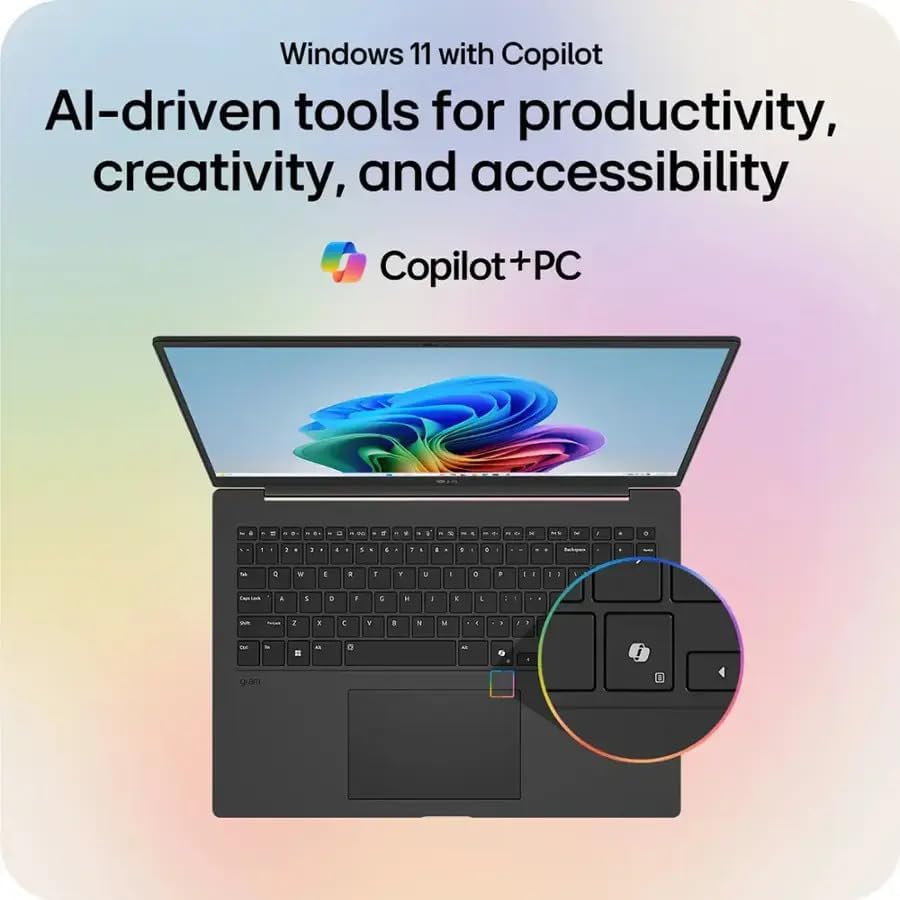
Image: The LG gram laptop showcasing the Windows 11 interface with Copilot, emphasizing its AI-driven tools for productivity and creativity.
3.6 Fampiasa ecran touchy
The 17-inch WQXGA display is a touchscreen, allowing for intuitive interaction using your fingers or a compatible stylus.

Image: A user's hand touching the screen of the LG gram laptop, illustrating its touchscreen capability.
4. Torolàlana miasa
4.1 Fampiasana fototra
- Kitendry: Use the full-size backlit keyboard for typing. Function keys (F1-F12) often have secondary actions (e.g., volume, brightness) accessible by pressing the Fn key.
- Touchpad: The precision touchpad supports multi-touch gestures for navigation, scrolling, and zooming.
- Efijery kasihina: Interact directly with the display using touch gestures. Swipe, tap, pinch-to-zoom, and other gestures are supported.
4.2 Fitantanana herinaratra
- famandrihana: Connect the AC adapter to any Thunderbolt 4 (USB-C) port for charging. The battery indicator light will show charging status.
- Mode torimaso: Akombony ny sarony na tsindrio vetivety ny bokotra herinaratra mba hampidirana ny solosaina finday amin'ny fomba fatoriana.
- Hidio: To turn off the laptop, go to Start > Power > Shut down.
4.3 Fifandraisana amin'ny tambajotra
- Wifi: The laptop supports Intel Wi-Fi 7. To connect, click the Wi-Fi icon in the taskbar, select your network, and enter the password.
- Bluetooth: Enable Bluetooth in Windows settings to pair with wireless accessories like headphones or mice.
5. Fikojakojana
5.1 Fanadiovana
- Ecran: Mampiasà lamba malefaka sady tsy misy loko kely dampSasao amin'ny rano na mpanadio efijery. Fadio ny akora simika mahery vaika.
- Kitendry sy Chassis: Mampiasà lamba malefaka sy maina. Ho an'ny loto mafy loha dia kely damp cloth can be used, ensuring no liquid enters openings.
5.2 Fikarakarana bateria
- Fadio ny hafanana tafahoatra.
- Aza esorina tanteraka ny bateria matetika.
- Ho an'ny fitahirizana maharitra, ampiasao ny bateria hatramin'ny 50-60%.
5.3 Fanavaozana rindrambaiko
Regularly check for and install Windows updates and LG driver updates to ensure optimal performance and security. Go to Start > Settings > Windows Update.
6. Famahana olana
- Laptop Not Powering On:
- Ensure the AC adapter is securely connected and the outlet is functional.
- Manandrama fivoahana herinaratra hafa.
- If the battery is completely drained, it may take a few minutes of charging before it can power on.
- Olana amin'ny fampisehoana:
- If the screen is blank, try pressing Fn + F10 (or the appropriate function key for display output) to cycle through display modes.
- Ensure display drivers are up to date.
- Tsy misy fifandraisana Wi-Fi:
- Hamarino raha mandeha ny Wi-Fi ao amin'ny fikirana Windows.
- Avereno indray ny router sy ny modem.
- Run the Windows Network Troubleshooter.
- Fahombiazana miadana:
- Akatona ireo rindranasa tsy ilaina.
- Jereo raha misy processes any ambadika mandany loharanon-karena be (Task Manager).
- Ataovy izay hahazoana toerana malalaka ampy eo amin'ny SSD.
- Manaova fitiliana viriosy.
7. Famaritana
| endri-javatra | antsipirihany |
|---|---|
| Anarana modely | LG gram 17 |
| Rafitra fikirakirana | Windows 11 Pro |
| processeur | Intel Core Ultra 7 258V (3.7 GHz) |
| Saripika | Intel Arc Graphics (Mitambatra) |
| ram | 32GB DDR5 RAM |
| fitahirizana | 2TB PCIe SSD |
| miseho | 17.3-inch WQXGA (2560 x 1600) IPS Touchscreen, DCI-P3 99% |
| Teknolojia Wireless | Intel Wi-Fi 7 + Bluetooth |
| seranana | 2x Thunderbolt 4 USB 4.0 Gen 3 Type-C, 2x USB 3.2 Gen 2 Type-A, 1x HDMI, 1x Headphone-out, 1x Micro SD Slot |
| Ohatra | Kitendry backlit |
| Batterie | 77WHr Lithium Ion, up to 23.5 hours (video playback) |
| refy (LxWxH) | 14 x 11 x 0.7 santimetatra |
| lanja | 3.19 kg |
8. Warranty sy fanohanana
The LG gram 17 laptop comes with a standard warranty. Specifically, a 1-year standard warranty is provided on the upgraded SSD. For detailed warranty terms and conditions, please refer to the documentation included with your product or visit the official LG support website.
For technical assistance, troubleshooting, or service inquiries, please contact LG customer support.