Sava lalana
This manual provides comprehensive instructions for the MoKo 10X Rechargeable Magnifying Glass with 21 LED Lights. Designed for enhanced visual clarity, this device is ideal for reading, inspection, and exploring small details. It features a powerful 10X magnification, adjustable LED lighting, and a comfortable ergonomic design for extended use.
Azafady vakio tsara ity boky torolalana ity alohan'ny hampiasana ny vokatra mba hahazoana antoka fa miasa sy mikojakoja tsara izy.
Inona no ao anaty boaty
- MoKo 10X Rechargeable Magnifying Glass
- USB Charging Cable
- Lamba fanadiovana
- Pouch fitahirizana
- User Manual
Hametraka
1. Fametrahana voalohany
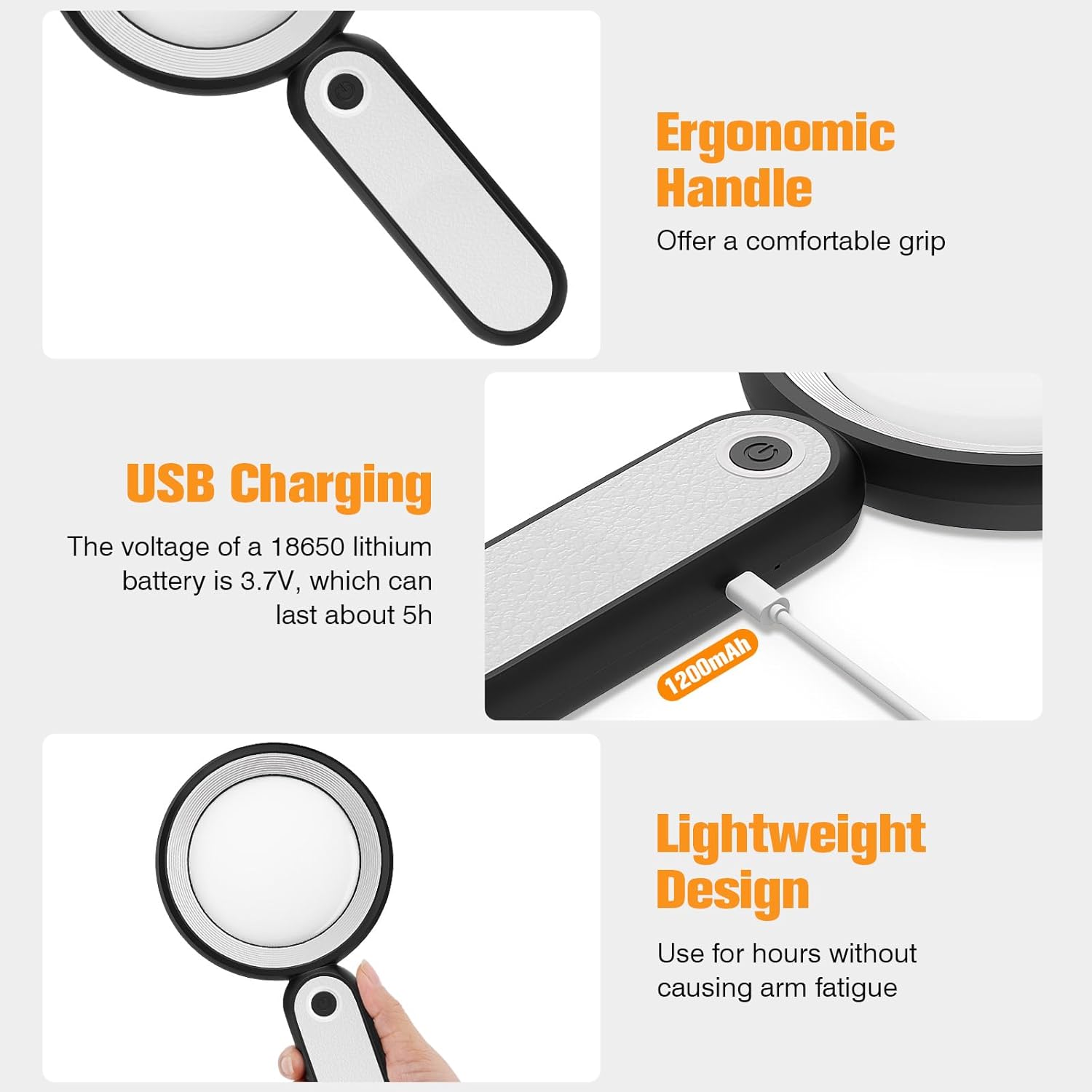
Before first use, fully charge the magnifying glass. Locate the USB charging port on the handle of the device.

Image: USB charging port on the handle.
- Connect the provided USB charging cable to the charging port on the magnifying glass.
- Ampidiro amin'ny adaptatera herinaratra USB mifanaraka aminy (tsy tafiditra) na amin'ny seranana USB an'ny solosaina ny ilany amin'ny tariby USB.
- The charging indicator lights (if present) will show the charging status. Allow the device to charge until fully powered, typically around 5 hours for a full charge.
2. Fitantanana fanitsiana
The magnifying glass features an adjustable handle for comfortable use.

Image: Ergonomic handle design.
- Gently pivot the handle to your desired angle for handheld use.
- The handle can be folded for compact storage or extended for a comfortable grip during use.
Torolàlana miasa
1. Fampitomboana
The MoKo Magnifying Glass provides 10X magnification for clear viewing of small text and objects.

Image: Magnifying glass in use, showing 10X magnification on text.
- Hold the magnifying glass approximately 3-5 inches (7.5-12.5 cm) above the object you wish to magnify.
- Adjust the distance slightly until the object comes into clear focus.
2. Fomba jiro LED
The device is equipped with 21 LED lights and three lighting modes to suit various environments and reduce eye strain.

Image: Three adjustable lighting modes (cool, warm, mixed) for the LED lights.
- Locate the power button on the handle.
- Press the power button once to activate the Hazavana mangatsiaka fomba.
- Tsindrio fanindroany ny bokotra herinaratra mba hifindra amin'ny Hazavana mafana fomba.
- Press the power button a third time to activate the Mixed Light fomba.
- Press the power button a fourth time to turn off the LED lights.
Choose the lighting mode that provides the most comfortable and clear viewing experience for your specific task and ambient light conditions.
fikarakarana
1. Manadio ny Lens
To maintain optimal clarity, keep the optical glass lens clean.
- Use the provided soft cleaning cloth to gently wipe the lens surface.
- Avoid using abrasive materials, paper towels, or chemical cleaners, as these can scratch or damage the lens.
- Ho an'ny smudes mafy loha, moramora dampen the cleaning cloth with a small amount of lens cleaning solution or water, then gently wipe and dry.
2. fitahirizana
When not in use, store the magnifying glass in the provided storage pouch to protect it from dust and scratches.

Image: Magnifying glass being stored in its protective pouch.
- Tehirizo ao amin'ny toerana mangatsiatsiaka sy maina lavitry ny tara-masoandro mivantana sy ny hafanana tafahoatra.
Fanamboarana
| OLANA | Antony mety hitranga | vahaolana |
|---|---|---|
| Lights not turning on. | Lany bateria na maty ny fitaovana. | Charge the device using the provided USB cable. Ensure the power button is pressed correctly to cycle through modes. |
| Magnification is blurry or distorted. | Incorrect distance from object or dirty lens. | Adjust the distance between the lens and the object. Clean the lens with the provided cleaning cloth. |
| Handle is stiff or difficult to adjust. | Minor friction in the hinge. | Apply gentle, consistent pressure. Avoid forcing the hinge. |
fepetra arahana
| endri-javatra | antsipirihany |
|---|---|
| Marika | MoKo |
| Laharana modely | 10X |
| Hery fampitomboana | 10X |
| Fitaovana Lens | Fitaratra Optika |
| Jiro LED | 21 LED vakana |
| Lighting Modes | 3 (Cool, Warm, Mixed) |
| Loharanon-kery | Rechargeable USB (1200mAh battery, 3.7V) |
| Fiainana bateria (fampiasana tsy tapaka) | Tokony ho 5 ora |
| Ny refin'ny vokatra | 9.57 x 4.72 x 1.02 santimetatra (24.3 x 12 x 2.6 cm) |
| Lanja entana | 7.05 ounces (200g) |
| UPC | 840401442876 |
Sary: Refin'ny vokatra.
Warranty sy fanohanana
MoKo products are designed for reliability and performance. For warranty information or technical support, please refer to the contact details provided with your purchase or visit the official MoKo website.
Tehirizo ny tapakila fividiananao ho porofon'ny fividianana ho an'ny fitakiana fiantohana.
Fampahalalana manan-danja momba ny fiarovana
- Do not expose the magnifying glass to direct sunlight for extended periods, as this may cause fire or damage to surfaces.
- Arovy amin'ny ankizy.
- Fadio ny fandatsahana ilay fitaovana na iharan'ny fiantraikany mahery vaika.
- Do not attempt to disassemble or modify the magnifying glass.


