1. Fampidirana
This manual provides essential information for the safe and effective operation, maintenance, and troubleshooting of your HYCO PH65 Corded Electric Demolition Hammer. Please read this manual thoroughly before using the tool to ensure proper handling and to prevent injury or damage.
The HYCO PH65 is a heavy-duty demolition hammer designed for breaking concrete, masonry, and rubble. It features a powerful 2000W motor, a 25.07 mm chuck for quick bit changes, and a shock absorber for enhanced user comfort.
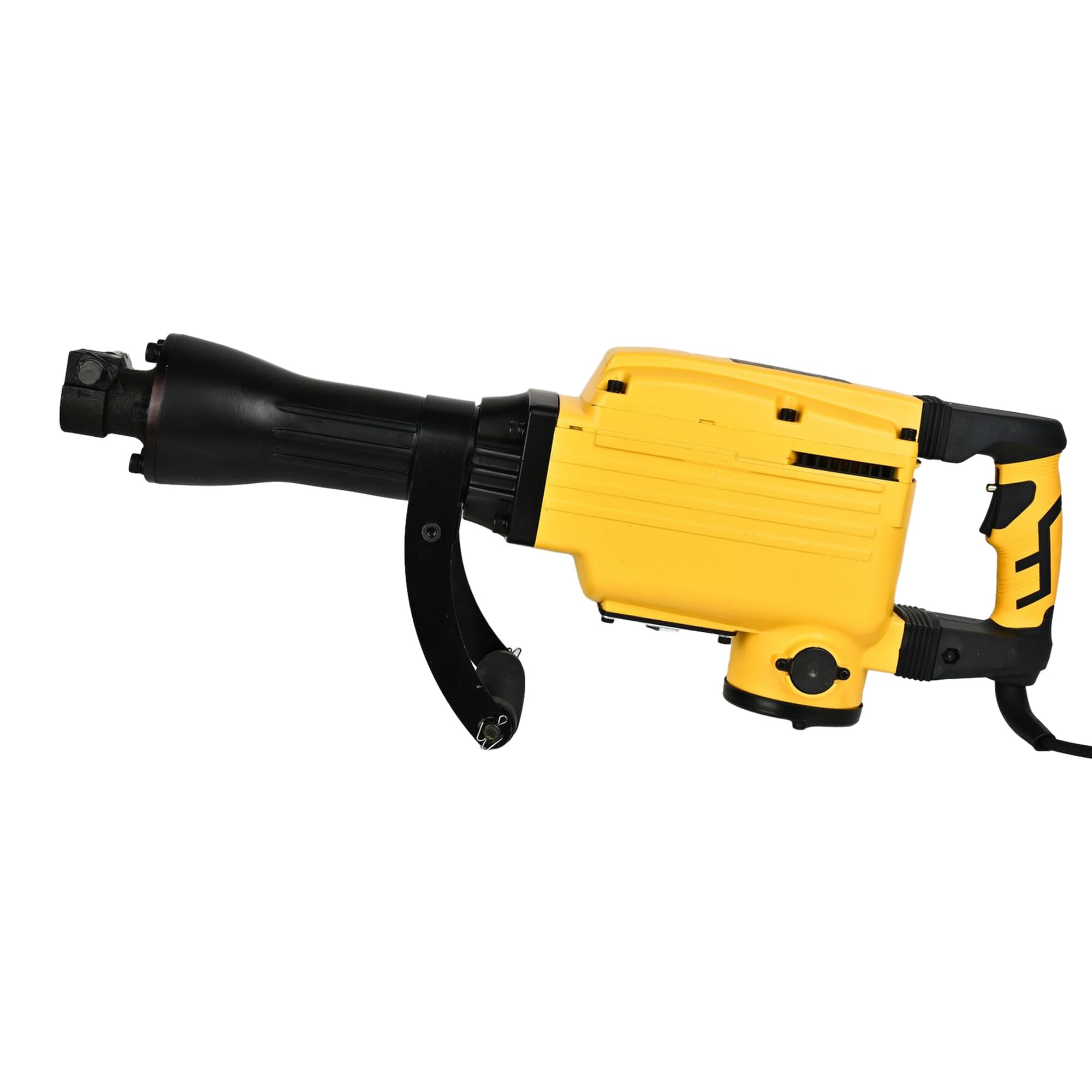
Sary 1: General view of the HYCO PH65 Demolition Hammer.
2. Torolàlana momba ny fiarovana
Araho hatrany ireo fepetra fiarovana fototra mba hampihenana ny mety hisian'ny afo, ny fahatairana elektrika ary ny ratra rehefa mampiasa fitaovana elektrika.
- Fiarovana ny faritra fiasana: Ataovy madio sy mazava tsara ny toeram-piasana. Ny faritra mikorontana na maizina dia miteraka loza. Aza mampiasa fitaovam-pamokarana amin'ny atmosfera mipoaka, toy ny fisian'ny ranon-javatra mirehitra, entona, na vovoka.
- Fiarovana herinaratra: Tsy maintsy mitovy amin'ny fantson-jiro ny plug-n'ny fitaovana elektrika. Aza manova mihitsy ny plug. Aza avela hikasika ny vatana amin'ny tany na zavatra miraikitra amin'ny tany toy ny fantsona, radiator, fatana fandoroana ary vata fampangatsiahana.
- Fiarovana manokana: Always wear eye protection. Use hearing protection when operating the tool. Wear a dust mask if working in dusty conditions. Dress properly; avoid loose clothing or jewelry.
- Fitaovana fampiasana sy fikarakarana: Aza terena ny fitaovana herinaratra. Ampiasao ny fitaovam-pamokarana marina ho an'ny fampiharanao. Esory ny plug amin'ny loharanon-jiro alohan'ny hanaovana fanitsiana, fanovana kojakoja, na fitahirizana fitaovana herinaratra.
- Safety Lock-on Button: The tool incorporates a safety lock-on button to prevent unintentional start-up. Ensure you understand its operation before use.
- Vibration Dampening: The tool is designed with vibration dampening for operator comfort. However, prolonged use can still cause discomfort. Take regular breaks.
3. Vokatra mihoatraview
Familiarize yourself with the components of your HYCO PH65 Demolition Hammer.

Figure 2: Main handle and trigger assembly.

Sary 3: lafiny view showing the auxiliary handle for better control.

Figure 4: Product label with model and electrical specifications.
4. Famaritana
| famaritana | sarobidy |
|---|---|
| Marika | Hyco |
| MODELY | PH65 |
| Loharanon-kery | Corded Electric |
| BOKYtage | 220 Volts |
| Hery ambony indrindra | 2000 Watts |
| Haben'ny Chuck ambony indrindra | 25.07 milimetatra |
| Lanja entana | 16 kg |
| Ny refin'ny vokatra | 78L x 42W x 22H santimetatra |
| Karazana Drill | Boroka Hammer |
| Anisan'ny singa | Comes as a Combo Set |
5. Fametrahana
5.1 Fametrahana ny tantana mpanampy
The auxiliary handle provides additional control and stability during operation. Securely attach it to the tool body in a comfortable position for your working posture.
5.2 Installing/Changing Chisels or Bits
- Ataovy azo antoka fa nesorina tamin'ny loharanon-jiro ilay fitaovana.
- Locate the chuck mechanism. The 25.07 mm chuck is designed for quick bit changes.
- Insert the chisel or bit firmly into the chuck until it locks into place. Pull on the bit to ensure it is securely seated.
- To remove, follow the chuck's release mechanism (refer to specific chuck design if different from standard push-and-twist).
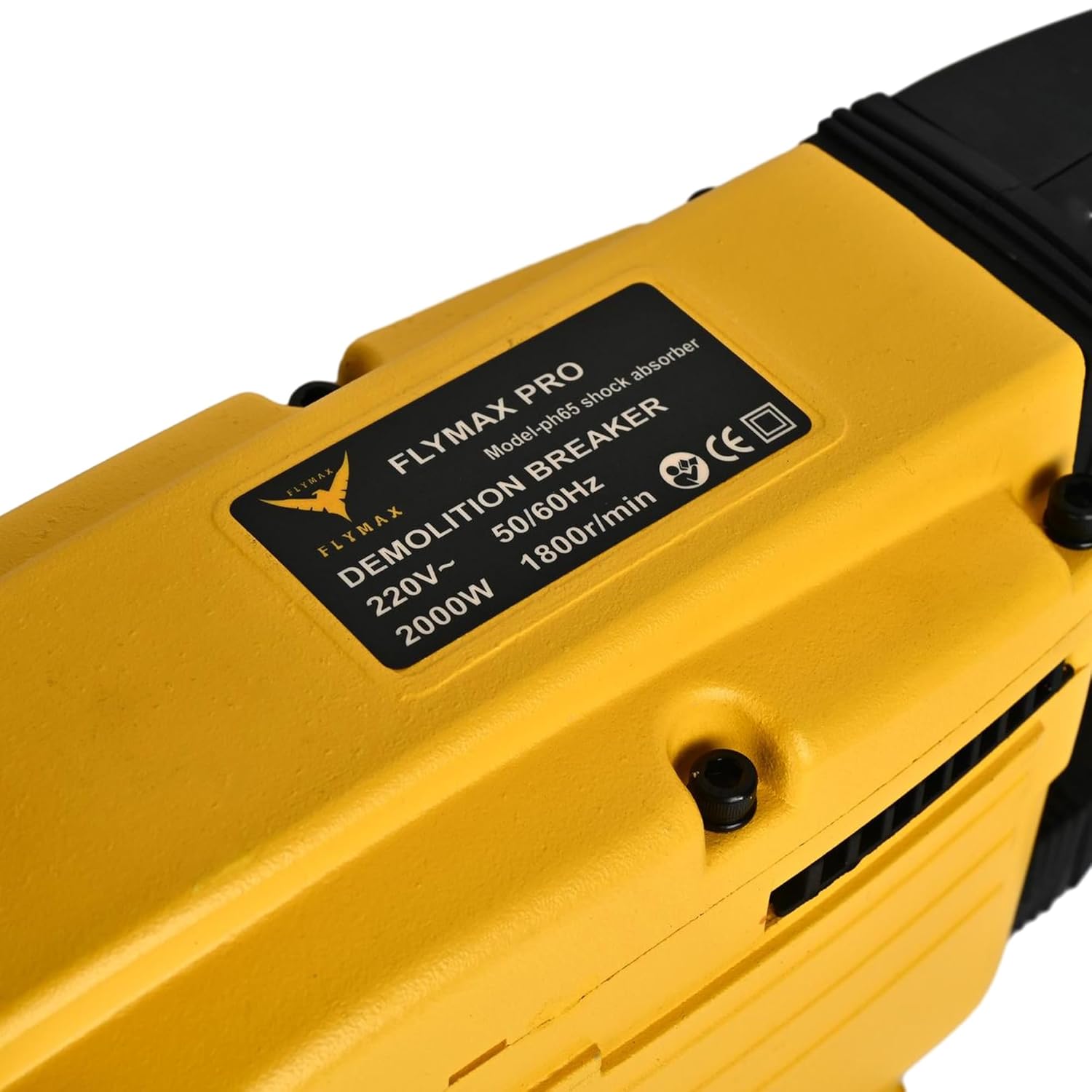
Figure 5: Chuck mechanism for bit insertion.
6. Torolàlana miasa
6.1 Fampifandraisana herinaratra
Connect the power cord to a suitable 220V electrical outlet. Ensure the power source is stable and capable of handling the tool's 2000W power consumption.
6.2 Starting the Tool
Press the trigger to start the demolition hammer. If equipped, release the safety lock-on button before pressing the trigger. The tool is designed for heavy-duty demolition, chiseling, and concrete breaking jobs.
6.3 Demolition Technique
- Hold the tool firmly with both hands, utilizing the main and auxiliary handles.
- Position the chisel or bit against the material to be broken.
- Apply steady, firm pressure. Allow the tool's impact energy to do the work. Do not apply excessive force, as this can reduce efficiency and increase wear.
- Work systematically, breaking material into manageable pieces.
6.4 Fiasa mitohy
For extended use, the tool's corded electric power ensures continuous operation without battery recharging. However, take regular breaks to prevent fatigue and ensure safe handling.
7. Fikojakojana
Ny fikojakojana tsy tapaka dia miantoka ny faharetan'ny fampiasanao sy ny fahombiazany tsara indrindra.
7.1 Fanadiovana
- After each use, clean the tool to remove dust, debris, and concrete residue.
- Use a dry cloth or soft brush. Do not use solvents or abrasive cleaners.
- Ataovy mazava tsara ny fisokafan'ny rivotra mba hisorohana ny hafanana be loatra.
7.2 Fanosotra
Periodically lubricate the internal mechanisms as indicated by the lubrication port. Refer to the tool's specific lubrication requirements and recommended lubricants.

Figure 6: Lubrication port.
7.3 Fanaraha-maso
- Regularly inspect the power cord for damage. Replace immediately if frayed or cut.
- Check the chuck for wear and ensure bits are held securely.
- Inspect the housing for cracks or damage. The robust all-steel housing is designed for durability, but severe impacts can cause damage.
8. Famahana olana
If you encounter issues with your HYCO PH65 Demolition Hammer, refer to the following common problems and solutions.
| OLANA | Antony mety hitranga | vahaolana |
|---|---|---|
| Tsy manomboka ny fitaovana | Tsy misy famatsiana herinaratra; Tady simba; Faulty switch | Check power outlet and circuit breaker; Inspect power cord for damage; Contact service center if switch is faulty. |
| Nihena ny hery fiantraika | Worn chisel/bit; Insufficient lubrication; Internal wear | Replace worn chisel/bit; Check and replenish lubrication; Contact service center for internal inspection. |
| Vibration na tabataba be loatra | Loose components; Internal damage; Worn parts | Tighten any loose screws; Discontinue use and contact service center for inspection. |
For problems not listed or if solutions do not resolve the issue, contact HYCO customer support.
9. Warranty sy fanohanana
For warranty information, service, or technical support, please refer to the warranty card included with your product or visit the official HYCO website. Tehirizo ny tapakila fividiananao ho porofon'ny fividianana ho an'ny fitakiana fiantohana.


