1. Fampidirana
Misaotra anao nividyasing the Jazmm Model 213 Portable Multi-Band Radio. This device is designed to provide versatile audio entertainment and essential weather information. It features AM, FM, Shortwave (SW), and NOAA Weather Band (WB) reception, Bluetooth 5.4 connectivity, TF card playback, a powerful 5W speaker, and a built-in rechargeable battery with flashlight functionality. This manual provides detailed instructions for the proper use and maintenance of your radio.
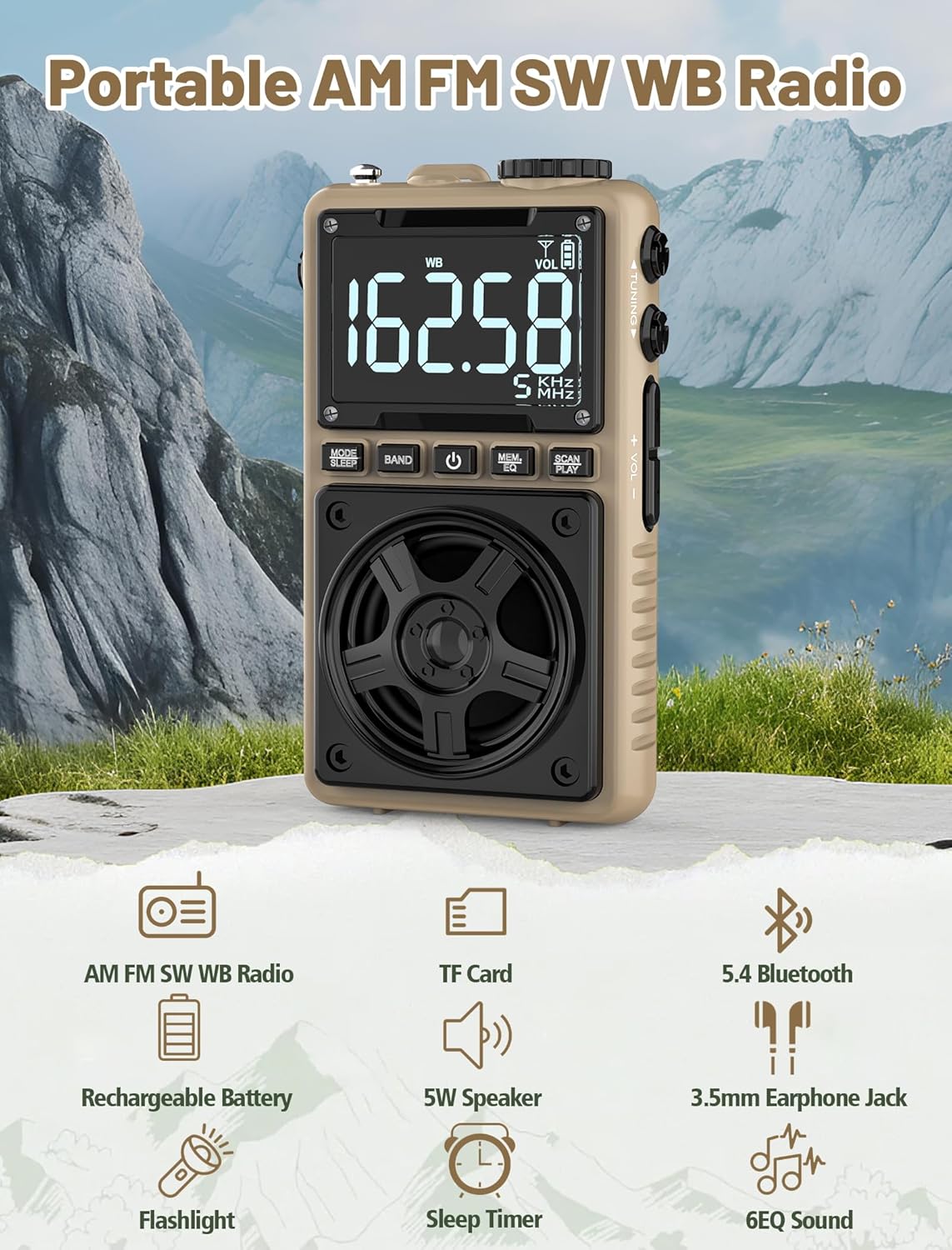
Image 1.1: The Jazmm Model 213 Portable Multi-Band Radio highlighting its key features including AM/FM/SW/WB radio, TF card support, Bluetooth 5.4, 5W speaker, rechargeable battery, flashlight, sleep timer, and 6 EQ sound effects.
2. Information momba ny fiarovana
Azafady vakio ary fantaro tsara ny toromarika fiarovana rehetra alohan'ny hampiasana ity vokatra ity. Tehirizo ireto toromarika ireto ho an'ny ho avy.
- Aza apetraka amin'ny hafanana tafahoatra, ny tara-masoandro mivantana, na ny hamandoana be ny fitaovana.
- Fadio ny milatsaka na mametraka ilay fitaovana amin'ny fiantraikany mahery vaika.
- Aza esorina, amboary, na ovaina samirery ny fitaovana. Ampahafantaro ny mpiasa mahafeno fepetra ny fanamboarana rehetra.
- Arovy amin'ny rano sy ranon-javatra hafa ilay fitaovana.
- Ampiasao fotsiny ny tariby famandrihana omena na ny tariby Type-C voamarina rehefa mameno ny famandrihana.
- Ario araka ny lalàna eo an-toerana ny bateria. Aza dorana.
- Mety hiteraka fahasimban'ny fandrenesana ny fihainoana amin'ny feo avo mandritra ny fotoana maharitra. Ampifanaraho amin'ny feo antonony ny feo.
3. Ny votoatin'ny fonosana
Hamarino fa misy ny entana rehetra ao anaty fonosana:
- Jazmm Model 213 AM FM SW WB Radio
- Torolàlana ho an'ny tompony (ity antontan-taratasy ity)
- Tady herinaratra USB Type-C
4. Vokatra mihoatraview
Familiarize yourself with the radio's components and controls.

Sary 4.1: Eo anoloana sy ilany view of the Jazmm Model 213 radio. The front features a large digital display, speaker, and control buttons (MODE/SLEEP, BAND, Power, MEM/EQ, SCAN/PLAY). The side shows the LOCK/LIGHT switch, TF card slot, DC 5V Type-C charging port, and a 1250mAh battery indicator.
Fanaraha-maso sy seranan-tsambo:
- Fampisehoana nomerika: Shows frequency, band, volume, battery level, and other indicators.
- Mpandahateny: 5W output for clear audio.
- MODE/SLEEP Button: Switches between modes (Radio, Bluetooth, TF Card) and activates sleep timer.
- Button BAND: Selects radio bands (FM, AM, SW, WB).
- Bokotra hery: Mandefa ny radio on/off.
- MEM/EQ Button: Accesses memory functions and cycles through EQ sound effects.
- SCAN/PLAY Button: Initiates auto-scan for radio stations or plays/pauses in Bluetooth/TF card mode.
- Tuning Knob: Adjusts frequency.
- Boky +/- Boky: Ahitsio ny feo.
- LOCK/LIGHT Switch: Locks buttons or activates the flashlight.
- TF Card TF: For Micro SD card playback (up to 128GB).
- DC 5V Type-C Charging Port: Ho an'ny famandrihana ny bateria anatiny.
- Jack headphone 3.5mm: Ho fihainoana manokana.
- Teleskopika Antenna: Ho an'ny fandraisana radio tsara kokoa.
- Back Clip & Wrist Strap: For portability and secure carrying.
5. Fametrahana
5.1 Fametrahana voalohany
Before first use, fully charge the radio's internal 1250mAh lithium polymer battery. Connect the provided USB Type-C power cord to the DC 5V charging port on the side of the radio and plug the other end into a compatible USB power adapter (not included) or a computer USB port. The charging indicator on the display will show charging status. A full charge typically takes approximately 1.5 hours and provides 10-12 hours of usage.

Image 5.1: The Jazmm Model 213 radio connected to a power adapter via its Type-C charging port, illustrating the charging process for its 1250mAh rechargeable battery.
5.2 Fanitsiana Antenna
For optimal radio reception, extend the telescopic antenna fully when listening to FM, SW, or WB bands. For AM reception, the internal antenna is generally sufficient, but adjusting the radio's orientation may improve signal strength.
6. Torolàlana miasa
6.1 Power On/off
Tsindrio ary hazòny ny Bokotra Hery ( ) for approximately 2 seconds to turn the radio on or off.
6.2 Fomba Fifantenana
Tsindrio ny MODE/SLEEP Button to cycle through available modes: Radio (FM/AM/SW/WB), Bluetooth, and TF Card (if a card is inserted).
6.3 Radio Band Selection and Tuning
Ao amin'ny fomba Radio, tsindrio ny BAND bokotra to switch between FM, AM, Shortwave (SW), and NOAA Weather Band (WB).
- FM: 87-108 MHz
- AM: 520-1710 KHz
- SW: 4.75-21.85 MHz
- WB: 162.400-162.550 MHz

Image 6.1: The radio displaying different frequencies across FM, AM, SW, and WB bands, illustrating its multi-band reception capability with an extended antenna.
Bika matoanteny
Rotate ny Toning Knob on the side of the radio to manually adjust the frequency.
Fijerena mandeha ho azy:
Tsindrio ny SCAN/PLAY Button to automatically scan for and save available stations. The radio can store up to 100 preset stations.
6.4 Toeram-piantsonan'ny preset
After an automatic scan, use the Toning Knob na ny MEM/EQ Button to navigate through saved preset stations. Refer to the display for preset numbers (e.g., P01, P02).

Image 6.2: The radio positioned on a nightstand, illustrating the sleep timer function and the display of preset station numbers (P01, P05, P19, etc.).
6.5 Fanaraha-maso ny volume
Ampiasao ny Boky +/- Boky on the side of the radio to increase or decrease the audio output.
6.6 Mode Bluetooth
Mifindra amin'ny fomba Bluetooth amin'ny fampiasana ny MODE/SLEEP Button. The radio will enter pairing mode, indicated by a blinking Bluetooth icon on the display. On your smartphone, tablet, or laptop, search for Bluetooth devices and select "Jazmm 213" to connect. The radio acts as a Bluetooth speaker. Note: This radio does not support connection to Bluetooth earphones.
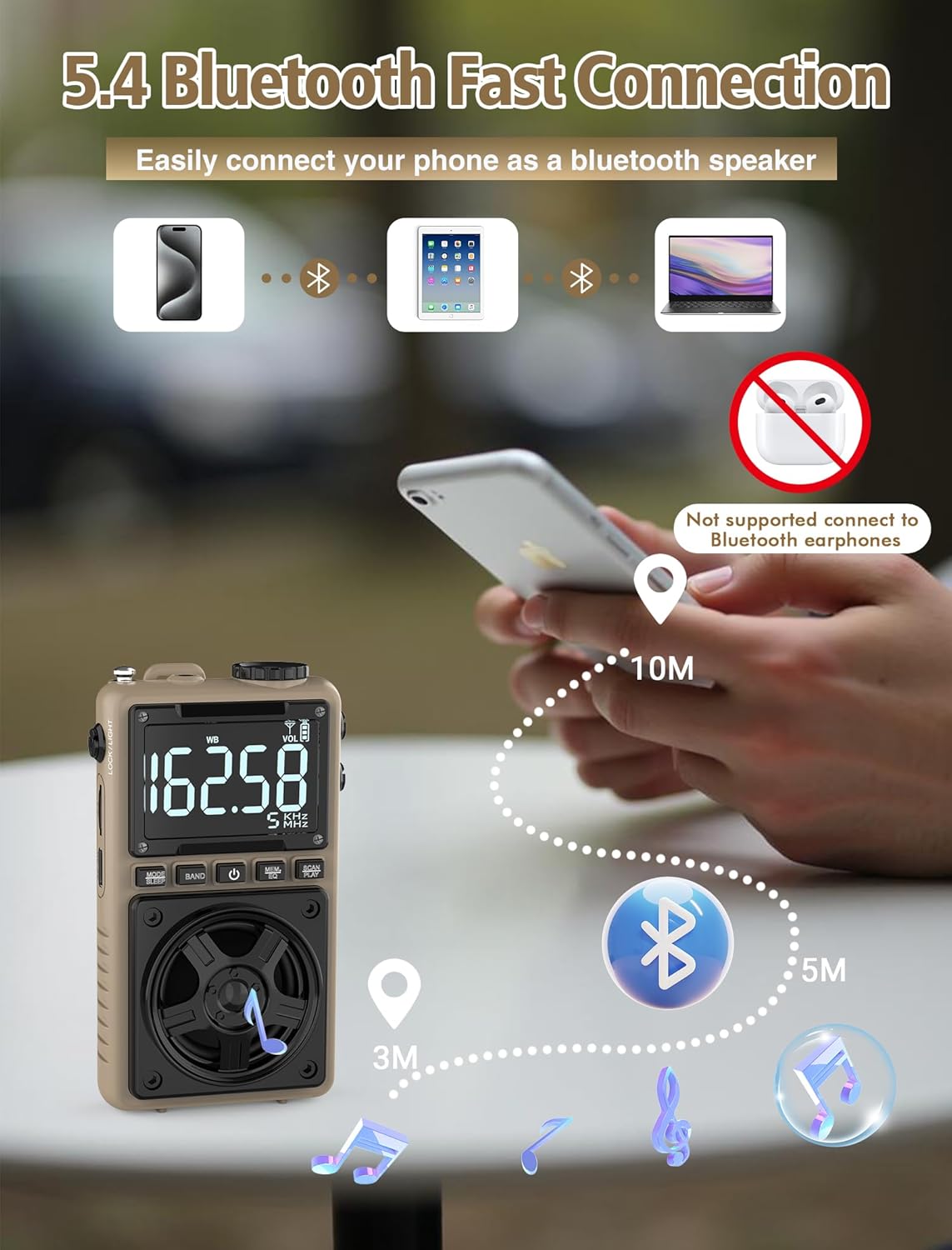
Image 6.3: A visual representation of the Jazmm Model 213 radio establishing a Bluetooth connection with various devices like smartphones, tablets, and laptops, functioning as a Bluetooth speaker.
6.7 TF Card Playback (MP3 Player)
Insert a Micro SD card (up to 128GB) with MP3 audio files ao amin'ny TF karatra TF. Switch to TF Card mode using the MODE/SLEEP Button. The radio will automatically begin playing music from the card. Use the SCAN/PLAY Button to play/pause and the Toning Knob mandingana lalana.

Image 6.4: A user enjoying music through headphones connected to the Jazmm Model 213 radio, with an inset showing the TF card slot for Micro SD card insertion.
6.8 Fampiasana écouteur
Plug standard 3.5mm headphones into the Jack headphone 3.5mm for private listening. The radio's speaker will automatically mute when headphones are connected.
6.9 NOAA Weather Alert
In WB (Weather Band) mode, the radio is capable of receiving real-time weather alerts and updates from the National Oceanic and Atmospheric Administration. This feature helps you prepare for potential weather hazards. Ensure the antenna is extended for best reception.

Image 6.5: The radio displaying a NOAA weather alert, with a flashlight beam illuminating the foreground and a stormy sky in the background, emphasizing its emergency preparedness features.
6.10 Asa amin'ny jiro
Alefaso ny LOCK/LIGHT Switch to activate the built-in LED flashlight. This can be useful in low-light conditions or emergencies.
6.11 Famantaranandro torimaso
Tsindrio ary hazòny ny MODE/SLEEP Button to activate the sleep timer. Repeated presses will cycle through available durations (e.g., 10, 60, 90, 120 minutes). The radio will automatically turn off after the selected time.
6.12 Key Lock
Alefaso ny LOCK/LIGHT Switch to the 'LOCK' position to prevent accidental button presses. This is useful when carrying the radio in a pocket or bag.
6.13 Vokatry ny Feo EQ
Tsindrio ny MEM/EQ Button (short press) to cycle through 6 preset EQ sound effects: Normal, Rock, Pop, Jazz, Class, and Village. Select the effect that best suits your audio preference.

Image 6.6: The radio's 5W speaker is highlighted, surrounded by icons representing the six available EQ stereo sound effects: Normal, Rock, Pop, Jazz, Class, and Village.
7. Famaritana
| endri-javatra | antsipirihany |
|---|---|
| Laharana modely | 213 |
| Ny refin'ny vokatra | 2.3 x 4 x 1.3 santimetatra (5.84 x 10.16 x 3.3 cm) |
| Lanja entana | 4.6 ounces (130 grama) |
| Tarika Radio tohanana | FM (87-108MHz), AM (520-1710KHz), SW (4.75-21.85MHz), WB (162.400-162.550MHz) |
| Teknolojia fifandraisana | Bluetooth 5.4 |
| Output Speaker | 5W |
| Batterie | 1250mAh Lithium Polymer (Rechargeable, included) |
| Charging Port | USB Type-C (DC 5V) |
| Time Charging | Approx. 1.5 ora |
| Fotoana fampiasana | Approx. 10-12 hours (depending on usage) |
| Fanohanana karatra fitadidiana | Micro SD (TF Card) up to 128GB |
| Endri-javatra manokana | NOAA Weather Alert, Built-In Flashlight, SOS Alarm, Sleep Timer, 100 Preset Stations, Digital Backlight Screen, Back Clip, Wrist Strap |
8. Famahana olana
| OLANA | Antony mety / Vahaolana |
|---|---|
| Tsy mandeha ny radio. |
|
| Ratsy fandraisana radio. |
|
| Bluetooth tsy mifandray. |
|
| Tsy mandeha ny karatra TF. |
|
| Tsy misy feo avy amin'ny haut-parleur/écouteur. |
|
9. Fikojakojana
- Fanadiovana: Mampiasà lamba malefaka sy maina hanadiovana ny ivelany amin'ny radio. Aza mampiasa mpanadio na solvents mikikisana.
- fitahirizana: Rehefa tsy ampiasaina mandritra ny fotoana maharitra dia tehirizo ao amin'ny toerana mangatsiaka sy maina ny radio.
- Fikarakarana bateria: To prolong battery life, avoid fully discharging the battery frequently. Recharge the radio periodically even if not in use.
- Antenna: Handle the telescopic antenna gently to prevent bending or breaking. Retract it when not in use.
10. Warranty sy fanohanana
Jazmm products are designed for reliability and performance. For warranty information, please refer to the documentation provided at the time of purchase or contact your retailer. If you encounter any issues or require technical assistance, please contact Jazmm customer support through the retailer's platform or the official Jazmm website.
Please have your product model number (213) and purchase details ready when contacting support.


