Sava lalana
Thank you for choosing the Vieta Pro Way 4 Headband Headphones. These headphones are designed to provide a superior audio experience with advanced features such as Bluetooth 5.4 connectivity, an integrated microphone, a dedicated gaming mode, and dual pairing capabilities. This manual will guide you through the setup, operation, and maintenance of your new headphones.
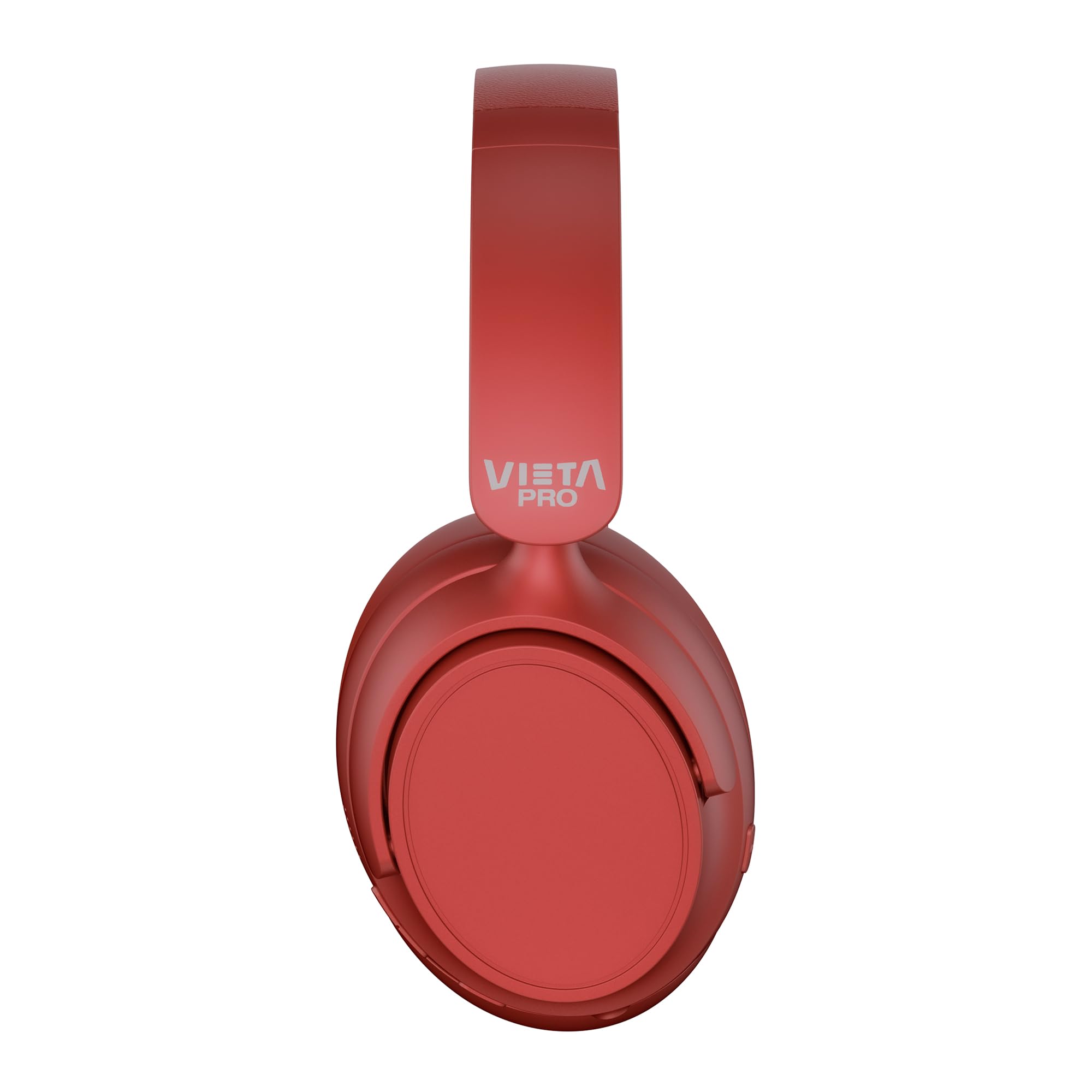
Sary: Front view of the Vieta Pro Way 4 Headband Headphones in red.
Fonosana fonosana
Azafady, jereo fa misy ny entana rehetra ao anaty fonosana:
- Vieta Pro Way 4 Headband Headphones
- USB Charging Cable
- 3.5mm Audio Cable with integrated microphone
- User Manual (ity antontan-taratasy ity)
Vita ny vokatraview
Familiarize yourself with the various parts and controls of your headphones.

Image: Right earcup with power button, volume controls, USB-C charging port, and 3.5mm audio jack.
- Bokotra hery: Ampiasaina hampandeha/hamonoana ary hanombohana ny fampifandraisana Bluetooth.
- Bokotra Miakatra/Manaraka: Press briefly to increase volume, press and hold for next track.
- Botom-peo midina/Bokotra teo aloha: Press briefly to decrease volume, press and hold for previous track.
- Bokotra maro miasa: For play/pause, answer/end calls, activate voice assistant.
- USB-C Charging Port: Mba hamenoana ny écouteur.
- 3.5mm Audio Jack: Ho an'ny fifandraisana amin'ny alalan'ny tariby dia mampiasa ny tariby audio miaraka aminy.
- Mikrô mikambana: For calls and voice assistant commands.

Image: Left earcup and adjustable headband of the Vieta Pro Way 4 headphones.
Hametraka
1. Fametrahana ny écouteur
Alohan'ny hampiasana azy voalohany, dia fenoy tanteraka ny écouteur-nao.
- Ampifandraiso amin'ny seranan-tsambo USB-C amin'ny écouteur ny tariby fiampangana USB.
- Ampifandraiso amin'ny adaptatera herinaratra USB (tsy tafiditra) na port USB an'ny solosaina ny faran'ny tariby hafa.
- The LED indicator will show charging status (e.g., red for charging, blue/off for fully charged).
- Ny famenoana azy manontolo dia manome fahafahana hilalaovana hatramin'ny 50 ora.
2. Mamelona/Mamono
- Hamelona: Tsindrio ary hazòny mandritra ny 3 segondra eo ho eo ny bokotra Hery mandra-pirehitra ny jiro famantarana.
- Mamono: Tsindrio ary hazòny mandritra ny 3 segondra eo ho eo ny bokotra Hery mandra-pahafatin'ny jiro LED.
3. Pairing Bluetooth
Ampifandraiso amin'ny fitaovanao ny écouteur-nao mba hahazoana feo tsy misy tariby.
- Ataovy azo antoka fa maty ny écouteur.
- Press and hold the Power button for approximately 5-7 seconds until the LED indicator flashes red and blue alternately, indicating pairing mode.
- Amin'ny fitaovanao (smartphone, tablette, solosaina), avelao ny Bluetooth ary tadiavo ireo fitaovana misy.
- Select "Vieta Pro Way 4" from the list of found devices.
- Rehefa mifandray dia hirehitra miadana manga na hivadika manga tanteraka ny jiro famantarana LED.
4. Fifandraisana roa sosona
The Vieta Pro Way 4 headphones support dual pairing, allowing simultaneous connection to two devices (e.g., phone and computer).
- Pair the headphones with the first device as described in "Bluetooth Pairing".
- Vonoy ny Bluetooth amin'ny fitaovana voalohany. Hiverina amin'ny fomba fampiarahana indray ny écouteur.
- Ampifandraiso amin'ny fitaovana faharoa ny écouteur.
- Avereno alefa ny Bluetooth amin'ny fitaovana voalohany. Tokony hifandray ho azy amin'ireo fitaovana roa ireo ny écouteur.
- Audio will play from the device that is actively transmitting.
5. Wired Connection (Aux-in)
Use the included 3.5mm audio cable for a wired connection. This is useful when the battery is low or for devices without Bluetooth.
- Connect one end of the 3.5mm audio cable to the Aux-in port on the headphones.
- Connect the other end to the 3.5mm audio jack of your device.
- The headphones will automatically switch to wired mode. The integrated microphone on the cable can be used for calls in this mode.
Torolàlana miasa
Famerenana mozika
- Play/Pause: Tsindrio indray mandeha ny bokotra Multi-function.
- Fiakaram-peo: Tsindrio indray mandeha ny bokotra Volume Up.
- Mihena ny feo: Tsindrio indray mandeha ny bokotra Midina ny feo.
- Track manaraka: Tsindrio ary hazòny ny bokotra Volume Up.
- Làlana teo aloha: Tsindrio ary hazòny ny bokotra Hidina ny feo.
Call Management
- Valio/Atsaharo ny antso: Tsindrio indray mandeha ny bokotra Multi-function.
- Mandà ny antso: Tsindrio ary mihazona ny bokotra Multi-function mandritra ny 2 segondra.
- Avereno antsoy ny isa farany: Tsindrio indroa ny bokotra Multi-function.
Voice Assistant
- Ampidiro ny Voice Assistant (Siri, Google Assistant, sns.): Tsindrio intelo ny bokotra Multi-function.
Lalao Mode
Activate Gaming Mode to reduce Bluetooth latency for an optimized gaming experience.
- Activate/Deactivate Gaming Mode: Press the Power button twice quickly. The headphones will provide an audio cue.
fikarakarana
- Fanadiovana: Fafao amin'ny lamba malefaka sy maina ny écouteur. Aza mampiasa mpanadio na solvents mikikisana.
- fitahirizana: Store the headphones in a cool, dry place. The foldable design allows for compact storage.
- Fikarakarana bateria: Mba hanalavana ny androm-piainan'ny bateria dia aza ampiasaina matetika ny écouteur mba tsy ho very tanteraka ny bateria. Ampidiro matetika ny bateria.
- fanoherana ny rano: Tsy tantera-drano ireto écouteur ireto. Aza avela ho tratran'ny rano na hamandoana be loatra.

Image: The Vieta Pro Way 4 headphones in their foldable configuration, demonstrating portability.
Fanamboarana
| OLANA | Antony mety hitranga | vahaolana |
|---|---|---|
| Tsy mandeha ny écouteur. | bateria kely. | Esory tanteraka ny écouteur. |
| Tsy afaka mampiaraka amin'ny alalan'ny Bluetooth. | Tsy afaka mampiasa "pair mode" ny écouteur; tsy mandeha ny Bluetooth amin'ny fitaovana; lavitra loatra ny fitaovana. | Ensure headphones are in pairing mode (flashing red/blue). Enable Bluetooth on your device. Move headphones closer to the device (within 10 meters). |
| Tsy misy feo na feo ambany. | Volume too low on headphones or device; incorrect audio source selected; headphones not connected. | Increase volume on both headphones and device. Check Bluetooth connection or 3.5mm cable connection. Ensure the correct audio output is selected on your device. |
| Microphone tsy mandeha. | Microphone muted on device; incorrect input device selected; issue with 3.5mm cable microphone. | Check device settings to ensure microphone is not muted and "Vieta Pro Way 4" is selected as input. If using wired connection, ensure the cable's microphone is enabled/functional. |
| Audio delay in games. | Gaming Mode is not activated. | Activate Gaming Mode by double-pressing the Power button. |
fepetra arahana
| Anarana modely | Vieta Pro Way 4 |
| Laharana modely | Mangina 3 |
| fifandraisana | Bluetooth 5.4, 3.5mm Aux-in |
| Fiainana bateria | Hatramin'ny 50 ora |
| mikrô | Integrated (for Bluetooth), In-line (for 3.5mm cable) |
| Endri-javatra manokana | Gaming Mode, Dual Pairing, Foldable Design, Passive Noise Reduction |
| Impedance | 32 ohm |
| Fametrahana sofina | Over-ear (Circumaural) |
| KEVITRA | plastika |
| Water Resistance | Tsy tantera-drano |
| Fitaovana mifanentana | Mobile devices, computers, game consoles |
Warranty sy fanohanana
For warranty information and technical support, please refer to the warranty card included in your product packaging or visit the official Vieta Pro website.
Azafady, tehirizo ny porofon'ny fividiananao raha misy fitakiana fiantohana.


