Sava lalana
Thank you for choosing the Oraimo Traveler Link 20 Power Bank. This device is designed to provide reliable portable power for your electronic devices. With a high capacity of 20000mAh and multiple built-in charging cables, it offers convenient and efficient charging on the go. Please read this manual carefully to ensure proper use and optimal performance.
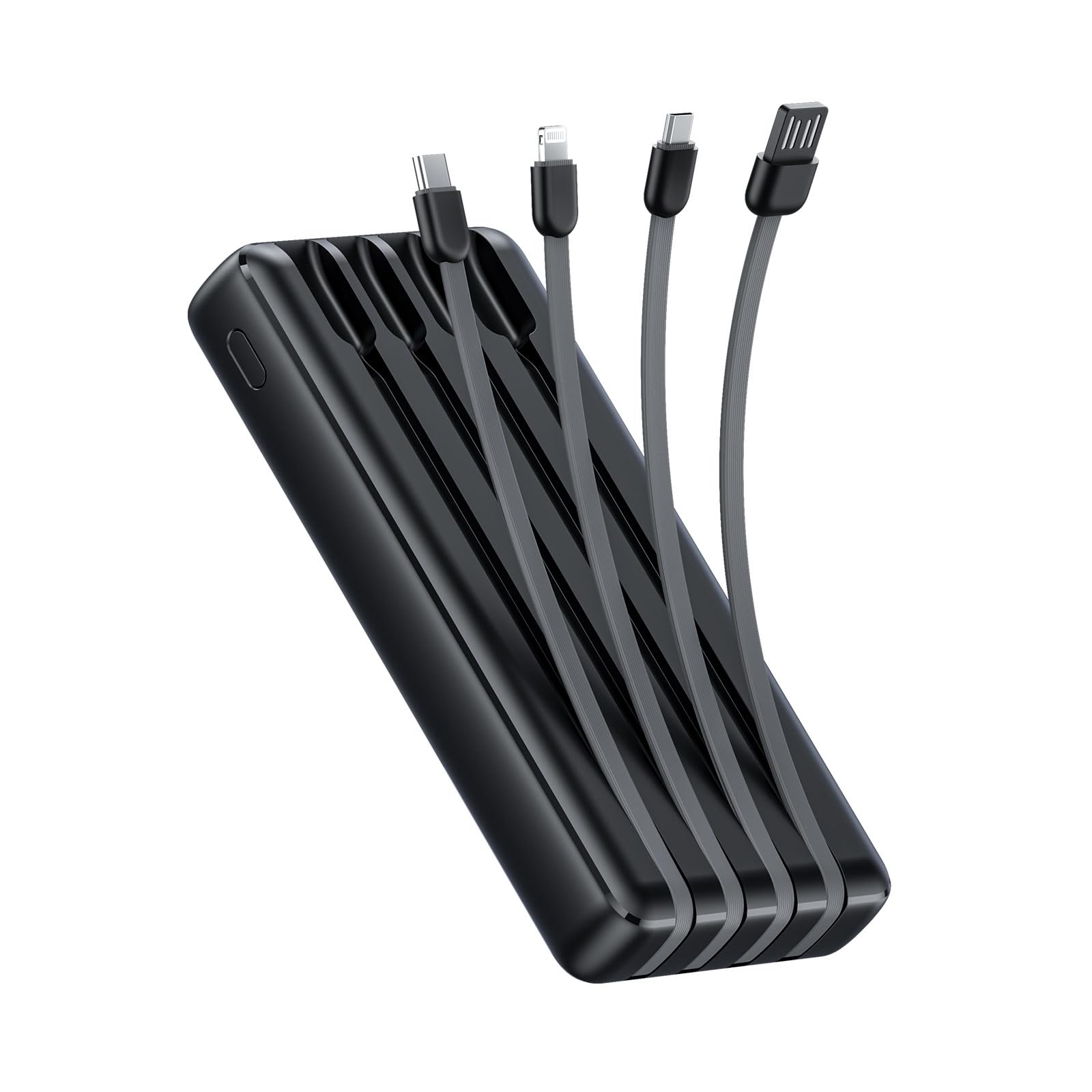
Image: The Oraimo Traveler Link 20 Power Bank, showcasing ny endriny mirindra sy ny tariby mitambatra.
Hametraka
Fametrahana voalohany
Before first use, fully charge your Oraimo Traveler Link 20 Power Bank. This ensures the battery is calibrated and ready for optimal performance.
- Connect the power bank to a power source using one of the built-in recharging cables (USB-A, Type-C, or Micro-USB) or an external USB-A to Type-C/Micro-USB cable.
- The LED indicators on the power bank will illuminate to show the charging status.
- Once all LED indicators are solid, the power bank is fully charged. Disconnect it from the power source.
Famantarana ny singa
Familiarize yourself with the power bank's features:
- Built-in Charging Cables: Includes Type-C, Micro-USB, and Lightning cables for charging various devices.
- Built-in Recharging Cable: A USB-A cable is integrated for convenient recharging of the power bank itself.
- Port USB-A Output: An additional USB-A port for charging devices using your own cable.
- LED famantarana: Asehoy ny habetsaky ny bateria sisa tavela sy ny sata famandrihana.
- Bokotra hery: Activates the power bank and controls the LED flashlight.
- Jiro LED: Integrated light for emergency use.
Torolàlana miasa
Fametrahana ny fitaovanao
The Traveler Link 20 allows you to charge up to four devices simultaneously using its built-in cables and USB-A output port.
- Select the appropriate built-in cable (Type-C, Micro-USB, or Lightning) for your device.
- Ampifandraiso amin'ny seranana famandrihana ny fitaovanao ny tariby.
- Alternatively, use your own USB charging cable with the dedicated USB-A output port.
- The power bank will automatically begin charging your device(s). The LED indicators will show the power bank's remaining charge.

Sary: akaiky view of the Oraimo Traveler Link 20 showing its integrated Type-C, Micro-USB, and Lightning charging cables.

Image: The power bank simultaneously charging a smartphone, a smartwatch, and a portable toothbrush, demonstrating its multi-output capability.

Image: The Oraimo Traveler Link 20 demonstrating wide compatibility with various devices including iOS smartphones, Android smartphones, and accessories like earbuds.

Image: An illustration highlighting the 20000mAh capacity of the Oraimo Traveler Link 20, capable of fully charging a phone multiple times.
Famerenana ny Power Bank
The power bank can be recharged using its built-in USB-A cable or via its Type-C or Micro-USB input ports.
- Using Built-in USB-A Cable: Plug the integrated USB-A cable into a USB wall adapter, computer USB port, or other USB power source.
- Using Type-C or Micro-USB Input: Connect a compatible cable (not included for these inputs) to the respective port on the power bank and then to a power source.
- The LED indicators will flash during charging and remain solid when fully charged.

Image: The power bank being recharged via its built-in USB-A cable connected to a power strip, and also showing an alternative recharge method using a Type-C cable and wall adapter.
Fitaovana jiro LED
The power bank includes a built-in LED flashlight with an SOS light alarm function for emergencies.
- Mba hampirehitra/hamonoana ny jiro: Long press the power button for approximately 3 seconds.
- Mba hampavitrika ny maody SOS: While the flashlight is on, short press the power button to cycle through modes (steady light, SOS flashing).

Image: The Oraimo Traveler Link 20 with its LED flashlight illuminated, demonstrating its emergency lighting capability.
Mode famandrihana ambany ankehitriny
The power bank automatically detects and switches to low current charging mode for small devices like wireless earbuds or smartwatches, preventing damage from overcurrent.
- Simply connect your low-current device. The power bank will intelligently adjust the output.
fikarakarana
To ensure the longevity and safe operation of your Oraimo Traveler Link 20 Power Bank, follow these maintenance guidelines:
- fitahirizana: Tehirizo ao amin'ny toerana mangatsiatsiaka sy maina lavitry ny tara-masoandro mivantana sy ny hafanana tafahoatra ny banky herinaratra.
- Fanadiovana: Mampiasà lamba malefaka sy maina hanadiovana ny ivelany amin'ny power bank. Aza mampiasa ranoka fanadiovana na fitaovana mikikitra.
- Ialao ny fahavoazana ara-batana: Do not drop, puncture, or disassemble the power bank. Avoid exposing it to water or high humidity.
- Fametrahana matetika: Raha tsy ampiasaina mandritra ny fotoana maharitra dia ampanjifaina indray mandeha isaky ny telo volana ny banky herinaratra mba hihazonana ny fahasalaman'ny bateria.
Fanamboarana
Raha sendra olana amin'ny power bank-nao ianao dia jereo ireto olana mahazatra sy vahaolana manaraka ireto:
| OLANA | Antony mety hitranga | vahaolana |
|---|---|---|
| Power bank tsy mamaly ny fitaovana. | Low battery; incorrect cable connection; device incompatibility. | Ensure power bank is charged. Check cable connections. Verify device compatibility. |
| Power bank tsy recharge. | Faulty charging cable/adapter; power source issue. | Try a different charging cable and wall adapter. Ensure the power source is active. |
| Famandrihana miadana. | Using a non-fast charging adapter; multiple devices connected; cable quality. | Use a compatible fast-charging adapter. Disconnect other devices. Use high-quality cables. |
| Tsy mandeha ny jiro LED. | Incorrect operation; low battery. | Long press the power button for 3 seconds. Recharge the power bank. |
The Oraimo Traveler Link 20 features a multi-protection system (over-current, short-circuit, over-discharge, high/low-temperature charging/discharge, overcharge, output overvoltage) to protect itself and your devices. If the power bank stops functioning, it might be due to one of these protection mechanisms activating. Disconnect all devices and cables, then try again after a few minutes.

Image: Diagram illustrating the multi-protection system of the Oraimo Traveler Link 20, highlighting various safety features.
Product Specifications
| endri-javatra | antsipirihany |
|---|---|
| Anarana modely | Traveler Link 20 |
| Laharana modely | OPB-P5201 |
| Marika | Oraimo |
| Fahaizana bateria | 20000mAh (Lithium Ion) |
| Hery mivoaka | Up to 12W (5V/2.4A Max) |
| Fampidirana Voltage | 5V |
| Karazana mpampitohy | USB Type-C, USB Type-A, Micro USB (built-in cables: Type-C, Micro-USB, Lightning; built-in recharging cable: USB-A) |
| Endri-javatra manokana | 4 Built-in Charging & Recharging Cables, Charge up to 4 devices simultaneously, Multi-protection System, LED Flashlight with SOS, Low Current Protection |
| lafiny | 20.5 x 3 x 11 cm |
| lanja | 200 grama |
| loko | Mainty |
Warranty sy fanohanana
Oraimo products are manufactured to the highest quality standards. This product is covered by a limited warranty from the date of purchase. Please refer to the warranty card included in your product packaging for specific terms and conditions.
For technical support, troubleshooting assistance, or warranty claims, please contact Oraimo customer service through their official website or the contact information provided in your product documentation. Keep your proof of purchase for warranty validation.


