1. Fampidirana
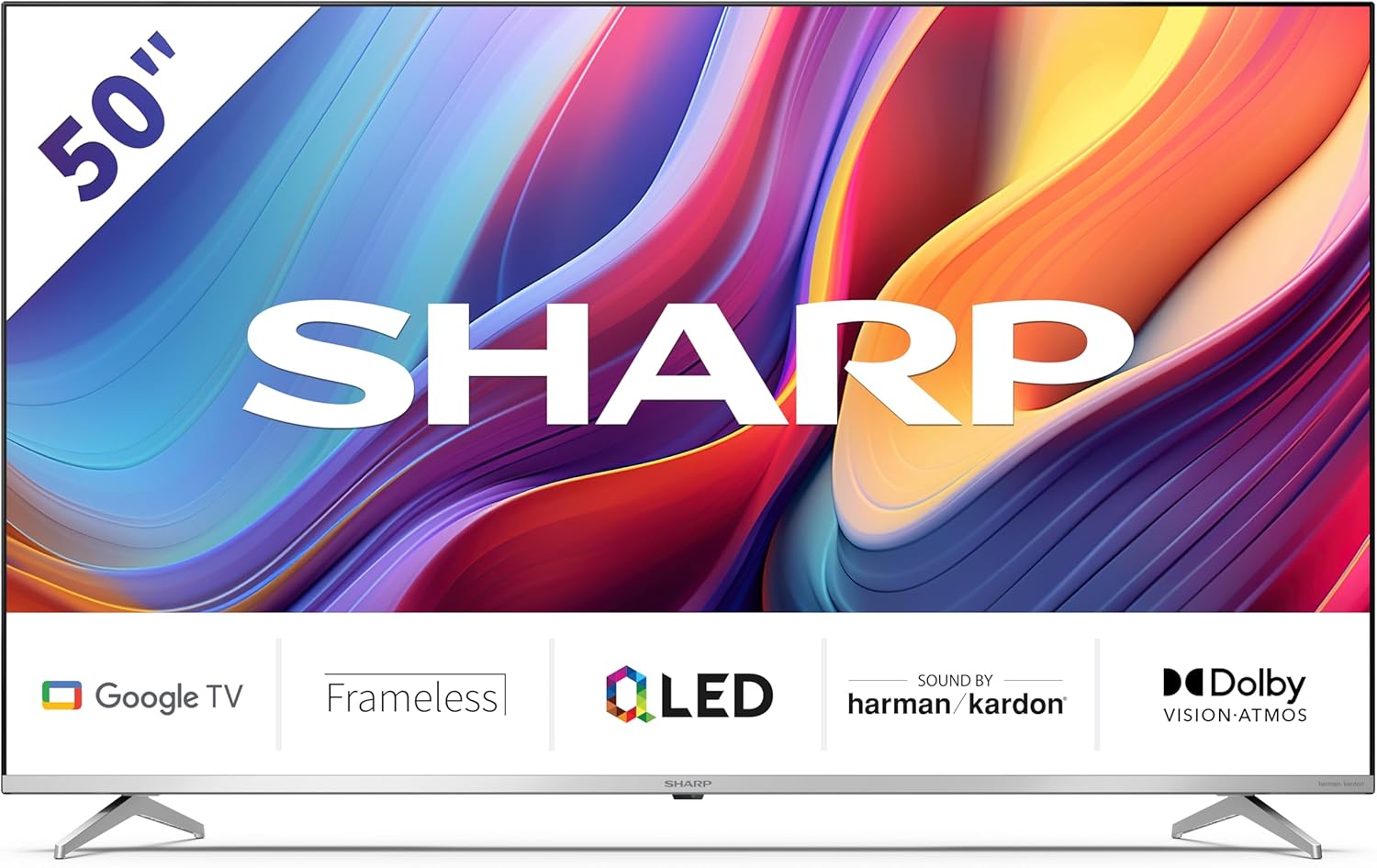
Welcome to the user manual for your new Sharp 50GP6265E 50-inch QLED 4K Ultra HD Google TV. This manual provides essential information for the safe and efficient use of your television. Please read it thoroughly before operating the device and retain it for future reference.
Fampahalalana manan-danja momba ny fiarovana
- Ensure the television is placed on a stable surface to prevent it from falling.
- Aza sakanana ny fidiran'ny rivotra. Tena ilaina ny fivezivezen'ny rivotra tsara mba hisorohana ny hafanana be loatra.
- Arovy ny tadin-jiro mba tsy ho voahitsakitsaka na voatsindrona.
- Do not expose the TV to rain or moisture to reduce the risk of fire or electric shock.
- Alefaso amin'ny mpiasan'ny serivisy mahafeno fepetra ny serivisy rehetra.
2. Inona no ao anaty boaty
Aorian'ny famongorana ny fonosana dia hamarino fa misy ireto singa manaraka ireto:
- Sharp 50GP6265E 50-inch QLED 4K Ultra HD Google TV
- Fanaraha-maso lavitra
- 2 x AAA batteries (ho an'ny fanaraha-maso lavitra)
- Torolàlana fanombohana haingana
- TV stands (if not wall-mounted)
- Cable herinaratra
3. Fametrahana
3.1 Famoahana
Carefully remove the television from its packaging. It is recommended to keep the original packaging for potential future transport or servicing.
3.2 Fametrahana mijoro
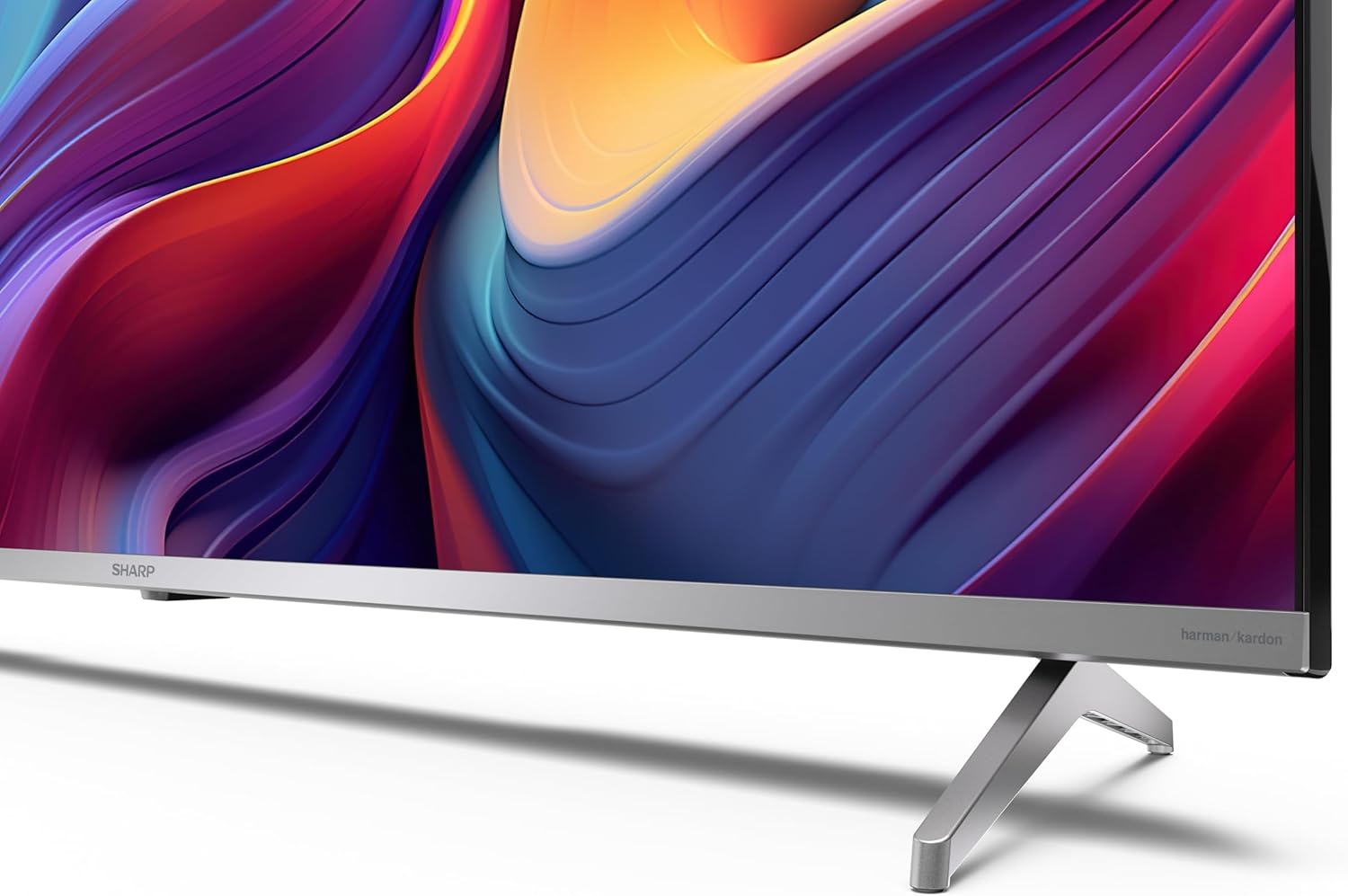
If you are not wall-mounting the television, attach the included stands to the bottom of the TV. Ensure the screws are securely fastened. Refer to the quick start guide for detailed diagrams.
3.3 Fametrahana rindrina
For wall mounting, the VESA dimensions required are 400 x 300 mm. Use a compatible wall mount bracket (sold separately) and follow the instructions provided with the bracket. Ensure the wall can support the weight of the television (9.7 kg net weight).

3.4 Fampifandray ny periferika
Your Sharp TV offers various connectivity options:
- HDMI: Connect external devices such as Blu-ray players, gaming consoles, or set-top boxes using the 4 HDMI 2.1 ports. One port supports eARC for enhanced audio return channel functionality.
- USB: Use the 2 USB ports for connecting external storage devices to play media or for service updates.
- Ethernet: Ho an'ny connexion internet wired stable.
- Wifi: Ho an'ny fifandraisana Internet tsy misy tariby.
- Bluetooth: Connect wireless headphones, soundbars, or other Bluetooth-enabled accessories.

3.5 Fametrahana voalohany
After connecting the power cable and turning on the TV, follow the on-screen instructions to complete the initial setup. This typically includes language selection, network connection, and Google account sign-in for Google TV features.
4. Fampandehanana ny fahitalavitrao
4.1 Fanaraha-maso lavitra
The included remote control allows you to navigate the TV's interface, adjust volume, change channels, and access smart features. Insert the 2 AAA batteries into the remote control, ensuring correct polarity.
4.2 Google TV Interface
Your Sharp TV runs on Google TV, which organizes movies, shows, and live TV from all your apps and subscriptions. The home screen provides personalized recommendations and quick access to your favorite content.

Supported internet services include Netflix, Amazon Prime Video, HBO, Disney+, Movistar+, DAZN, Atresmedia, KODI, IPTV, Steamlink, Twitch, VLC, YouTube, Puffin TV Browser, Spotify, Deezer, TuneIn Radio, and many more available on Google Play for Google TV.
4.3 Fikirana sary
Experience stunning visuals with 4K Ultra HD resolution and Quantum Dot technology for vibrant colors. The TV supports Dolby Vision and HDR10 for enhanced contrast and brightness. Access picture settings through the TV menu to customize brightness, contrast, color, and sharpness to your preference. AQUOS Smooth Motion technology provides image interpolation for smoother motion.
4.4 Fikirakirana feo
The integrated Harman/Kardon speaker system (2 x 12 W) delivers immersive audio. With Dolby Atmos support, you can enjoy a rich, multi-dimensional sound experience. Adjust sound modes and equalizer settings in the audio menu.
4.5 Endri-javatra marani-tsaina
- Google Assistant: Mampiasà baikon'ny feo hitadiavana votoaty, hifehezana ny fitaovana an-trano marani-tsaina, ary hahazoana vaovao.
- Chromecast naorina: Cast content from your smartphone, tablet, or computer directly to your TV screen.
5. Fikojakojana
5.1 Fanadiovana ny fahitalavitra
- Esory foana ny TV alohan'ny hanadiovana.
- Mampiasà lamba malefaka sy maina mba hamafa ny efijery sy ny kabinetra. Ho an'ny marika mafy orina, dia asio kelyampen ilay lamba misy rano na mpanadio écran manokana.
- Fadio ny mampiasa mpanadio abrasive, savoka na solvents.
5.2 Fanavaozana rindrambaiko
Mety hahazo fanavaozana rindrambaiko ny fahitalavitrao mba hanatsarana ny fahombiazana sy hanampiana endri-javatra vaovao. Ataovy azo antoka fa mifandray amin'ny Internet ny fahitalavitrao mba handraisana ho azy ireo fanavaozana ireo na jereo amin'ny tanana ao amin'ny menio fikirana.
6. Famahana olana
Raha sendra olana amin'ny fahitalavitra ianao dia jereo ireto olana sy vahaolana mahazatra ireto:
| OLANA | Vahaolana mety |
|---|---|
| Tsy misy hery | Hamarino raha mifandray tsara amin'ny fahitalavitra sy ny faladia ny tariby herinaratra. Hamarino tsara fa miasa tsara ilay faladia. |
| Tsy misy sary, fa misy feo | Verify the correct input source is selected. Check external device connections. |
| Tsy misy feo fa misy sary | Check the volume level and mute status. Ensure audio cables are correctly connected for external devices. |
| Tsy mandeha ny fanaraha-maso lavitra | Soloy ny bateria AAA. Ataovy azo antoka fa tsy misy sakana eo anelanelan'ny fanaraha-maso lavitra sy ny sensor IR an'ny fahitalavitra. |
| Olana amin'ny fifandraisana Wi-Fi | Restart your router and the TV. Re-enter the Wi-Fi password. Ensure the TV is within range of your Wi-Fi network. |
7. Famaritana
| endri-javatra | antsipirihany |
|---|---|
| Marika | Sharp |
| Laharana modely | 50GP6265E |
| Haben'ny efijery | 50 santimetatra |
| Display Technology | QLED, Quantum Dot |
| vahaolana | 4K Ultra HD (3840 x 2160 teboka) |
| Ny tahan'ny fanavaozana | 60 Hz |
| Rafitra fikirakirana | Google TV |
| Fanohanana HDR | Dolby Vision, HDR10 |
| Audio System | Harman/Kardon (2 x 12 W), Dolby Atmos |
| fifandraisana | 4x HDMI 2.1 (with eARC), 2x USB, Wi-Fi, Bluetooth, Ethernet |
| Endri-javatra manokana | Google Assistant, Chromecast built-in, AQUOS Smooth Motion |
| VESA Wall Mount | 400 x 300 mm |
| Dimensions (miaraka amin'ny fijoroana) | 111.6P x 26.5l x 69.3H cm (1116.4 x 692.9 x 264.7 mm) |
| Dimensions (tsy misy fijoroana) | 111.6P x 9.2l x 65.1H cm (1116.4 x 651.3 x 91.5 mm) |
| Lanja afa-karatsaka | 9.7 kg |
| Kilasy fahavitan'ny angovo (SDR) | G (69 kWh/1000h) |
| Kilasy mahomby amin'ny angovo (HDR) | G (98 kWh/1000h) |

Raha mila fanazavana amin'ny antsipiriany momba ny vokatra sy ny angon-drakitra momba ny fahombiazan'ny angovo, jereo azafady ny tahiry EPREL: https://eprel.ec.europa.eu/qr/1942440
8. Warranty sy fanohanana
Information regarding spare parts availability and software updates is not explicitly provided for a guaranteed period. Please refer to the manufacturer's official website for the most up-to-date warranty terms and support information.
Mpanamboatra: SHARP
Official Webtranokala: www.sharpconsumer.com
For customer service inquiries, please visit the Sharp consumer website or contact their support channels as listed on their official site.


