1. Vokatra mihoatraview
The Nacon Bigben Mini-Charger (Model: PS5CHARGEPAD) is a compact and efficient charging solution designed specifically for your PlayStation 5 DualSense and DualSense Edge wireless controllers. This charger integrates seamlessly with your PS5 console, utilizing its USB-C port to provide power. Its foldable design allows for convenient storage and portability, maximizing your gaming space.
Lafin-javatra fototra:
- Direct connection to PS5 USB-C port.
- Compatible with PS5 DualSense and DualSense Edge controllers.
- Foldable design for space-saving storage.
- Efficient charging, approximately 3 hours for a full charge.

Image 1.1: The Nacon Bigben Mini-Charger securely attached to a PlayStation 5 console, with a DualSense controller docked for charging.
2. Torolàlana fananganana
Follow these steps to properly set up your Nacon Bigben Mini-Charger:
- Locate USB-C Port: Identify an available USB-C port on your PlayStation 5 console. This charger is designed to connect directly to the console.
- Ampidiro charger: Carefully insert the USB-C connector of the Nacon Bigben Mini-Charger into the PS5's USB-C port. Ensure the connection is firm and secure. Avoid applying excessive force.
- Unfold Charger (if applicable): If the mini-charger is in its folded state, gently unfold it to its operational position, ready to receive a controller.

Sary 2.1: A antsipirihany view of the Nacon Bigben Mini-Charger's USB-C connector, which plugs into the PS5 console.

Image 2.2: The Nacon Bigben Mini-Charger unfolded, displaying the charging contacts for the controller.
3. Torolàlana miasa
To charge your controller using the Nacon Bigben Mini-Charger:
- Prepare Controller: Ensure your DualSense or DualSense Edge controller is ready for charging.
- Dock Controller: Align the controller's USB-C charging port with the charging plug on the mini-charger. Gently place the controller onto the charger until it is securely seated.
- Verify Charging: The controller's light bar will typically indicate its charging status (e.g., pulsing orange). A full charge for a depleted controller usually takes approximately 3 hours.
- Remove Controller: Once charging is complete, carefully lift the controller from the mini-charger.
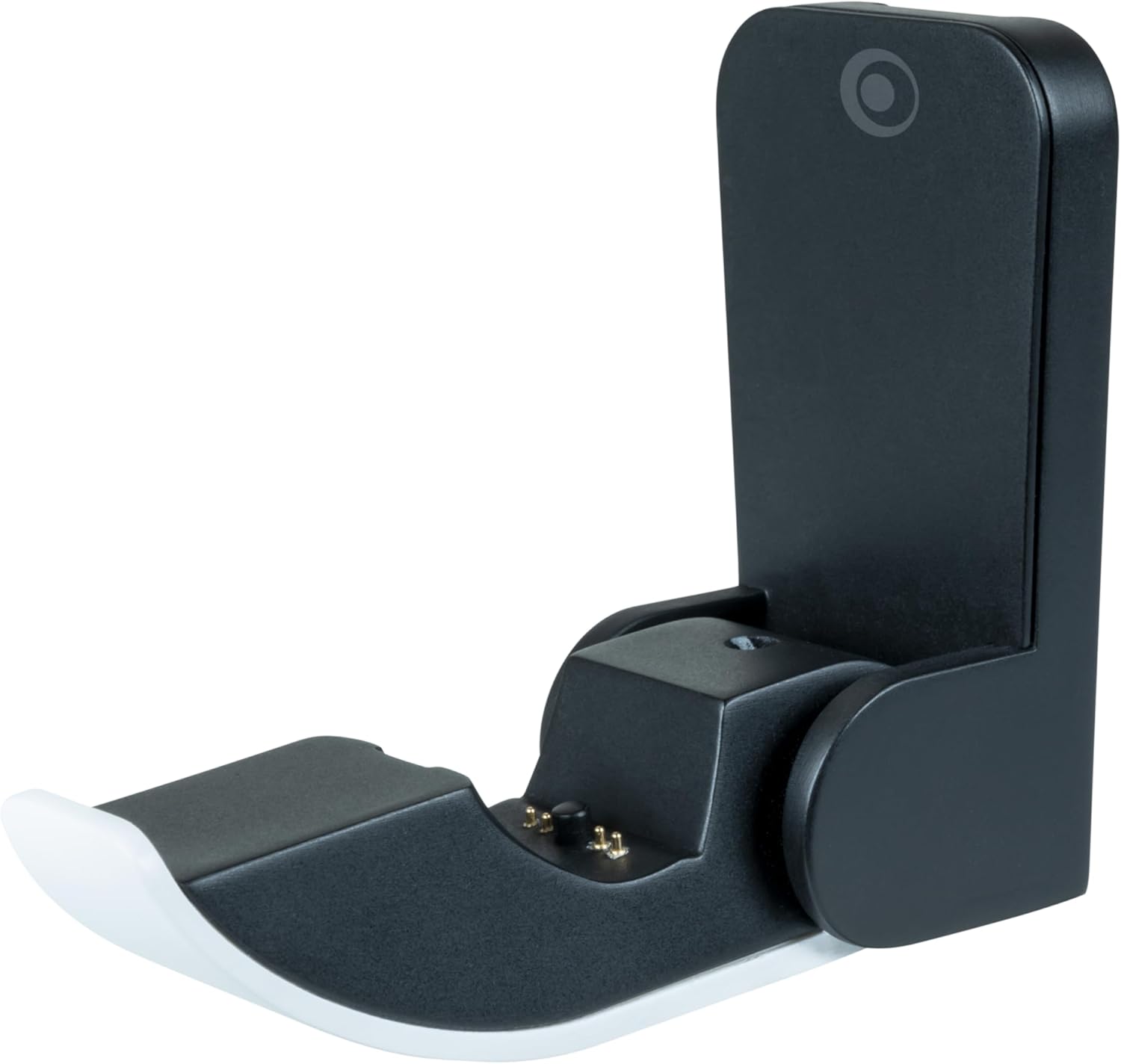
Sary 3.1: Matihanina fanampinyfile of the Nacon Bigben Mini-Charger, illustrating the docking mechanism for a PS5 controller.
4. Fikojakojana
Proper maintenance ensures the longevity and optimal performance of your mini-charger:
- Fanadiovana: Disconnect the charger from the PS5 console before cleaning. Use a soft, dry, lint-free cloth to wipe the surfaces of the charger. Do not use liquid cleaners, sprays, or abrasive materials, as these can damage the product.
- fitahirizana: When not in use, the mini-charger can be folded to reduce its size, making it easy to store or transport. Store in a cool, dry place away from direct sunlight and extreme temperatures.
- Fikarakarana: Handle the charger with care. Avoid dropping it or subjecting it to strong impacts, which could damage internal components or the USB-C connector.
5. Famahana olana
If you encounter issues with your Nacon Bigben Mini-Charger, refer to the following common problems and solutions:
- Controller Not Charging:
- Ensure the mini-charger is fully and securely inserted into the PS5's USB-C port.
- Verify that the DualSense or DualSense Edge controller is correctly aligned and seated on the charger's plug. Sometimes a slight adjustment is needed.
- Confirm that your PS5 console is powered on or in Rest Mode with the "Supply Power to USB Ports" setting enabled (check PS5 system settings).
- Test with a different compatible controller if available, to rule out an issue with the controller itself.
- Charger Feels Loose in PS5 Port:
- Ensure the charger is pushed all the way into the USB-C port.
- Avoid wiggling the charger excessively once connected, as this can stress the port.
- Famandrihana miadana:
- Ensure the PS5 console is providing adequate power to the USB-C port.
- Charging time may vary slightly depending on the controller's battery level and console power settings.
6. Famaritana
| endri-javatra | antsipirihany |
|---|---|
| Laharana modely | PS5CHARGEPAD |
| Ny refin'ny vokatra | 2.99 x 1.81 x 1.42 santimetatra |
| Lanja entana | 0.003 oz |
| Karazana mpampitohy | USB Type C |
| Fitaovana mifanentana | PS5 DualSense and DualSense Edge Controllers |
| Fampidirana Voltage | 5 Volts |
| Total seranan-tsambo USB | 1 |
| Wattage | 10 watts |
| loko | Fotsy/mainty |
7. Warranty sy fanohanana
For detailed warranty information, product registration, and technical support, please refer to the official documentation provided with your purchase or visit the NACON Store na ny ofisialin’izy ireo website. Tehirizo ny porofon'ny fividiananao ho an'ny fitakiana fiantohana.


