1. Fampidirana
This manual provides detailed instructions for the setup, operation, and maintenance of your DANFI AUDIO DF TE-103 Vinyl Record Player. This versatile audio system features a 3-speed turntable, Bluetooth input, USB/SD card playback and recording, FM radio, and auxiliary input/output options. Please read this manual thoroughly before use to ensure proper function and longevity of your device.
2. Information momba ny fiarovana
- Aza atao amin'ny orana na hamandoana ilay fitaovana.
- Aza sakanana izay fisokafan'ny rivotra.
- Ataovy azo antoka fa tsy voatsindrona na mandeha ny tady herinaratra.
- Esory ny fitaovana mandritra ny oram-baratra na rehefa tsy ampiasaina mandritra ny fotoana maharitra.
- Alefaso amin'ny mpiasan'ny serivisy mahafeno fepetra ny serivisy rehetra.
- Arovy amin'ny tara-masoandro mivantana, ny hafanana ary ny saha andriamby mahery ity fitaovana ity.
3. Ny votoatin'ny fonosana
Hamarino fa ny entana rehetra voatanisa etsy ambany dia tafiditra ao anatin'ny fonosanao:
- DANFI AUDIO DF TE-103 Vinyl Record Player
- Vondrona herinaratra
- 45 RPM adaptatera
- Slipmat
- Backup Needle
4. Vokatra mihoatraview
Familiarize yourself with the main components and controls of your record player.

Sary 4.1: Eo anoloana view of the DANFI AUDIO DF TE-103 Vinyl Record Player.
4.1 Fanaraha-maso sy fifandraisana eo anoloana

Sary 4.2: antsipirihany view of the front panel with USB, AUX IN, LED Display, and Mode Switch key.
- LED fampisehoana: Shows current mode, track information, or FM frequency.
- Fanalahidin'ny maody: Toggles between Turntable, Bluetooth, USB/SD, FM Radio, and AUX modes.
- Port USB: For USB flash drives for playback and recording.
- AUX IN: 3.5mm fampidirana ho an'ny fampifandraisana ireo fitaovana audio ivelany.
- Fanaraha-maso ny feo: Manitsy ny habetsan'ny vokatra.
- bokotra EQ: Selects sound equalizer presets (Jazz, Pop, Classical, Rock, Vocal).
4.2 Fifandraisana amin'ny tontonana aoriana

Figure 4.3: Rear panel with RCA Line Out connections.
- RCA Line Out: Connects to external ampmpamonjy voina na mpandahateny mandeha amin'ny herinaratra.
- Fampidirana herinaratra: Mifandray amin'ny adaptatera herinaratra nomena.
5. Fametrahana
- Famoahana: Carefully remove the record player and all accessories from the packaging. Retain packaging for future transport or storage.
- Fametrahana: Place the unit on a stable, level surface away from direct sunlight, heat sources, and excessive dust.
- Sarona vovoka: Attach the dust cover to the hinges at the back of the unit.
- Fampifandraisana herinaratra: Connect the power unit to the DC input on the rear of the record player, then plug the power adapter into a wall outlet.
- Herin'ny voalohany: Press the power button to turn on the unit. The LED display will illuminate.
6. Torolàlana miasa
6.1 Fandefasana Rakitra Vinyl

Figure 6.1: The turntable supports 3 speeds for various record types.
- Ataovy azo antoka fa mandeha ny fitaovana.
- Atsangano ny fonon'ny vovoka.
- Place a vinyl record on the platter. If playing a 45 RPM single, use the included 45 RPM adaptor.
- Fidio ny hafainganam-pandeha mety (33, 45, na 78 RPM) amin'ny fampiasana ny bokotra fifantenana hafainganam-pandeha.
- Gently move the tonearm to the desired position on the record. The platter will begin to spin automatically.
- Ampifanaraho amin'ny safidinao ny feo.
- The AUTO STOP function will automatically stop the turntable when the record finishes playing.
6.2 Bluetooth Connection (Input Only)
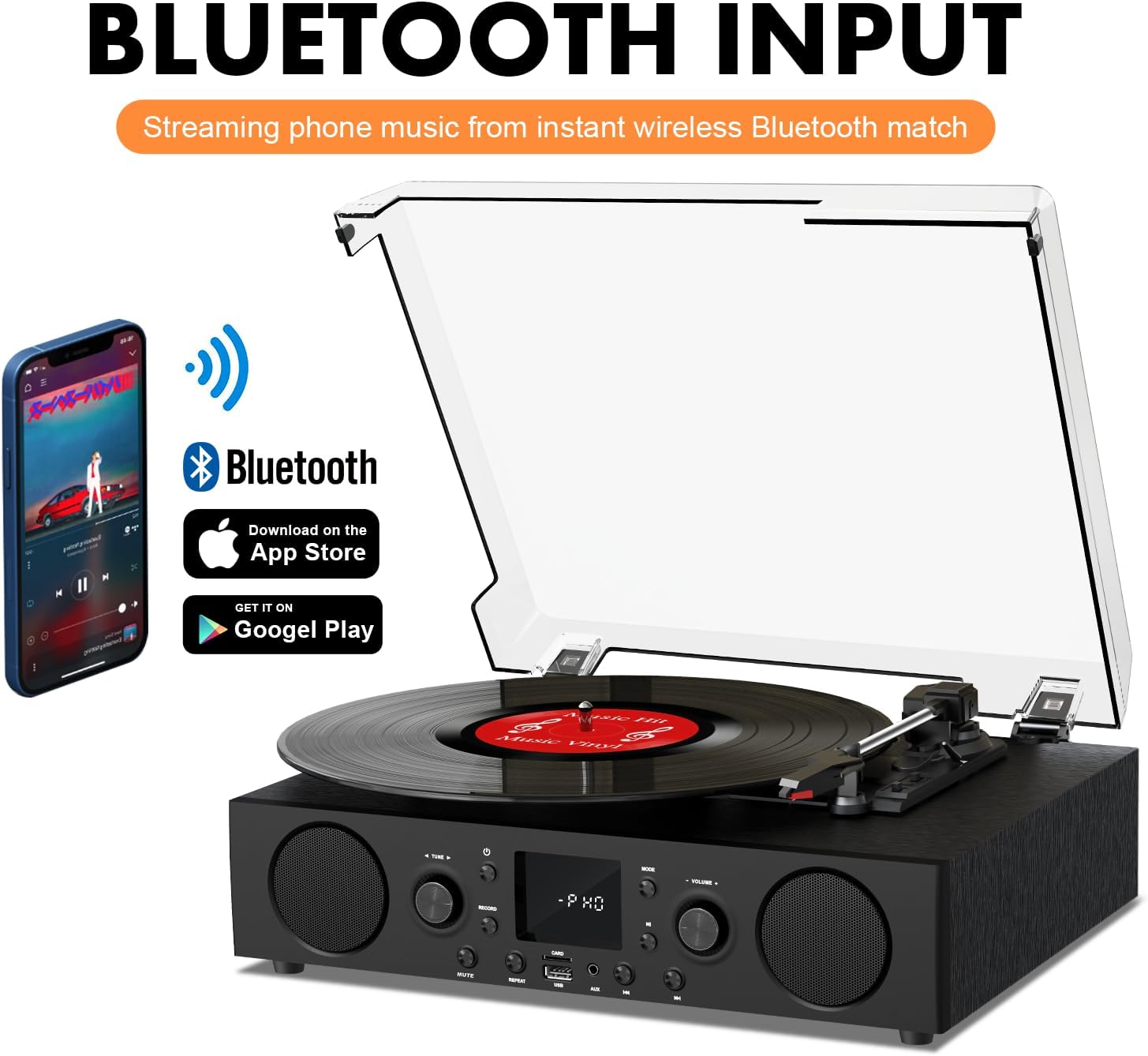
Figure 6.2: Connecting a smartphone via Bluetooth to the turntable.
- Tsindrio ny Mode button until "Bluetooth" or a similar indicator appears on the LED display. The unit will enter pairing mode.
- Ampiasao ny Bluetooth amin'ny findainao, takelakao, na solosainao ary tadiavo ireo fitaovana misy.
- Select "DANFI AUDIO DF TE-103" (or similar name) from the list of devices to pair.
- Once paired, you can stream audio wirelessly from your device to the record player.
- Fanamarihana: This turntable supports Bluetooth input only and cannot transmit audio to Bluetooth headphones or speakers.
6.3 USB/SD Input and MP3 Encoding

Figure 6.3: Vinyl to MP3 encoding process using a USB flash drive.
- USB/SD Playback: Insert a USB flash drive or SD card into the respective port. Press the Mode button to select USB/SD mode. The unit will automatically play compatible audio files.
- Vinyl to MP3 Encoding:
- Insert a USB flash drive or SD card into the port.
- Start playing a vinyl record.
- Tsindrio ny Record button. The LED display will indicate recording is in progress.
- Tsindrio ny Record button again to stop recording. The recorded audio will be saved as an MP3/WAV file on the USB drive/SD card.
Radio 6.4 FM
- Tsindrio ny Mode button to select FM Radio mode. The current frequency will appear on the LED display.
- Use the tuning controls (often the Skip/Search buttons) to scan for radio stations.
- The unit can store approximately 20 stations.
6.5 RCA Line Out and AUX Input

Figure 6.4: Connecting to external speakers using RCA Line Out.
- RCA Line Out: Connect RCA cables from the rear of the record player to the audio input of an external amplifier or powered speakers. This allows for boosted volume and playback through a larger sound system. The turntable's internal speakers will not be muted automatically when using RCA output.
- AUX Input: Connect an external audio source (e.g., MP3 player, smartphone) to the 3.5mm AUX IN port on the front panel using an audio cable. Press the Mode button to select AUX mode to play audio from the connected device.
6.6 Equalizer (EQ)

Figure 6.5: Available equalizer presets for audio customization.
Tsindrio ny EQ button to cycle through the available sound equalizer presets: Jazz, Pop, Classical, Rock, and Vocal. Select the preset that best suits your audio preference.
7. Fikojakojana
- Fanadiovana: Use a soft, dry cloth to clean the exterior of the unit. For the dust cover, use a slightly damp cloth and then dry thoroughly. Avoid abrasive cleaners.
- Stylus Care: Periodically check the stylus (needle) for wear or damage. A worn stylus can damage records and degrade sound quality. Replace the stylus with a compatible backup needle when necessary.
- Fikarakarana Rakitra: Tazomy ho madio ny rakikira vinyl-nao ary tehirizo mitsangana ao anaty fonony mba hisorohana ny fiangonan'ny vovoka sy ny fivalanana.
8. Famahana olana
| OLANA | Antony mety hitranga | vahaolana |
|---|---|---|
| Tsy misy hery | Tsy mifandray ny tariby herinaratra; Tsy miasa ny fantson-jiro | Ataovy azo antoka fa voafatotra tsara ny tariby herinaratra; andramo amin'ny fitaovana hafa ny fivoahan'ny herinaratra |
| Tsy misy feo | Volume too low; Incorrect mode selected; External speakers not connected/powered | Increase volume; Press Mode button to select correct source; Check RCA connections and external speaker power |
| Turntable tsy mihodina | Unit not powered on; Tonearm not moved over record | Ensure power is on; Gently move tonearm over the record to activate platter |
| Bluetooth tsy mifandray | Not in Bluetooth mode; Device too far; Already paired with another device | Select Bluetooth mode; Move device closer; Disconnect from other devices and try pairing again |
| Kalitao ratsy amin'ny feo avy amin'ny vinyl | Dirty record; Worn stylus; Incorrect speed selected | Clean record; Replace stylus; Select correct RPM speed |
9. Famaritana
| endri-javatra | antsipirihany |
|---|---|
| Anarana modely | TE-103 |
| Marika | DANFI AUDIO DF |
| Ny refin'ny vokatra | 14.37 x 10.82 x 5.28 santimetatra |
| Lanja entana | 6.2 kg |
| KEVITRA | Acrylic, Engineered Wood |
| Hafainganam-pandeha mihodinkodina | 33 1/3, 45, 78 RPM |
| Anisan'ny singa | Power unit, 45 rpm adaptor, Slipmat, Backup needle |
| Endri-javatra manokana | Equalizer (EQ), FM Radio, USB Input, USB/SD Card Recording, Bluetooth Input |
| fifandraisana | Bluetooth (Input only), USB, SD Card, AUX Input, RCA Line Out |
| Fitaovana mifanentana | Headphones, MP3 Players, Personal Computers, Smartphones, Speakers, Tablets |
| Fanjifana herinaratra (on-mode) | 5 watts |
10. Warranty sy fanohanana
For warranty information or technical support, please refer to the documentation provided with your purchase or contact DANFI AUDIO DF customer service through their official channels. Keep your purchase receipt as proof of purchase for warranty claims.


