Sava lalana
Welcome to the user manual for your Timex Activity Tracker Watch, model TW5M60800. This digital quartz watch features a durable brass case, a comfortable khaki silicone strap, and a green dial. Designed for daily wear, it includes activity tracking functions and is water-resistant up to 30 meters. This manual provides essential information for setting up, operating, maintaining, and troubleshooting your watch to ensure optimal performance.

Sary 1: anoloana view of the Timex Activity Tracker Watch TW5M60800. This image displays the digital green dial, the brass case, and the khaki silicone strap.
Hametraka
1. Fampandehanana voalohany
Your watch may come with a plastic battery saver tab. Gently pull and remove this tab from the side of the watch to activate the battery and power on the device.
2. Fametrahana Ora sy Daty
The Timex Activity Tracker Watch typically features multiple buttons for setting.
- Tadiavo ny MODE button (usually on the bottom left). Press it repeatedly to cycle through display modes until you reach the time setting mode (often indicated by flashing digits).
- Ampiasao ny SET or HIATRIKA button (usually top left or right) to select the digit you wish to change (hours, minutes, year, month, day).
- Ampiasao ny START/STOP or LAP / RESET button (usually on the right side) to increase the value of the selected digit.
- Rehefa marina ny fika rehetra dia tsindrio ny MODE bokotra indray mba hialana amin'ny fomba fametrahana.
Sary 2: sisiny view of the watch, illustrating the placement of control buttons on the brass case. These buttons are used for navigating menus and adjusting settings.
3. Fanitsiana andilany
The watch features a silicone strap with a traditional buckle clasp. Adjust the strap to a comfortable fit on your wrist, ensuring it is snug but not too tight to allow for accurate activity tracking.
Torolàlana miasa
1. Basic Time Display
In the default mode, the watch displays the current time (hours, minutes, seconds) and often the day of the week.
2. Accessing Activity Tracker Functions
Tsindrio ny MODE button to cycle through various functions. Look for modes labeled "Activity," "Steps," "Distance," or "Calories."
- Dingana: Displays the total number of steps taken.
- Distance: Mampiseho ny halavirana tombanana ho vita.
- Kaloria: Indicates the estimated calories burned.
- Daily Goal: Some models allow setting a daily step goal. Refer to the on-screen prompts for setting and tracking.
To reset daily activity data, typically hold down a specific button (e.g., RESET or am-pofoana) while in an activity tracking mode. Consult the watch's on-screen prompts for exact instructions.
3. Ny fanoherana ny rano
This watch is water-resistant to 30 meters (3 ATM). This means it is suitable for everyday use and can withstand splashes or brief immersion in water. It is tsy suitable for swimming, showering, or diving. Avoid pressing buttons while the watch is wet or submerged.
fikarakarana
1. Fanadiovana ny famantaranandronao
To clean the watch case and strap, use a soft, damp cloth. For the silicone strap, a mild soap solution can be used, then rinse thoroughly with clean water and dry completely. Avoid using harsh chemicals or abrasive materials, as these can damage the watch's finish.
2. Fanoloana bateria
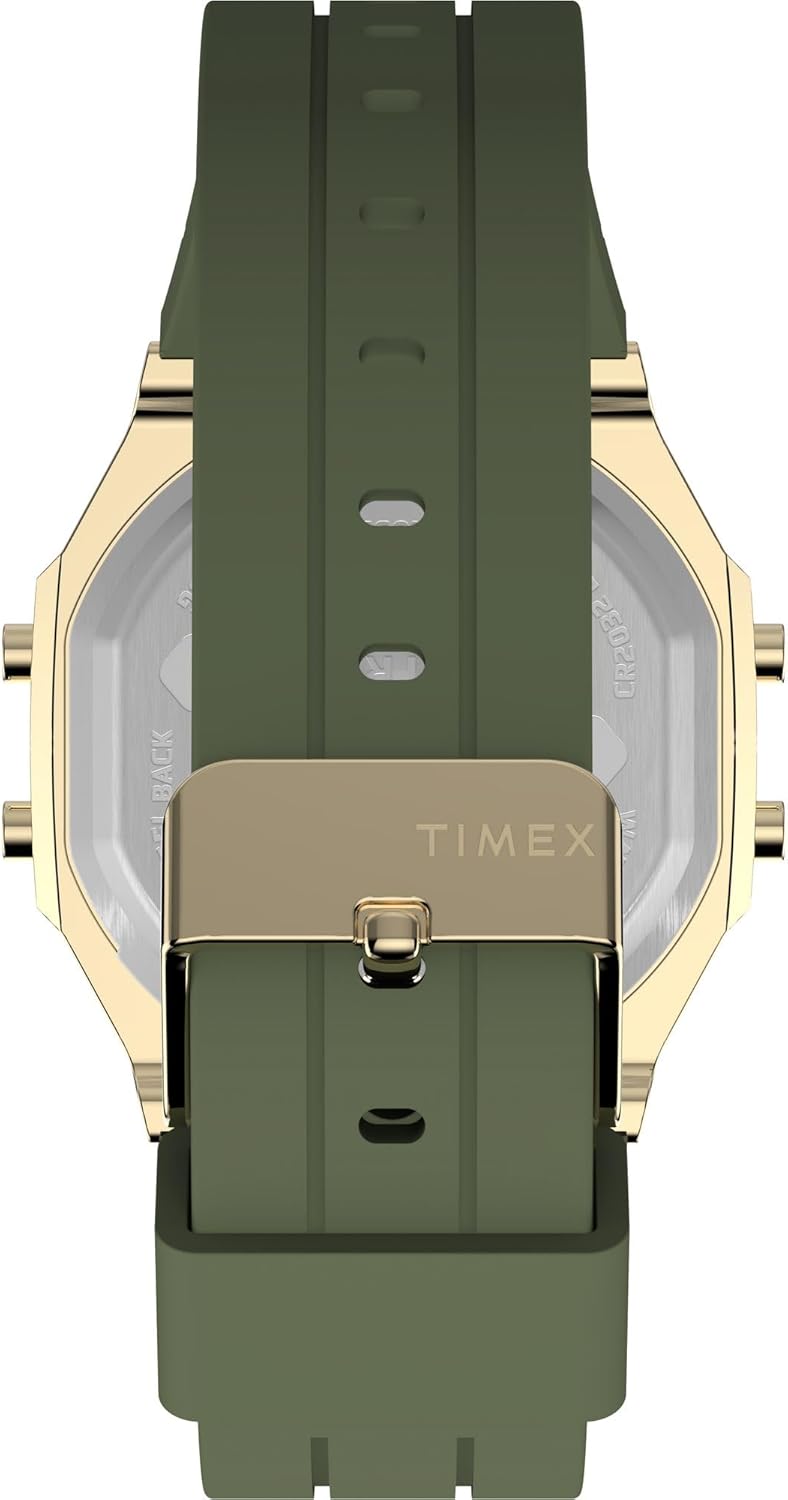
The watch is powered by a CR2032 battery. When the display dims or stops functioning, it's time to replace the battery.
- Carefully remove the back cover of the watch using a small screwdriver or a specialized watch tool.
- Mariho ny fiorenan'ny bateria taloha alohan'ny hanesorana azy.
- Ampidiro ny bateria CR2032 vaovao miaraka amin'ny lafiny tsara (+) miakatra.
- Replace the back cover, ensuring it is securely fastened to maintain water resistance.
It is recommended to have battery replacement performed by a qualified watch technician to ensure proper sealing and water resistance.

Sary 3: aoriana view of the watch, displaying the stainless steel back with "TIMEX ACTIVITY TRACKER" engraving, battery type (CR2032), and water resistance rating.
3. fitahirizana
Rehefa tsy ampiasaina dia tehirizo ao amin'ny toerana mangatsiatsiaka sy maina ny famantaranandronao, lavitry ny tara-masoandro mivantana sy ny mari-pana tafahoatra.
Fanamboarana
| OLANA | Antony mety hitranga | vahaolana |
|---|---|---|
| Foana na manjavozavo ny fampisehoana. | Batery ambany na maty. | Replace the CR2032 battery. Ensure the battery saver tab is removed. |
| Incorrect time or date. | Time/date not set correctly or reset. | Follow the "Setting Time and Date" instructions in the Setup section. |
| Activity tracking data is inaccurate. | Watch not worn properly, or sensor obstruction. | Ensure the watch is worn snugly on the wrist. Clean the back sensor area. |
| Tsy mamaly ny bokotra. | Watch may be in a locked mode or battery issue. | Try a soft reset (if applicable, by holding all buttons for a few seconds). Check battery. |
fepetra arahana
| endri-javatra | antsipirihany |
|---|---|
| Laharana modely | Sary TW5M60800 |
| Karazana fampisehoana | Hafanàm-po |
| Karazana hetsika | Quartz |
| Loharanon-kery | Batterie (CR2032) |
| Case Material | varahina |
| Savaivony | 40 milimetatra |
| Haben'ny raharaha | 10 milimetatra |
| Fitaovana kristaly | Acrylic |
| Fitaovana fehy | Silicone |
| Loko fehikibo | Khaki |
| Dial Color | Maitso |
| Water Resistance | 30 metatra (3 ATM) |
| Karazana fametahana | jaigrafy |
| Sampan-draharahan'ny | Unisex olon-dehibe |
Warranty sy fanohanana
For detailed warranty information, please refer to the warranty card included with your product packaging or visit the official Timex website. For further assistance or technical support, please contact Timex customer service through their official channels.


