Sava lalana
This manual provides comprehensive instructions for the ASWEE P4 Smart Watch, a versatile fitness tracker with call capabilities, a 1.85" TFT display, and various health monitoring features. Please read this manual thoroughly before using your device.
Inona no ao anaty boaty
- ASWEE P4 Smart Watch
- Charging Cable
- User Manual
Vita ny vokatraview
The ASWEE P4 Smart Watch features a rectangular 1.85-inch TFT-LCD display with a 240x280 resolution. It includes a physical button on the side for navigation and interaction. The watch is designed for comfortable wear and easy access to its functions.
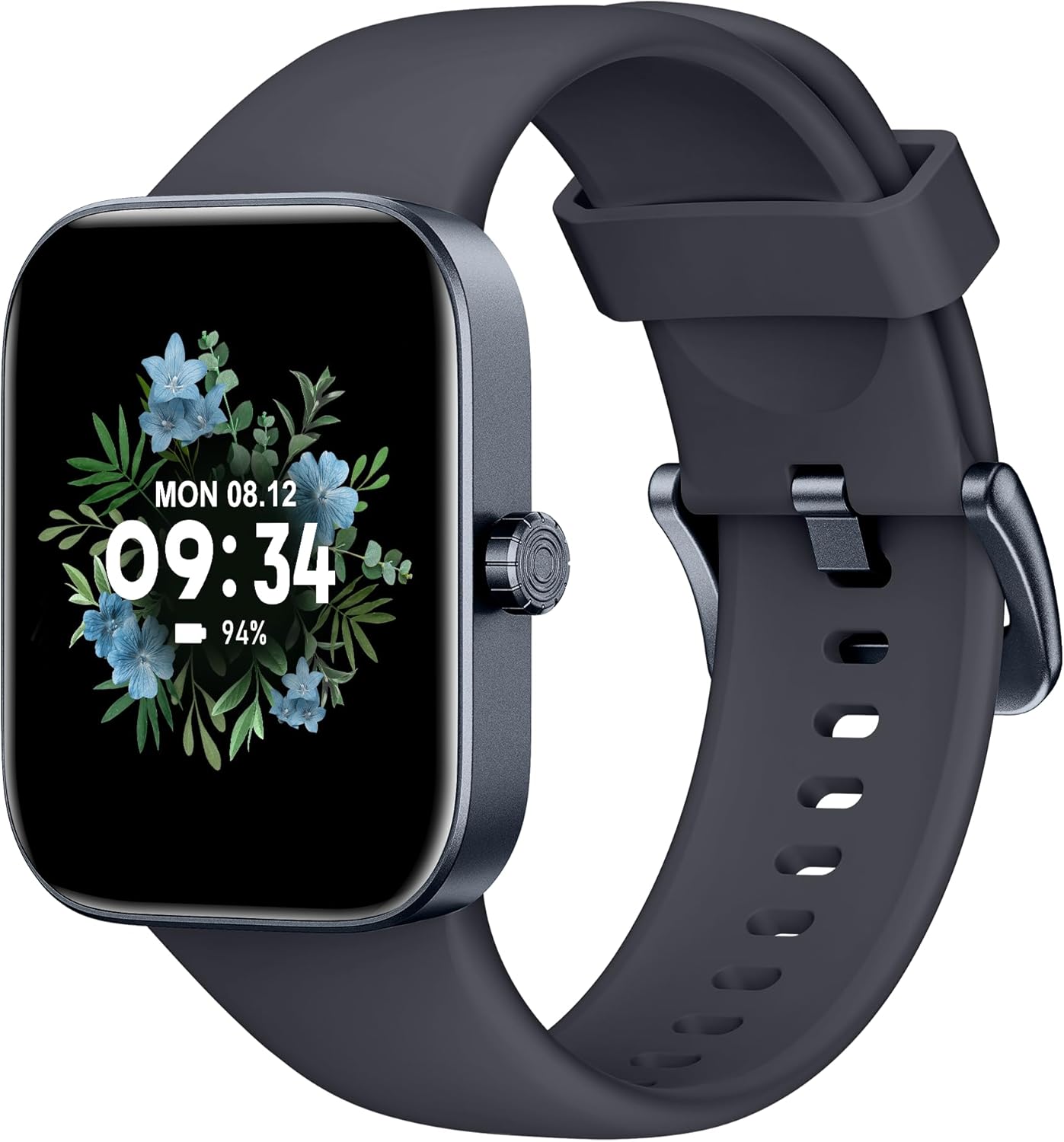
anoloana view of the ASWEE P4 Smart Watch, displaying time and date with a floral background.
Hametraka
Fametrahana ny fitaovana
The ASWEE P4 Smart Watch comes with a magnetic charging cable. Align the magnetic end of the cable with the charging contacts on the back of the watch. The watch will indicate when it is charging. A full charge typically takes approximately 2 hours and provides up to 7 days of active use or 15 days on standby.

Illustration showing the magnetic charging cable connected to the back of the ASWEE P4 Smart Watch, highlighting battery life indicators.
Fametrahana fampiharana sy fampiarahana
To utilize all features of your ASWEE P4 Smart Watch, you need to download and install the "FitPro" application on your smartphone. Scan the QR code provided in the watch's packaging or search for "FitPro" in your device's app store.
Miaraka amin'ny iPhone
Follow these steps to pair your watch with an iPhone:
- Ataovy azo antoka fa mandeha ny Bluetooth amin'ny iPhone-nao.
- Open the "FitPro" app.
- Navigate to "Setting" and then "Bind device".
- Select your watch (e.g., KM13Pro) from the scan results.
- Confirm the pairing request by clicking "Pair" and then "Allow" for notifications.
- Go to your iPhone's Bluetooth settings and connect to "KM13Pro Audio" for call functionality.
Video tutorial demonstrating how to bind the ASWEE P4 Smart Watch to an iPhone and how to unbind it.
Pairing with Android Phone
Follow these steps to pair your watch with an Android phone:
- Ensure Bluetooth is enabled on your Android phone.
- Open the "FitPro" app.
- Navigate to "Set" and then "Bind device".
- Select your watch (e.g., KM13Pro) from the scan results.
- Confirm the pairing request by clicking "Pair".
Video tutorial demonstrating how to bind the ASWEE P4 Smart Watch to an Android phone and how to unbind it.
Torolàlana miasa
Fikarohana fototra
The watch features a touch-sensitive screen for navigation. Swipe left/right or up/down to access different functions and menus. The side button typically serves as a home or back button.
Call and Text Functionality
With its built-in speaker and microphone, the ASWEE P4 allows you to answer/dial calls directly from your wrist when connected via Bluetooth. You can also receive SMS text and SNS messages (Facebook, Twitter, WhatsApp, etc.) with vibration alerts.

Image showing the ASWEE P4 Smart Watch on a wrist, with notification icons for various messaging apps, indicating Bluetooth 5.0 connectivity for calls and texts.
Ara-pahasalamana
The watch provides comprehensive health monitoring:
- Ny tahan'ny fo: 24-hour tracking with a high-precision PPG sensor. Stores 7 days of resting heart rate data.
- Ra oksizenina: Measures SpO2 levels using a reflective-light based sensor.
- Fanaraha-maso ny torimaso: Tracks sleep quality through Awake, Light, and Deep sleep stages, helping to improve sleep duration and quality.
- Fanaraha-maso ny adin-tsaina: Provides insights into stress levels.

Image illustrating the ASWEE P4 Smart Watch's 24-hour data tracking capabilities, including heart rate, stress level, and blood oxygen monitoring.

Image depicting the ASWEE P4 Smart Watch's sleep health assistant feature, showing sleep duration and patterns.
Fitness Modes
The ASWEE P4 supports multiple workout modes, including running, bike riding, basketball, and tennis. It accurately monitors data points like heart rate, time, and calories burned to enhance workout efficiency.

Fampisehoana sarycasing the ASWEE P4 Smart Watch's various sports modes, including running, bike riding, basketball, and jumping jack, with activity data like steps, distance, and calories.
Customization
Choose from over 100 stylish watch faces or create your own using photos from your phone gallery.
fikarakarana
FANADIOVANA
Diovy tsy tapaka ny famantaranandro sy ny fehy amin'ny malefaka, damp lamba. Fadio ny mampiasa akora simika masiaka na akora abrasive.
fitahirizana
Tehirizo ao amin'ny toerana mangatsiatsiaka sy maina ny famantaranandro rehefa tsy ampiasaina.
Fanamboarana
Jereo Tsy Mivadika
- Ataovy azo antoka fa feno tsara ny bateria. Ampifandraiso amin'ny tariby famandrihana sy ny loharanon-kery mandritra ny 30 minitra farafahakeliny.
Olana mampiaraka
- Make sure Bluetooth is enabled on your phone and the watch is within range.
- Avereno indray ny findainao sy ny famantaranandro.
- If previously paired, try "forgetting" the device in your phone's Bluetooth settings and re-pairing through the FitPro app.
- Ensure the FitPro app has necessary permissions (Bluetooth, location).
Data momba ny fahasalamana tsy marina
- Ataovy azo antoka fa tazonina tsara eo amin'ny hatotananao ny famantaranandro, tsy tery loatra na tsy mivaha loatra.
- Diovy ny sensor ao ambadiky ny famantaranandro.
- Environmental factors and individual physiology can affect readings.
Tsy miseho ny fampandrenesana
- Check app permissions for FitPro to ensure it can access notifications.
- Verify that notification push settings are enabled within the FitPro app for desired applications.
- Hamarino tsara fa mifandray amin'ny findainao amin'ny alàlan'ny Bluetooth ny famantaranandro.
fepetra arahana
| endri-javatra | antsipirihany |
|---|---|
| Anarana modely | P4 |
| Marika | ASWEE |
| Haben'ny efijery | 1.85 santimetatra |
| Display Technology | TFT-LCD |
| vahaolana | 240 x 280 PPI |
| Rafitra fikirakirana | Manao OS |
| fifandraisana | Bluetooth 5.3 |
| Water Resistance | IP68, 5 ATM |
| Fiainana bateria (fampiasana mahazatra) | Hatramin'ny 7 andro |
| Fotoana mijoro | Hatramin'ny 15 andro |
| Time Charging | Approx. 2 ora |
| Endri-javatra manokana | Fitness Tracker, Sleep Monitor, Reminders, Multimedia control, Answer/Dial Call, Heart Rate Monitor, Blood Oxygen Monitor, Stress Monitor |
| Lanja entana | 2.89 oz |
Fanamarihana: Ny fanondroana dia mety hiova tsy misy fampandrenesana mialoha.
Warranty sy fanohanana
For warranty information and technical support, please refer to the official ASWEE webtranokala na mifandray amin'ny serivisy mpanjifany. Tehirizo ny tapakila fividiananao ho porofon'ny fividianana.


