1. Fampidirana
The ROYALAXE Y87 is a Tenkeyless (TKL) mechanical keyboard designed for versatile use across various operating systems and devices. It features tri-mode connectivity (Wired, 2.4G Wireless, Bluetooth 5.0), hot-swappable G Pro 3.0 Yellow switches, vibrant RGB lighting, and durable PBT keycaps. This manual provides instructions for setting up, operating, and maintaining your keyboard.
2. Ny votoatin'ny fonosana
Hamarino azafady fa ao anatin'ny fonosanao ny entana rehetra:
- ROYALAXE Y87 Mechanical Keyboard
- Keycap Puller
- USB-C to USB-A Aviation Plug Cable
- 4 Spare Gateron G Pro 3.0 Yellow Switches
- Two Pairs of Magnetic Feet
3. Vokatra mihoatraview
The ROYALAXE Y87 keyboard integrates several features for an enhanced user experience:
- G Pro 3.0 Yellow Switches: Pre-lubed, silky-smooth linear switches with a frosted, light-guided surface for consistent backlighting.
- Fifandraisana telo-mode: Supports wired USB-C, 2.4GHz wireless, and Bluetooth 5.0 for connection to up to 5 devices.
- Sokety azo ovaina amin'ny hafanana: Compatible with both 3-pin and 5-pin mechanical switches (not compatible with Cherry switches).
- Jiro RGB: Features 18+4 (or 22) customizable RGB lighting effects.
- PBT Keycaps: Double-shot PBT keycaps for durability and oil resistance.
- Fihodinana N-Key: Full keys anti-ghosting ensures all keystrokes are registered accurately.
- Ahitsio Mitongilana: Two pairs of magnetic feet provide three tilt angles for ergonomic comfort.
- Batterie 4000mAh: Provides extended wireless usage.
- Software natokana: ROYALAXE driver for macro programming and light customization.

Image: Tri-mode connectivity options for the ROYALAXE Y87 keyboard.

Sary: Nipoaka view illustrating the internal structure and components of the keyboard, including switches and sound dampening layers.
4. Fametrahana
4.1 Installing Magnetic Feet
The keyboard comes with two pairs of magnetic feet to adjust the typing angle. Simply attach the desired pair to the magnetic points on the underside of the keyboard. The feet are designed to provide stable support at different inclinations.
4.2 Fametrahana ny kitendry
Before first use, it is recommended to fully charge the keyboard. Connect the provided USB-C to USB-A cable to the keyboard's USB-C port and the other end to a powered USB port on your computer or a USB wall adapter. The charging indicator will show the charging status.
4.3 Fomba fifandraisana
The ROYALAXE Y87 supports three connection modes: Wired, 2.4G Wireless, and Bluetooth. Use the physical toggle switch located in the top-right corner of the keyboard to select your desired mode.
- Mode mandeha tariby: Connect the USB-C to USB-A cable directly to your computer. The keyboard will automatically switch to wired mode.
- 2.4G Wireless Mode:
- Locate the 2.4G USB dongle, which is stored in a concealed compartment near the top-right switch on the keyboard.
- Plug the 2.4G USB dongle into an available USB port on your computer.
- Set the toggle switch on the keyboard to the '2.4G' position. The keyboard should connect automatically.
- Mode Bluetooth: Mahazaka fitaovana Bluetooth hatramin'ny telo ny fitendry.
- Set the toggle switch on the keyboard to the 'BT' position.
- Raha te hiditra amin'ny fomba fampiarahana, tsindrio ary hazòny Fn + Q, Fn + W, na Fn + E for 3-5 seconds until the indicator light flashes rapidly. This corresponds to Bluetooth device 1, 2, or 3.
- On your device (computer, tablet, smartphone), search for Bluetooth devices and select 'ROYALAXE Y87' to pair.
- Rehefa mifandray dia hijanona tsy hirehitra ny jiro famantarana. Azonao atao ny mifamadika eo amin'ireo fitaovana Bluetooth mifandray amin'ny alalan'ny fanindriana Fn + Q, Fn + W, na Fn + E fohifohy.

Image: Physical toggle switch for selecting connectivity modes and the 2.4G dongle storage.
5. Torolàlana miasa
5.1 Fanaraha-maso ny Jiro RGB
The ROYALAXE Y87 features multiple RGB lighting effects. Use the following key combinations to control the lighting:
- Fn + \|: Cycle through different RGB lighting effects.
- Fn + ↑ / ↓: Ahitsio ny haavon'ny famirapiratana.
- Fn + ← / →: Ahitsio ny hafainganam-pandeha/fitarihana ny hazavana.
- Fn + Del: Switch between RGB and monochromatic lighting.

Sary: Eksamples of RGB lighting effects available on the keyboard.
5.2 Fanalahidin'ny Multimedia sy ny Asa
The F-row keys (F1-F12) have secondary multimedia functions. Press Fn + F[number] to activate these functions. Specific functions may vary based on your operating system.
5.3 Fanamboarana Rindrambaiko
For advanced customization, including macro programming and detailed lighting control, download the ROYALAXE driver software from the official ROYALAXE website. The software allows you to personalize key assignments and lighting profiles.
5.4 Fitantanana bateria
The keyboard is equipped with a 4000mAh rechargeable battery. Battery life varies depending on usage and RGB lighting settings. To conserve battery, turn off RGB lighting when not needed. The keyboard has a standby time of approximately 350 hours with RGB off and 14 hours with RGB on.
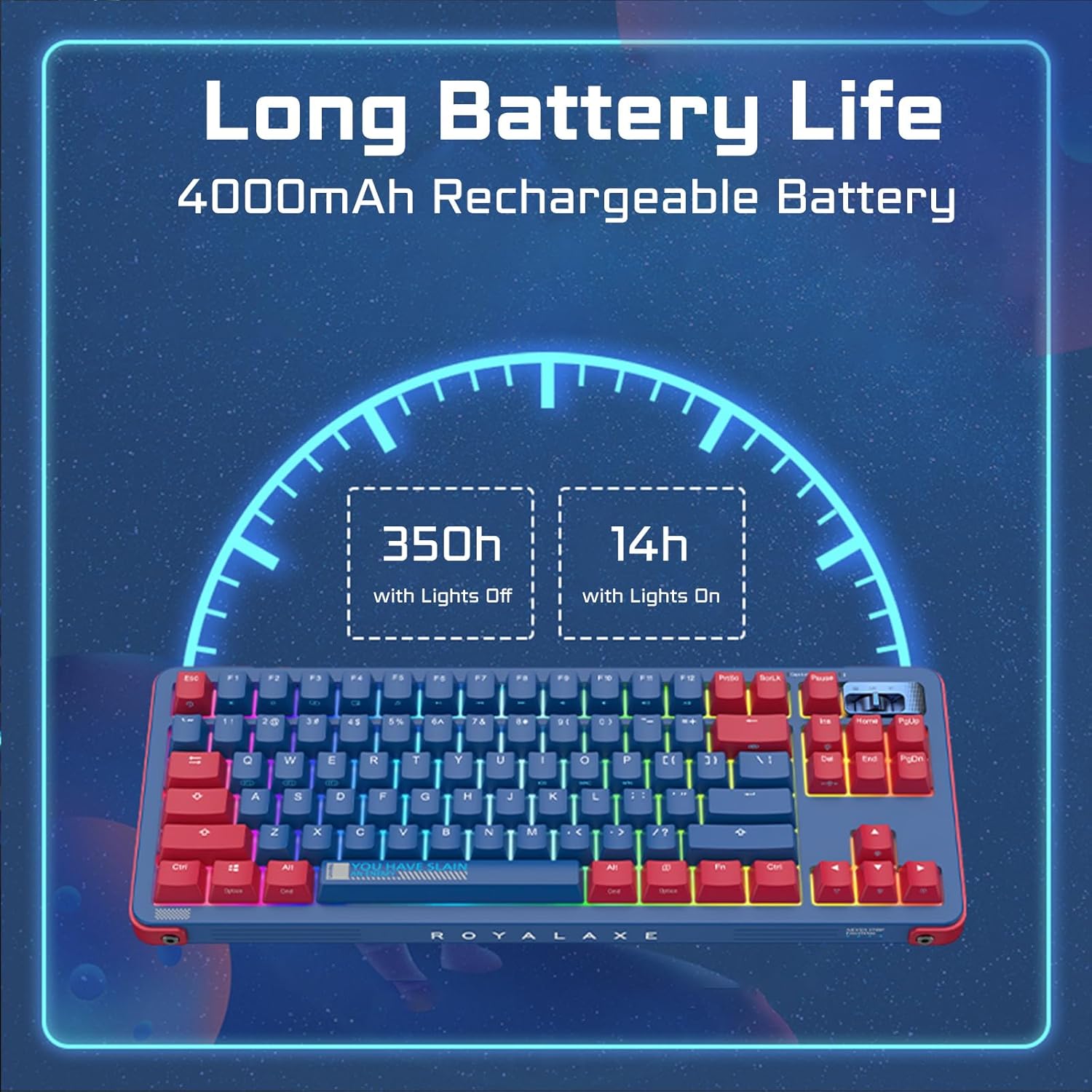
Image: Battery life estimates for the keyboard with and without RGB lighting.
6. Fikojakojana
6.1 Fanadiovana ny fitendry
To clean your keyboard, disconnect it from power. Use a soft, dry cloth to wipe the keycaps and chassis. For deeper cleaning, you can remove the keycaps using the provided keycap puller and clean underneath with compressed air or a brush. The PBT keycaps are oil-resistant, making them easier to maintain.
6.2 Switches mifanakalo mafana
The ROYALAXE Y87 features hot-swappable sockets, allowing you to change switches without soldering. Use the provided switch puller to carefully remove existing switches. Align the pins of the new switch with the sockets and press gently until it clicks into place. Ensure the switch pins are straight before insertion to avoid bending them. The sockets support both 3-pin and 5-pin switches, but are not compatible with Cherry brand switches.
7. Famahana olana
- Kitendry tsy mamaly:
- Ataovy azo antoka fa voaloa ny klavier.
- Check the connectivity mode switch (Wired, 2.4G, BT) is set correctly.
- For 2.4G, ensure the dongle is securely plugged in.
- For Bluetooth, re-pair the device if necessary.
- Andramo ampifandraiso amin'ny alalan'ny tariby USB-C mba hisorohana ny olana amin'ny tsy misy tariby.
- Ny jiro RGB tsy mandeha na tsy mifanaraka:
- Adjust brightness using Fn + ↑.
- Cycle through effects using Fn + \|.
- Ensure no software settings are overriding the keyboard's onboard controls.
- Fanalahidy tsy misoratra anarana na mitendry roa:
- This could indicate a faulty switch. Use the switch puller to replace the affected switch with one of the spare switches provided.
- Hamarino tsara fa mipetraka tsara ao amin'ny sokitrany ny switch.
- Connectivity issues (lag, disconnections):
- Ensure the keyboard is within range of the receiver (for 2.4G) or paired device (for Bluetooth).
- Manamaivana ny fitsabahana amin'ny fitaovana tsy misy tariby hafa.
- Ataovy azo antoka fa voaloa tsara ny klavier.
8. Famaritana
| Ny refin'ny vokatra | 14.5 x 5.7 x 1.5 santimetatra (36.83 x 14.48 x 3.81 cm) |
| Lanja entana | 3.1 kilao (1.4 kg) |
| Teknolojia fifandraisana | 2.4G tsy misy tariby, Bluetooth 5.0, USB-C misy tariby |
| Famaritana kitendry | Mekanika |
| Fampiasana soso-kevitra | Everyday Use, Gaming, Programming |
| Endri-javatra manokana | Hot-Swappable, Programmable Keys, Rechargeable |
| Kitendry Backlighting | RGB |
| Switches | Gateron G Pro 3.0 Yellow |
| Fitaovana Keycap | PBT |
| Fahaizana bateria | Lithium Ion 4000mAh (tafiditra) |
| Rafitra mifanentana | Windows, Mac, Android, iOS |
9. Warranty sy fanohanana
For warranty information and technical support, please refer to the documentation included with your purchase or visit the official ROYALAXE website. If you encounter any issues not covered in this manual, please contact ROYALAXE customer service for assistance.


