1. Mihoatraview
The JOBY Fly X Mini Drone is a compact quadcopter designed for ease of use and aerial photography. It features a 6-axis gyroscope for stable flight, one-button takeoff and landing, and the ability to perform 360-degree flips. Equipped with an HD camera, it captures 720p video and JPEG images, transmitting footage via Wi-Fi to a compatible smartphone.

Image 1.1: The JOBY Fly X Mini Drone, showcasing its compact design and integrated camera.
2. Inona no ao anaty boaty
Ataovy azo antoka fa misy ny singa rehetra alohan'ny hanohizana ny fanamboarana:
- JOBY Fly X Mini Drone miaraka amin'ny fakan-tsary HD
- Fanaraha-maso lavitra
- 2 x Lithium Ion Batteries (for drone)
- USB Charging Cable
- Spare Propellers
- Boky torolàlana (torolàlana ity)
3. Fametrahana
3.1 Fametrahana sy fiampangana bateria
- Drone Battery: Locate the battery compartment on the drone. Carefully insert one of the provided Lithium Ion batteries. Ensure it is securely connected.
- famandrihana: Connect the drone battery to the USB charging cable. Plug the USB cable into a compatible USB power source (e.g., computer, wall adapter). The indicator light on the cable will show charging status. Charge until fully indicated.
- Battery Controller: Open the battery compartment on the remote control. Insert the required batteries (not specified in product data, typically AA or AAA, refer to physical product for exact type).
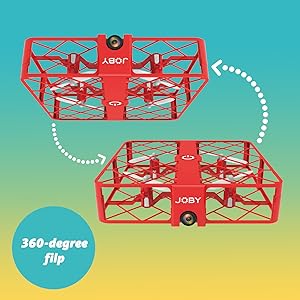
Image 3.1: Drone with its battery compartment open for installation.
3.2 Fametrahana fampiharana sy fifandraisana Wi-Fi
To utilize the HD camera and view miaina footage, download the dedicated drone control application on your smartphone (compatible with iPhone/Android). Refer to the packaging or a QR code on the drone for the specific app name.
- Power On Drone: Press the power button on the drone. The indicator lights will flash.
- Mifandray amin'ny Wi-Fi: On your smartphone, go to Wi-Fi settings and connect to the drone's Wi-Fi network (usually named something like "JOBY_DRONE_XXXX").
- Alefaso ny App: Open the drone control app. You should see the live camera feed from the drone.
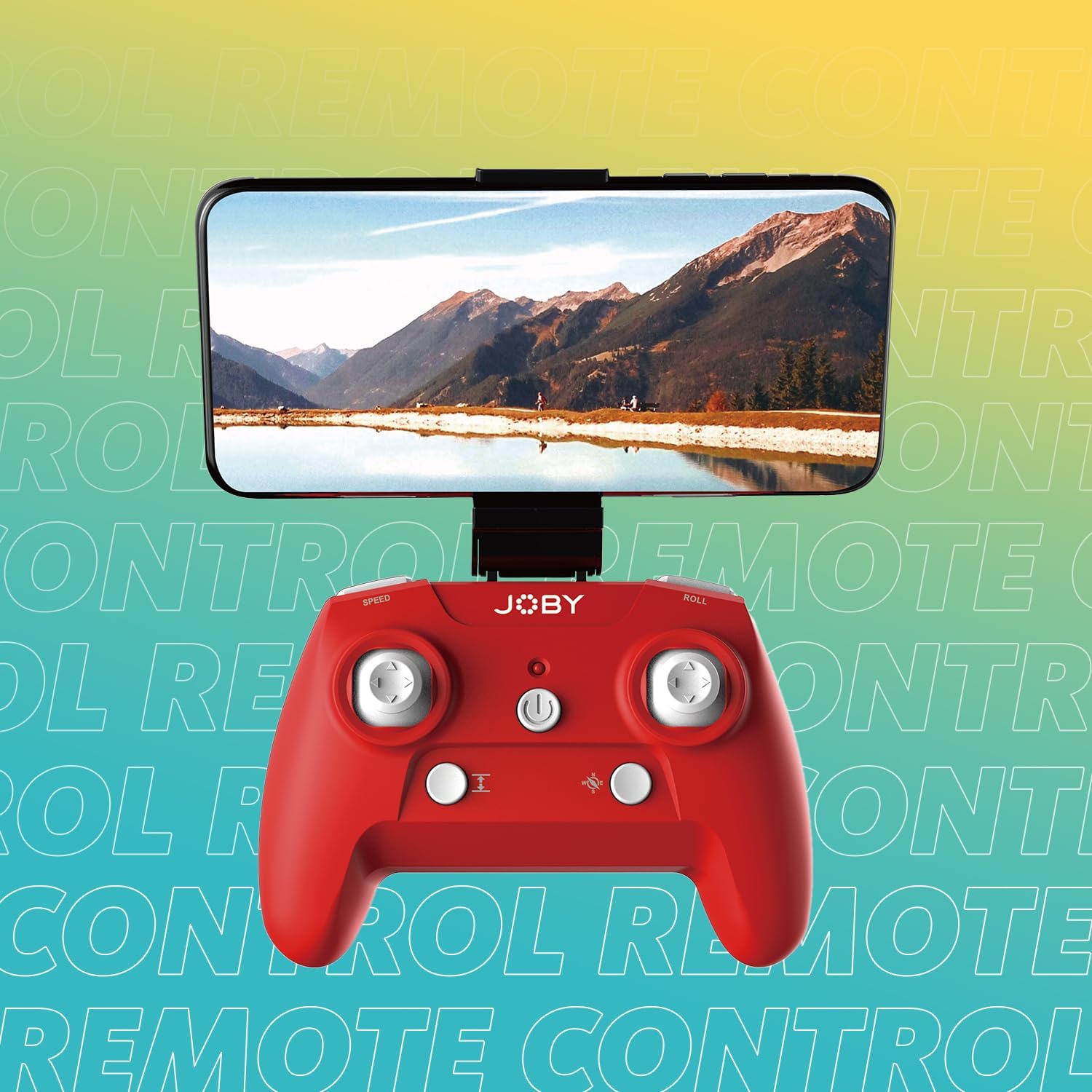
Image 3.2: Remote control with a smartphone attached, showing the live camera view.
4. Torolàlana miasa
4.1 Famelomana sy fampiarahana
- Power On Drone: Press the power button on the drone. The lights will flash, indicating it's ready for pairing.
- Mpanara-maso ny Fampandehanana: Tsindrio ny bokotra herinaratra amin'ny fanaraha-maso lavitra.
- mampiaraka: Push the left joystick (throttle) all the way up, then all the way down. The drone's lights will stop flashing and become solid, indicating successful pairing.
4.2 Fiaingana sy Fipetrahana
- One-Button Takeoff: After pairing, press the dedicated one-button takeoff/landing button on the controller. The drone will automatically ascend to a stable hovering height.
- One-Button Landing: Press the same one-button takeoff/landing button during flight, and the drone will automatically descend and land.
- Throw to Launch: For experienced users, the drone can be gently tossed into the air after pairing, and it will automatically stabilize.
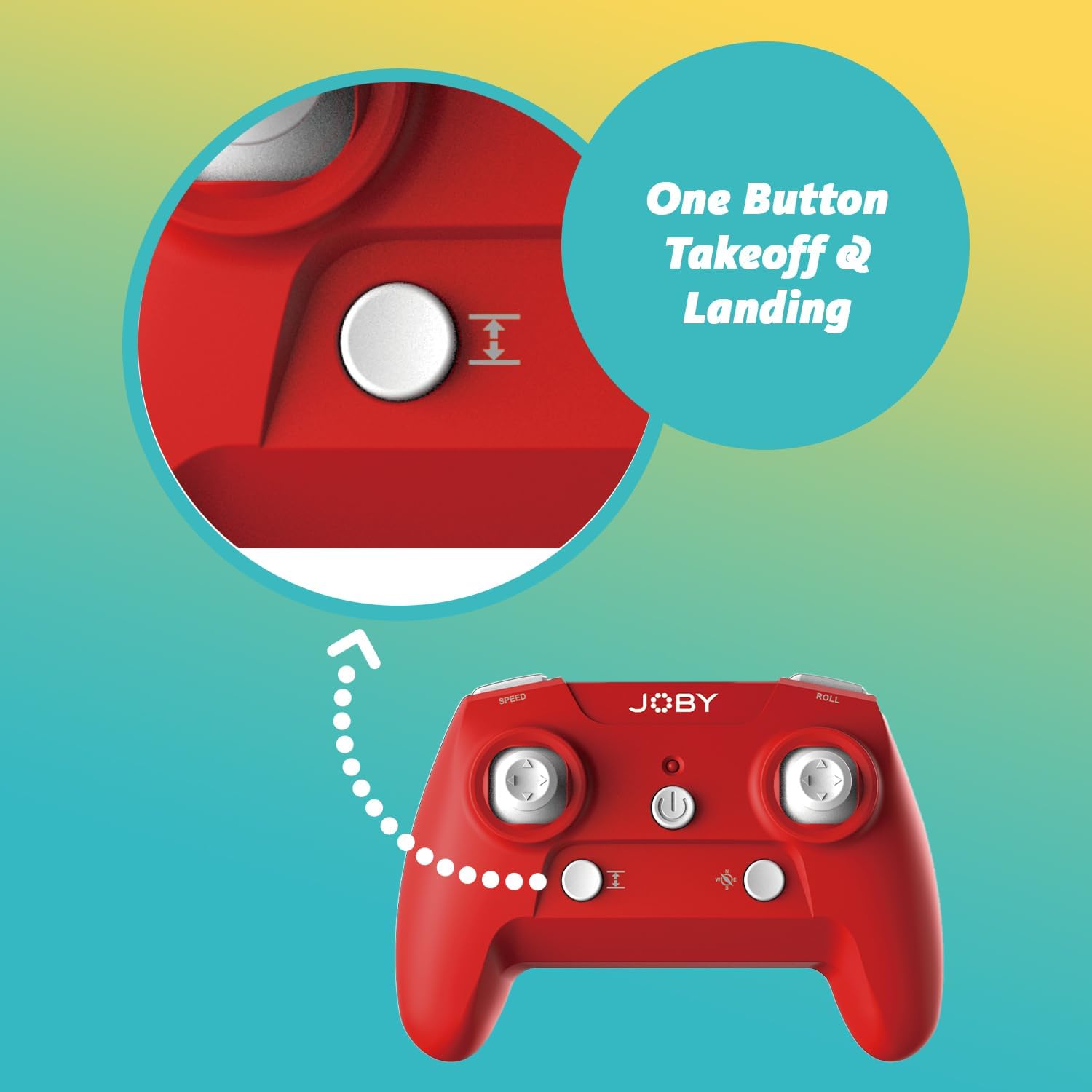
Image 4.1: Remote control highlighting the one-button takeoff/landing button.
4.3 Fanaraha-maso ny sidina
Ampiasao ireo joystick eo amin'ny fanaraha-maso lavitra mba hitondrana ny drôna:
- Joystick havia (Throttle): Up/Down for ascend/descend; Left/Right for yaw (rotate).
- Joystick havanana (Torolalana): Up/Down for forward/backward; Left/Right for left/right strafe.
4.4 Endri-javatra manokana
- 360-Degree Flip: Press the dedicated "Flip" button on the controller, then push the right joystick in the desired direction to perform an aerial flip.
- Fipetrahana maika: In case of an emergency, activate the emergency landing function (refer to controller button layout for specific button) to quickly bring the drone down safely.

Image 4.2: Visual representation of the 360-degree flip feature.
4.5 Fampiasana fakan-tsary
The integrated HD camera captures 720p video and JPEG images. Control camera functions via the smartphone app:
- fakana sary: Tap the camera icon in the app to take a still photograph.
- Fandraketana horonantsary: Tap the video icon to start recording. Tap again to stop.
- Viewamin'ny Media: Access recorded photos and videos directly through the app's gallery.
Image 4.3: Detail of the drone's HD camera.
4.6 Instructional Video
Video 4.4: This video demonstrates the unboxing, battery installation, pairing process, and various flight maneuvers of the JOBY Fly X Mini Drone, including indoor and outdoor flight examples.
5. Fikojakojana
Ny fikojakojana tsy tapaka dia miantoka ny fahombiazana tsara indrindra sy ny faharetan'ny drôna-nao:
- Fanaraha-maso Propeller: Regularly check propellers for damage (cracks, bends). Replace any damaged propellers using the spare parts provided.
- Fanadiovana: Use a soft, dry cloth to clean the drone body and camera lens. Avoid using harsh chemicals or liquids.
- Fikarakarana bateria: Store batteries in a cool, dry place. Do not overcharge or completely drain batteries. Remove batteries from the drone and controller during extended periods of non-use.
- fitahirizana: Store the drone in a safe place, away from direct sunlight and extreme temperatures.
6. Famahana olana
- Drone tsy mandeha: Ataovy azo antoka fa feno ny bateria ary ampidirina tsara.
- Controller tsy mamaly: Check controller batteries. Ensure the drone and controller are properly paired (refer to Section 4.1).
- Sidina tsy marin-toerana: Perform a calibration (refer to the app or controller instructions for calibration steps). Check propellers for damage or obstructions.
- No Camera Feed/Poor Quality: Ensure your smartphone is connected to the drone's Wi-Fi network. Check for app updates. Ensure the camera lens is clean.
- Fotoana fohy amin'ny sidina: Batteries may not be fully charged or may be nearing the end of their lifespan.
7. Famaritana
| endri-javatra | antsipirihany |
|---|---|
| Marika | Joby |
| Anarana modely | Fly X Mini |
| Laharana modely | JB01966-BWW |
| lafiny | 5.12" L x 5.12" W x 1.18" H |
| Lanja entana | 2.24 oz |
| Fanapahan-dahatsary fakana sary | 720p |
| Video Output Resolution | 1280x720 Piksela |
| Video Capture Format | MP4 |
| Format sary tohanana | JPEG |
| Teknolojia fifandraisana | Wifi |
| Teknolojia fanaraha-maso lavitra | Wifi |
| Faritra faratampony | 100 metatra (eo amin'ny 30 metatra eo ho eo) |
| vatoaratra | Batterie Lithium Ion 2 (tafiditra) |
| KEVITRA | plastika |
| Ambaratonga fahaiza-manao | mpanao voalohany |
8. Warranty sy fanohanana
For warranty information and customer support, please refer to the official Joby webtranokala na mifandray mivantana amin'ny serivisy mpanjifany. Tehirizo ny porofon'ny fividiananao raha misy fitakiana fiantohana.
Afaka mitsidika ny Joby Store on Amazon ho fampahalalana fanampiny momba ny vokatra sy loharano fanohanana.


