1. Fampidirana
Thank you for choosing the Baseus E13 TWS Bowie Headphones. This manual provides essential information for setting up, operating, and maintaining your new wireless earbuds. Please read it carefully before use to ensure optimal performance and longevity of your device.
2. Ny votoatin'ny fonosana
Hamarino fa ao anatin'ny fonosanao ny entana rehetra:
- Baseus E13 TWS Bowie Headphones (Left and Right Earbuds)
- Charging Case
- USB Charging Cable
- Koron-tsofina (habe samihafa)
- User Manual (ity antontan-taratasy ity)

Image: The Baseus E13 TWS Bowie Headphones, including the earbuds, charging case, and the included USB charging cable.
3. Vokatra mihoatraview
The Baseus E13 TWS Bowie Headphones feature a compact design with a charging case for portability and extended battery life.

Image: The Baseus E13 TWS Bowie Headphones, showing both earbuds resting in their open charging case.
4. Fametrahana
4.1 Fametrahana ny Earbuds sy Case
- fiampangana voalohany: Alohan'ny fampiasana voalohany, fenoy feno ny sofina sy ny vata fampangatsiahana.
- Fametrahana ny raharaha: Connect the provided USB charging cable to the charging port on the case and a compatible USB power source. The indicator light on the case will show charging status.
- Fametrahana ny Earbuds: Place the earbuds into the charging case. Ensure they are correctly seated; the indicator lights on the earbuds will confirm charging.
A full charge provides up to 30 hours of total playback time with the charging case.
4.2 Fanambadiana Bluetooth
- Herim-batana: Sokafy ny vata fampangatsiahana. Ny earbuds dia mandeha ho azy ary miditra amin'ny fomba fampiarahana.
- Ampidiro ny Bluetooth: Amin'ny fitaovanao (smartphone, tablette, sns.), avelao ny Bluetooth.
- Mifidiana fitaovana: Hitady ny "Baseus E13" in the list of available Bluetooth devices and select it to connect.
- fanamafisana: Hisy fampandrenesana amin'ny feo hanamarina ny fahombiazan'ny fampiarahana.
Ny fonon-tsofina dia hifandray ho azy amin'ny fitaovana ampiarahana farany rehefa esorina amin'ny fonony, raha toa ka alefa amin'ny fitaovana ny Bluetooth.
4.3 Fanaraha-maso fampiharana
Enhance your experience by downloading the official Baseus app. The app allows for customizable controls, EQ settings, and other features.
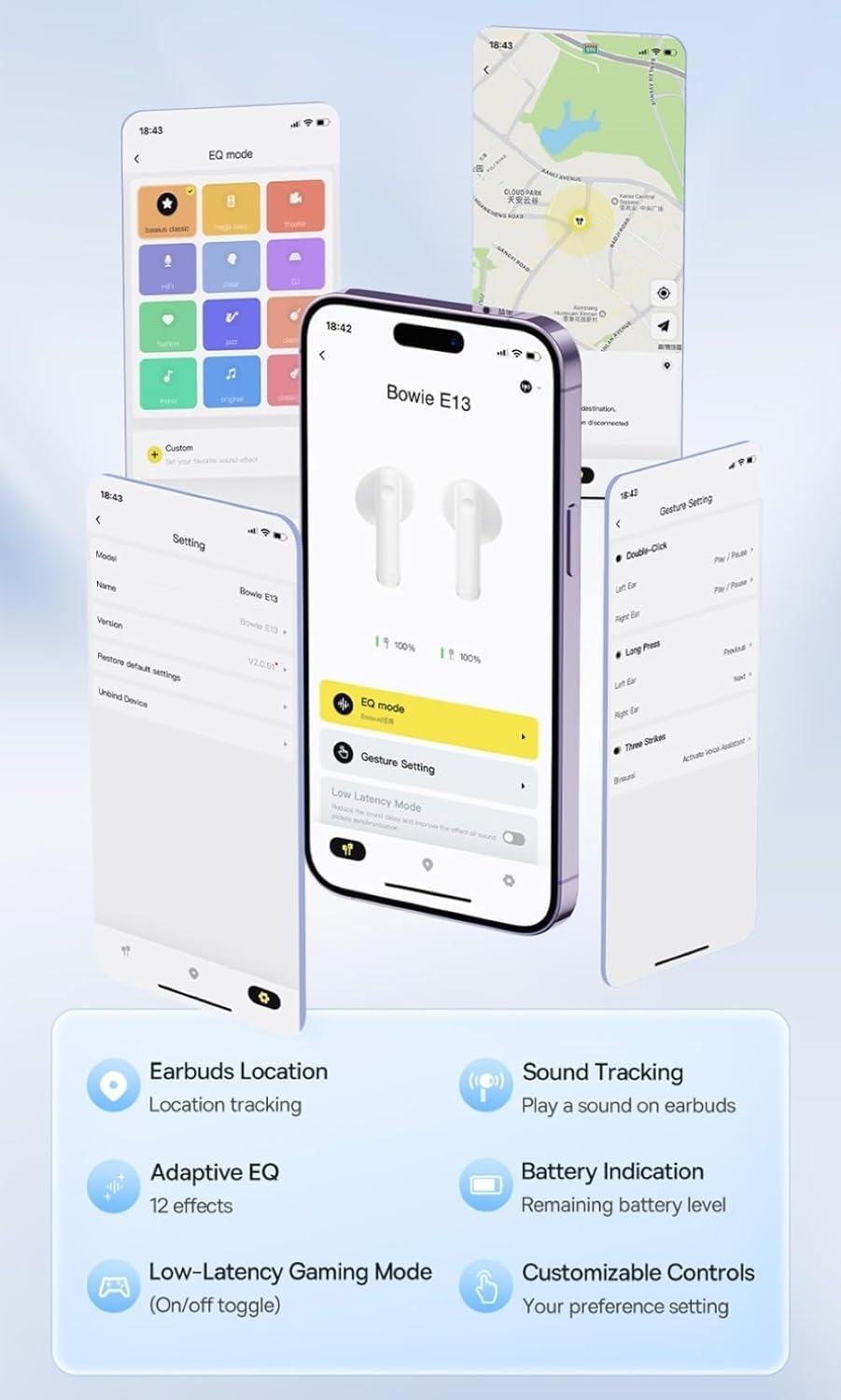
Image: Multiple smartphone screens displaying the Baseus app interface, highlighting features such as EQ mode, gesture settings, low-latency gaming mode, earbud location tracking, sound tracking, adaptive EQ with 12 effects, battery indication, and customizable controls.
5. Fampandehanana
5.1 Fanaraha-maso fototra
The Baseus E13 TWS Bowie Headphones feature touch controls for easy management of audio and calls. Specific gestures can be customized via the Baseus app.
- Play/Pause: Tsindrio tokana amin'ny sofina roa.
- Track manaraka: Tsindrio indroa ny sofina havanana.
- Làlana teo aloha: Tsindrio indroa ny sofina ankavia.
- Valio/Atsaharo ny antso: Tsindrio tokana amin'ny sofina roa.
- Mandà ny antso: Tsindrio lava eo amin'ny sofina roa.
- Ampandehano ny feo Assistant: Tsindrio intelo amin'ny sofina roa.
5.2 Fomba filalaovana miadana sy tsy dia mavitrika loatra
For an optimized gaming experience, activate the 0.06s ultra-low latency gaming mode through the Baseus app. This reduces audio delay, providing faster response times.
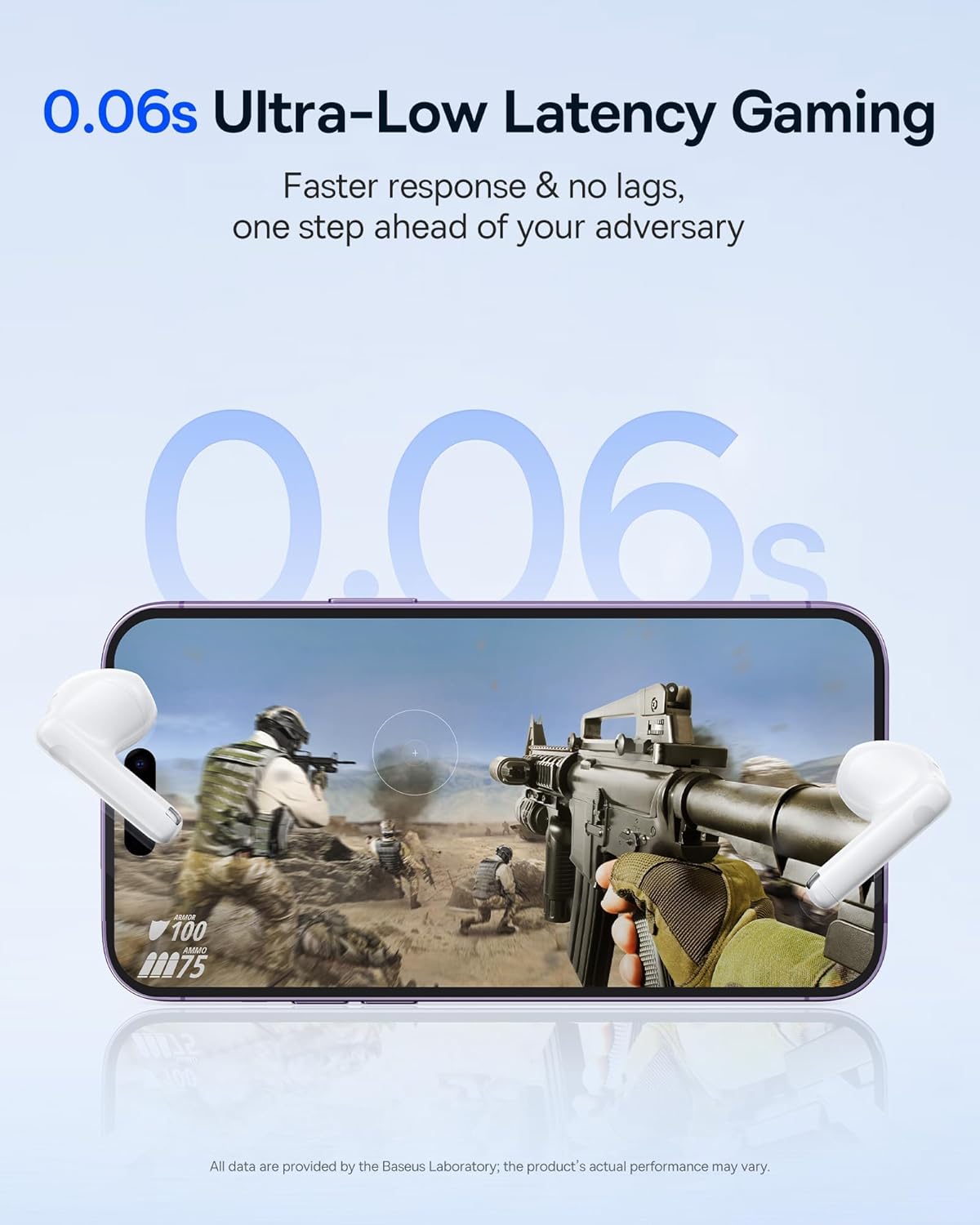
Image: The Baseus E13 TWS Bowie Headphones positioned near a smartphone screen displaying a fast-paced first-person shooter game, emphasizing the 0.06s ultra-low latency feature for gaming.
5.3 Famerenana Audio
Enjoy up to 30 hours of continuous audio playback with the assistance of the charging case. Each earbud provides several hours of playback on a single charge, with the case offering multiple recharges.

Image: The Baseus E13 TWS Bowie Headphones and their charging case, overlaid with a graphic prominently displaying '30H', signifying the total audio playback time achievable with the case.
5.4 kalitaon'ny feo
The earbuds are equipped with a large 12mm diaphragm, designed to restore each note with remarkable depth and accuracy, providing a powerful low-frequency audio experience.

Image: A detailed cutaway diagram of a Baseus E13 TWS earbud, focusing on the internal structure of the large 12mm diaphragm and its contribution to sound quality.
5.5 Fifandraisana
Utilizing Bluetooth 5.3 technology, the headphones offer a faster and more stable wireless connection, ensuring smooth audio transmission and enhanced sound quality.

Sary: Mangarahara view of a Baseus E13 TWS earbud, revealing its internal circuitry and specifically highlighting the integrated Bluetooth 5.3 chip for advanced wireless connectivity.
6. Mitafy ny Earbuds
The earbuds are designed with a mini stem and a lightweight profile, featuring a 45° wearing angle for a comfortable and secure fit.

Image: A woman wearing a Baseus E13 TWS earbud, illustrating the ergonomic design with a mini stem and lightweight construction for a comfortable user experience.
7. Fikojakojana
- Fanadiovana: Diovy tsy tapaka amin'ny lamba malefaka sy maina ary tsy misy loko ny fonon-tsofina sy ny vata fampangatsiahana. Aza mampiasa akora simika mahery vaika na akora abrasive.
- fanoherana ny rano: The earbuds are water resistant. Avoid submerging them in water or exposing them to excessive moisture. Dry thoroughly if they come into contact with liquids.
- fitahirizana: Rehefa tsy ampiasaina dia tehirizo ao anaty vata fampangatsiahana ny sofina mba hiarovana azy sy hitazonana azy ho voaloa. Tehirizo ao amin'ny toerana mangatsiatsiaka sy maina lavitry ny hafanana tafahoatra.
- Fikarakarana bateria: Mba hitsitsiana ny faharetan'ny bateria dia aza ampiasaina matetika ny écouteur sy ny fonony. Ampidiro matetika ny bateria, na dia tsy ampiasaina matetika aza.
8. Famahana olana
If you encounter issues with your Baseus E13 TWS Bowie Headphones, refer to the following common solutions:
- Tsy misy feo:
- Ataovy azo antoka fa voaloa ny sofina.
- Check Bluetooth connection to your device.
- Amboary ny volume amin'ny écouteur sy ny fitaovana mifandray aminy.
- Earbuds tsy mifandray:
- Avereno ao anaty fonony ny écouteur, akombony, dia sokafy indray mba hidirana amin'ny fomba fampiarahana indray.
- Forget "Baseus E13" from your device's Bluetooth list and attempt to pair again.
- Ensure earbuds are within range of your device.
- Olana momba ny fiampangana:
- Hamarino tsara fa mifandray tsara amin'ny boaty sy ny loharanon-kery ny tariby famandrihana.
- Manandrama seranan-tsambo USB na adaptatera herinaratra hafa.
- Ensure charging contacts on earbuds and in case are clean and free of debris.
- Earbud iray tsy mandeha:
- Ataovy azo antoka fa voaloa ny sofina roa.
- Try resetting the earbuds (refer to app or Baseus support for specific instructions).
9. Famaritana
| Marika | Baseus |
| Anarana modely | E13 TWS |
| Teknolojia fifandraisana | Wireless (Bluetooth 5.3) |
| Fametrahana sofina | Ao amin'ny sofina |
| Form Factor | True Wireless |
| Impedance | 32 ohm |
| Karazana fanaraha-maso | Touch controls, App |
| KEVITRA | plastika |
| Lanja entana | 0.07 kg |
| Ny haavon'ny fanoherana ny rano | Mahazaka rano |
| Lavitr'ezaka ambony indrindra | 10 metatra |
| Fiainana antonony ny bateria | Hatramin'ny 30 ora (miaraka amin'ny vata fampangatsiahana) |
| Endri-javatra manokana | 0.06s ultra-low latency, Faster and more stable 5.3 wireless chip, Lightweight and Mini Design, Powerful low frequency controller |
10. Warranty sy fanohanana
Baseus products are designed for reliability and performance. For warranty information, please refer to the warranty card included with your purchase or visit the official Baseus website. For technical support or further assistance, please contact Baseus customer service or visit the Baseus Store amin'ny Amazon.


