1. Fampidirana
This manual provides essential information for the safe and efficient use of your Aiwa A65QUHDX3-GTV 65-inch QLED 4K Ultra HD Google Smart TV. Please read these instructions thoroughly before operating the television and retain them for future reference.
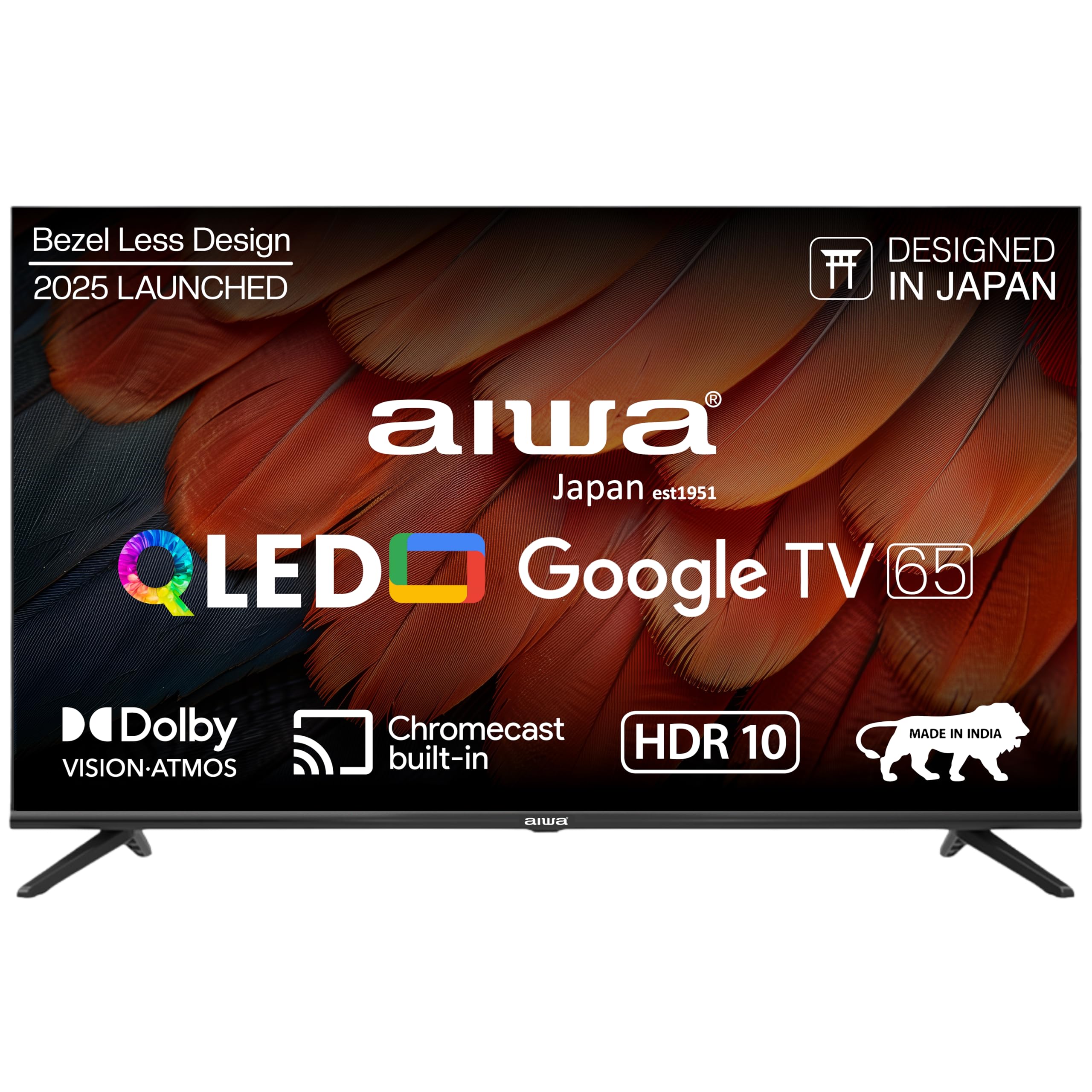
Sary 1.1: Eo anoloana view of the Aiwa A65QUHDX3-GTV 65-inch QLED Smart TV.

Figure 1.2: Aiwa A65QUHDX3-GTV showcasing its ultra sleek design.
2. Information momba ny fiarovana
Araho hatrany ireto fepetra fiarovana manaraka ireto mba hisorohana ny fahatairana amin'ny herinaratra, afo, na fahasimban'ny fahitalavitra:
- Aza avela hisy orana na hamandoana ny fahitalavitra.
- Do not open the television casing. Alefaso amin'ny mpiasa mahay ny serivisy rehetra.
- Ataovy azo antoka tsara ny rivotra. Aza sakanana ny fisokafan'ny rivotra.
- Avoid placing the television near heat sources or in direct sunlight.
- Use only the power cord supplied with the television.
- Arovy tsy ho azon'ny ankizy ny bateria.
3. Inona no ao anaty boaty
Hamarino fa misy ny singa rehetra amin'ny famoahana azy:
- Fahitalavitra LED 1N
- 4N Screws for stand/wall mount
- Fanaraha-maso lavitra 1N
- Batterie AAA 2N (ho an'ny fanaraha-maso lavitra)
- 1N User Manual with Warranty Card
- 1N Set Table Stand
- 1N Wallmount bracket
4. Fametrahana
4.1 Fametrahana ara-batana
Your Aiwa TV supports both table-top and wall-mount installations. Choose the method suitable for your environment.
Fametrahana Table Stand
- Apetraho amin'ny toerana malefaka sy fisaka ny efijery TV mba hisorohana ny fahasimbana.
- Attach the provided table stands to the designated slots at the bottom of the TV using the included screws.
- Ensure the stands are securely fastened.
- Atsangano amim-pitandremana ny fahitalavitra amin'ny toerany mahitsy eo amin'ny toerana miorim-paka.
Fametrahana Wall Mount
If using the wall mount, follow the instructions provided with the wall mount kit. Professional installation is recommended for wall mounting.

Figure 4.1: Dimensions of the Aiwa A65QUHDX3-GTV 65-inch QLED Smart TV.
4.2 Fampifandray ny periferika
The TV features an array of ports for various devices. Refer to the back panel image for port locations.

Sary 4.2: aoriana view amin'ny fahitalavitra mampiseho ireo seranana fifandraisana.

Sary 4.3: antsipirihany view of the TV's connectivity ports including LAN, HDMI, USB, Antenna In, and AV In.
- Seranana HDMI (x3): Ampifandraiso amin'ny mpilalao Blu-ray, consoles filalaovana lalao video, decoder, na fitaovana hafa misy HDMI.
- Port USB (x2): Ampifandraiso ireo fitaovana fitahirizana USB ho an'ny famerenam-baovao na fanavaozana rindrambaiko.
- Port LAN: Ampifandraiso ny tariby Ethernet ho an'ny fifandraisana Internet tariby.
- Antenne miditra: Ampifandraiso amin'ny fahitalavitra misy antenne na tariby.
- AV In: Ampifandraiso ireo fitaovana tranainy amin'ny alalan'ny tariby mitambatra video sy feo stereo.
- Bluetooth: Pair wireless headphones, soundbars, or other Bluetooth devices.
- Wifi: Mifandraisa amin'ny tambajotra tsy misy tariby ao an-tranonao mba hahazoana fidirana amin'ny Internet.
4.3 Fahefana voalohany sy fandrindrana ny Wizard
- Ampifandraiso amin'ny fahitalavitra ny tady herinaratra ary avy eo amin'ny fivoahana herinaratra.
- Tsindrio ny bokotra fampandehanana herinaratra eo amin'ny fanaraha-maso lavitra na eo amin'ny fahitalavitra mihitsy.
- Araho ny toromarika eo amin'ny efijery mba hamitana ny fametrahana voalohany, anisan'izany ny fisafidianana fiteny, ny fifandraisana tambajotra ary ny fidirana amin'ny kaonty Google.
5. Torolàlana miasa
5.1 Fanaraha-maso lavitra
The included smart remote control allows for easy navigation and voice commands.

Figure 5.1: Smart Remote Control with dedicated quick access buttons for streaming services and voice control functionality.
- Bokotra hery: Mandeha na mamono ny fahitalavitra.
- Navigation Pad: Use the directional buttons to move through menus and the center button to select.
- bokotra miverina: Miverina amin'ny efijery teo aloha.
- bokotra an-trano: Miditra amin'ny efijery fidirana Google TV.
- Vola miakatra/midina: Ahitsio ny feo.
- Bika matoanteny Mampangina na manala ny feo.
- bokotra mpanampy feo: Alefaso ny Google Assistant ho an'ny baiko feo.
- Bokotra fidirana haingana: Dedicated buttons for Netflix, Prime Video, YouTube, and Disney+Hotstar.
5.2 Google TV Interface
Your Aiwa Smart TV runs on Google TV, offering a personalized content experience.

Figure 5.2: Google TV home screen displaying a wide range of applications and content.

Figure 5.3: Google TV interface with personalized content suggestions.
- Soso-kevitra votoaty: The TV provides personalized suggestions based on your viewing history and preferences.
- Lisitra arahina: Add movies and shows to your watchlist for later viewing.
- Pro manokanafile: Mamorona pro individualfiles for each user to receive tailored content.
- Kids Profile: Set up a dedicated profile ho an'ny ankizy misy votoaty mifanaraka amin'ny taonany sy fanaraha-maso ataon'ny ray aman-dreny.
- Google Assistant: Mampiasà baikon'ny feo hitadiavana votoaty, hifehezana ny fitaovana an-trano marani-tsaina, ary hahazoana vaovao.
- Chromecast tafiditra ao anatiny: Alefaso mivantana avy amin'ny finday na takelakao mankany amin'ny fahitalavitra ny atiny.
5.3 Fikirana sary sy feo
Amboary ny fikirana sary sy feo mba hanatsarana ny viewamin'ny traikefa.
Fomba sary
Access picture settings through the TV menu to select from various modes:
- Vivid: Enhances colors and brightness for a dynamic picture.
- Manara-penitra: Default setting suitable for most content.
- Fanatanjahantena: Optimizes motion and color for sports broadcasts.
- Sarimihetsika: Provides a cinematic experience with accurate colors.
- Mpampiasa: Allows custom adjustment of brightness, contrast, color, and sharpness.
- Mitsitsy angovo: Reduces power consumption by adjusting brightness.
The QLED display supports Dolby Vision and HDR10 for enhanced contrast and color depth.

Figure 5.4: Explanation of Quantum Dot nanocrystals technology for vibrant picture quality.

Figure 5.5: Crysta Tech Vision for enhanced detail and Black Reflect anti-glare technology.
Sound Modes
Select sound modes to match your content:
- Manara-penitra: General audio setting.
- Fanatanjahantena: Enhances dialogue and crowd noise for sports.
- Sarimihetsika: Provides a rich, immersive audio experience.
- Mozika: Optimizes audio for music playback.
The TV features Aiwa Signature Sound and Dolby Atmos for high-fidelity audio.

Figure 5.6: Aiwa Signature Sound, crafted to perfection in Japan, for high fidelity audio.
6. Fikojakojana
6.1 Fanadiovana ny fahitalavitra
- Esory foana ny TV alohan'ny hanadiovana.
- Mampiasà lamba malefaka sy maina hamafa ny efijery sy ny kabinetra.
- Ho an'ny marika mafy loha, moramora dampen ilay lamba misy rano na mpanadio ecran malefaka sady tsy mikosoka.
- Aza mampiasa alikaola, benzène, mpanalefaka, na zavatra miparitaka hafa.
6.2 Fanavaozana rindrambaiko
Your Google TV may receive automatic software updates. Ensure your TV is connected to the internet to receive the latest features and security patches. You can also manually check for updates in the TV's settings menu.
7. Famahana olana
Raha sendra olana amin'ny fahitalavitra ianao dia jereo ireto vahaolana mahazatra ireto:
| OLANA | Vahaolana mety |
|---|---|
| Tsy misy herinaratra / Tsy mandeha ny fahitalavitra | Ensure the power cord is securely connected to both the TV and the power outlet. Check if the power outlet is working. Try pressing the power button on the TV itself. |
| Tsy misy sary / Kalitao ratsy | Check cable connections (HDMI, Antenna). Ensure the correct input source is selected. Adjust picture settings (brightness, contrast, mode). For antenna, rescan channels. |
| Tsy misy feo / feo ambany | Check volume level and ensure TV is not muted. Verify audio cable connections if using external speakers. Check sound settings and sound mode. |
| Tsy mandeha ny fanaraha-maso lavitra | Replace batteries in the remote control. Ensure there are no obstructions between the remote and the TV's IR sensor. Re-pair the Bluetooth remote if applicable. |
| Smart TV features not working / Slow performance | Check internet connection (Wi-Fi or LAN). Restart the TV by unplugging it for a few minutes. Clear app cache or reinstall problematic apps. Ensure software is up to date. |
| Casting issues (Chromecast) | Ensure your casting device and TV are on the same Wi-Fi network. Restart both the TV and the casting device. |
8. Famaritana
Detailed technical specifications for the Aiwa A65QUHDX3-GTV:
| endri-javatra | antsipirihany |
|---|---|
| Marika | tsy misy |
| MODELY | A65QUHDX3 |
| Haben'ny efijery | 65 santimetatra |
| Display Technology | QLED |
| vahaolana | 4K Ultra HD (3840 x 2160 Pixel) |
| Ny tahan'ny fanavaozana | 60 Hz |
| Viewamin'ny Angle | 178 degre |
| Rafitra fikirakirana | Google TV |
| RAM Memory | 2 GB |
| Fahaizana fitahirizana | 16 GB |
| Graphics Coprocessor | Mali-450 GPU |
| fifandraisana | Wi-Fi (Dual band), Bluetooth (2-way), HDMI 2.0 (x3), USB 2.0 (x2), LAN (x1) |
| Hery Output Audio | 24 Watts |
| Endri-peo | Aiwa Signature Sound, Dolby Atmos, Stereo Audio |
| Endri-javatra manokana | 4K Ultra HD, Built-in Apps, Voice Control, HDR10, Google OS, Flat Screen, Miracast, Smart Features, Dolby Vision, Crysta Tech Vision, Black Reflect |
| Ny haben'ny vokatra (miaraka amin'ny fijoroana) | 10 x 9.8 x 83 cm (approx. 145.2 cm width, 89.6 cm height) |
| Lanja entana | 18.6 kg |
| Loharanon-kery | AC 220 Volts |
| Wattage | 150 Watts |
9. Warranty sy fanohanana
9.1 Fampahalalana momba ny fiantohana
Your Aiwa A65QUHDX3-GTV television comes with a manufacturer's warranty. Please refer to the included Warranty Card for detailed terms, conditions, and duration of the warranty period.
9.2 Fanohanana ny mpanjifa
For technical assistance, installation services, or any product-related inquiries, please contact Aiwa customer support:
- Tolotra fanampiana ho an'ny mpanjifa: 1800-120-5619
- Service is available across 19000+ pincodes in India.

Figure 9.1: Aiwa provides installation and service support across India.


