1. Fampidirana
This manual provides comprehensive instructions for the installation, operation, and maintenance of your BAANOOL BN-311B/C 2G GPS Tracker. This device is designed for real-time tracking of vehicles, motorcycles, and fuel cars, offering features such as anti-theft capabilities and location services without monthly subscription fees. Please read this manual thoroughly before using the device to ensure proper functionality and safety.
2. Ny votoatin'ny fonosana
Hamarino fa ny entana rehetra voatanisa etsy ambany dia tafiditra ao anatin'ny fonosanao. Raha misy zavatra tsy hita na simba dia mifandraisa amin'ny fanohanana ny mpanjifa.

Image: Contents of the BAANOOL BN-311C package, including the GPS unit, remote controller, relay, harness, gift box, and user manual.
- 1 x GPS Unit (BAANOOL-311C)
- 1 x Remote Controller (for 311C model)
- 1x relay
- 1 x Harness
- 1 x User Manual
- 1 x boaty fanomezana
According to product specifications, the package also includes a Battery, Charger, and USB Cable, which are essential for device operation and charging.
3. Famaritana
Detailed technical specifications for the BAANOOL BN-311C GPS Tracker:
| endri-javatra | Description |
|---|---|
| Anaran'ny vokatra | Wireless data terminal |
| MODELY | 311 |
| refy (L × W × H) | 6.0 × 3.5 × 1.8 sm |
| lanja | 50g |
| Tambajotra | GSM/GPRS (2G) |
| miaramila iray toko | 850/900/1800/1900MHz |
| Fahatsapana GPS | -165dBm |
| GPS Accuracy | 5m |
| Time To First Fix (Cold) | 45s |
| Time To First Fix (Warm) | 35s |
| Time To First Fix (Hot) | 1s |
| BOKYtage ny Hery | 12V-24V |
| Batterie | Batterie Li-ion 3.7V 180mAh azo zahana |
| Temperature fitehirizana | -40°C hatramin’ny +85°C |
| Operation Temperature | -20°C hatramin’ny +65°C |
| Hamandoana | 5%--95% non-condensing |
| Niveau tantera-drano | IP67 |
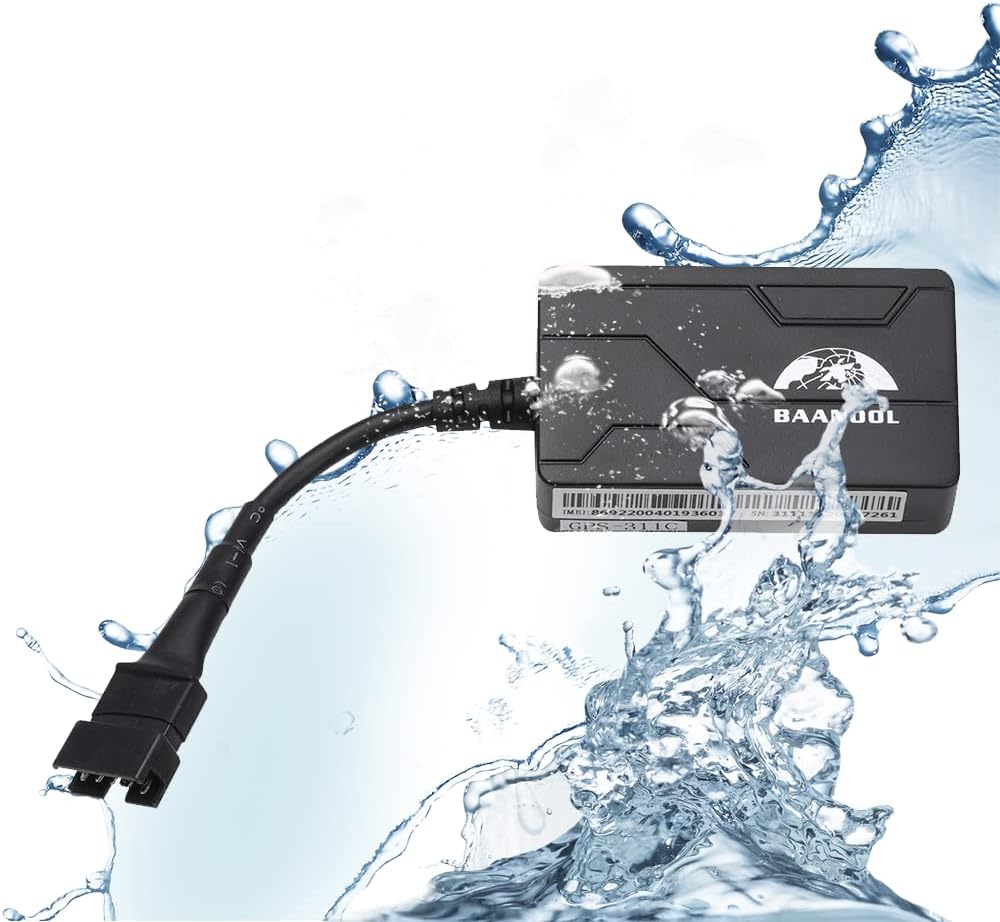
Image: Physical dimensions of the BAANOOL GPS-311C tracker, showing a length of 60mm, width of 35mm, and thickness of 18mm.

Image: The BAANOOL GPS tracker being splashed with water, illustrating its IP67 waterproof rating.
4. Fametrahana sy fametrahana
The TK311 B/C GPS tracker requires installation to the on-board power supply of your vehicle. It supports 2G network connectivity. A SIM card (not included) is required for operation.
4.1 Fametrahana karatra SIM
- Ataovy azo antoka fa maty ny fitaovana alohan'ny hampidirana ny karatra SIM.
- Tadiavo ny slot karatra SIM eo amin'ny fitaovana.
- Insert a valid 2G GSM SIM card into the slot. Ensure the SIM card has sufficient balance for GPRS data and SMS services.
- Close the SIM card slot cover securely to maintain waterproof integrity.
4.2 Wiring Diagram and Connection
Connect the tracker to your vehicle's power supply using the provided harness. The device operates on 12V-24V DC power.

Image: The BAANOOL GPS tracker connected to a vehicle's battery terminals, demonstrating the power supply connection.
- Connect the red wire of the harness to the positive (+) terminal of the vehicle's battery.
- Connect the black wire of the harness to the negative (-) terminal of the vehicle's battery or chassis ground.
- Connect the orange wire to the ACC (Accessory) wire of the vehicle's ignition. This allows the device to detect ignition status.
- For the engine cut-off function, connect the relay as per the detailed wiring instructions provided in the full manual.
Ensure all connections are secure and insulated to prevent short circuits and damage.
5. Fampandehanana
The BAANOOL GPS tracker can be controlled and monitored via SMS commands, a dedicated mobile application, or a web sehatra.
5.1 Mobile Application and Web Platform
Download the BAANOOL APP from the Apple App Store or Google Play Store. The web platform is accessible via a standard web browser. Both are provided free of charge, with no monthly fees.

Image: A smartphone screen showing the BAANOOL tracking application interface, displaying a map with device location and status information.

Image: A smartphone and a laptop screen both displaying the BAANOOL tracking platform, illustrating multi-device access.
5.2 Asa fototra
- Fametrahana toerana amin'ny fotoana tena izy: Track the exact location of your vehicle in real-time.
- Historical Playback: Review past routes and locations of the device.
- Fanairana haingana loatra: Receive alerts if the vehicle exceeds a predefined speed limit.
- GEO-fefy: Set up virtual boundaries and receive alerts when the vehicle enters or exits these areas.
- Cut Off Engine: Remotely disable the vehicle's engine (for 311C model).
- Fanairana mihetsika: Get notified if the vehicle moves unexpectedly.
- Fanaraha-maso lavitra: Control certain functions using the included remote (for 311C model).
- Fanairana bateria ambany: Receive alerts when the device's internal battery is low.
- Power Disconnection Alarm: Get notified if the main power supply to the tracker is cut.
- Blind Area Alarm: Alerts when the device enters or exits an area with no GPS signal.
- Fanairana SOS: (for 311C model)

Image: Illustration of the Geo-fence feature, showing a vehicle within a safe area and an alarm triggered when another vehicle moves outside a defined boundary.

Image: A city street scene with multiple vehicles, overlaid with tracking icons and a smartphone displaying the tracking app, demonstrating fleet management capabilities and overspeed alerts.
6. Fikojakojana
- Keep the device clean and dry. Avoid exposure to extreme temperatures or direct sunlight for prolonged periods.
- Jereo tsy tapaka ny fifandraisan'ny tariby rehetra mba hahazoana antoka fa mafy tsara izy ireo ary tsy misy harafesina.
- Ensure the SIM card is properly inserted and has an active plan with data and SMS capabilities.
- Periodically check the device's battery status via the app or platform to ensure continuous operation.
7. Famahana olana
If you encounter issues with your BAANOOL GPS tracker, refer to the following common problems and solutions:
| OLANA | Antony mety hitranga | vahaolana |
|---|---|---|
| Device offline on platform/app | No SIM card, SIM card not active, no GPRS data, poor 2G network signal, incorrect APN settings, device not powered. |
|
| Inaccurate location or no GPS signal | Device in an area with poor GPS signal (e.g., indoors, underground), GPS antenna obstructed, device not facing sky. |
|
| Tsy mandeha ny fanaraha-maso lavitra | Battery in remote control is low, remote control out of range, device not receiving signals. |
|
For issues not covered here, please refer to the comprehensive troubleshooting section in the full user manual or contact BAANOOL customer support.
8. Warranty sy fanohanana
BAANOOL GPS trackers come with a 15-month warranty from the date of purchase. As an original manufacturer, BAANOOL provides complete after-sales service.
- Fiantohana Warranty: Mandrakotra ny lesoka amin'ny fitaovana sy ny asa tanana amin'ny fampiasana ara-dalàna.
- Fanilika: Does not cover damage caused by misuse, accidents, unauthorized modifications, or natural disasters.
- Fanohanana ny mpanjifa: If you experience any problems with your device, please contact BAANOOL customer service for assistance. Provide your product model and purchase details when contacting support.

Image: A customer support representative wearing a headset, symbolizing the availability of lifetime customer support for BAANOOL products.


