Sava lalana
This manual provides essential information for setting up, operating, maintaining, and troubleshooting your Vodafone 4G Mobile Broadband Hotspot R228t. Please read this manual carefully before using the device to ensure optimal performance and safety.

Sary: Front view of the Vodafone 4G Mobile Broadband Hotspot R228t, showing the indicator lights for signal, Wi-Fi, messages, and battery.
Setup Guide
1. Ny votoatin'ny fonosana
Alohan'ny hanombohanao, ataovy azo antoka fa ao anaty fonosana ny entana rehetra:
- Vodafone 4G Mobile Broadband Hotspot R228t Device
- Batterie azo averina
- USB Charging Cable
2. Fampidirana ny karatra SIM sy ny bateria
The device requires a standard SIM card (not included). Follow these steps:
- Carefully remove the back cover of the hotspot.
- Locate the SIM card slot. Insert your activated SIM card into the slot with the gold contacts facing down, ensuring it clicks into place.
- Insert the provided battery into its compartment, aligning the contacts.
- Soloy tsara ny fonony aoriana.
Sary: aoriana view of the Vodafone R228t hotspot with the back cover removed, illustrating the placement of the SIM card and battery.
3. Fametrahana ny fitaovana
Alohan'ny fampiasana voalohany, fenoy ny fitaovana.
- Connect the USB charging cable to the hotspot's charging port.
- Ampifandraiso amin'ny adaptatera herinaratra USB (tsy tafiditra) na port USB an'ny solosaina ny faran'ny tariby hafa.
- The battery indicator light will show charging status. A full charge typically takes a few hours.

Sary: akaiky view of the Vodafone R228t hotspot's charging port, located on the side of the device.
Torolàlana miasa
1. Mamelona/Mamono
- To power on: Press and hold the power button (located on the side) until the indicator lights illuminate.
- To power off: Press and hold the power button until the indicator lights turn off.
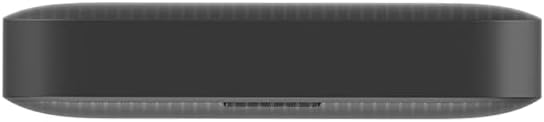
Sary: Side view of the Vodafone R228t hotspot, highlighting the power button.
2. Mampifandray amin'ny tambajotra Wi-Fi
Once powered on, the hotspot will broadcast a Wi-Fi network. You can connect up to 32 devices simultaneously.
- On your device (laptop, smartphone, tablet), open your Wi-Fi settings.
- Hitady ny available networks. The network name (SSID) and password (Wi-Fi Key) are typically found on a sticker inside the battery compartment or on the device packaging.
- Select the hotspot's SSID and enter the Wi-Fi Key when prompted.
- Rehefa mifandray ianao dia tokony ho afaka miditra amin'ny Internet.
3. Jiro famantarana
The front panel features several indicator lights:
- Herin'ny famantarana: Indicates the strength of the 4G mobile signal. More bars mean better signal.
- Satan'ny Wi-Fi: Shows if Wi-Fi is active and if devices are connected.
- Hafatra: Indicates new SMS messages received on the SIM card.
- Toetran'ny bateria: Mampiseho ny haavon'ny bateria ankehitriny sy ny toetry ny famandrihana.
4. Web Interface fitantanana
For advanced settings, such as changing Wi-Fi name/password, checking data usage, or managing SMS, access the web fitantanana interface:
- Connect your device to the hotspot's Wi-Fi network.
- Sokafy a web navigateur ary ampidiro ny adiresy IP default (oh, http://192.168.0.1 or http://vodafonemobile.wifi). Refer to your device's sticker for the exact address.
- Enter the default login password (usually "admin" or found on the device sticker).
fikarakarana
- Fanadiovana: Mampiasà lamba malefaka sy maina hanadiovana ilay fitaovana. Halaviro ny mpanadio ranon-javatra na fitaovana abrasive.
- fitahirizana: Tehirizo ao amin'ny toerana mangatsiatsiaka sy maina ny fitaovana, lavitry ny tara-masoandro mivantana sy ny hafanana tafahoatra.
- Fikarakarana bateria: To prolong battery life, avoid fully discharging the battery frequently. If storing for extended periods, charge the battery to about 50% and recharge every few months.
- Fanavaozana rindrambaiko: Jereo tsindraindray ny web interface fitantanana ho an'ny fanavaozana firmware azo ampiasaina mba hahazoana antoka ny fahombiazana sy ny fiarovana tsara indrindra.
Fanamboarana
| OLANA | Vahaolana mety |
|---|---|
| Tsy misy fifandraisana Internet |
|
| Tsy afaka mifandray amin'ny Wi-Fi |
|
| Ny hafainganam-pandehan'ny aterineto miadana |
|
| Tsy mandeha ny fitaovana |
|
fepetra arahana
| endri-javatra | antsipirihany |
|---|---|
| Anarana modely | R228t (Vodafone MW40) |
| Teknolojia fifandraisana | 4G LTE, Wi-Fi |
| Max Download Speed | Hatramin'ny 300 Mbps |
| Wi-Fi Standard | 802.11a (Single-Band) |
| ARO | WPA + WPA2 |
| Mpampiasa Wi-Fi Max | Hatramin'ny 32 |
| Karazana bateria | Lithium Ion (1 tafiditra) |
| Fotoana mijoro | Hatramin'ny 300 ora |
| refy (L x W x H) | 9.5 x 6.5 x 1.5 cm |
| lanja | 87 g |
| Anisan'ny singa | Device, Battery, USB charging cable |
Warranty sy fanohanana
For warranty information and technical support, please refer to the official Vodafone website or contact Vodafone customer service. Keep your purchase receipt as proof of purchase.
Official Vodafone Store: Vodafone Amazon Store

Image: The official Vodafone logo, a red circle with a white teardrop shape and the word "vodafone" in lowercase below it.


