1. Fampidirana
This manual provides instructions for the Timex TW2U56500 Men's Digital Watch. This timepiece features a durable resin case and a comfortable blue silicone band, designed for everyday use. It includes a digital display and the INDIGLO Night-Light for visibility in low-light conditions. Please read this manual thoroughly to understand the functions and proper care of your watch.
2. Endri-javatra fototra
- Fampisehoana nomerika: Fampisehoana ora mazava sy mora vakiana.
- INDIGLO Night-Light: Electroluminescent backlight for illumination in the dark.
- Night-Mode: Activates INDIGLO with any button press for a set duration.
- fanoherana ny rano: Rated for 10 ATM (100 meters), suitable for swimming and snorkeling.
- Fanorenana maharitra: Resin case and blue silicone band for resilience.
- mahatohitra ny tohina: Natao hahazaka fiantraikany.
3. Fametrahana voalohany
Before using your watch, you may need to set the time and date. The watch typically has multiple buttons for navigation and setting.
3.1 Fametrahana Ora sy Daty
- Tadiavo ny MODE button (usually on the left side). Press it repeatedly until the time setting mode is displayed (often indicated by flashing digits).
- Ampiasao ny SET or HIATRIKA button (often on the right side) to select the digit you wish to change (hours, minutes, seconds).
- Ampiasao ny START/STOP or +/- button to increase or decrease the selected value.
- Repeat steps 2 and 3 for setting the date (month, day, year) if available in the setting sequence.
- Rehefa marina ny fika rehetra dia tsindrio ny MODE bokotra indray mba hialana amin'ny fomba fametrahana.

Sary 1: sisiny view of the watch, illustrating the typical placement of control buttons for setting and operation.
4. Torolàlana miasa
4.1 Fampisehoana Fototra Fototra
In the default time mode, the watch displays the current time (hours, minutes, seconds) and often the day of the week and date.
4.2 Using INDIGLO Night-Light
Tsindrio ny INDIGLO button (often located on the top left or front of the watch) to illuminate the display for a few seconds. For continuous illumination in Night-Mode, press and hold the INDIGLO button until the Night-Mode icon appears on the display. In Night-Mode, any button press will activate the INDIGLO light for a short period.
4.3 Navigating Modes
Tsindrio ny MODE button to cycle through different functions such as:
- Chronograph (Stopwatch): For measuring elapsed time. Use START/STOP to begin/end and LAP / RESET to record laps or reset.
- Timer: For countdown functions. Set the desired time and press START/STOP.
- Fanairana: To set daily alarms. Use SET SY +/- bokotra hanitsiana ny ora fanairana.
5. Fikojakojana sy fikarakarana
5.1 Fanadiovana ny famantaranandronao
Mba hanadiovana ny famantaranandronao dia fafao amin'ny lamba malefakaamp cloth. Do not use harsh chemicals or abrasive cleaners, as these can damage the case or strap. For silicone bands, mild soap and water can be used.
5.2 Ny fanoherana ny rano
Your watch is water-resistant to 10 ATM (100 meters). This means it is suitable for showering, swimming, and snorkeling. Aza manindry bokotra raha mbola ao anaty rano ny famantaranandro, as this can compromise the water seal. Avoid exposing the watch to extreme temperature changes.
5.3 Fanoloana bateria
The watch uses a CR2032 battery. When the display dims or functions become erratic, it may be time to replace the battery. Battery replacement should ideally be performed by a qualified watch technician to ensure proper sealing and water resistance. Refer to the back of the watch for battery type information.

Sary 2: aoriana view of the watch, displaying the stainless steel case back with battery type and water resistance details.
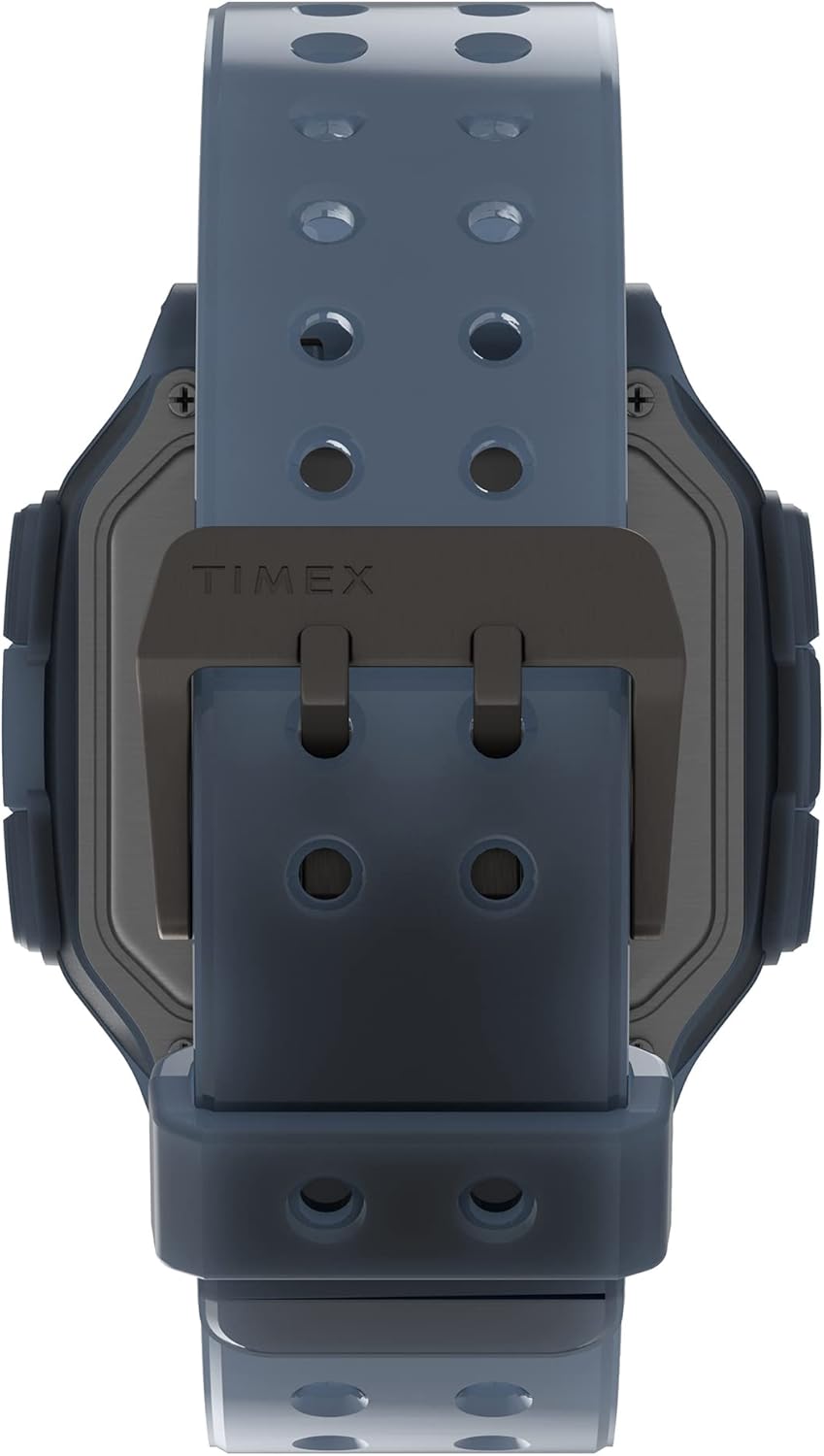
Sary 3: Detail of the watch's buckle and the back of the case, showing the strap attachment.
6. Famahana olana
| OLANA | Antony mety hitranga | vahaolana |
|---|---|---|
| Foana na manjavozavo ny fampisehoana. | bateria kely. | Soloy ny bateria (CR2032). |
| Diso ny fotoana. | Tsy napetraka tsara ny fotoana na fanitsiana tsy nahy. | Refer to Section 3.1 to reset the time and date. |
| INDIGLO light not working. | Low battery or malfunction. | Check battery. If issue persists, contact support. |
| Watch fogging up internally. | Water ingress due to compromised seal. | Stop using the watch immediately and seek professional repair to prevent further damage. |
7. Famaritana
- Laharana modely: TW2U56500
- marika: Timex
- Case Material: resin
- Raharaha savaivony: 47 mm
- Band fitaovana: Silicone
- Karazana fampisehoana: Hafanàm-po
- fanoherana ny rano: 10 ATM (100 metatra)
- Karazana bateria: CR2032
- Lanja entana: 63 g
- Ny haben'ny fonosana: 10.5 x 10.5 x 8 cm
8. Warranty sy fanohanana
For detailed warranty information and customer support, please refer to the official Timex webtranokala na mifandray mivantana amin'ny serivisy mpanjifany. Tehirizo ny tapakila fividiananao ho porofon'ny fividianana ho an'ny fitakiana fiantohana.
Official Webtranokala: www.timex.com