1. Vokatra mihoatraview
The WALI FTM-2 Full Motion TV Wall Mount is designed to securely hold most flat and curved screen televisions ranging from 32 to 70 inches. This mount offers extensive adjustability, including tilt, swivel, and extension, allowing for optimal viewing angles from various positions in a room. Constructed from reinforced cold-rolled steel, it ensures durability and stability for your television.
2. Fampahalalana manan-danja momba ny fiarovana
FAMPITANDREMANA: Read all instructions carefully before installation. If you do not understand these instructions or have doubts about the safety of the installation, consult a qualified installer. Improper installation may cause serious injury or damage.
- Weight Capacity: Aza mihoatra ny 88 lbs (40 kg) ny lanja azo entina. Ity fitoeran-javatra ity dia natao hampiasaina amin'ny lanja ambony indrindra voalaza ihany. Ny fampiasana azy amin'ny vokatra mavesatra kokoa noho ny lanja ambony indrindra voalaza dia mety hiteraka tsy fandriam-pahalemana ka mety hiteraka ratra.
- Karazana rindrina: This mount is designed for installation on vertical wood studs, solid concrete walls, or brick walls. AZA mametraka amin'ny drywall irery. Ataovy azo antoka fa afaka mahazaka tsara ny lanjan'ny fitaovana sy ny kojakoja rehetra mifamatotra aminy ny velaran'ny fametrahana.
- Fifandraisana VESA: Ensure your TV's VESA mounting pattern is within the supported range (100x100mm to 400x400mm).
- Fitaovana: Use appropriate tools for installation. Always wear safety gear, including eye protection.
- Ankizy: Keep children away from the installation area. Small parts may be a choking hazard.
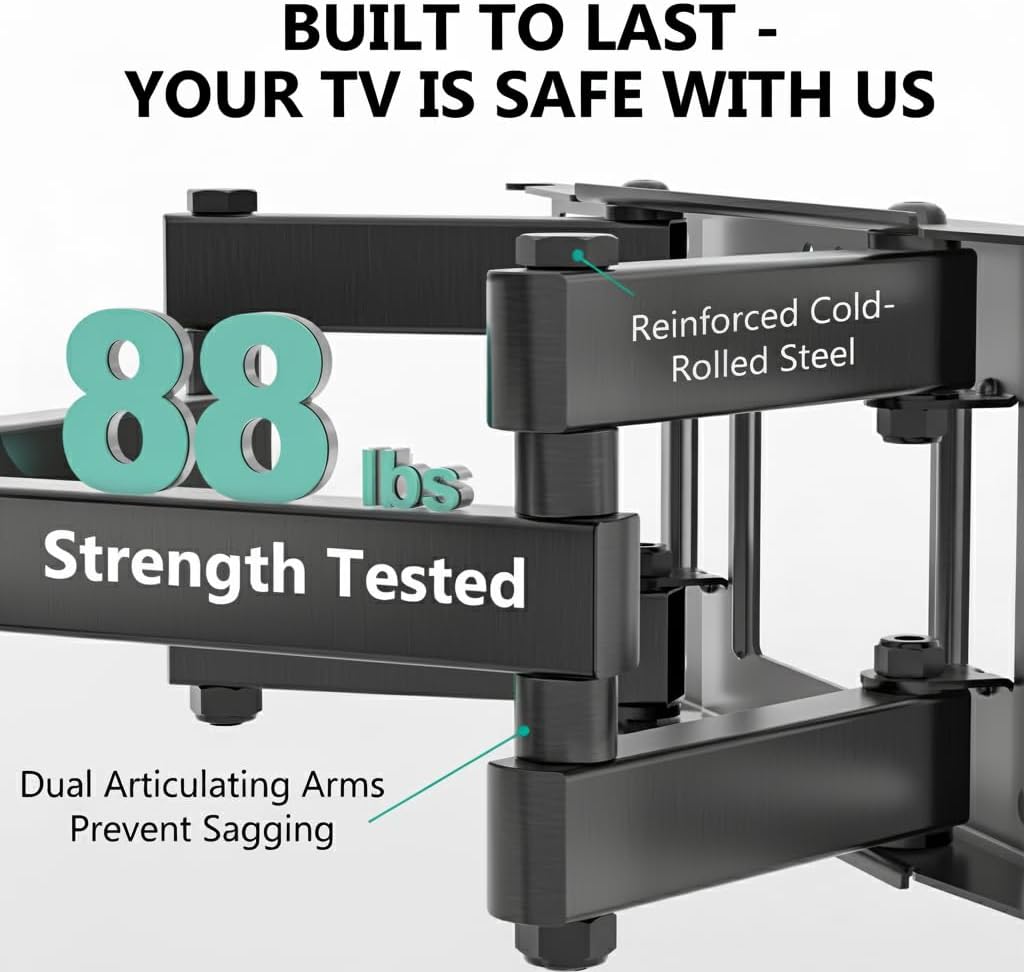
Image: The mount is constructed from reinforced cold-rolled steel, tested to support up to 88 lbs, ensuring structural integrity and safety for your television.
3. Ny votoatin'ny fonosana
Verify that all components are present and undamaged before beginning installation. If any parts are missing or defective, contact WALI customer support.
- WALI FTM-2 TV Wall Mount (1 unit)
- Kitapo fitaovana fametrahana (visy isan-karazany, washers, spacers, vatofantsika)
- User Manual (ity antontan-taratasy ity)

Image: All necessary hardware for installation is included, such as various bolts, washers, spacers, and wall anchors. A spirit level is also provided to assist with accurate mounting.
4. Fanamarinana mifanaraka
Before installation, confirm your television and wall meet the following requirements:
- Haben'ny fahitalavitra: Compatible with most 32 to 70 inch flat or curved screen TVs.
- Lanja TV: Your TV must weigh no more than 88 lbs (40 kg).
- VESA Pattern: The mounting holes on the back of your TV must match VESA patterns from 100x100mm to 400x400mm.
- Karazana rindrina: Suitable for 12" or 16" wood studs, concrete walls, and brick walls. Not for drywall-only installation.
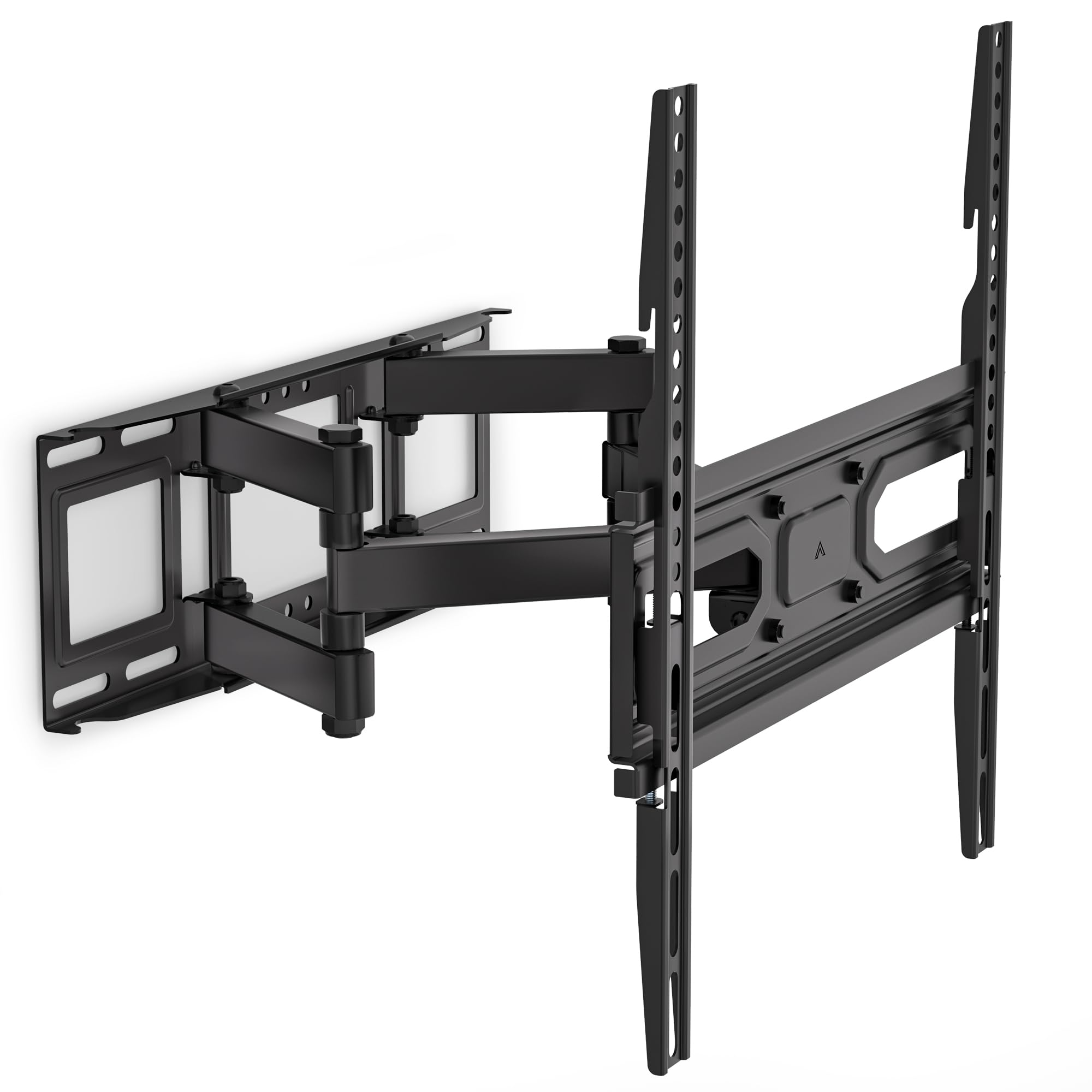
Image: This diagram outlines the four key compatibility checks: TV weight (up to 88 lbs), VESA pattern (100x100mm to 400x400mm), TV size (32-70 inches), and suitable wall types (wood studs, concrete, brick). Installation on drywall alone is not supported.
5. Torolàlana fametrahana
Follow these steps carefully for a secure installation. It is recommended to have two people for installation.
Dingana 1: Ampifandraiso amin'ny rindrina ny bracket
- Locate the desired mounting position on your wall. Use a stud finder to locate wood studs if applicable.
- Mark the drill holes for the wall plate. Ensure the marks are level using a spirit level.
- Drill pilot holes at the marked locations. For wood studs, use a 5/32 inch (4mm) drill bit. For concrete/brick walls, use a 3/8 inch (10mm) drill bit and insert wall anchors.
- Attach the wall plate to the wall using the appropriate lag bolts and washers. Tighten securely.
Step 2: Attach Plate to TV
- Apetraho mihohoka amin'ny toerana malefaka sy madio ny fahitalavitra mba tsy ho voakiky.
- Fantaro ireo lavaka fametahana VESA ao ambadiky ny fahitalavitra.
- Fidio avy amin'ny kitapo fitaovana ny visy, ny washer ary ny spacer mety mifanaraka amin'ny lavaka fametrahana ny fahitalavitrao.
- Attach the TV brackets to the back of your TV. Ensure they are securely fastened but do not overtighten.
Step 3: Hang TV on Bracket
- With assistance, carefully lift the TV and hook the TV brackets onto the wall plate.
- Ensure the TV is centered and level.
- Secure the TV to the wall plate using the safety screws or locking mechanisms provided.
6. Adjustments (Operating)
The WALI FTM-2 mount offers flexible adjustments to achieve your desired viewing zoro.
- Jery mitongilana: The TV can be tilted +3° upwards and -15° downwards. Loosen the tilt adjustment knobs on the TV brackets, adjust to the desired angle, and then re-tighten the knobs.
- Mihodina: The mount allows for a ±60° swivel (left and right) depending on TV size and wall distance. Gently push or pull the TV to the desired swivel angle.
- Fanamafisana: After installation, if the TV is slightly unlevel, you can adjust it by ±3°. Loosen the leveling screws, adjust the TV, and re-tighten.
- Fanitarana/Fisintonana: The mount extends from 2.6 inches (6.6 cm) to 14 inches (35.6 cm) from the wall. Gently pull the TV forward or push it back to adjust the distance.

Image: This diagram shows the full range of motion: 15 degrees of tilt, 60 degrees of swivel, extension up to 14 inches from the wall, and 4 degrees of leveling adjustment for a perfect viewamin'ny traikefa.
7. Fikojakojana
Ny fikojakojana tsy tapaka dia miantoka ny faharetan'ny fampiasana sy ny fiarovana ny fametrahana ny fahitalavitrao amin'ny rindrina.
- Fanamarinana ara-potoana: Periodically check that all screws and connections are tight and secure. Re-tighten if necessary.
- Fanadiovana: Clean the mount with a soft, dry cloth. Avoid abrasive cleaners or solvents that could damage the finish.
- Ampahany mihetsika: The articulating arms are designed for smooth movement. No lubrication is typically required. If movement becomes stiff, check for obstructions or loose components.
8. Famahana olana
Raha sendra olana mandritra na aorian'ny fametrahana ianao dia jereo ireto olana sy vahaolana mahazatra manaraka ireto:
- Tsy mitovy lenta ny fahitalavitra: Use the leveling adjustment feature (refer to Section 6) to correct the angle. Ensure the wall plate was installed level initially.
- Mahatsiaro ho tsy milamina ny toerana: Double-check all wall and TV attachment screws to ensure they are securely tightened. Verify that the wall type is appropriate and that the TV weight does not exceed the mount's capacity.
- TV does not fit the mount: Re-check your TV's VESA pattern against the mount's specifications (refer to Section 4). Ensure you are using the correct screws and spacers for your TV model.
- Difficulty moving the arms: Ensure no cables are snagged or obstructing movement. Check for any overtightened bolts that might restrict articulation.
If problems persist, contact WALI customer support for assistance.
9. Famaritana
| Laharana modely | FTM-2 |
| TV Size Compatibility | 32-70 santimetatra |
| Weight Capacity | 88 lbs (40 kg) |
| VESA Compatibility | 100x100mm hatramin'ny 400x400mm |
| Tilt Angle | +3° / -15° |
| Angle mihodinkodina | ±60° |
| Fanitsiana leveling | ±3° |
| Fanitarana avy amin'ny rindrina | 2.6 santimetatra (6.6 sm) hatramin'ny 14 santimetatra (35.6 sm) |
| KEVITRA | Reinforced Cold-Rolled Steel |
| loko | Mainty |
10. Warranty sy fanohanana ny mpanjifa
WALI products are designed for quality and reliability. For warranty information or technical assistance, please contact WALI customer support.
WALI is committed to providing dedicated product support and aims to respond to inquiries within 12 hours.
- Fifandraisana: Refer to the WALI official webtranokala na fonosana vokatra ho an'ny fampahalalana mifandraika amin'izao fotoana izao.
- Porofon'ny fividianana: Azafady, tehirizo ny porofon'ny fividiananao ho an'ny fitakiana fiantohana.