Sava lalana
This manual provides essential instructions for the safe and efficient operation of your Herneum FC Portable CD Player Boombox. Please read this manual thoroughly before using the device and retain it for future reference.
Endriky ny vokatra
- Portable CD Player: Top-loading CD player with play/pause, skip, and repeat functions.
- Radio Radio: Built-in FM radio with telescopic antenna for enhanced reception.
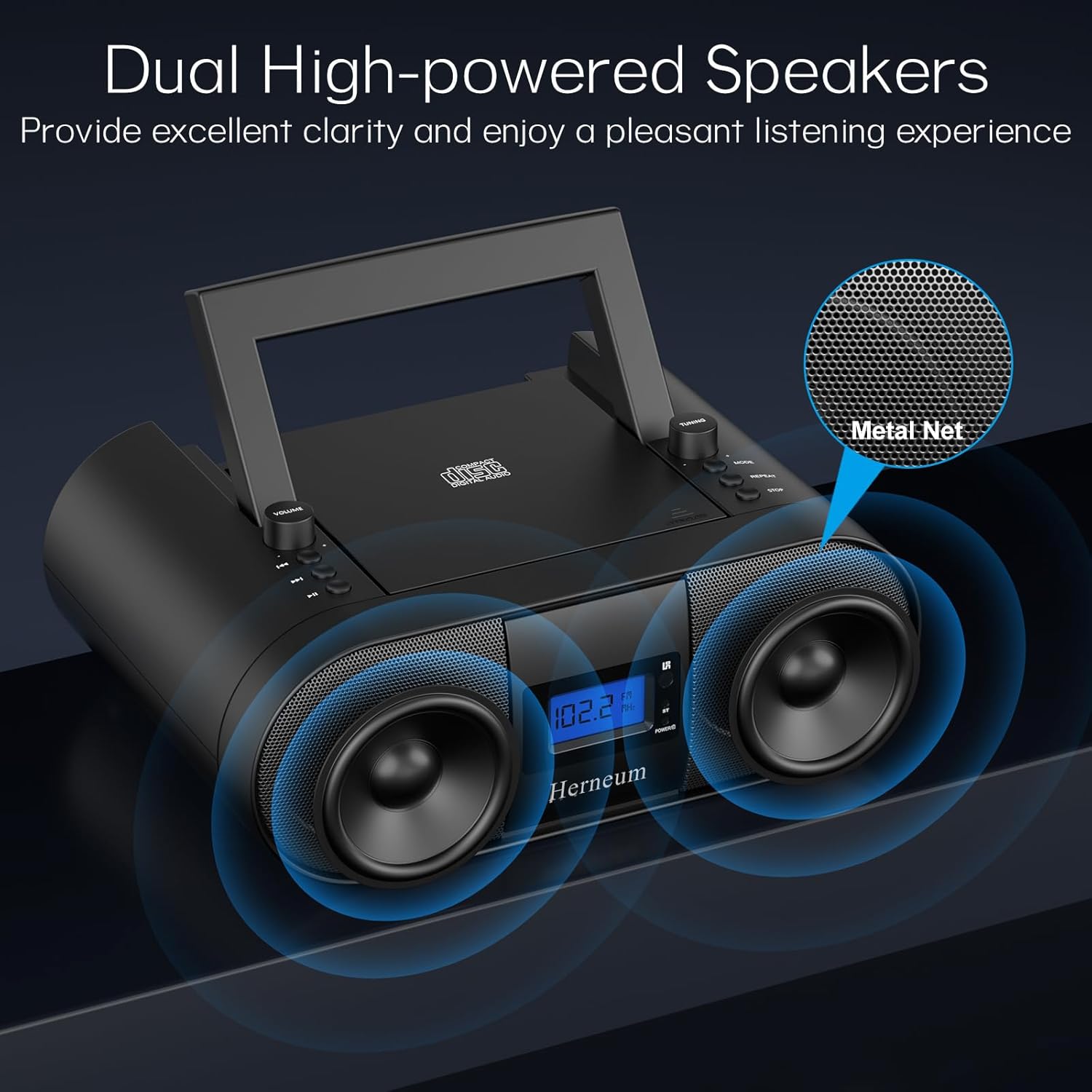
- Dual Stereo Sound System: High-performance speakers for clear audio.
- Batterie azo averina: Integrated 2000mAh battery providing 4-5 hours of playback.
- Fifandraisana Bluetooth: Fandefasana feo tsy misy tariby avy amin'ny fitaovana mifanaraka aminy.
- Fampidirana marobe: Supports USB and AUX-in for versatile audio sources.
- Output écouteur: Ho fihainoana manokana.
- Fanaraha-maso lavitra: Convenient operation from a distance, including sleep timer function.
Fonosana fonosana
Ataovy azo antoka fa eo daholo ny entana rehetra rehefa esorina ny boaty:
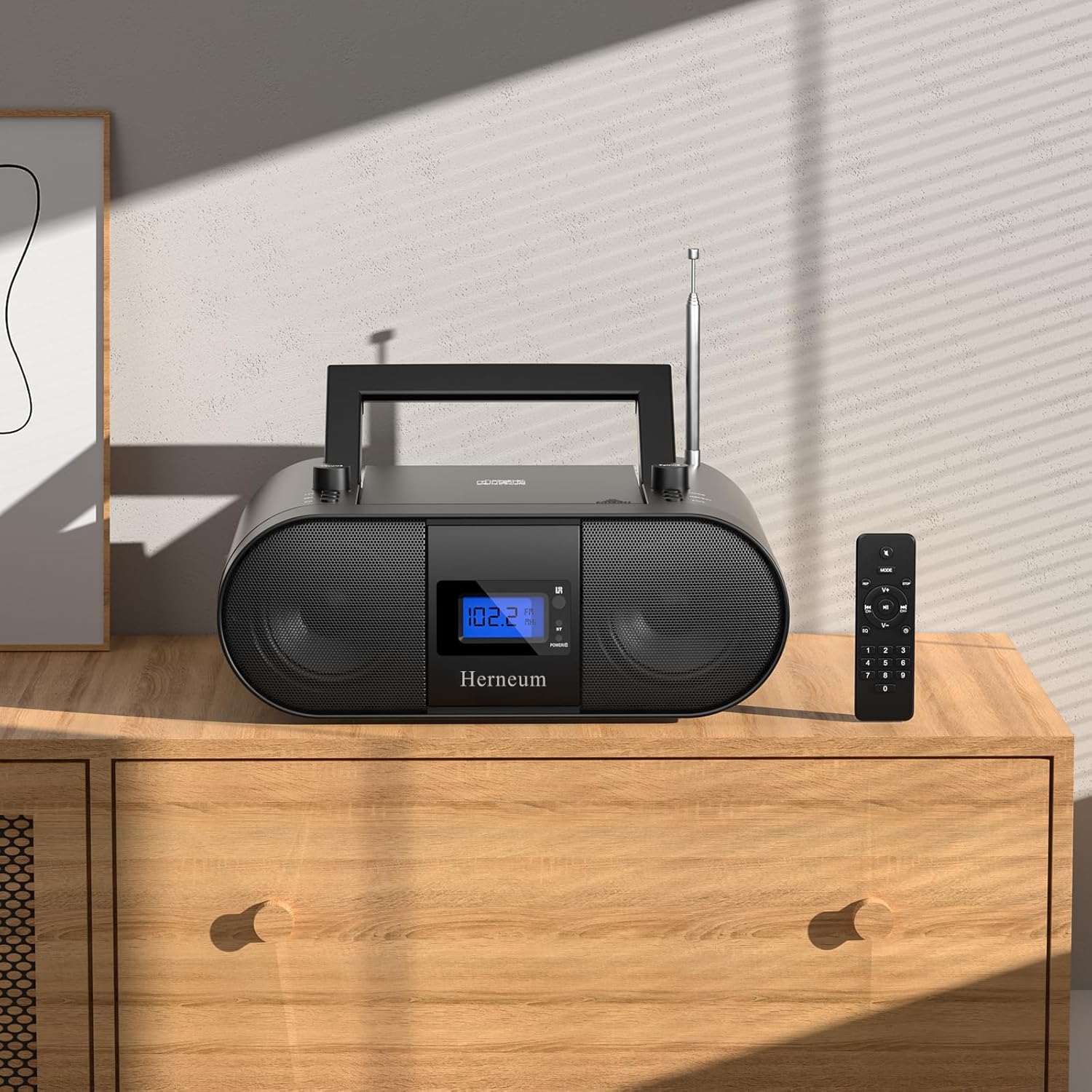
- Herneum FC Portable CD Player Boombox
- Fanaraha-maso lavitra
- User Manual
- Cable herinaratra
Information momba ny fiarovana
- Aza atao amin'ny orana na ny hamandoana ny fitaovana.
- Fadio ny mametraka ny fitaovana eo akaikin'ny loharano mafana na amin'ny tara-masoandro mivantana.
- Aza sokafy ny fitaovana casing; refer servicing to qualified personnel.
- Arovy amin'ny ankizy.
- Ampiasao ihany ny adaptatera herinaratra nomena.
Hametraka
1. Famelomana ny fitaovana
The Herneum FC can be powered by its internal rechargeable battery or by connecting it to an AC power outlet.
- Herin'ny AC: Connect the provided power cable to the "Power socket" (19) on the back of the unit and then to a wall outlet.
- Batterie azo averina: The unit has a built-in 2000mAh rechargeable battery. It charges automatically when connected to AC power. A full charge provides approximately 4-5 hours of playback.
2. Fanitsiana Antenna
For optimal FM radio reception, extend the telescopic antenna fully and adjust its position.

Torolàlana miasa
1. Fanaraha-maso ankapobeny
The device features various controls on its top panel and a remote control for convenient operation.

- Power Switch (18): Ao ambadiky ny vondrona.
- Volume +/- (1): Manitsy ny haavon'ny famoahana feo.
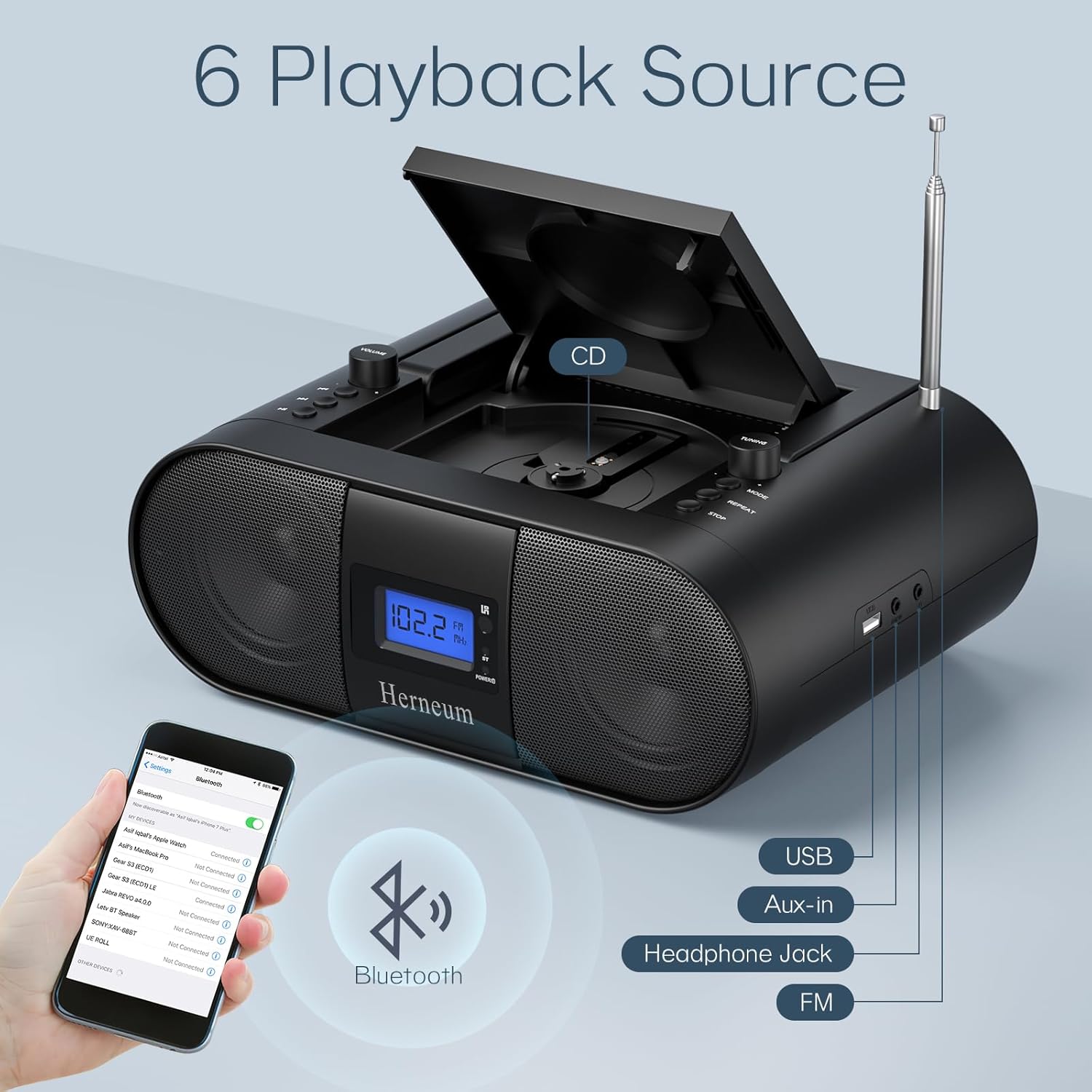
- Fomba (7): Switches between CD, FM, Bluetooth, USB, and AUX modes.
- Aseho (14): Shows current mode, track number, and FM frequency.
2. Famerenana CD
- Open the CD compartment (10) by gently lifting the lid.
- Apetraho miakatra ny ilany misy ny marika eo amin'ny CD.
- Akatona ny efitrano CD.
- Tsindrio ny Mode button (7) to select CD mode.
- mpanao gazety Play/Pause (4) hanombohana playback.
- Ampiasao Track taloha (2) ary Track manaraka (3) to navigate tracks.
- mpanao gazety Avereno (8) for single track or all track repeat.
- mpanao gazety Mijanòna (9) to end playback.
3. Fampandehanana Radio FM
- Hanitatra ny antenne teleskopika.
- Tsindrio ny Mode button (7) to select FM radio mode.
- Ampiasao Fandrindrana +/- (6) to manually tune to a station.
- For automatic scanning, press and hold Fandrindrana +/- (6).
4. Bluetooth Connectivity
- Tsindrio ny Mode button (7) to select Bluetooth mode. The display will show "BT" and flash, indicating it's ready for pairing.
- On your mobile device, enable Bluetooth and search for "Herneum FC" (or similar device name).
- Select the device to pair. Once connected, the "BT" indicator will stop flashing.
- You can now stream audio from your device to the boombox.
5. USB Playback
- Insert a USB drive containing MP3/WMA files into the USB PORT (11).
- Tsindrio ny Mode button (7) to select USB mode.
- Playback will start automatically. Use track navigation buttons to select songs.
6. AUX-in Connection
- Connect an external audio device (e.g., smartphone, MP3 player) to the AUX-in jack (12) using a 3.5mm audio cable.
- Tsindrio ny Mode button (7) to select AUX mode.
- Hifehy ny playback sy ny feo avy amin'ny fitaovana ivelany.
7. Fampiasana écouteur
Plug headphones into the Headphone jack (13) for private listening. The speakers will automatically mute.
8. Fanaraha-maso lavitra
The included remote control allows for convenient operation of all functions from a distance. Insert 2 x AAA batteries (not included) into the remote.
- Mangina/Atsaharo: Temporarily silences or restores audio.
- Skip Track: Navigates to the next or previous track.
- Change Radio: Adjusts FM frequency.
- Volume fanaraha-maso: Mampitombo na mampihena ny volume.
- Stop Playing: Halts current playback.
- Fomba EQ: Adjusts sound equalization settings.
- Timer matory: Set preferred running time (15, 30, 45, 60, or 90 minutes).

fikarakarana
- Fanadiovana: Mampiasà lamba malefaka sy maina hanadiovana ny ivelany amin'ilay fitaovana. Aza mampiasa mpanadio na solvents mikikisana.
- CD Care: Mitantana CD amin'ny sisiny. Diovy ny CD maloto miaraka amin'ny lamba malefaka tsy misy loko, famafana avy eo afovoany mankany ivelany.
- fitahirizana: When not in use for extended periods, store the boombox in a cool, dry place.
Fanamboarana
| OLANA | Antony mety hitranga | vahaolana |
|---|---|---|
| Tsy misy hery | Power cable not connected; battery drained; power switch off. | Check power cable connection; charge battery; ensure power switch (18) is ON. |
| CD not playing/skipping | CD dirty or scratched; CD inserted incorrectly; CD compartment not closed. | Clean or replace CD; ensure CD is label-side up; close compartment firmly. |
| Ratsy fandraisana FM | Antenna tsy hitarina/nahitsy; malemy famantarana. | Ahinjiro ary amboary ny antenne; andramo afindra toerana any an-kafa ny fitaovana. |
| Bluetooth tsy mampiaraka | Device not in pairing mode; Bluetooth disabled on external device. | Ensure boombox is in Bluetooth mode; enable Bluetooth on your device and search again. |
| Tsy mandeha ny fanaraha-maso lavitra | Batteries drained or inserted incorrectly; obstruction between remote and unit. | Replace remote batteries; ensure correct polarity; remove obstructions. |
fepetra arahana
- Modely: FC
- marika: Herneum
- Haben'ny vokatra: 12.6 x 8.66 x 5.9 santimetatra
- Lanja entana: 4.36 kg
- Teknolojia fifandraisana: Bluetooth, CD, USB, AUX-in, FM Radio
- loko: Mainty
- Karazana mpandahateny: Mpandahateny roa
- Batterie: Naorina-in 2000mAh bateria rechargeable
- Playback Time (Battery): 4-5 ora
Warranty sy fanohanana
The Herneum FC Portable CD Player Boombox comes with an 18-month warranty. For warranty claims, technical support, or any inquiries, please contact Herneum customer service.
Visit the official Herneum store for more information: Herneum Store


