1. Fampidirana
Misaotra anao nividyasing the Sharp CP-SS30(BK) Active Bookshelf Speakers. These speakers are designed to provide superior sound reproduction with versatile connectivity options. Please read this manual carefully before using the product to ensure proper operation and to maximize your listening experience.
The CP-SS30(BK) features a robust plywood cabinet, 60W RMS (2 x 30W) two-way active sound, and multiple input options including Bluetooth v5.0, USB, Optical, Auxiliary, and RCA. It also includes an equalizer with preset and custom bass/treble adjustments, and a full-function remote control for convenience.
2. Information momba ny fiarovana
Please observe the following safety precautions to prevent damage to the product and to ensure your safety:
- Aza atao amin'ny orana na hamandoana ny fanamafisam-peo.
- Aza sakanana izay fisokafan'ny rivotra.
- Aza apetraka eo akaikin'ny loharanon'ny hafanana toy ny radiatera, rejistra hafanana, fatana, na fitaovana hafa (anisan'izany amplifiers) izay mamokatra hafanana.
- Arovy ny tadin-jiro mba tsy ho voahitsakitsaka na voatsindrona, indrindra eo amin'ny plugs, ny fitoeran'entana mora, ary ny toerana hivoahana amin'ny fitaovana.
- Mampiasà fametahana/fanampiana voafaritry ny mpanamboatra ihany.
- Esory ity fitaovana ity mandritra ny oram-baratra na rehefa tsy ampiasaina mandritra ny fotoana maharitra.
- Alefaso amin'ny mpiasan'ny serivisy mahafeno fepetra ny serivisy rehetra. Ilaina ny serivisy rehefa simba amin'ny fomba rehetra ny fitaovana, toy ny tadin'ny famatsiana herinaratra na ny plug, simba ny ranon-javatra na ny zavatra nianjera tao amin'ny fitaovana, niharan'ny orana na ny hamandoana ny fitaovana, tsy mandeha ara-dalàna. , na efa nariana.
3. Ny votoatin'ny fonosana
Azafady, jereo fa misy ny entana rehetra ary ao anatin'ny toe-javatra tsara:
- 2 x Sharp CP-SS30(BK) Bookshelf Speakers
- 1 x Remote Control (misy bateria)
- 1 x RCA Audio Cable (3 meters)
- 1 x AUX Audio Cable (1.2 meters)
- 1 x Power Cable (1.2 meters)
- 1 x Speaker Connection Cable
- Documentation mpampiasa

Image: All components included in the Sharp CP-SS30(BK) package, including two speakers, remote control, and various cables.
4. Toetran'ny vokatra
The Sharp CP-SS30(BK) speakers offer a range of features for an enhanced audio experience:
- Mahery Audio Output: 60W RMS (2 x 30W) two-way active speakers for clear and dynamic sound.
- Premium fanorenana: Plywood cabinet design ensures superior sound reproduction and durability.
- Fifandraisana tsy misy tariby: Seamless audio streaming with Bluetooth v5.0.
- Fampidirana marobe: Connect various devices via Bluetooth, USB, Optical, Auxiliary (AUX), and RCA inputs.
- Feo azo amboarina: Built-in equalizer with five preset settings and independent bass and treble adjustment.
- Famolavolana maoderina: Removable speaker grilles allow for a contemporary aesthetic.
- Fanaraha-maso mora: Full-function remote control for easy operation from a distance.

Sary: Front view of the Sharp CP-SS30(BK) speakers with the remote control, showcasing their design and compact size.

Sary: akaiky view of the front panel of one Sharp CP-SS30(BK) speaker with the grille removed, highlighting the tweeter, woofer, indicator light, and volume/input knob.
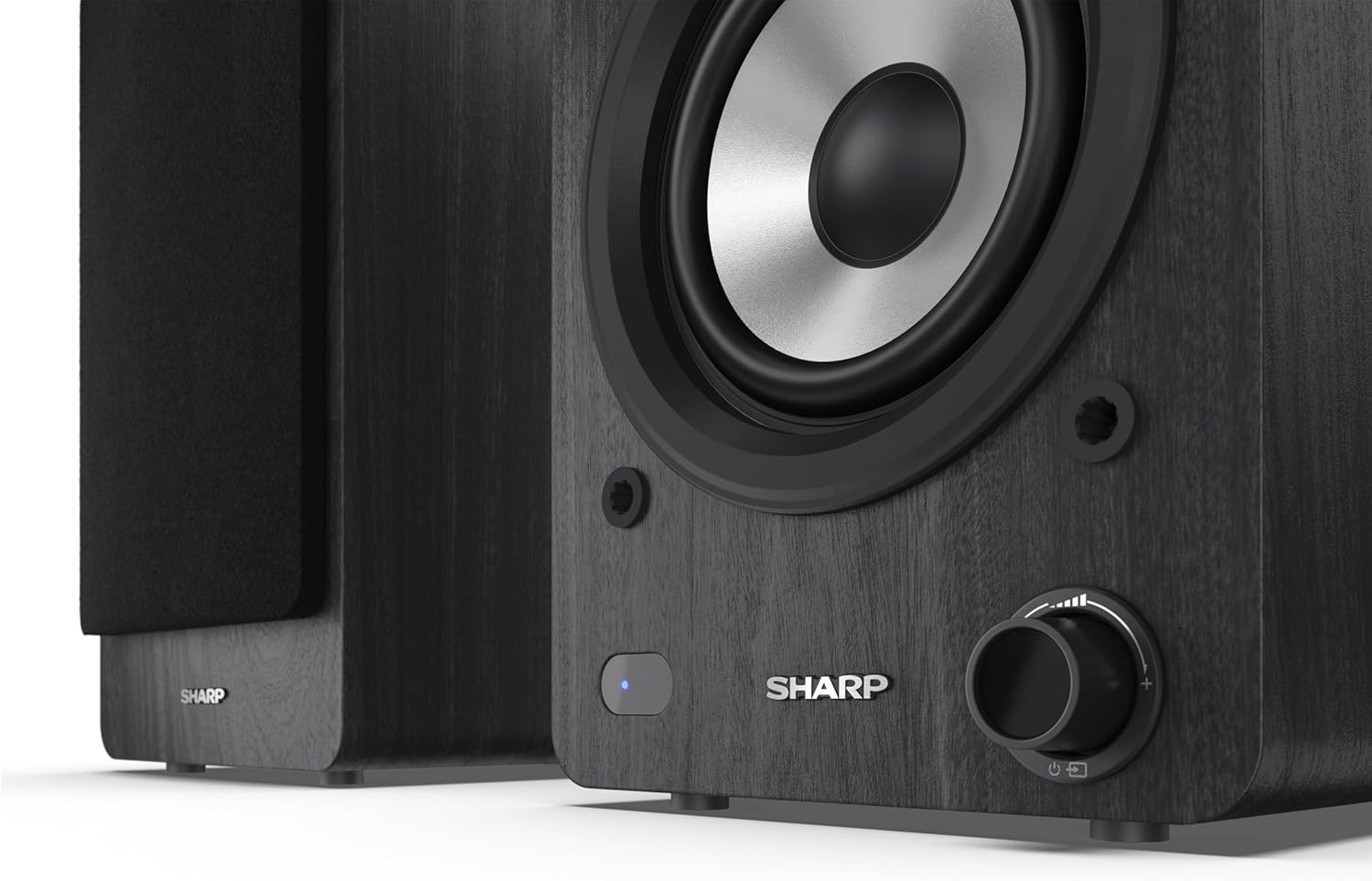
Image: A detailed shot of the control knob and the blue indicator light on the Sharp CP-SS30(BK) speaker, showing the subtle branding.
5. Fametrahana
5.1 Fametrahana mpandahateny
For optimal sound quality, place the speakers on a stable, flat surface. Position them at an equal distance from your listening position, forming an equilateral triangle for the best stereo imaging. Ensure there is adequate space behind the speakers for ventilation and cable connections.
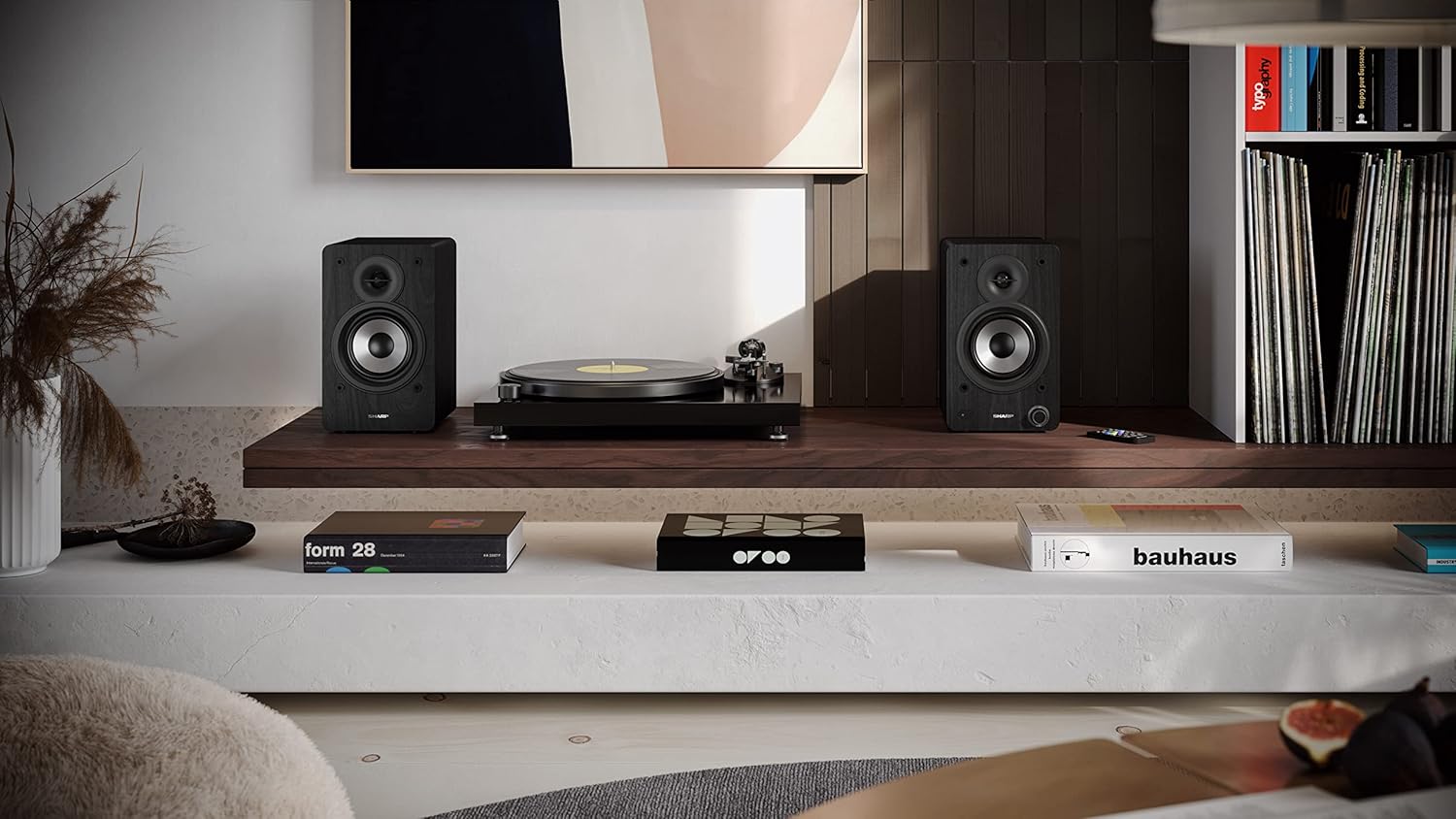
Image: The Sharp CP-SS30(BK) speakers positioned on a shelf in a living room setting, demonstrating a typical setup with a turntable.
5.2 Fampifandraisana ireo fanamafisam-peo
The CP-SS30(BK) consists of one active (main) speaker and one passive (secondary) speaker. Connect them using the provided speaker connection cable.
- Identify the active speaker (with controls and input ports) and the passive speaker.
- Connect one end of the speaker connection cable to the speaker terminals on the active speaker, ensuring correct polarity (+ to + and - to -).
- Connect the other end of the speaker connection cable to the speaker terminals on the passive speaker, maintaining correct polarity.

Image: The rear panel of the Sharp CP-SS30(BK) speakers, illustrating the various input ports (USB, Optical, RCA, AUX) and the speaker connection terminals.
5.3 Fampifandraisana herinaratra
- Ensure the power switch on the active speaker is in the OFF position.
- Connect the provided power cable to the AC input on the active speaker.
- Ampidiro amin'ny fivoahana mety amin'ny rindrina ny tendron'ny tariby hafa.
6. Torolàlana miasa
6.1 Mamelona/Mamono
To power on the speakers, flip the power switch on the active speaker to the ON position. The indicator light on the front will illuminate. To power off, flip the switch back to OFF.
6.2 Fantenana fampidirana
You can select the input source using the remote control or the knob on the front of the active speaker. Available inputs include Bluetooth, USB, Optical, Auxiliary (AUX), and RCA.
- Bluetooth: Select Bluetooth input. The indicator light will flash, indicating pairing mode. Hitady ny "SHARP CP-SS30(BK)" on your device and connect. The light will become solid once paired.
- USB: Asio kapila USB misy feo files into the USB port on the active speaker.
- Optical: Connect an optical cable from your audio source (e.g., TV, game console) to the Optical input.
- AUX: Connect an AUX cable from your audio source (e.g., smartphone, tablet) to the AUX input.
- RCA: Connect RCA cables from your audio source (e.g., turntable, CD player) to the RCA inputs.
6.3 Fanaraha-maso ny volume
Adjust the volume using the remote control's volume buttons or by rotating the knob on the front of the active speaker.
6.4 Fikirana Equalizer
The speakers feature an equalizer to tailor the sound to your preference. Use the remote control to:
- Select from five preset equalizer modes (e.g., Flat, Rock, Pop, Classical, Jazz).
- Adjust bass and treble levels independently for a customized sound profile.
7. Fikojakojana
To ensure the longevity and optimal performance of your Sharp CP-SS30(BK) speakers, follow these maintenance guidelines:
- Fanadiovana: Use a soft, dry cloth to clean the speaker cabinets. Do not use liquid cleaners or aerosol sprays, as they may damage the finish or internal components.
- Grilles: The speaker grilles are removable for cleaning. Gently pull them off to clean any dust accumulation on the drivers. Reattach them carefully.
- rivotra: Ensure that the ventilation openings on the back of the active speaker are not obstructed to prevent overheating.
- fitahirizana: Raha tehirizina ela ny fanamafisam-peo dia esory amin'ny herinaratra ary tehirizo ao amin'ny toerana mangatsiaka sy maina lavitry ny tara-masoandro mivantana sy ny mari-pana tafahoatra.
8. Famahana olana
If you encounter any issues with your speakers, please refer to the following common problems and solutions:
| OLANA | Antony mety hitranga | vahaolana |
|---|---|---|
| Tsy misy hery | Power cable not connected; Power outlet not active; Power switch off. | Ensure power cable is securely connected. Check power outlet with another device. Flip power switch to ON. |
| Tsy misy feo | Incorrect input selected; Volume too low; Cables not connected properly; Source device issue. | Select the correct input source. Increase volume. Check all audio cables (RCA, AUX, Optical, USB) and speaker connection cable for secure fit and correct polarity. Test with a different audio source. |
| Tsy nahomby ny fampiarahana Bluetooth | Speakers not in pairing mode; Device too far; Interference. | Ensure Bluetooth input is selected and indicator light is flashing. Move device closer to speakers. Avoid strong electromagnetic interference. Try unpairing and re-pairing. |
| Feo diso | Volume too high; Source audio quality is poor; Speaker placement. | Reduce volume. Check the audio source quality. Adjust speaker placement to avoid reflections or resonance. |
| Tsy mandeha ny fanaraha-maso lavitra | Batteries depleted; Obstruction between remote and speaker; Remote not pointed correctly. | Replace remote control batteries. Remove any obstructions. Point the remote directly at the active speaker's sensor. |
9. Famaritana
| endri-javatra | antsipirihany |
|---|---|
| Laharana modely | CP-SS30(BK) |
| Hery mivoaka | 60 Watts RMS (2 x 30W) |
| Karazana mpandahateny | Active Bookshelf, 2-Way |
| Kabinetra fitaovana | Wood (Plywood) |
| Teknolojia fifandraisana | Bluetooth v5.0, USB, Optical, Auxiliary (AUX), RCA |
| Bluetooth Version | v5.0 |
| Audio Output Mode | Stereo (Fantsona 2.0) |
| Famaliana matetika | 60 Hz |
| Karazana Controller | Button, Fanaraha-maso lavitra |
| Haben'ny vokatra (mpiteny tsirairay) | 19D x 15.8W x 24.8H sm (7.5D x 6.2W x 9.8H santimetatra) |
| Lanja entana | 4.3 Kilograma (9.5 lbs) |
| loko | Mainty |
| Fampiasana soso-kevitra | Gaming console, Music player, Smartphone/Tablet, Ambient sound system, Television |
| Fitaovana mifanentana | Laptop, Smartphone, Tablet |

Image: Diagram showing the dimensions of one Sharp CP-SS30(BK) speaker (Height: 248mm, Width: 158mm, Depth: 190mm).
10. Warranty sy fanohanana
antoka: This product comes with a 1-year warranty for spare parts availability from the date of purchase. Please retain your proof of purchase for warranty claims.
For technical support, troubleshooting assistance beyond this manual, or warranty inquiries, please contact Sharp customer service. Refer to the contact information provided in the user documentation included in your package or visit the official Sharp website.
Note: Software updates guaranteed until information is not available.


