1. Fampidirana
Thank you for choosing the Baseus Tungsten Gold USB-C to USB-C 100W Charging Cable. This manual provides essential information for the proper use, care, and maintenance of your new cable. Please read this manual thoroughly before using the product to ensure optimal performance and longevity.

Image 1.1: The Baseus Tungsten Gold USB-C to USB-C 100W Charging Cable. This image shows the cable coiled, highlighting its braided design and the USB-C connectors.
2. Toetran'ny vokatra
The Baseus Tungsten Gold USB-C to USB-C 100W Charging Cable is designed for efficient and reliable power delivery and data transfer. Key features include:
- Fanaterana mahery vaika: Supports up to 100W (20V/5A) fast charging, compatible with various USB-C devices including laptops, tablets, and smartphones.
- Fanorenana maharitra: Features a high-density braided cable jacket for enhanced resistance against wear, tear, and tangling.
- Smart E-Marker Chip: An integrated E-Marker chip intelligently regulates the output current and voltage to protect your devices during charging.
- Magnetic Coiled Design: The cable maintains a coiled helix shape, allowing for easy and organized storage.
- Premium Connectors: Equipped with robust USB-C connectors for a secure and consistent connection.
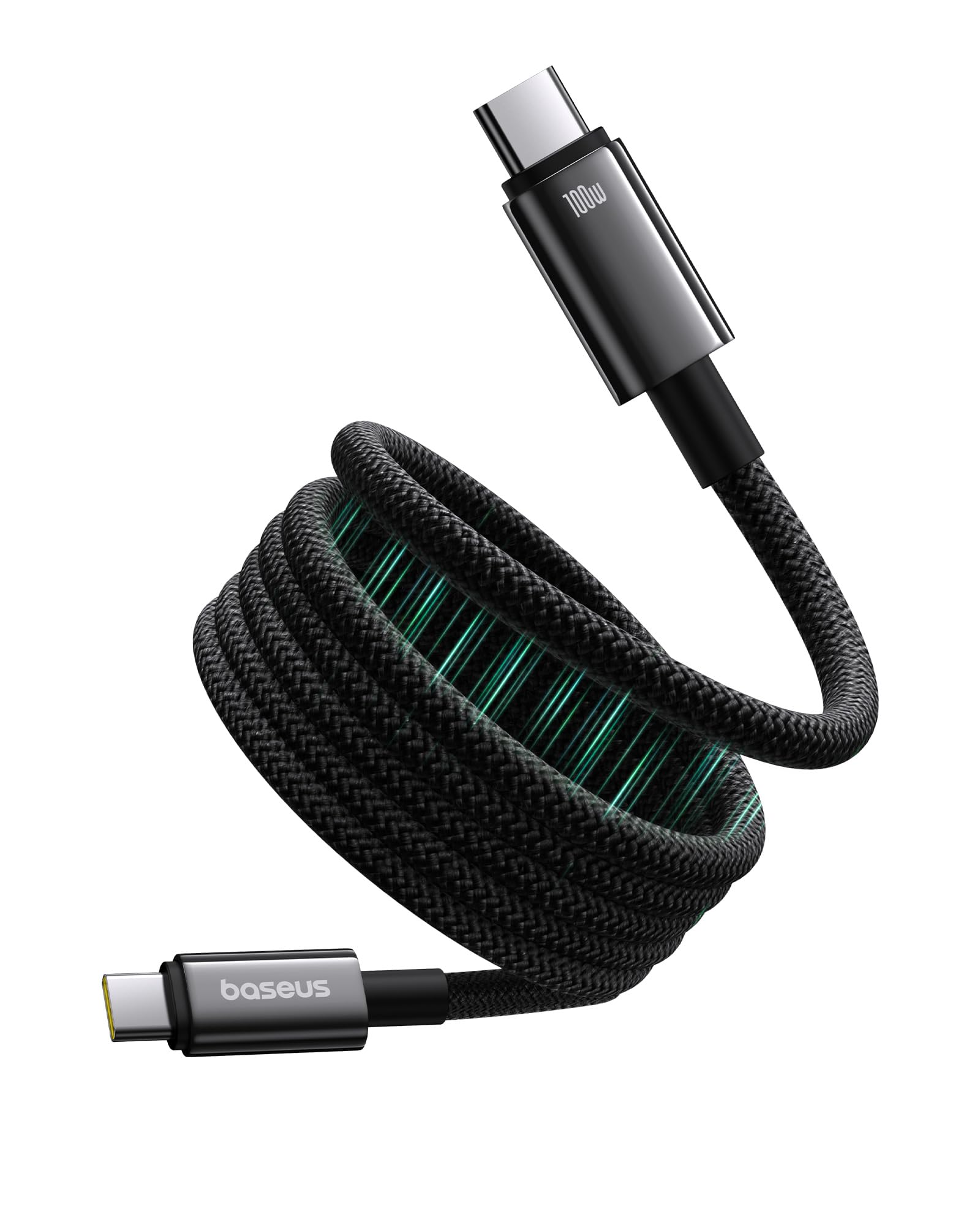
Image 2.1: The USB-C connector of the Baseus cable, illustrating its premium design and 100W power capability. The image emphasizes the 'Crisp Plug & Unplug' feature with robust housing.

Image 2.2: Demonstration of the magnetic coiled cable storage. The top panel shows the cable neatly coiled for storage, while the bottom panel shows a messy, unorganized cable, highlighting the benefit of the magnetic feature.
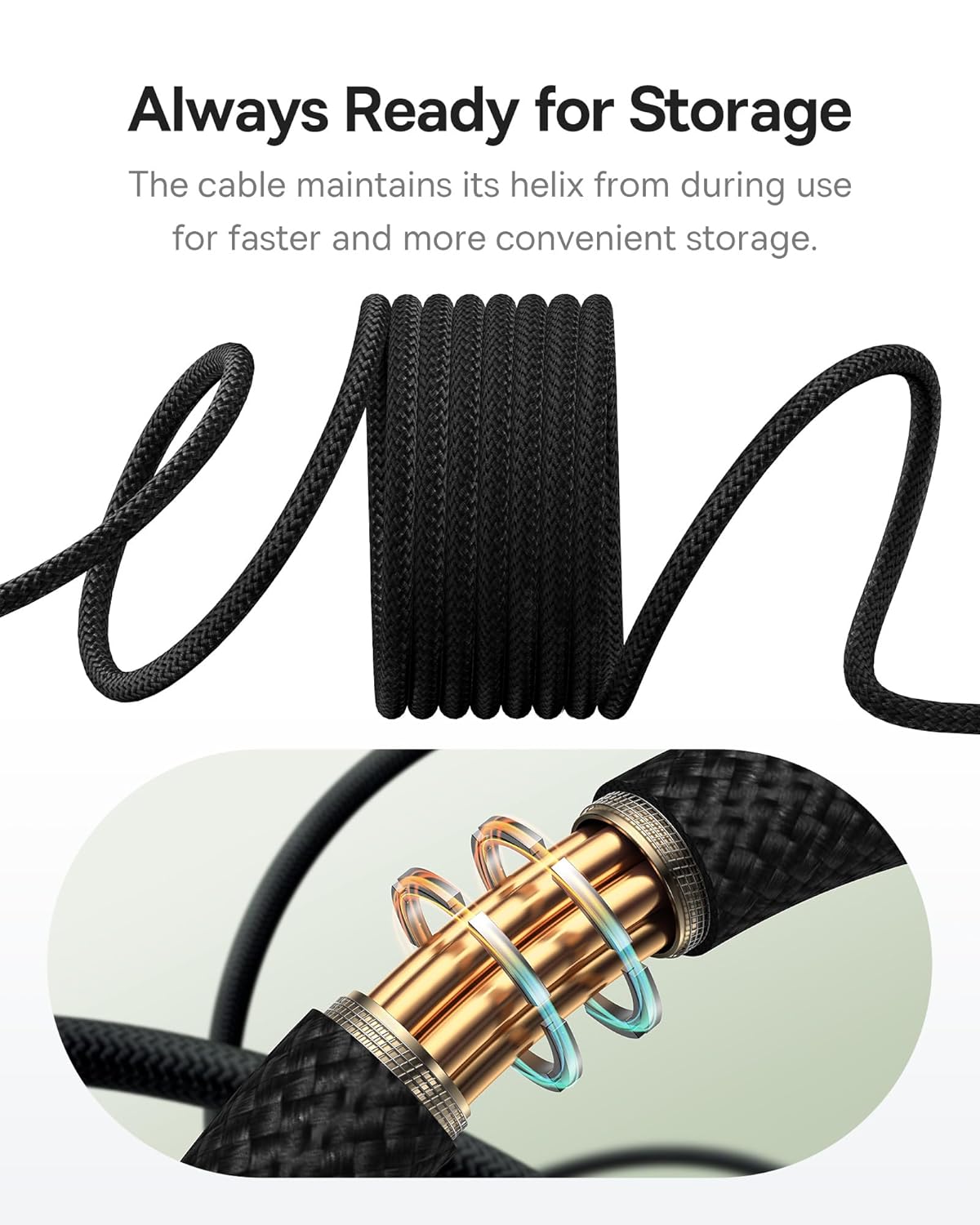
Image 2.3: Close-up of the cable's braided texture, showing how it naturally maintains its coiled helix shape for easy storage and retrieval, labeled 'Always Ready for Storage'.

Sary 2.4: A antsipirihany view of the high-density braided cable jacket, emphasizing its durability and resistance to wear and tear, described as 'Outlasting Your Old Cables'.

Image 2.5: An illustrative diagram of the E-Marker chip embedded within the cable, highlighting its role in regulating power output for 'Faster Charging, Healthier Battery'.
3. Fametrahana
Setting up your Baseus Tungsten Gold USB-C to USB-C 100W Charging Cable is straightforward:
- Fantaro ny seranan-tsambo: Ensure both your charging source (e.g., wall adapter, power bank) and your device (e.g., laptop, smartphone, tablet) have compatible USB-C ports.
- Mifandraisa amin'ny loharanom-pahefana: Insert one end of the USB-C cable firmly into the USB-C output port of your power adapter or power bank.
- Mifandray amin'ny fitaovana: Insert the other end of the USB-C cable firmly into the USB-C input port of your device.
- Hamarino ny fifandraisana: Confirm that your device indicates it is charging or connected for data transfer.
4. Torolàlana miasa
This cable supports both power delivery (charging) and data transfer. Follow these guidelines for optimal operation:
4.1 Famandrihana ny fitaovanao
- For fast charging, ensure your power adapter supports USB Power Delivery (PD) and provides sufficient wattage (hatramin'ny 100W).
- Connect the cable as described in the Setup section. The E-Marker chip will automatically negotiate the appropriate power level with your device.
- Avoid using the cable with damaged ports or adapters.
4.2 Famindrana angona
- Connect your device to a computer or another compatible device using the cable.
- Ensure both devices are powered on and configured for data transfer (e.g., selecting 'File Transfer' mode on your smartphone).
- The cable supports data transfer speeds up to 0.48 Gigabits Per Second (USB 2.0 speed).
5. Fikojakojana
Proper care and maintenance will extend the life of your cable:
- Fanadiovana: Gently wipe the cable and connectors with a dry, soft cloth. Avoid using harsh chemicals or abrasive materials.
- fitahirizana: Utilize the magnetic coiled design for neat storage. Avoid tightly bending or kinking the cable, especially near the connectors. Store in a cool, dry place away from direct sunlight and extreme temperatures.
- Fikarakarana: Always grasp the connector head when plugging or unplugging the cable. Do not pull on the cable itself, as this can damage the internal wires.
- Fanaraha-maso: Periodically inspect the cable and connectors for any signs of damage, such as fraying, cuts, or bent pins. Discontinue use if damage is observed.
6. Famahana olana
If you encounter issues with your Baseus charging cable, refer to the following common problems and solutions:
| OLANA | Antony mety hitranga | vahaolana |
|---|---|---|
| Tsy mi-charge ny fitaovana | Fifandraisana malalaka Adapter herinaratra diso Device issue Tsy ampy ny herin'aratra | Ensure cable is firmly connected at both ends. Manandrama adaptatera herinaratra hafa. Andramo amin'ny fitaovana hafa. Use a power adapter that supports the required wattage ho an'ny fitaovanao. |
| Famandrihana miadana | Power adapter not supporting fast charging Device drawing less power Background apps on device | Use a USB PD compatible power adapter with higher wattage. Check device settings or close unnecessary applications. |
| Tsy mandeha ny famindrana angona | Incorrect device settings Fifandraisana malalaka Driver issues on computer | Ensure device is set to 'File Transfer' mode. Ampifandraiso tsara ny tariby. Update USB drivers on your computer. |
| Cable appears damaged | Adin-tsaina ara-batana Mitafy sy rovitra | Discontinue use immediately to prevent further damage or safety hazards. Contact support if within warranty. |
7. Famaritana
Detailed technical specifications for the Baseus Tungsten Gold USB-C to USB-C 100W Charging Cable:
- marika: Baseus
- Laharana modely: P10319805111-00
- Karazana mpampitohy: USB Type C (Lehilahy-to-lehilahy)
- Karazana tariby: USB
- Fanaterana herinaratra: Hatramin'ny 100W (20V/5A)
- tahan'ny famindrana angona: 0.48 Gigabits Per Second (USB 2.0)
- Isan'ny Pin: 24
- Fitaovana mifanentana: Smartphones, Tablets, Laptops with USB-C ports
- Fampiasana anatiny/ ivelany: an-trano
- Lanja entana: Eo amin'ny 0.08 kilao eo ho eo (2.82 ounces)
- Halavany: 1 meter (Black)
8. Warranty sy fanohanana
Baseus dia manome a Warranty 2 taona for this product, covering manufacturing defects from the date of purchase. Please retain your proof of purchase for warranty claims.
For technical support, warranty claims, or further inquiries, please contact Baseus customer service through their official website or the retailer where the product was purchased. Provide your model number (P10319805111-00) and a detailed description of the issue for efficient assistance.

Image 8.1: The retail packaging for the Baseus Tungsten Gold USB-C to USB-C 100W Charging Cable, showing key features like 100W PD and E-Marker chip.