1. Vokatra mihoatraview
The STABILA LD220 is a compact and easy-to-use laser distance measuring tool designed for quick and accurate measurements. It features an impact-resistant housing with a shock-absorbent STABILA soft grip casing, ensuring durability in various working conditions. The large digits on the display facilitate easy reading of measurements.
Lafin-javatra fototra:
- Compact, easy-to-use laser.
- 4 basic measuring functions: length, area, volume, and continuous measurement.
- Calculates measuring results quickly.
- Large digits for easy readability.
- Impact-resistant housing with shock-absorbent STABILA soft grip casing.
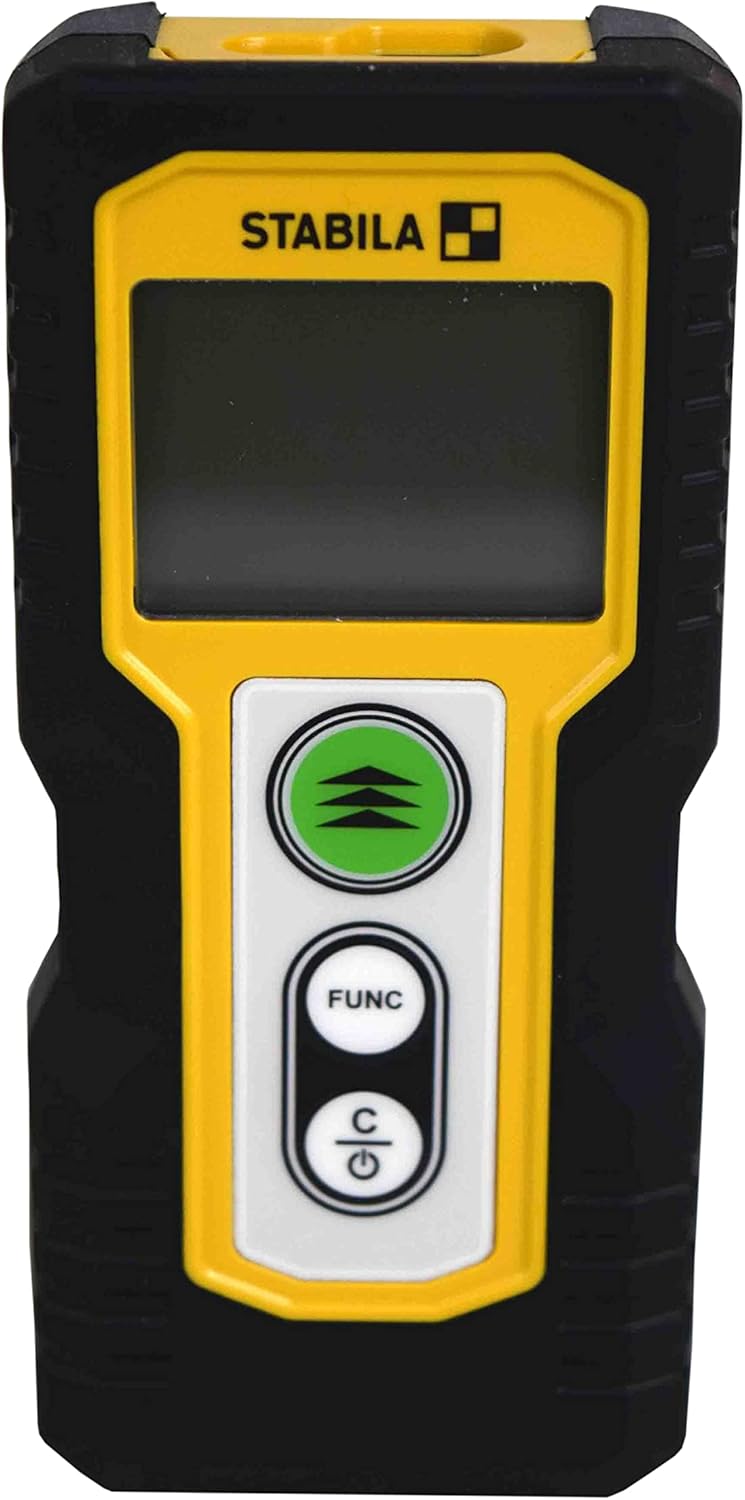
Sary 1.1: Eo anoloana view of the STABILA LD220 laser distance measuring tool, showcasing its compact design and display.
2. Fanombohana
2.1 Ny votoatin'ny fonosana
Ataovy azo antoka fa misy ny singa rehetra:
- STABILA LD220 Laser Distance Measuring Tool
- Batteries (Alkaline, LR03/AAA type)
2.2 Fametrahana bateria
The STABILA LD220 requires two AAA alkaline batteries for operation. Follow these steps to install them:
- Tadiavo ny fonon'ny fitoeran-bateria eo amin'ny faran'ny fitaovana.
- Atsofohy midina ny fonony na amin'ny lalana asehon'ny zana-tsipìka hanokafana azy.
- Insert two AAA alkaline batteries, ensuring the correct polarity (+ and -) as marked inside the compartment.
- Akombony ny fonon'ny fitoeran'ny bateria amin'ny alàlan'ny fampidirana azy indray amin'ny toerany mandra-pikitikitika azy tsara.

Figure 2.1: The STABILA LD220 device shown alongside two AAA batteries, indicating the power source.

Sary 2.2: Fijerena akaiky view of the two AAA alkaline batteries, which power the device.
2.3 Mamelona/Mamono
Mba hampandeha ny fitaovana dia tsindrio ny Power/Clear (C) bokotra. Mba hamonoana dia tsindrio ary hazòny ny Power/Clear (C) button for a few seconds, or the device will automatically shut off after a period of inactivity to conserve battery life.
3. Torolàlana miasa
The STABILA LD220 offers four primary measuring functions. Familiarize yourself with the buttons:
- Measurement Button (Green, with three arrows): Initiates a measurement or activates continuous measurement.
- Function Button (FUNC): Cycles through different measurement modes (Length, Area, Volume, Continuous).
- Power/Clear Button (C): Powers the device on/off, clears the last measurement, or exits a function.

Sary 3.1: A antsipirihany view of the STABILA LD220's control panel, highlighting the measurement, function, and power/clear buttons.
3.1 Fandrefesana ny halavany
This is the default mode for single distance measurements.
- Ataovy azo antoka fa mandeha ny fitaovana.
- Tondroy ny taratra laser amin'ny faritra kendrena.
- Tsindrio ny bokotra fandrefesana once. The measured distance will appear on the display.
3.2 Fandrefesana mitohy (fanaraha-maso)
This mode allows for dynamic measurement, displaying real-time distance as you move the device.
- Tsindrio ny FUNC button until the continuous measurement icon (often a series of horizontal lines or a tracking symbol) appears on the display.
- Tsindrio ny bokotra fandrefesana hanombohana fandrefesana mitohy.
- Move the device slowly towards or away from the target. The display will update the distance continuously.
- Tsindrio ny bokotra fandrefesana indray na ny C button to stop continuous measurement.
3.3 Fandrefesana faritra
To calculate the area of a rectangular space (Length x Width).
- Tsindrio ny FUNC button until the area measurement icon (a square or rectangle) appears.
- Measure the first side (e.g., length) by pointing the laser and pressing the bokotra fandrefesana.
- Measure the second side (e.g., width) by pointing the laser and pressing the bokotra fandrefesana indray.
- Hanao kajy sy hampiseho ho azy ny velaran-tany ilay fitaovana.
3.4 Fandrefesana Boky
To calculate the volume of a rectangular space (Length x Width x Height).
- Tsindrio ny FUNC button until the volume measurement icon (a cube or rectangular prism) appears.
- Measure the first side (e.g., length) by pointing the laser and pressing the bokotra fandrefesana.
- Measure the second side (e.g., width) by pointing the laser and pressing the bokotra fandrefesana.
- Measure the third side (e.g., height) by pointing the laser and pressing the bokotra fandrefesana.
- Ny fitaovana dia hanao kajy ho azy sy hampiseho ny feo.

Figure 3.2: The product packaging illustrating the various measuring functions, including length, area, volume, and tracking.
4. Fikarakarana sy fikojakojana
Proper care and maintenance will extend the life of your STABILA LD220.
- Fanadiovana: Ampiasao malefaka, damp cloth to clean the device. Do not use harsh chemicals, abrasive cleaners, or solvents. Ensure the laser lens and display are kept clean for accurate readings.
- fitahirizana: Store the device in a dry, cool place, away from direct sunlight and extreme temperatures. If storing for an extended period, remove the batteries to prevent leakage.
- Fikarakarana: Although the device has an impact-resistant housing, avoid dropping it or subjecting it to severe shocks.
- Fikarakarana bateria: Replace batteries when the low battery indicator appears on the display. Dispose of used batteries according to local regulations.
5. Famahana olana
If you encounter issues with your STABILA LD220, refer to the following common problems and solutions:
| OLANA | Antony mety hitranga | vahaolana |
|---|---|---|
| Tsy mandeha ny fitaovana. | Batterie maty na diso napetraka. | Check battery polarity. Replace with new AAA alkaline batteries. |
| Fandrefesana tsy marina. | Laser lens is dirty; target surface is too reflective/absorbent; device is unstable during measurement. | Clean the laser lens with a soft cloth. Use a target plate for difficult surfaces. Ensure the device is held steady. |
| Aseho eto ny hafatra misy fahadisoana. | Measurement out of range; internal error. | Ensure target is within the 100ft (30m) range. Power off and restart the device. If the error persists, contact support. |
| Laser beam is not visible. | Bright ambient light; laser not activated. | Use in lower light conditions or use a laser target plate. Press the measurement button to activate the laser. |
6. Famaritana ara-teknika
Detailed specifications for the STABILA LD220 Laser Distance Measuring Tool:
| famaritana | sarobidy |
|---|---|
| Laharana modely | Stabila - 06220 |
| Fandrefesana Range | Haavo 100 ft (30 m) |
| Fandrefesana Functions | Length, Area, Volume, Continuous Measurement |
| loko | Mainty |
| KEVITRA | plastika |
| Ny refin'ny entana (L x W x H) | 8 x 5 x 2 santimetatra |
| Lanja entana | 8 oz |
| Ilaina ny bateria | No (Included Components: Stabila - 06220, but requires 2x AAA Alkaline batteries for operation) |
| Karazana bateria | Alkaline (AAA) |
| mpanamboatra | Stabila |
| Daty misy voalohany | 17 martsa 2022 |

Sary 6.1: aoriana view of the STABILA LD220, displaying the product label with model number, power requirements, and laser class information.
7. Warranty sy fanohanana
For information regarding product warranty, returns, or technical support, please refer to the documentation included with your purchase or visit the official Stabila webtoerana. Mety miovaova arakaraka ny faritra sy ny mpivarotra ny fepetra sy ny fifanarahana momba ny fiantohana manokana.


