Sava lalana
ny ViewSonic X11-4K projector offers true 4K Ultra HD resolution with HDR/HLG support, advanced LED technology, and smart capabilities in a portable design. This manual provides essential information for setting up, operating, maintaining, and troubleshooting your projector to ensure an optimal cinematic experience in any home environment.
Inona no ao anaty boaty
- ViewSonic X11-4K Projector
- Cable herinaratra
- Fanaraha-maso lavitra
- Torolalana fanombohana haingana
Endriky ny vokatra
- 4K UHD LED Projection: Delivers bright 1000 ANSI lumens with a short throw lens for supersized movies and games.
- Loko Mamirapiratra: Achieves 125% Rec. 709 color accuracy and supports HDR/HLG content for lifelike visuals.
- Audio Premium: Features built-in Dual Harman Kardon Bluetooth speakers for room-filling sound.
- Fanamboarana mora: Includes 0.8x-1x digital zoom, instant auto focus, vertical/horizontal keystone, and 4-corner adjustment for flexible placement.
- Fahaiza-manao streaming: Supports livestreaming and content consumption from various platforms by adding a compatible dongle (not included).
- Fifandraisana mora azo: Compatible with most media players, PCs, Macs, and mobile devices via Wi-Fi, HDMI, and USB-C inputs.
Hametraka
ny ViewSonic X11-4K is designed for effortless setup. Place the projector on a stable surface a few feet from your desired projection area. The short throw lens can project images up to 100 inches from a short distance. Utilize the instant auto focus, H/V keystone, and 4-corner adjustments to achieve a perfectly aligned and sharp image.
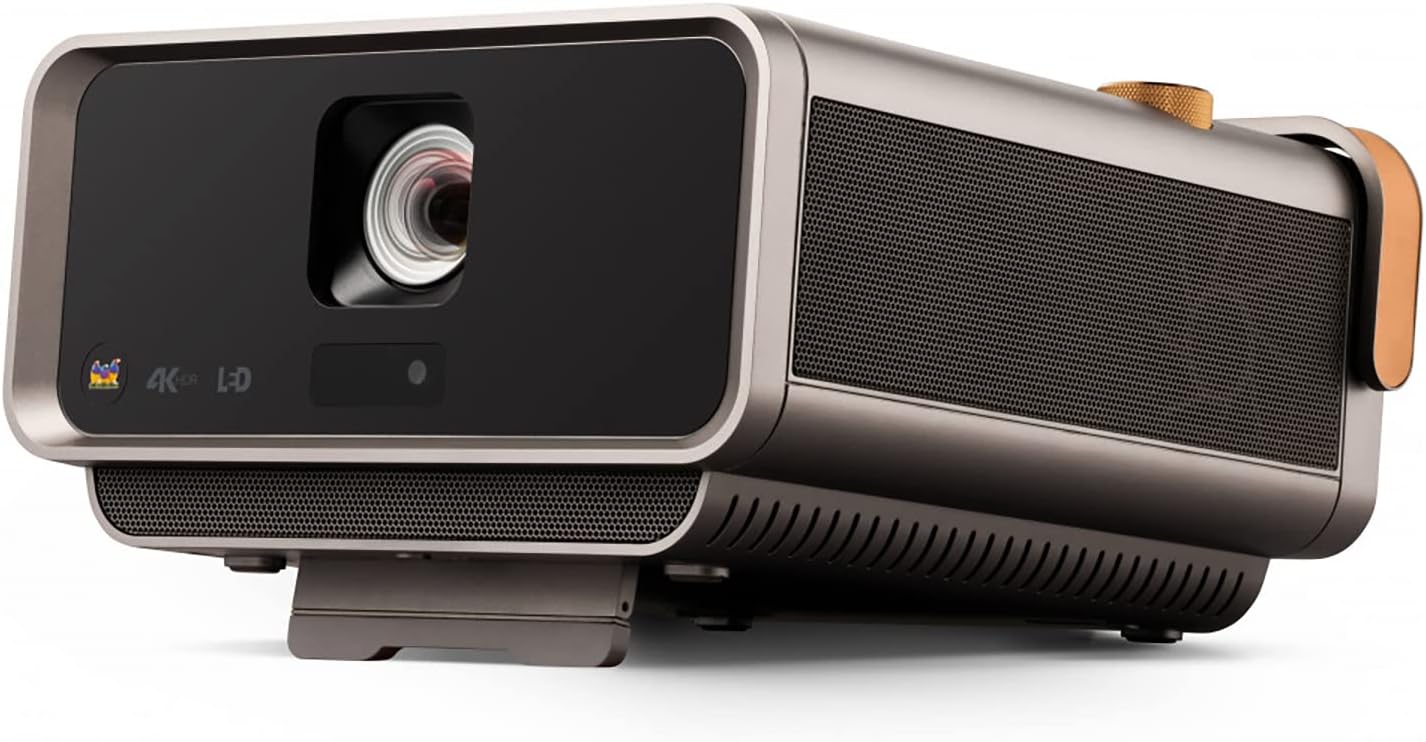
Sary 1: Eo anoloana view ny ViewSonic X11-4K projector, showcasing the lens and sleek design.

Figure 2: Visual representation of the autofocus, digital zoom, 4-corner keystone, and auto keystone adjustment features for easy setup.
Torolàlana miasa
Power on the projector using the dedicated button or remote control. Navigate the on-screen menu using the remote to select input sources, adjust picture settings, and manage audio options. The intuitive interface allows for quick access to all functionalities.

Sary 3: Ambony view of the projector showing the integrated control knob for power and volume, along with other control buttons.
fifandraisana
The X11-4K offers diverse connectivity options:
- HDMI: Connect external devices such as Blu-ray players, gaming consoles, or set-top boxes.
- USB-C: Directly connect compatible mobile devices, laptops, or gaming consoles like the Nintendo Switch for video streaming and power delivery.
- Wifi: Enable wireless screen mirroring from your smartphone, tablet, or computer.
- Bluetooth: Connect to external Bluetooth speakers or headphones for enhanced audio, or use the projector's built-in Harman Kardon speakers.

Sary 4: aoriana view of the projector displaying various input and output ports including HDMI, USB-C, and audio jacks.

Figure 5: Illustration of USB-C connectivity with various devices like smartphones, tablets, laptops, and a Nintendo Switch.
Fanitsiana sary
Achieve the perfect picture with the following adjustment features:
- Instant Auto Focus: The projector automatically adjusts for optimal clarity.
- H/V Keystone: Corrects distorted images when the projector is not perfectly centered.
- 4-Corner Adjustment: Fine-tune each corner of the image independently for a precise fit on any surface.
- Zoom nomerika: Adjust the image size without moving the projector.

Figure 6: Diagram illustrating the short throw capability, showing screen sizes (80", 100", 120") at various distances (4.7', 5.8', 7').
teny
Experience rich and immersive sound with the integrated Harman Kardon speakers. For private listening or connecting to external audio systems, utilize the Bluetooth connectivity or audio output ports.

Figure 7: Image depicting the projector with sound waves emanating from it, highlighting the Harman Kardon speakers and Bluetooth connectivity.
fepetra arahana
| endri-javatra | antsipirihany |
|---|---|
| Laharana modely | X11-4K |
| Asehoy ny fanapahan-kevitra | 3840 x 2160 (4K UHD) |
| ny famirapiratry ny mazava | 1000 XNUMX ANSI Lumens |
| Color Accuracy | 125% Rec. 709 |
| fifandraisana | Wi-Fi, HDMI, USB-C, Ethernet, USB 2.0 Type A |
| Endri-javatra manokana | Short Throw, H/V Keystone, 4-Corner Adjustment, Instant Auto Focus, Dual Harman Kardon Speakers |
| Ny refin'ny vokatra | 10.3 x 10.7 x 2.7 santimetatra |
| Lanja entana | 9.9 kg |

Figure 8: Image detailing the physical dimensions of the ViewSonic X11-4K projector.
fikarakarana
Mba hiantohana ny faharetana sy ny fampisehoana tsara indrindra ny anao ViewSonic X11-4K projector, follow these maintenance guidelines:
- Fanadiovana Lens: Gently wipe the projector lens with a soft, lint-free cloth designed for optical surfaces. Avoid abrasive materials or harsh chemicals.
- Fanadiovana ivelany: Ampiasao lamba malefaka sy maina hanadiovana ny ivelany amin'ny projecteur. Raha misy marika mafy loha, dia asio kelyampen ny lamba misy rano.
- rivotra: Ensure that the projector's ventilation openings are clear and unobstructed to prevent overheating.
- fitahirizana: Rehefa tsy ampiasaina mandritra ny fotoana maharitra, dia tehirizo ao amin'ny toerana mangatsiatsiaka sy maina ny projecteur, tsara indrindra ao anaty fonony voalohany na vata fiarovana.
Fanamboarana
Raha sendra olana amin'ny projecteur-nao ianao dia jereo ireto vahaolana mahazatra ireto:
- Tsy misy sary: Check all cable connections (HDMI, USB-C) and ensure the correct input source is selected on the projector. Verify the power cable is securely connected.
- Sary manjavozavo: Use the instant auto focus feature or manually adjust the focus. Ensure the projection surface is flat and the projector is stable.
- Sary novaina: Utilize the H/V keystone and 4-corner adjustment features to correct any trapezoidal or uneven image shapes.
- Tsy misy feo: Check the volume settings on both the projector and the connected source device. Ensure external speakers (if connected via Bluetooth or audio out) are properly paired and powered on.
- Fanaraha-maso lavitra tsy mandeha: Replace the batteries in the remote control. Ensure there are no obstructions between the remote and the projector's IR receiver.
Warranty sy fanohanana
For warranty information, technical support, or service inquiries, please refer to the official ViewSonic website or contact their customer support. Keep your purchase receipt and product serial number handy for any support requests.
Lahatsary vokatra ofisialy
ViewSonic Home Theater and Business Projectors
Ity vidéo ity dia manome vahanaview of ViewSonic's home theater and business projectors, highlighting key features and applications.
4K Home Theater Projector
This video demonstrates the capabilities of the 4K home theater projector, focusing on visual quality and user experience.


