Sava lalana
This manual provides comprehensive instructions for the setup, operation, and maintenance of your Tesla Smart Pet Feeder (Model TSL-PC-BL4). Please read this manual thoroughly before using the device to ensure proper functionality and safety for your pet.
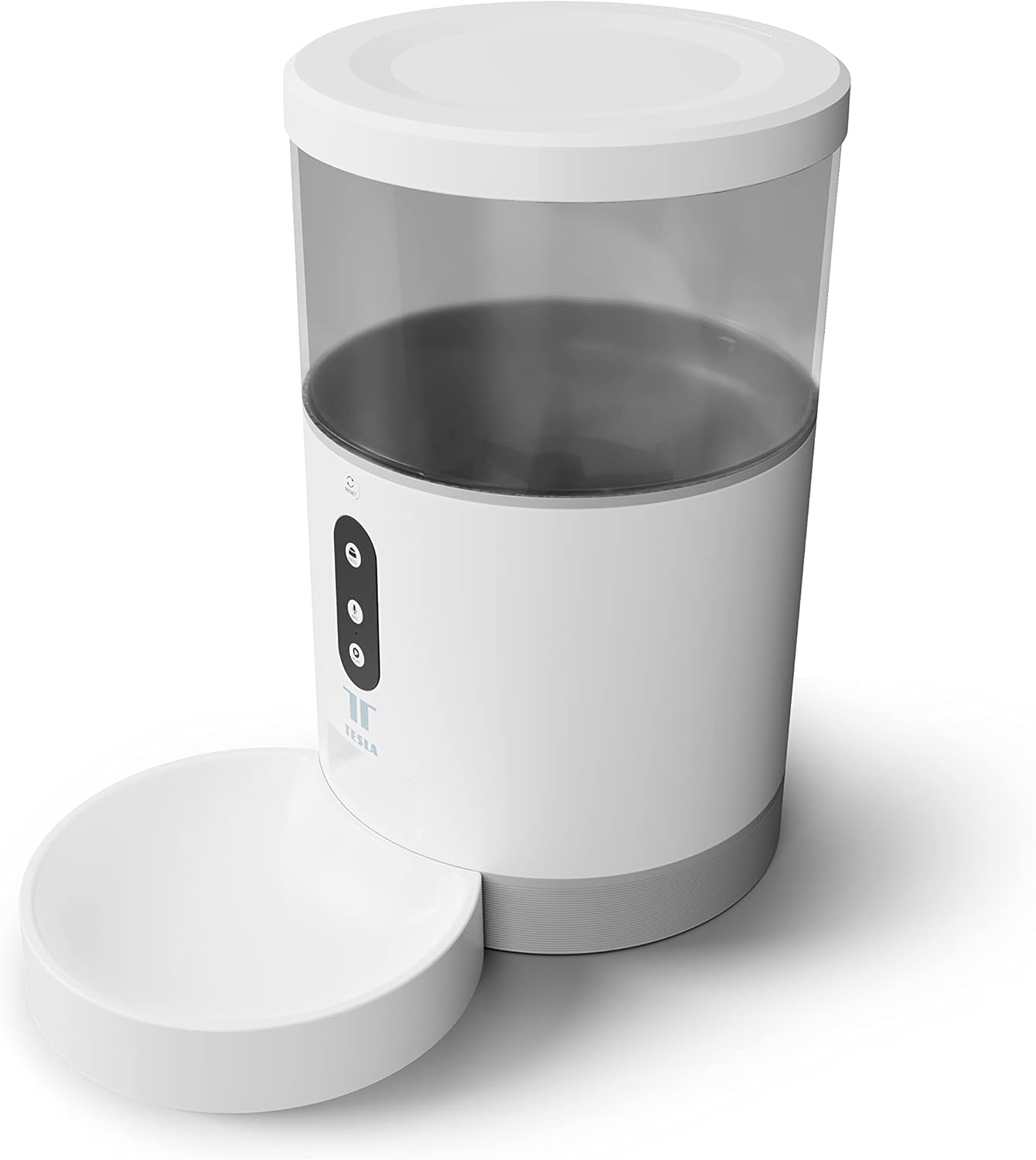
Sary: Front view of the Tesla Smart Pet Feeder, showing the main unit with a transparent food reservoir, control buttons, and an attached white food bowl.
Fampahalalana manan-danja momba ny fiarovana
Araho ireto fepetra fiarovana manaraka ireto mba hisorohana ny ratra na ny fahasimbana amin'ny fitaovana:
- Aza atsoboka ao anaty rano na ranon-javatra hafa ny singa fototra.
- Ataovy azo antoka fa apetraka amin'ny toerana milamina sy marin-toerana ny famahanana sakafo.
- Keep out of reach of small children and pets when not in use or during assembly.
- Use only dry pet food with a kibble size up to 10 mm.
- Aza manandrana manongotra na manamboatra ilay fitaovana. Mifandraisa amin'ny fanohanan'ny mpanjifa hahazoana fanampiana.
- Esory foana ny famatsiana alohan'ny hanadiovana.
Fonosana fonosana
Hamarino fa misy ny singa rehetra ao anaty fonosana:
- Tesla Smart Pet Feeder Main Unit
- Lovia sakafo
- Power Adapter
- User Manual (ity antontan-taratasy ity)
Setup Guide
1. FIVORIAMBE
- Apetraho eo amin'ny toerana fisaka sy miorim-paka ny fitaovana famahanana lehibe.
- Attach the food bowl to the designated slot at the base of the main unit. Ensure it clicks securely into place.

Sary: Front view of the feeder highlighting the control panel with feed, record, and play buttons.
2. Famelomana ny fitaovana
- Herin'ny AC: Connect the power adapter to the feeder's power input port and plug it into a standard wall outlet.
- Famerenana bateria (tsy voatery): Ho an'ny hetsika tsy tapaka mandritra ny herinaratra outages, insert three LR20 (D-cell) batteries into the battery compartment located at the bottom of the unit. Ny bateria dia tsy tafiditra ary tsy maintsy vidiana misaraka.

Sary: aoriana view of the Tesla Smart Pet Feeder, showing the power input and battery compartment location.
3. Famenoana ny fitoeran-tsakafo
- Remove the lid from the top of the feeder.
- Pour dry pet food into the transparent container. The feeder has a capacity of 4 liters. Ensure kibble size does not exceed 10 mm to prevent jamming.
- Soloy tsara ny sarony.

Sary: akaiky view of dry pet food kibble in the feeder's bowl, demonstrating the type of food suitable for the device.
4. Fampidinana fampiharana sy fifandraisana Wi-Fi
- Download the Tesla Smart app from the App Store (iOS) or Google Play Store (Android).
- Open the app and follow the on-screen instructions to create an account and add your Tesla Smart Pet Feeder.
- Ensure your Wi-Fi network is 2.4 GHz for successful connection.
Torolàlana miasa
1. Scheduling Feeds via App
The primary method for controlling the feeder is through the Tesla Smart app. The app allows you to:
- Set feeding schedules: Define specific times for food dispensing.
- Adjust portion sizes: Control the amount of food dispensed per feeding. The feeder can dispense up to 10 portions per feeding.
- View feeding history.

Image: An orange cat resting beside the Tesla Smart Pet Feeder, illustrating the feeder in a home environment.
2. Famahanana tanana
To dispense food manually, press the "Feed" button on the feeder's control panel. Each press will dispense one portion of food.
3. Voice Recording and Playback
The feeder includes a built-in microphone and speaker, allowing you to record a short message to call your pet at feeding times.
- Record: Press and hold the "Record" button (microphone icon) on the control panel. Speak your message. Release the button to save.
- Lalao: Press the "Play" button (speaker icon) to play your recorded message. The message will also play automatically at scheduled feeding times.
4. Smart Home Integration
The Tesla Smart Pet Feeder is compatible with Google Assistant and Amazon Alexa. You can control the feeder using voice commands after linking it through the respective smart home applications.
Fikojakojana sy fanadiovana
Regular cleaning ensures the longevity and hygienic operation of your pet feeder.
- Vilia sakafo: The food bowl can be detached and washed by hand with mild soap and water. Rinse thoroughly and dry completely before reattaching.
- fitoeran-tsakafo: The transparent food container can be wiped clean with a damp lamba. Ataovy azo antoka fa maina tanteraka izy io alohan'ny hamenoana sakafo.
- Vondrona lehibe: Wipe the exterior of the main unit with a soft, dry cloth. Aza mampiasa mpanadio mikikisana na atsoboka ao anaty rano ny fitaovana fototra.
- Food Outlet: Periodically check the food outlet for any blockages or food residue and clear as necessary.
Important: Always unplug the feeder from the power source before cleaning.
Fanamboarana
| OLANA | Antony mety hitranga | vahaolana |
|---|---|---|
| Tsy mandeha ny herinaratra amin'ny feeder. | No power from outlet; batteries depleted or incorrectly installed. | Check power adapter connection and wall outlet. Replace or install D-cell batteries correctly. |
| Food not dispensing. | Food jammed; container empty; incorrect kibble size; feeder offline. | Check for food blockages in the outlet. Refill container. Ensure kibble is max 10mm. Check Wi-Fi connection and app status. |
| Tsy afaka mifandray amin'ny Wi-Fi. | Incorrect Wi-Fi password; 5GHz network; feeder too far from router. | Verify Wi-Fi password. Ensure you are connecting to a 2.4 GHz network. Move feeder closer to router. Restart feeder and router. |
| Voice recording not working. | Microphone issue; recording procedure incorrect. | Ensure you are pressing and holding the record button correctly. Try restarting the feeder. |
fepetra arahana
| endri-javatra | antsipirihany |
|---|---|
| Laharana modely | TSL-PC-BL4 |
| refy (L x W x H) | 30 x 30 x 20 cm |
| lanja | 1.92 kg |
| KEVITRA | plastika |
| loko | White |
| fahafahana | 4 litatra |
| Haben'ny Kibble | hatramin'ny 10 mm |
| Loharanon-kery | AC Adapter, 3x LR20 (D-cell) batteries (not included) |
| fifandraisana | Wi-Fi (2.4GHz) |
| Endri-javatra manokana | Wi-Fi and App Control, Voice Recording, Google Assistant/Amazon Alexa Compatible |
Warranty sy fanohanana
For warranty information, technical support, or service inquiries, please refer to the official Tesla Smart webtranokala na mifandray amin'ny departemantan'ny serivisy mpanjifany. Tehirizo ny tapakila fividiananao ho porofon'ny fividianana.
For the most up-to-date information and support resources, visit: www.teslasmart.com


