1. Fampidirana
Thank you for choosing the JYX Wired Voice Amplifier. This device is designed to amplify your voice clearly and powerfully, making it ideal for teachers, tour guides, presenters, and anyone needing to project their voice to a group. Its compact and portable design, combined with a long-lasting rechargeable battery, ensures reliable performance in various environments. Please read this manual thoroughly to understand the proper use and care of your ampLifer.

Sary 1.1: The JYX Wired Voice Amplifier with its included headset microphone.
2. Vokatra mihoatraview
2.1 Ny votoatin'ny fonosana
- Feo an-tariby JYX AmpLifier Unit
- Mikrofon-tsofina misy tariby
- USB Charging Cable
- Adjustable Waistband/Strap
- User Manual
2.2 Singa sy fanaraha-maso ny fitaovana

Sary 2.1: Top panel controls and included accessories. Key controls include the MIC input, Charging Port, TF Card slot, Previous/Next track buttons, Play/Pause, Sound Recording, Mode button, and Volume/Power roller.
- MIC fidirana: Connect the wired headset microphone here.
- seranan-tsambo fiampangana: Connect the USB charging cable to recharge the ampLifer.
- TF Card TF: Insert a TF (Micro SD) card for MP3 playback or recording.
- Bokotra teo aloha/manaraka: Navigate between tracks during MP3 playback.
- bokotra Play/Pause: Hifehy ny famerenan'ny haino aman-jery.
- Sound Recording Button: Initiate or stop voice recording.
- Button Mode (M): Mifandimby amplification, MP3 playback, and recording modes.
- Volume/Power Roller: Rotate to adjust volume; push to turn the device ON/OFF.
- Clip: Located on the back for attaching to clothing or a belt.
2.3 Lafin-javatra fototra
- Herinaratra mahery vaika 7W: Delivers clear and loud sound for audiences of 50-200 people.
- Intelligent Noise Reduction: Enhances voice clarity by minimizing background noise.
- Fiainana maharitra bateria: Built-in 2200mAh battery provides 8-12 hours of amplification or 5-10 hours of music playback.
- Multi-asa: Supports voice amplification, MP3 playback via TF card, and sound recording.
- Famolavolana portable: Compact and lightweight with multiple wearing options (waistband, cross-body, clip).
- Headset azo zahana: Flexible microphone for optimal positioning and comfort.
3. Fametrahana
3.1 Famandrihana ny AmpLifer
Alohan'ny hampiasana azy voalohany, dia fenoy tanteraka ny bateria amplifier. Connect the USB charging cable to the amplifier's charging port and the other end to a USB power adapter (not included) or a computer's USB port. The charging indicator light will illuminate. A full charge typically takes 3-5 hours.
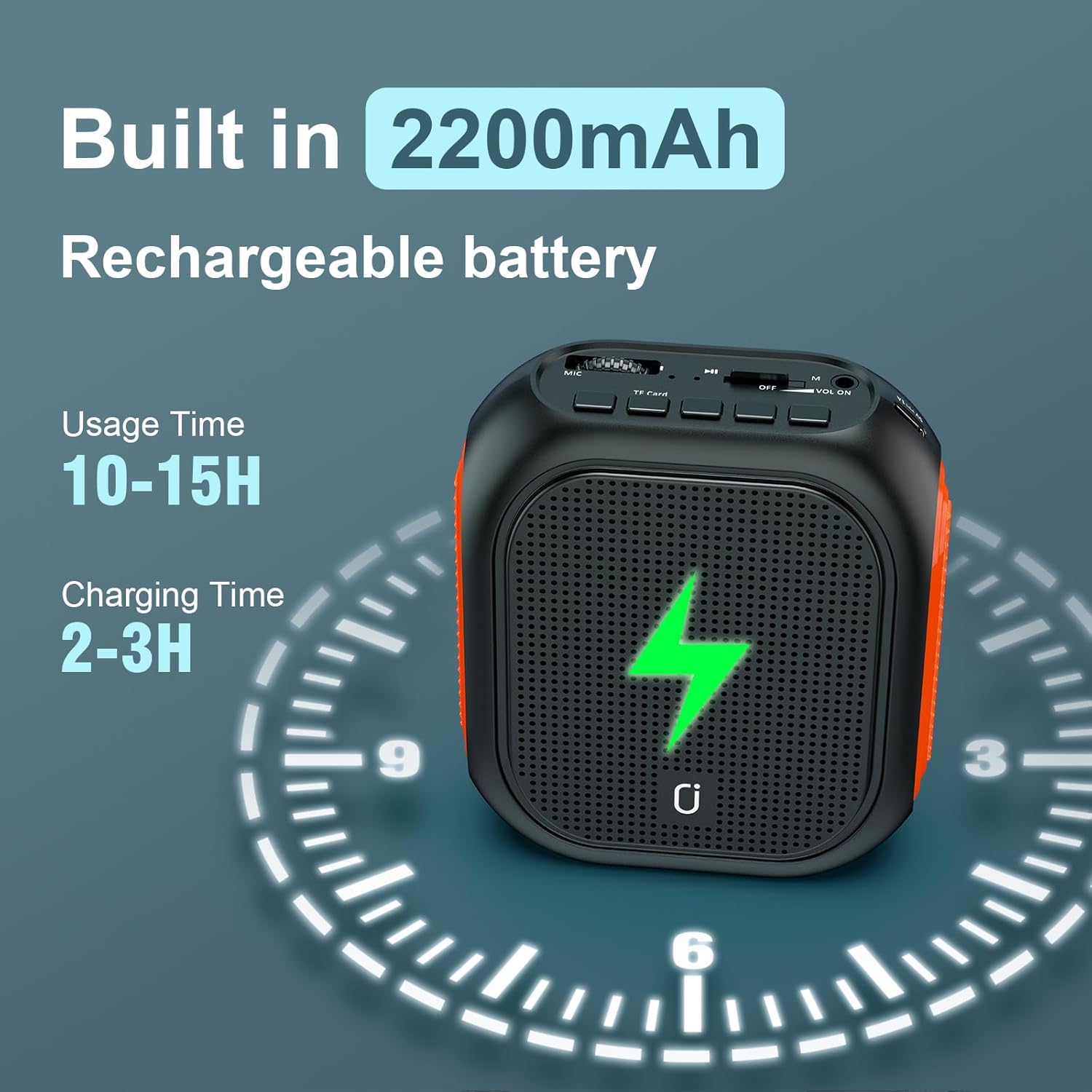
Sary 3.1: Battery specifications and charging indication. The amplifier features a 2200mAh battery, offering 10-15 hours of usage and requiring 2-3 hours for a full charge.
3.2 Connecting the Headset Microphone
Insert the 3.5mm jack of the wired headset microphone firmly into the MIC input port on the amplifier. Ensure it is fully seated to prevent connection issues.
3.3 Mitafy ny AmpLifer
ny ampAzo anaovana amin'ny fomba maro ny lifier:
- Fehikibo: Attach the adjustable strap to the amplifier and wear it around your waist.
- Cross-body/Neck: Use the strap to wear the amplifier over your shoulder or around your neck.
- Clip: Utilize the built-in clip on the back to attach the amplifier directly to your belt or clothing.

Sary 3.2: Flexible wearing options for the amplifier, including belt clip and adjustable straps for waist or cross-body use.
4. Torolàlana miasa
4.1 Power On/off sy ny fanaraha-maso ny feo
- Herim-batana: Push the Volume/Power roller to the 'ON' position.
- Mamono hery: Push the Volume/Power roller to the 'OFF' position.
- Fanitsiana volume: Rotate the Volume/Power roller to increase or decrease the sound output.
4.2 Feo AmpLification Mode
Once powered on and the microphone is connected, the amplifier will automatically enter voice amplification mode. Speak into the headset microphone. Adjust the volume to a comfortable level, ensuring no feedback occurs. Position the microphone approximately 1-2 inches from your mouth for optimal sound pickup.
4.3 Music Playback (TF Card)
Hitendry mozika:
- Ampidiro karatra TF (Micro SD) misy feo MP3 files into the TF Card slot.
- Press the 'M' (Mode) button to switch to MP3 playback mode.
- Use the Previous/Next buttons to select tracks.
- Tsindrio ny bokotra Play/Pause raha hanomboka na hampiato ny playback.

Sary 4.1: Music playback controls and TF card slot for MP3 files.
4.4 Sound Recording
To record your voice:
- Ensure a TF card is inserted.
- Press the Sound Recording button to begin recording.
- Press the Sound Recording button again to stop recording. The recorded file will be saved on the TF card.
4.5 Loop Playback
ny amplifier supports one-key loop playback for recorded audio files. Refer to the device's display or indicator for specific instructions on activating this feature, typically by a long press on a specific button in playback mode.
5. Fikojakojana
- Fanadiovana: Fafao ny amplifier with a soft, dry cloth. Do not use harsh chemicals or abrasive cleaners.
- fitahirizana: Tehirizo ao amin'ny toerana mangatsiatsiaka sy maina ny fitaovana, lavitry ny tara-masoandro mivantana sy ny hafanana tafahoatra.
- Fikarakarana bateria: To prolong battery life, charge the amplifier regularly, even if not in frequent use. Avoid fully discharging the battery for extended periods.
- Fikarakarana mikrofona: Handle the headset microphone gently. Avoid bending the boom excessively.
6. Famahana olana
| OLANA | Antony mety hitranga | vahaolana |
|---|---|---|
| Tsy misy feo na feo ambany | Amplifier is off; Volume is too low; Microphone not connected properly; Microphone faulty. | antoka amplifier is ON; Increase volume; Re-insert microphone jack firmly; Test with another microphone if available. |
| Feedback/Whistling sound | Akaiky loatra ny mikrôfôna amplifier; Volume too high; Microphone pointed directly at ampLifer. | Ampitomboy ny elanelana misy eo amin'ny mikrôfôna sy amplifier; Lower volume; Adjust microphone position away from the ampmpiteny feo. |
| Cannot charge the ampLifer | Charging cable faulty; Power adapter faulty; Charging port damaged. | Try a different USB cable and power adapter; Contact customer support if the port appears damaged. |
| MP3 playback not working | TF card not inserted; TF card corrupted; Files not in MP3 format; Incorrect mode. | Insert TF card; Ensure TF card is formatted correctly and contains MP3 files; Press 'M' button to select MP3 mode. |
7. Famaritana
| endri-javatra | antsipirihany |
|---|---|
| Laharana modely | Wired |
| Output Wattage | 7 Watts |
| Fahaizana bateria | 2200mAh Lithium Ion |
| Usage Time (Ampfampahafantarana) | 8-12 ora |
| Usage Time (Music Playback) | 5-10 ora |
| Time Charging | 3-5 ora |
| Audio Input | MP3, TF card |
| Karazana mpampitohy | les |
| KEVITRA | Acrylonitrile Butadiene Styrene (ABS) |
| Lanja entana | 1.03 kilao (0.47 kilao) |
| Haben'ny vokatra (L x W x H) | 2.17 x 6.5 x 5.91 santimetatra |
| UPC | 730756886862 |
8. Warranty sy fanohanana ny mpanjifa
8.1 Garantie voafetra
JYX products are manufactured to high-quality standards. This product comes with a limited warranty against defects in materials and workmanship from the date of purchase. Please retain your proof of purchase for warranty claims. The warranty does not cover damage caused by misuse, accident, unauthorized modification, or normal wear and tear.
8.2 Fanohanana ny mpanjifa
For technical assistance, warranty inquiries, or any questions regarding your JYX Voice Amplifier, please contact our customer support team. Refer to the contact information provided on the product packaging or the official JYX website.


