Sava lalana
The boAt Rockerz 335 Pro is a wireless neckband designed to provide a high-quality audio experience. It incorporates advanced audio technologies and user-friendly features for convenience and durability.
Endri-javatra fototra
- Qualcomm aptX & aptX HD Audio Technology: Ensures seamless reproduction of immersive sound.
- Qualcomm cVc Noise Cancellation: Captures your voice clearly during calls by reducing background noise.
- Playback lavitra: Offers up to 50 hours of playback on a single full charge.
- ASAP Charge Technology: Provides up to 10 hours of playtime with just 10 minutes of charging.
- boAt Signature Sound: Delivers an enhanced audio experience for your playlists.
- Power-Sensitive Smartbuds: Simplifies power management; separate earbuds to power on, unite them to power off.
- IPX5 fanoherana ny rano: Protects the neckband from splashes and sweat, suitable for active use.
- Bluetooth v5.0 & Dual Pairing: Ensures instant connectivity to media devices and allows simultaneous connection to two devices.
- Fanohanana Voice Assistant: Access Google Assistant or Siri with a single press.
- Type-C Port: Provides a convenient and seamless charging experience.
Inona no ao anaty boaty
Upon unboxing your boAt Rockerz 335 Pro, you should find the following items:
- 1 x boAt Rockerz 335 Pro Neckband
- 1 x Additional Earbuds (pairs of different sizes)
- 1 x Cable Charging (Type-C)
- 1 x User Manual
Vita ny vokatraview
Familiarize yourself with the components of your boAt Rockerz 335 Pro neckband.

Sary: Overview of the boAt Rockerz 335 Pro highlighting its key features and design elements.
Fanaraha-maso sy famantarana
- Metal Control Board: Houses the buttons for playback, volume, and call management.
- Power-Sensitive Smartbuds: Magnetic earbuds that automatically power the device on when separated and off when united.
- LED famantarana: Displays charging status, pairing mode, and power status.
- Type-C seranan-tsambo: Located on the control board for convenient charging.

Image: Detail of the power-sensitive smartbuds, illustrating how separating them powers the device on and uniting them powers it off.
Torolàlana fametrahana
1. Charging the Neckband
Before initial use, fully charge your Rockerz 335 Pro.
- Connect the Type-C charging cable to the charging port on the neckband.
- Ampidiro amin'ny adaptatera herinaratra USB (tsy tafiditra) na amin'ny seranana USB an'ny solosaina ny ilany amin'ny tariby.
- Ny famantarana LED dia hampiseho ny satan'ny famandrihana (oh: mena raha ny famandrihana no resahina, manga raha ny famandrihana feno no resahina).
The neckband features ASAP Charge, providing 10 hours of playback with just 10 minutes of charging. A full charge offers up to 50 hours of playback.
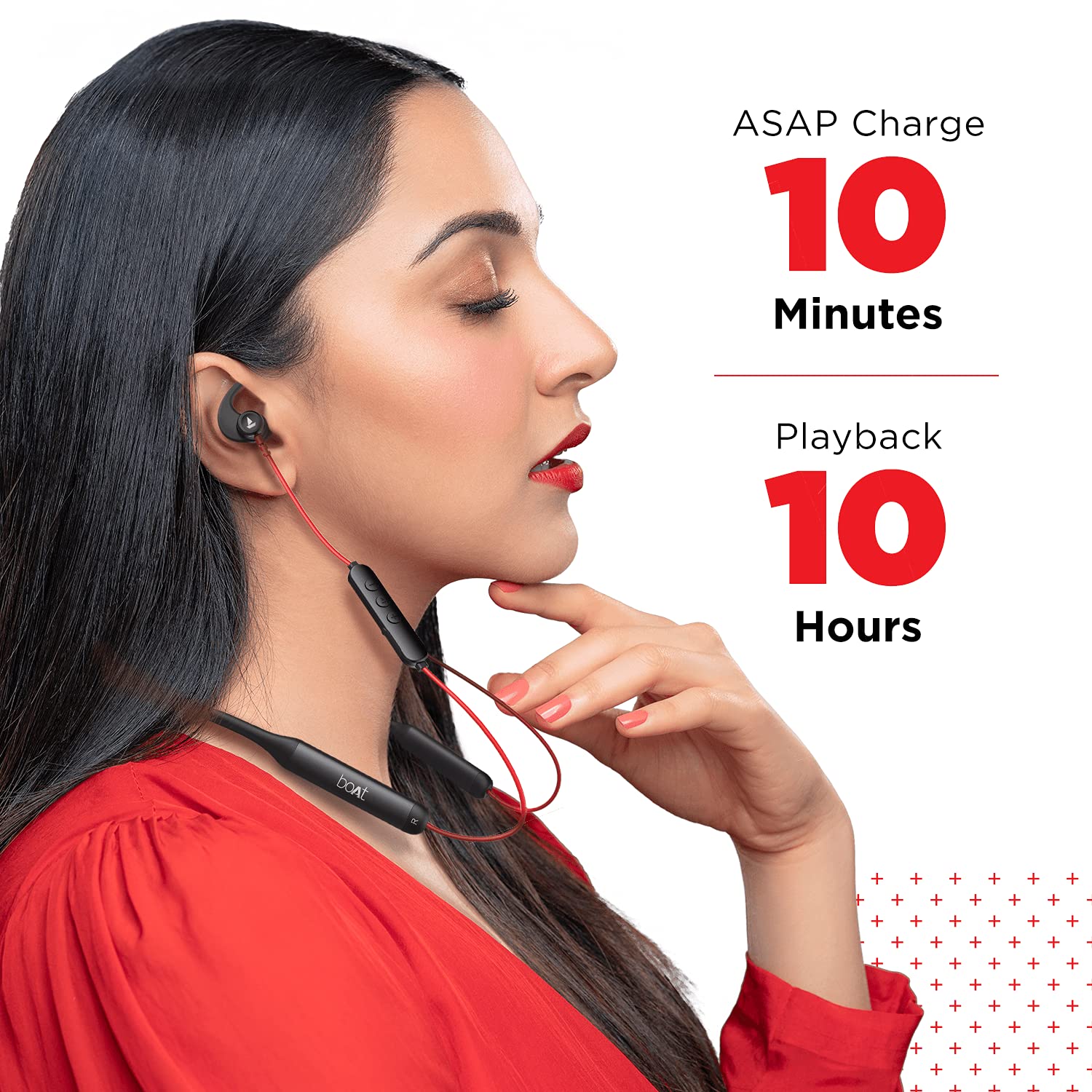
Image: Demonstrates the ASAP Charge feature, highlighting quick charging for extended playback.

Image: Illustrates the impressive 50-hour total playback time of the neckband.
2. Mampifandray amin'ny fitaovana iray
The Rockerz 335 Pro uses Bluetooth v5.0 for wireless connectivity.
- Herim-batana: Separate the magnetic earbuds to power on the neckband. The LED indicator will flash, indicating pairing mode.
- Ampidiro ny Bluetooth: Alefaso ny Bluetooth amin'ny findainao, takelakao, na solosainao.
- Mifidiana fitaovana: In your device's Bluetooth settings, search for and select "boAt Rockerz 335 Pro".
- fanamafisana: Once connected, the LED indicator will change, and you may hear an audio prompt.
Pairing roa: The neckband supports dual pairing, allowing you to connect to two devices simultaneously. After pairing with the first device, disable its Bluetooth, pair with the second device, then re-enable Bluetooth on the first device. The neckband will connect to both.
Torolàlana miasa
Power On/off
- Herim-batana: Separate the magnetic earbuds.
- Mamono hery: Unite the magnetic earbuds.
Famerenana mozika
- Play/Pause: Tsindrio indray mandeha ny Bokotra Multi-function (MFB).
- Track manaraka: Tsindrio ela ny bokotra "+".
- Làlana teo aloha: Tsindrio ela ny bokotra "-".
- Fiakaram-peo: Tsindrio vetivety ny bokotra "+".
- Mihena ny feo: Tsindrio vetivety ny bokotra "-".
Call Management
- Valio/Atsaharo ny antso: Tsindrio ny MFB indray mandeha.
- Mandà ny antso: Tsindrio ela ny MFB.
- antso indray: Tsindrio indroa ny MFB.
Voice Assistant
Activate your device's voice assistant (Google Assistant or Siri) with a single press of the dedicated Voice Assistant button on the control board.

Image: Highlights the Qualcomm aptX audio technology for superior sound and cVc noise cancellation for clear calls.
fikarakarana
Ny fanoherana ny rano (IPX5)
The boAt Rockerz 335 Pro is rated IPX5, meaning it is resistant to splashes and sweat. This makes it suitable for workouts and light rain. However, it is not designed for submersion in water. Avoid exposing the charging port to moisture.
FANADIOVANA
Mba hitazonana ny fahombiazana sy ny fahadiovana tsara indrindra:
- Wipe the neckband and earbuds with a soft, dry cloth.
- Aza mampiasa mpanadio abrasive na solvents.
- Ataovy azo antoka fa madio sy maina ny seranan-tsambo alohan'ny hamelomana azy.
Fanamboarana
If you encounter issues with your boAt Rockerz 335 Pro, refer to the following common solutions:
| OLANA | Vahaolana mety |
|---|---|
| Tsy afaka mandeha | Ensure earbuds are separated. Charge the device fully. |
| Tsy afaka mifandray amin'ny fitaovana | Ensure Bluetooth is enabled on your device. Make sure the neckband is in pairing mode (LED flashing). Forget the device in your phone's Bluetooth settings and try pairing again. |
| Tsy misy feo na feo ambany | Check volume levels on both the neckband and your connected device. Ensure the neckband is properly connected. Try re-pairing. |
| Olana momba ny kalitao antso | Ensure the microphone is not obstructed. Move closer to your connected device. Check for environmental noise. |
| ASAP Charge not working | Ensure you are using a compatible Type-C cable and power adapter. Check the charging port for debris. |
fepetra arahana
Detailed technical specifications for the boAt Rockerz 335 Pro:
- Anaran'ny modely: Rockerz 335 Pro
- Teknolojia fifandraisana: Wireless
- Wireless Communication Technology: Bluetooth v5.0
- Karazana mpamily Audio: Driver Dinamika
- Fiainana bateria: Hatramin'ny 50 ora
- Ora famandrihana: 10 Minutes (for 10 hours playback via ASAP Charge)
- seranan-tsambo fiampangana: Type-C
- haavon'ny fanoherana ny rano: IPX5 (mahatohitra rano)
- Fitaovana: Metal (Control Board)
- Lanja entana: 50g ny
- Karazana fanaraha-maso: Fifehezana feo
- Endri-javatra manokana: Fiampangana haingana, misy mikrô, tsy hatsembohana
- Toetra mampiavaka ny fanaraha-maso ny tabataba: Noise Cancellation (cVc)
- Fitaovana mifanentana: Cellphones, Tablets, Laptops
- Fitaovana fitaovana: finday avo lenta
- Batterie: 2 Lithium Ion bateria ilaina (tafiditra)
- Haben'ny vokatra: 17 x 13 x 13 cm
Warranty sy fanohanana
Your boAt Rockerz 335 Pro comes with a Garantie 1 taona from the date of purchase. For any product-related issues, service requests, or further assistance, please refer to the official boAt customer support channels.
For detailed information on warranty claims, service centers, or to register a complaint, please visit the official boAt support portal. You can also track the status of your service requests online.
Lahatsary: Ity lahatsary ity dia manome fanazavana fanampinyview of the boAt Rockerz 335 Pro Wireless Neckband, covering its key features, design, and battery life. It also includes a segment on how to utilize the boAt customer support portal for service requests and product replacements.


