1. Fampidirana
This manual provides detailed instructions for the safe and effective operation of your Teslong Rigid Rifle Borescope Model TSNTG500H. This device is designed for inspecting the interior of rifle barrels, aiding in cleaning regimen evaluation and firearm problem diagnosis. Please read this manual thoroughly before use and retain it for future reference.

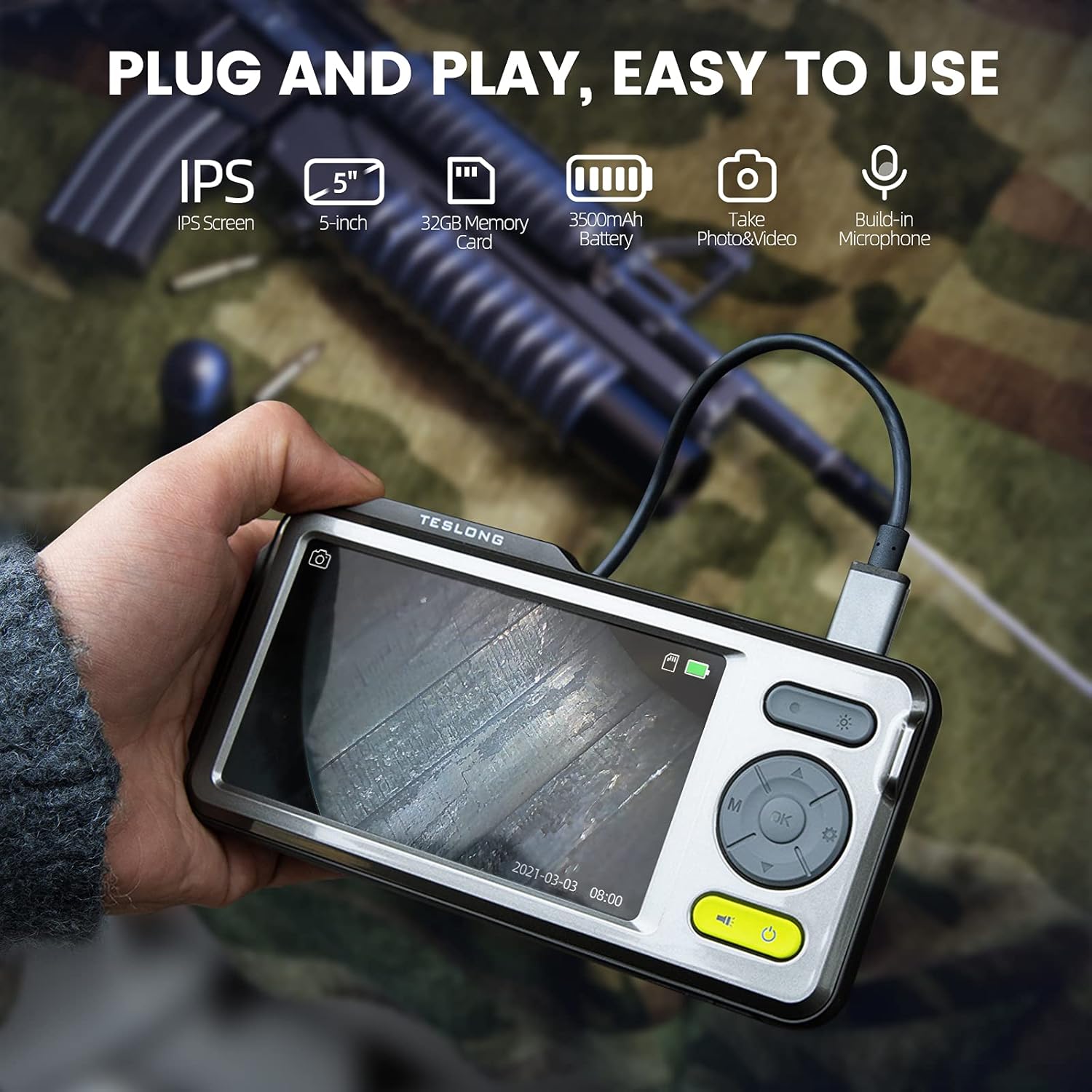
Image: The Teslong Rigid Rifle Borescope in use, showing the monitor displaying the bore's interior.
2. Ny votoatin'ny fonosana
Hamarino fa ao anaty fonosanao avokoa ny entana rehetra voatanisa etsy ambany:
- Teslong NTG500H Rifle Borescope with 5-inch IPS Screen
- Rigid Camera Probe (26-inch long, 0.2-inch diameter)
- Aviation to USB-C Cable
- Aviation to USB-A Cable
- USB-A to USB-C Cable (for charging and data transfer)
- Stand Stand
- Set of 5 Side-View Fitaratra (5mm, 6mm, 7mm, 8.5mm, 10mm)
- Karatra Micro SD 32GB (efa napetraka mialoha)
- User Manual (ity antontan-taratasy ity)
Sary: Overview of the Teslong Borescope components and accessories.
3. Vokatra mihoatraview
3.1. Toetran'ny fanaraha-maso
The 5-inch HD color IPS LCD screen provides a clear view of the inspection area. It features intuitive controls for operation.
- Bokotra hery: Mamono ny fitaovana.
- Button Mode (M): Switches between Photo, Video, and Playback modes.
- bokotra OK/Enter: Manamafy ny safidy.
- Bokotra Fikirana (Kisary Gear): Miditra amin'ny fikirana fitaovana.
- Lights Button (Sun Icon): Adjusts LED brightness (3 levels) or turns lights off.
- zana-tsipìka ambony/midina: Mitety ireo menio ary manitsy ny fikirana.
- Seranan-tsambo USB-C: For charging and connecting to a computer.
- Slot SD Card SD: For storing images and videos (32GB card included).
- Probe Lock: Secures the camera probe connection.
- Mpandahateny: Ho an'ny playback audio.
- Tendrombohitra mijoro: For attaching the monitor stand.
- bokotra Reset: Mamerina ny fitaovana.

Image: The Teslong Borescope monitor highlighting its various buttons and ports.
3.2. Camera Probe Features
The rigid probe is specifically designed for rifle barrel inspection.
- Rigid Tube: 26-inch long for stable insertion.
- Small Diameter: 0.2-inch diameter fits .20 caliber and larger barrels.
- Jiro jiro LED: Six adjustable LED lights illuminate dark inspection areas.
- Sisi-View fitaratra: Detachable 90° mirror for inspecting barrel walls. Includes various sizes for different calibers.
- Inch Scale: Laser-marked scale on the probe for depth measurement.

Image: The rigid probe of the borescope, illustrating its length and diameter.
4. Fametrahana
- Charge ny Monitor: If the battery indicator is low, connect the monitor to a power source using the USB-A to USB-C cable.
- Ampidiro karatra Micro SD: Ensure the 32GB Micro SD card is properly inserted into the slot on the bottom of the monitor.
- Ampifandraiso ny Probe:
- Thread the Aviation to USB-C cable onto the camera probe.
- Plug the other end of the cable into the probe port on top of the monitor.
- Secure the connection using the probe lock.
- Remove Protective Tip: Carefully remove the black protective tip from the end of the probe.
- Attach Side-View Mirror (Optional): If side-view inspection is required, select the appropriate caliber mirror and carefully screw it onto the threaded end of the probe. Use the lock ring to secure it in place once focus is achieved.
Video: A detailed instruction video on setting up and using the Teslong Rigid Rifle Borescope.
5. Torolàlana miasa
5.1. Power On/off
Tsindrio ary hazòny ny Bokotra Hery (green button) for a few seconds to turn the monitor on or off. The Teslong logo will appear, and the probe's ring light will illuminate.
5.2. Fiovan'ny fomba
Tsindrio ny Bokotra maody (M) mba hivezivezy amin'ireto fomba manaraka ireto:
- Fomba sary: For capturing still images.
- Fomba Video: For recording video footage.
- Fomba filalaovana: Mba reviewing captured photos and videos.
5.3. Fanitsiana hazavana
Tsindrio ny Lights Button (Sun Icon) to adjust the brightness of the LED ring light on the probe. There are three brightness levels, and you can also turn the lights off.
5.4. Fakàna sary sy horonan-tsary
- Ensure the probe is inserted into the barrel and positioned correctly.
- Miova ho Fomba sary or Video Mode mampiasa ny Bokotra maody (M).
- Tsindrio ny OK/Enter Button to capture a photo or start/stop video recording. A timecode will appear on the screen when recording video.

Image: The borescope monitor showing a detailed view of a rifle barrel's interior.
5.5. Mirror Installation and Adjustment
The borescope comes with various side-view mirrors to inspect barrel walls. The probe has a fixed focal distance of approximately 10mm for direct viewing. When using a mirror, the focus is adjusted by how far the mirror is threaded onto the probe.
- For smaller caliber barrels (e.g., .22 caliber), position the mirror farther away from the lens.
- For larger caliber barrels (e.g., .30 caliber), move the mirror closer to the lens to achieve sharp focus.
- Use the small lock ring on the threads to secure the mirror in place once the desired focus is achieved.

Image: A selection of removable side-view mirrors for various caliber rifles.
Video: A demonstration of how to attach and adjust the side-view mirrors for optimal focus.
6. Famindrana angona
There are two primary methods to transfer photos and videos from your borescope to a computer:
- Fifandraisana mivantana:
- Connect the monitor to your computer using the provided USB-A to USB-C cable.
- Turn on the monitor. Your computer should recognize the device as a removable drive.
- Navigate to the "DCIM" folder to access your stored photos and videos. You can then drag and drop them to your computer.
- Micro SD Card Reader:
- Carefully remove the Micro SD card from the monitor's slot.
- Insert the Micro SD card into a compatible card reader connected to your computer.
- Access the "DCIM" folder on the card to transfer your files.
7. Fikojakojana
Ny fikojakojana tsara dia miantoka ny faharetan'ny fampiasana sy ny fahombiazan'ny borescope-nao:
- Cleaning the Lens and Mirrors: Always clean the camera lens and any attached mirrors before and after each use. Use a soft microfiber cloth and a cotton swab. For stubborn stains, warm water or rubbing alcohol can be used. Do not use stronger solvents as they may damage the lens or mirror coatings.
- Cleaning the Monitor: Wipe the monitor screen and case with a microfiber cloth and a few drops of warm water or rubbing alcohol to remove dust and fingerprints.
- fitahirizana: Store the borescope and its accessories in the provided protective case in a cool, dry place when not in use.
8. Famahana olana
- Tsy mandeha ny fitaovana: Ensure the monitor is fully charged. If the battery indicator is low, connect it to a power source.
- Tsy misy sary eo amin'ny efijery: Verify that the camera probe is securely connected to the monitor and the probe lock is engaged. Check if the LED lights are on.
- Sary manjavozavo: Raha mampiasa lafiny iray-view mirror, adjust its position by threading it closer or farther from the lens until a clear image is achieved. Ensure the lens and mirror are clean.
- Tsy azo afindra Files to Computer: Ensure the monitor is turned on when connected to the computer. If it's off, it will only charge. Try using a different USB port or a Micro SD card reader.
- Tsy mamaly ny fitaovana: Use a small pin to press the Reset Button hita ao ambadiky ny monitor.
9. Famaritana
| endri-javatra | famaritana |
|---|---|
| MODELY | TSNTG500H |
| Haben'ny efijery | 5-inch IPS Display |
| Karazana fikarohana | hentitra |
| Halavan'ny Probe | 26 santimetatra |
| Savaivony probe | 0.2 inches (fits .20 caliber & larger) |
| Fanapahan-dahatsary fakana sary | 1080p |
| fitahirizana | 32GB Micro SD Card (misy) |
| Batterie | 1 Batterie ilaina (tafiditra) |
| Faritra fifantohana makro | 1-10 sm |
| loko | Mainty |
| Lanja entana | 2.29 kg |
| Ny haben'ny fonosana | 30.75 x 4.25 x 2 santimetatra |
10. Warranty sy fanohanana
Natao ho azo itokisana sy mahomby ny vokatra Teslong. Raha mila fanazavana momba ny antoka, fanohanana ara-teknika, na fanontaniana momba ny serivisy, dia jereo azafady ny tranonkala ofisialin'ny Teslong. webtranokala na mifandray mivantana amin'ny serivisy mpanjifany. Tehirizo ny tapakila fividiananao ho porofon'ny fividianana ho an'ny fitakiana fiantohana.
Raha mila loharanom-baovao fanampiny sy fampahalalana momba ny vokatra, tsidiho ny Fivarotana Teslong ao amin'ny Amazon.


