Vita ny vokatraview
The Daytech Wireless Door Sensor Chime system provides a reliable alert solution for various applications. It consists of a wireless magnetic sensor and one or more plug-in receivers. When the sensor detects an opening (e.g., a door or window), it sends a signal to the receiver, which then emits an audible chime and activates an LED indicator. This system is designed to enhance security and convenience in homes, businesses, and care settings.
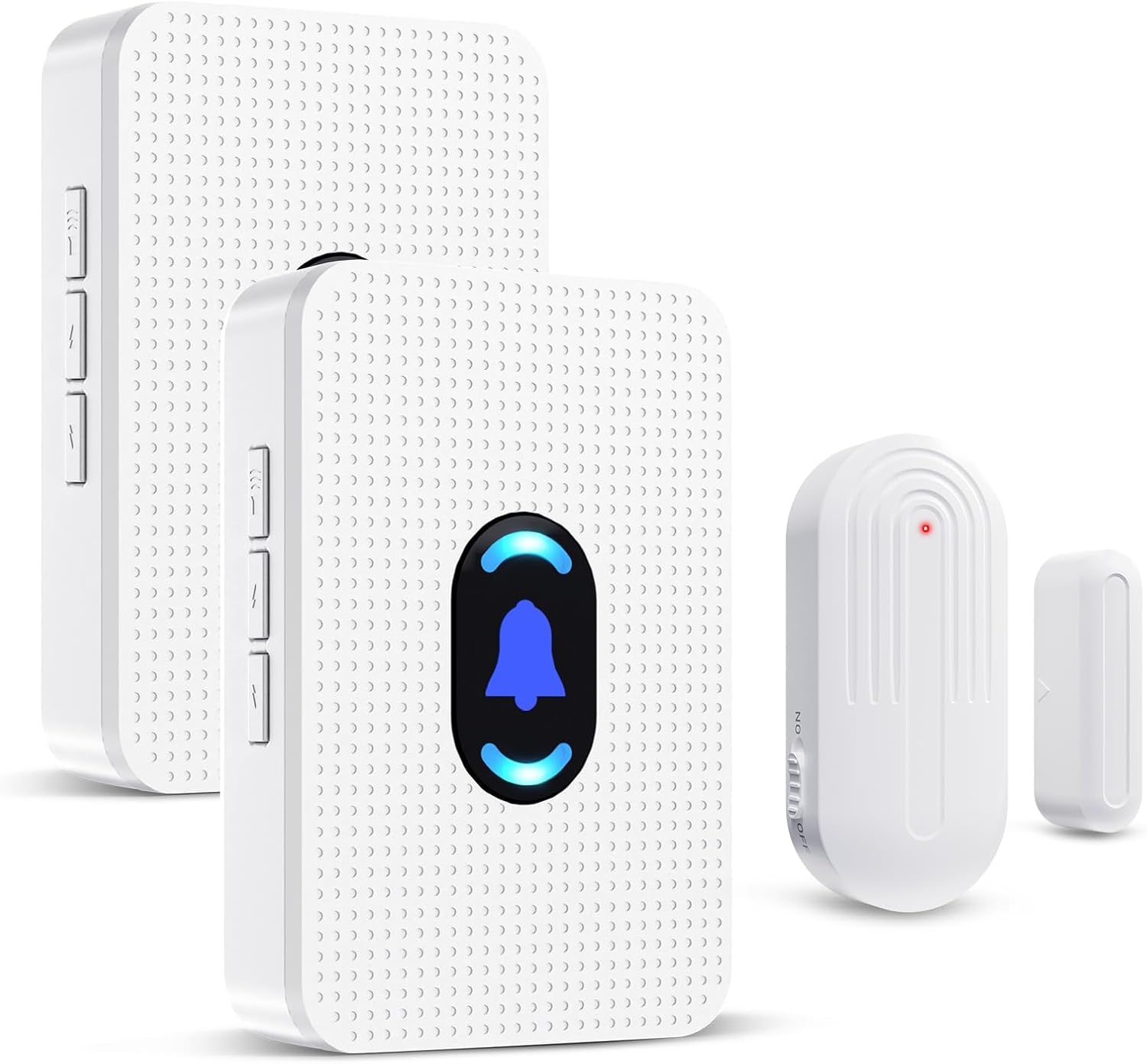
Image: Daytech Wireless Door Sensor Chime system, showing two plug-in receivers and a magnetic door/window sensor.
Lafin-javatra fototra:
- Fampandehanana Wireless: Provides flexible placement without the need for complex wiring.
- Laharana lavitra: Operates effectively up to 800 feet (240 meters) in open areas.
- Fanairana azo zahana: Offers 20 selectable chimes and 5 adjustable volume levels (0-110 dB), including a mute mode.
- famantarana hita maso: Features an LED indicator on the receiver for visual alerts.
- Fampiharana maro: Suitable for home security, business entry alerts, child safety, and monitoring for elderly individuals.
- Fametrahana mora: Simple setup with adhesive tape for the sensor and plug-and-play for the receiver.
- Durable Sensor: IP44 waterproof rating for the sensor, designed for long-term use.
Fonosana fonosana
- 1 x Wireless Magnetic Door Sensor
- 2 x Mpandray azo ampidirina
- Mounting Hardware (e.g., double-sided adhesive tape)
- User Manual
Fametrahana sy fametrahana
1. Powering the Receiver:
Plug the receiver into any standard electrical outlet. The receiver will power on and be ready for operation.
2. Installing the Sensor:
The wireless sensor consists of two parts: the main sensor unit and a smaller magnetic strip. These two parts must be installed in close proximity to each other, typically on a door/window frame and the door/window itself.
- Identify a suitable location on your door, window, drawer, or cabinet. Ensure the two sensor parts can be aligned when the door/window is closed.
- Clean the surface where the sensor will be mounted to ensure proper adhesion.
- Peel the backing from the double-sided adhesive tape provided.
- Attach one part of the sensor to the door/window frame and the other part to the moving door/window. Ensure the alignment marks on both parts are facing each other and the gap between them is less than 0.6 inches (1.5 cm) when closed.

Sary: Eksamplatsaky ny fametrahana sensor amin'ny varavarana, varavarankely, vatasarihana ary kabinetra.

Image: Visual guide for mounting the door sensor using adhesive tape.
3. Pairing (if necessary):
The sensor and receiver are typically pre-paired from the factory. If re-pairing is needed or if you are adding new sensors/receivers, follow these steps:
- Ampidiro ny mpandray.
- On the receiver, long press the volume button for 5-7 seconds until the LED indicator starts blinking rapidly. This indicates pairing mode.
- Saraho haingana ireo tapany roa amin'ny sensor-baravarana mba hampandeha ny mpandefa sy handefasana famantarana any amin'ny mpandray.
- Upon successful pairing, the receiver will sound a chime and the LED will stop blinking, confirming the connection.
Torolàlana miasa
1. Chime Activation:
When the two parts of the magnetic sensor are separated (e.g., a door or window opens), the sensor will trigger the paired receiver(s) to sound the selected chime and illuminate the LED indicator.

Image: Applications for home security, child safety, and elderly care.

Image: Applications for business, store, and office environments.
2. Fanitsiana ny volume:
The receiver features a volume control button. Press this button repeatedly to cycle through 5 adjustable volume levels, ranging from 0 dB (mute) to 110 dB (maximum volume).

Image: Receiver with adjustable volume levels and LED indicator.
3. Changing Chime Melodies:
The receiver offers 20 different chime melodies. Use the "forward" and "backward" buttons on the side of the receiver to select your preferred melody.
4. Sahan'asa:
The system has a wireless operating range of up to 800 feet (240 meters) in an open environment. Walls, metal structures, and other electronic devices may reduce the effective range.

Image: Illustration of the system's 800ft wireless range.
fikarakarana
1. Sensor Battery Replacement:
The wireless sensor is powered by a CR2450 3V lithium battery. When the sensor's performance degrades or it stops transmitting signals, the battery may need replacement.
- Sokafy tsara ny sensor casing amin'ny fampiasana tournevis kely.
- Esory ny bateria CR2450 taloha.
- Insert a new CR2450 3V lithium battery, ensuring correct polarity.
- Akatony ny sensor casing azo antoka.
Image: Visual guide for battery replacement in the sensor.
The sensor battery is designed for long life, supporting up to 100,000 uses or 3-5 years of typical operation.

Image: Details on sensor battery life and durability features.
2. Fanadiovana:
Wipe the sensor and receiver with a soft, dry cloth. Do not use abrasive cleaners or immerse the units in water.
3. Toetran'ny tontolo iainana:
The sensor is IP44 waterproof, suitable for outdoor use in various weather conditions. The operating temperature range is -4°F (-20°C) to 140°F (60°C).
Fanamboarana
| OLANA | Antony mety hitranga | vahaolana |
|---|---|---|
| Tsy mitabataba ny "récepteur" rehefa miasa ny "capteur". |
|
|
| Chime volume is too low or too high. | Mila amboarina ny fandrindrana ny feo. | Press the volume control button on the receiver to cycle through the 5 volume levels. |
| Chime melody is not desired. | Incorrect melody selected. | Use the "forward" and "backward" buttons on the receiver to select a different melody. |
| Fahafahana mifandray amin'ny tambajotra tsy misy tariby mihena. | Environmental interference or excessive distance. |
|
fepetra arahana
| endri-javatra | antsipirihany |
|---|---|
| Laharana modely | AUB094VDX2J6 |
| Marika | Daytech |
| Loharano herinaratra (mpandray) | Plug-in (AC Powered) |
| Loharano herinaratra (Sensor) | 1 x CR2450 3V Lithium Battery (included) |
| BOKYtage | 260 Volts (for receiver, typical for plug-in devices) |
| Wireless Range | Up to 800 feet (240 meters) in open area |
| Chime Melodies | 20 ringtones azo fidina |
| Ambaratonga volume | 5 adjustable levels (0 dB to 110 dB) |
| Teknolojia | Contact Sensor (Magnetic) |
| Karazana fametrahana | Door Mount, Window Mount (Adhesive Tape) |
| Fepetra takiana amin'ny elanelan'ny sensor | Less than 0.6 inches (1.5 cm) when closed |
| KEVITRA | ABS |
| Sensor Waterproof Rating | IP44 |
| Temperature miasa | -4°F (-20°C) hatramin'ny 140°F (60°C) |
| Lanja entana | 8.1 ounces (fonosana manontolo) |
| Ny haben'ny fonosana | 4.33 x 3.82 x 3.58 santimetatra |
Warranty sy fanohanana
For any product inquiries, technical support, or warranty information, please contact Daytech Customer Service. Refer to the product packaging or the official Daytech webtranokala ho an'ny antsipirian'ny fifandraisana farany indrindra.
Daytech is committed to providing quality products and customer satisfaction.


