1. Fampidirana
Thank you for choosing the Sharp Atomic Clock. This clock is designed to provide precise timekeeping and environmental monitoring with minimal user intervention. Featuring a large, easy-to-read display, it automatically synchronizes with the WWVB radio signal for unparalleled accuracy and displays both indoor and outdoor temperatures, along with the date and day of the week.
This manual provides detailed instructions for setting up, operating, maintaining, and troubleshooting your new atomic clock. Please read it thoroughly before use to ensure optimal performance and longevity of your device.
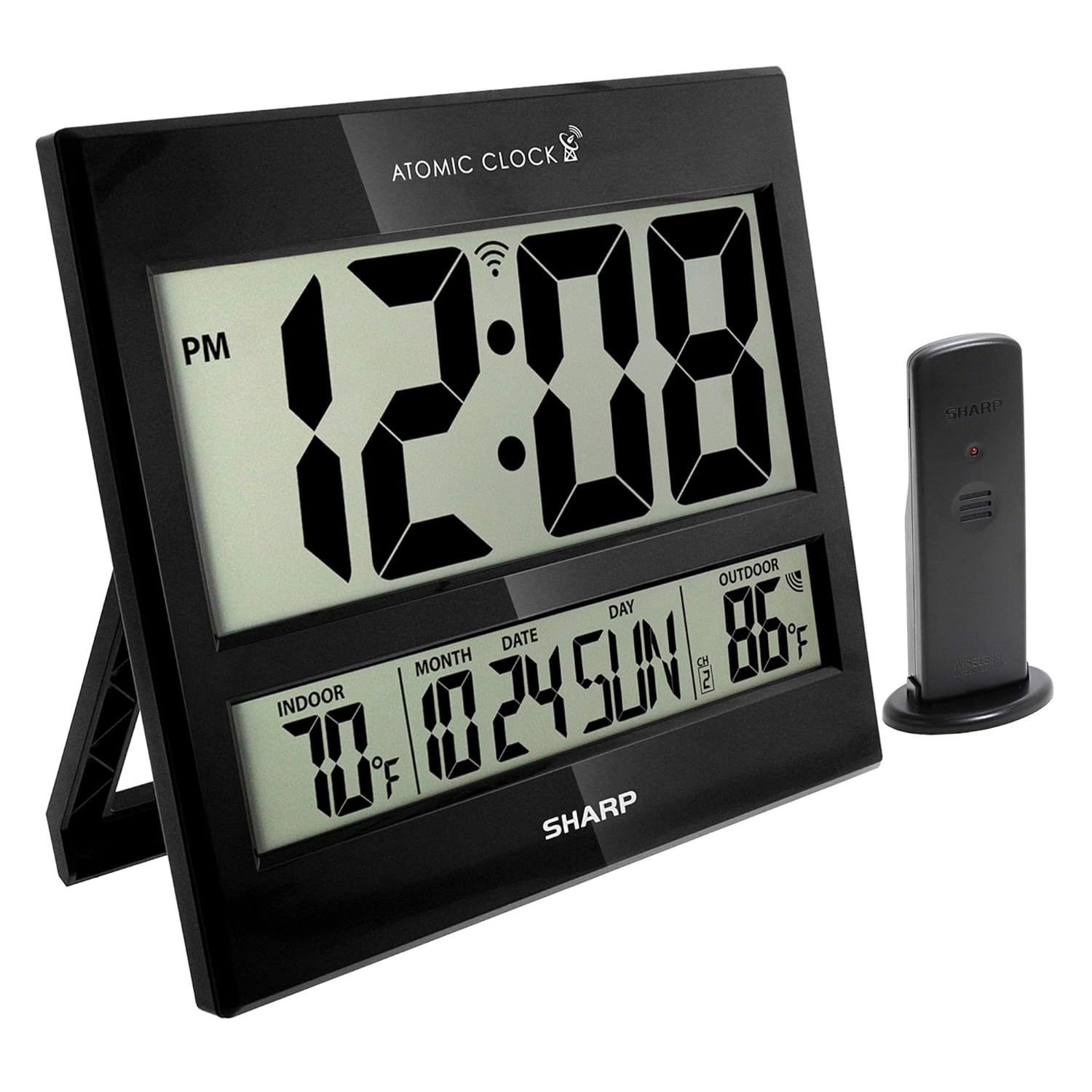
Image: The Sharp Atomic Clock main unit and its accompanying wireless outdoor sensor.
2. Endri-javatra fototra
- Fahamarinana atomika: Automatically synchronizes with the WWVB radio broadcast from Fort Collins, Colorado, ensuring time accuracy to within one second.
- Wireless Wireless Sensor: Transmits outdoor temperature to the main unit from up to 100 feet away.
- Jumbo LCD Display: Large 3-inch tall time digits for easy readability.
- Indoor & Outdoor Temperature Display: Shows current temperatures for both environments.
- Calendar & Day of Week Display: Provides current month, date, and day.
- Fametrahana zavatra maro: Can be used as a wall clock or a desk clock with its integrated stand.
- Safidy hery roa: Operates on batteries (3 x AA for main unit, 2 x AAA for sensor, not included) or electric power (110V/120V compatible for 'always on' display).

Image: Visual representation of the clock's main features.

Sary: A mazava view of the clock's display showing time, date, and temperature readings.
3. Torolàlana fananganana
3.1 Fanokafana sy fametrahana bateria
Carefully remove all components from the packaging. Ensure you have the main atomic clock unit and the wireless outdoor sensor. Batteries are not included and must be purchased separately.
- Vondrona lehibe: Open the battery compartment on the back of the main clock unit. Insert 3 x AA batteries, ensuring correct polarity (+/-).
- Wireless Wireless Sensor: Open the battery compartment on the back of the sensor. Insert 2 x AAA batteries, ensuring correct polarity (+/-).
3.2 Wireless Sensor Placement
For accurate outdoor temperature readings, place the wireless sensor within 100 feet (30 meters) of the main unit. Choose a location that is:
- Protected from direct sunlight and precipitation.
- Away from large metal objects or electrical devices that could interfere with the signal.
- Ideally, on a north-facing wall or in a shaded area to prevent inaccurate temperature readings due to solar radiation.

Sary: Eksample placement of the wireless outdoor sensor.
3.3 Initial Atomic Time Synchronization
After battery installation, the clock will automatically attempt to synchronize with the WWVB radio signal. This process may take several minutes to up to 48 hours, especially if the signal is weak or during daytime hours. For best reception, place the clock near a window and away from electronic interference.
The atomic clock will always be accurate to within one second as it receives daily WWVB updates. If the clock does not receive the WWVB signal immediately, just wait overnight, and it should be set in the morning.

Image: Explanation of atomic clock synchronization via WWVB radio broadcast.
4. Fampandehanana
4.1 Asehoy ny vaovao
The large LCD screen displays the following information:
- Fotoana: Current time in large, easy-to-read digits.
- Temperature anatiny: Temperature measured by the main unit.
- Temperature ivelany: Temperature transmitted from the wireless sensor.
- Month, Date, Day: Current calendar information.
- DST famantarana: Indicates if Daylight Saving Time is active.
- Famantarana ny herin'ny famantarana: Shows the strength of the WWVB signal.
4.2 Daylight Saving Time (DST) Assistance
The clock is designed to automatically adjust for Daylight Saving Time. However, if you live in an area that does not observe DST (e.g., Arizona, Hawaii, parts of Indiana), you may need to disable this feature or select another time zone to ensure correct time display. Refer to the buttons on the back of the unit for specific DST settings.

Image: Information regarding Daylight Savings Time adjustments.
4.3 Manual Adjustments (if needed)
While the clock is primarily automatic, manual adjustments for time zone or other settings can be made using the buttons located on the back of the unit. Consult the labels next to each button for their specific functions (e.g., CALENDAR, TIME, CHANNEL, UP, DOWN, TIME ZONE, WAVE, RESET).
5. Fikojakojana
5.1 Fanoloana bateria
When the display becomes dim or the outdoor temperature reading is inconsistent, it is time to replace the batteries. Always replace all batteries in a unit at the same time with new ones of the same type.
- Main Unit: 3 x AA batteries.
- Wireless Outdoor Sensor: 2 x AAA batteries.
5.2 Fanadiovana
To clean the clock and sensor, use a soft, damp lamba. Aza mampiasa mpanadio na solvents mikikisana, satria mety hanimba ny efijery na nyasing.
6. Famahana olana
6.1 No Outdoor Temperature Display
If your outdoor temperature is not showing on your clock, it may mean that the clock and the transmitter have lost their connection. To reconnect them:
- First, take the batteries out of both the main unit and the outdoor sensor for 15 minutes.
- Then, put the batteries back into the transmitter (sensor) first, followed by the main clock unit.
- Let them sit side by side inside your home. When both the indoor and outdoor temperatures show on your clock with the same reading, or within two degrees of each other, then you may put your transmitter back outside.
- Remember to keep the transmitter out of direct sun in a dry place and away from metal, which can affect the readings.

Image: Troubleshooting steps for outdoor temperature display.
6.2 Time/Date Incorrect
If the time or date is incorrect after initial setup or after a power interruption, ensure the clock is receiving a strong WWVB signal. You can manually initiate a signal search by pressing the 'WAVE' button on the back of the unit. Allow several minutes for the clock to attempt re-synchronization.
6.3 Display is Dim or Blank
This usually indicates low batteries. Replace all batteries in both the main unit and the sensor. If using electric power, ensure the power adapter is securely connected to a working outlet.
7. Famaritana
| endri-javatra | Description |
|---|---|
| Ny refin'ny vokatra | 8.75 x 1.5 x 7.9 santimetatra (W x D x H) |
| lanja | 1.34 kilao |
| Karazana fampisehoana | LCD |
| Time Display | Jumbo 3" Tall Digits |
| Temperature Range (Indoor) | Not specified, typically standard room temperature range. |
| Temperature Range (Outdoor) | Not specified, typically -4°F to 140°F (-20°C to 60°C). |
| Wireless Sensor Range | Hatramin'ny 100 feet (30 metatra) eny an-kalamanjana |
| Loharano herinaratra (singa fototra) | 3 x AA batteries (not included) or 110V/120V AC adapter (for 'always on' display) |
| Loharano herinaratra (Sensor) | 2 x AAA bateria (tsy tafiditra) |
| Endri-javatra manokana | Atomic Time, Temperature Display, Calendar Display, Wireless Outdoor Sensor |
| mpanamboatra | Sharp |
| Firenena nihaviana | CHINE |
8. Warranty sy fanohanana
Sharp products are manufactured to the highest quality standards. For detailed warranty information, including terms, conditions, and how to obtain service, please refer to the warranty card included with your product packaging or visit the official Sharp website. Tehirizo ny tapakila fividiananao ho porofon'ny fividianana ho an'ny fitakiana fiantohana.
For technical support or further assistance, please contact Sharp customer service through the contact information provided in your product documentation or on the official Sharp support website.


