1. Vokatra mihoatraview
The LOUTOC BN59-01301A is a universal replacement remote control designed for compatibility with various Samsung Smart TVs, including LED, LCD, HDTV, and 3D models. It functions as an updated alternative to older Samsung remote models BN59-01199F and BN59-01289A. This remote control requires no programming and is ready for use upon battery insertion.

Sary 1.1: Eo anoloana sy ilany view of the LOUTOC BN59-01301A Universal Replacement Remote Control.

Image 1.2: The BN59-01301A remote control is a suitable replacement for BN59-01199F and BN59-01289A models.
2. Torolàlana fananganana
2.1 Fametrahana bateria
Ny fanaraha-maso lavitra dia mitaky bateria AAA roa (tsy tafiditra).
- Tadiavo eo an-damosin'ny fanaraha-maso lavitra ny fonon'ny efitrefitra bateria.
- Atsofohy midina ny fonony mba hanokafana ny fizarana.
- Ampidiro ny batteries AAA roa, ary ataovy izay hahazoana antoka fa mifanaraka tsara amin'ny marika ao anaty efitrano ny terminal tsara (+) sy ratsy (-).
- Atsofohy amin'ny toerany ny fonon'ny efitry ny bateria mandra-pikitika tsara.

Image 2.1: Diagram illustrating the correct insertion of two AAA batteries into the remote control.
2.2 Fampiasana voalohany
This remote control is pre-programmed and requires no additional setup or pairing with your Samsung TV. Once batteries are installed, it is ready for immediate use.
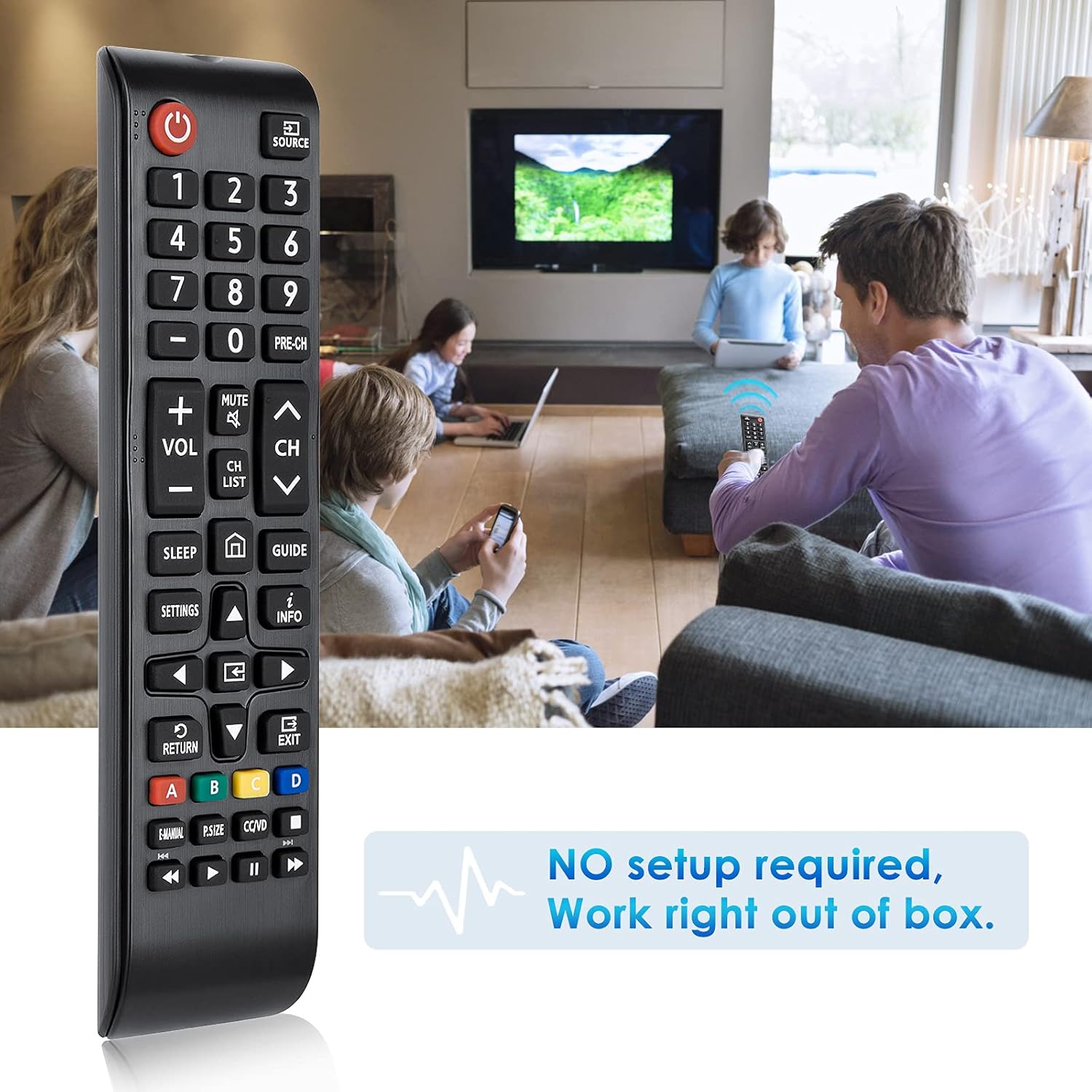
Image 2.2: The remote control is ready to use without any setup or programming.
3. Torolàlana miasa
The remote control provides standard functions for navigating and controlling your Samsung Smart TV. Point the remote directly at your television for optimal performance. The effective transmitting distance is over 8 meters (26 feet).

Image 3.1: Detailed layout of remote control buttons and their corresponding functions.
3.1 Fampiasa bokotra
- Power Button (Red): Turns the TV on and off.
- SOURCE: Displays and selects available video sources.
- Bokotra isa (0-9): Gives direct access to channels.
- PRE-CH: Miverina amin'ny fantsona teo aloha.
- Mute: Turns the sound on and off.
- VOL (+/-): Manitsy ny habetsahana.
- CH (Up/Down): Manova fantsona.
- CH LIST: Launches the Channel List.
- torimaso: Automatically shuts off the TV at a preset time.
- Bokotra an-trano: Returns to the Home Screen.
- Torolalana: Displays the Electronic Program Guide (EPG).
- Fikirana: Displays the main on-screen menu.
- INFO: Displays information on the TV screen.
- Navigation Buttons (Up/Down/Left/Right): Moves the cursor, selects on-screen menu items, and changes values.
- OK bokotra: Press this button to select or run a focused item.
- FIVERENANA: Miverina amin'ny sakafo teo aloha.
- FIVOAHANA: Mivoaka ny sakafo.
- Colored Buttons (A, B, C, D): Use these buttons with specific features, according to the directions on the TV's screen.
- E-MANUAL: Displays the e-Manual.
- P.SIZE: Changes the picture size.
- CC/VD: When pressed, the Accessibility Shortcuts menu appears.
- Media Control Buttons (Play, Pause, Stop, Fast Forward, Rewind): Mifehy ny fandefasana ny haino aman-jery.

Image 3.2: The remote control in use with a Samsung Smart TV.
4. Fikojakojana
4.1 Fanadiovana
To clean the remote control, gently wipe it with a soft, dry cloth. Avoid using liquid cleaners, aerosols, or harsh chemicals, as these can damage the remote's surface or internal components.
4.2 Fanoloana bateria
Replace batteries when the remote's responsiveness decreases or it stops functioning. Always replace both AAA batteries at the same time with new ones. Do not mix old and new batteries, or different types of batteries.
5. Famahana olana
- Remote tsy mamaly:
- Hamarino tsara fa tafiditra tsara ao anaty batterie ny bateria ary manana ny polarity marina (+/-).
- Soloy bateria AAA vaovao ny bateria taloha.
- Check for any obstructions between the remote and the TV's infrared receiver.
- Ensure you are within the operating range (up to 8 meters) and pointing the remote directly at the TV.
- Bokotra manokana tsy mandeha:
- Verify that the button is intended for your TV model's functions. Some advanced features may vary between TV models.
- Clean the remote control to ensure no debris is obstructing button presses.
6. Famaritana
| endri-javatra | antsipirihany |
|---|---|
| Laharana modely | BN59-01301A |
| Marika | LOUTOC |
| mifanentana | Samsung Smart LED LCD 4K ULTRA HDTV 3D TVs (Replaces BN59-01199F, BN59-01289A) |
| Loharanon-kery | 2 x AAA Batterie (tsy tafiditra) |
| KEVITRA | Plastika ABS |
| Operable Distance | Mihoatra ny 10 metatra |
| refy (L x W x H) | 2.95 x 1.77 x 0.79 santimetatra |
| Lanja entana | 1.44 oz |
| Endri-javatra manokana | Ergonomic, Lightweight, No Programming Required, Pre-Programmed, Universal |
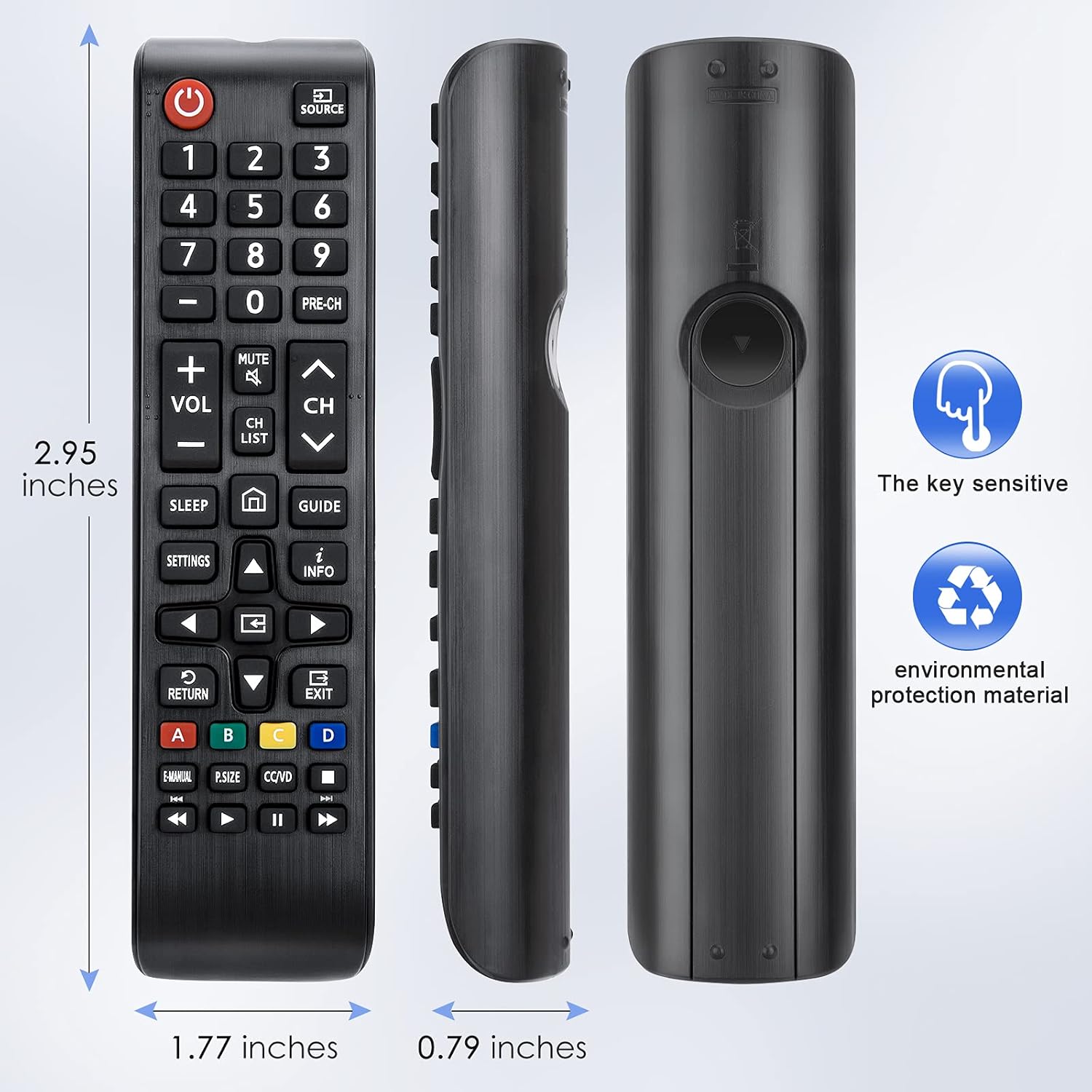
Image 6.1: Physical dimensions of the remote control.
7. Warranty sy fanohanana
This product is covered by a 60-day replacement policy. For any issues or support, please contact the manufacturer, LOUTOC.

Image 7.1: Information regarding the 60-day replacement policy.


