1. Fampidirana
Thank you for choosing the boAt Airdopes 641 Truly Wireless Earbuds. This manual provides essential information for setting up, operating, and maintaining your earbuds to ensure optimal performance and longevity. Please read this guide carefully before using the product.
2. Vokatra mihoatraview
The boAt Airdopes 641 are designed for a seamless audio experience, featuring advanced connectivity and intuitive controls.

Sary: Key features of the Airdopes 641, highlighting RGB LEDs, Instant Wake N' Pair (IWP) technology, Bluetooth 5.0 connectivity, 6mm Dual Drivers for audio, and a Capacitive Touch Panel for controls.
2.1 singa
- Earbuds: Left and Right truly wireless earbuds with in-ear design.
- Case famandrihana: Varavarankely azo entina hamelomana sy hitehirizana ny sofina.
- Cable USB Type-C: Ho fiampangana ny raharaha.
- User Manual: Ity antontan-taratasy ity.
2.2 Toetra
- Bluetooth 5.0: Ho an'ny fifandraisana tsy misy tariby maharitra sy mahomby.
- IWP (Instant Wake N' Pair): Enables quick pairing with your device once the case lid is opened.
- Capacitive Touch Panel: For easy control of music, calls, and voice assistant.
- 6mm Dual Drivers: Delivers immersive audio experience.
- RGB LED: Indicator lights for status.
- Biby fomba: Fomba fiatoana ambany ho an'ny filalaovana lalao.
- IPX5 Water & Sweat Shield: Manome fiarovana amin'ny rano mitete sy ny hatsembohana.
- Up to 30 Hours Total Playback: Combined battery life of earbuds and charging case.
- USB Type-C famandrihana: Seranan-tseranana famandrihana maoderina sy mety.
3. Fametrahana
3.1 Fametrahana ny Earbuds sy Case
Alohan'ny hampiasana azy voalohany, alaivo antoka fa samy voafahana tsara ny écouteur sy ny boaty famandrihana.
- Place both earbuds into the charging case, ensuring they are correctly seated. The earbuds will automatically begin charging.
- Connect the USB Type-C charging cable to the charging port on the case and plug the other end into a compatible USB power adapter (not included).
- The LED indicators on the case will show the charging status. Once fully charged, the indicators may change or turn off.
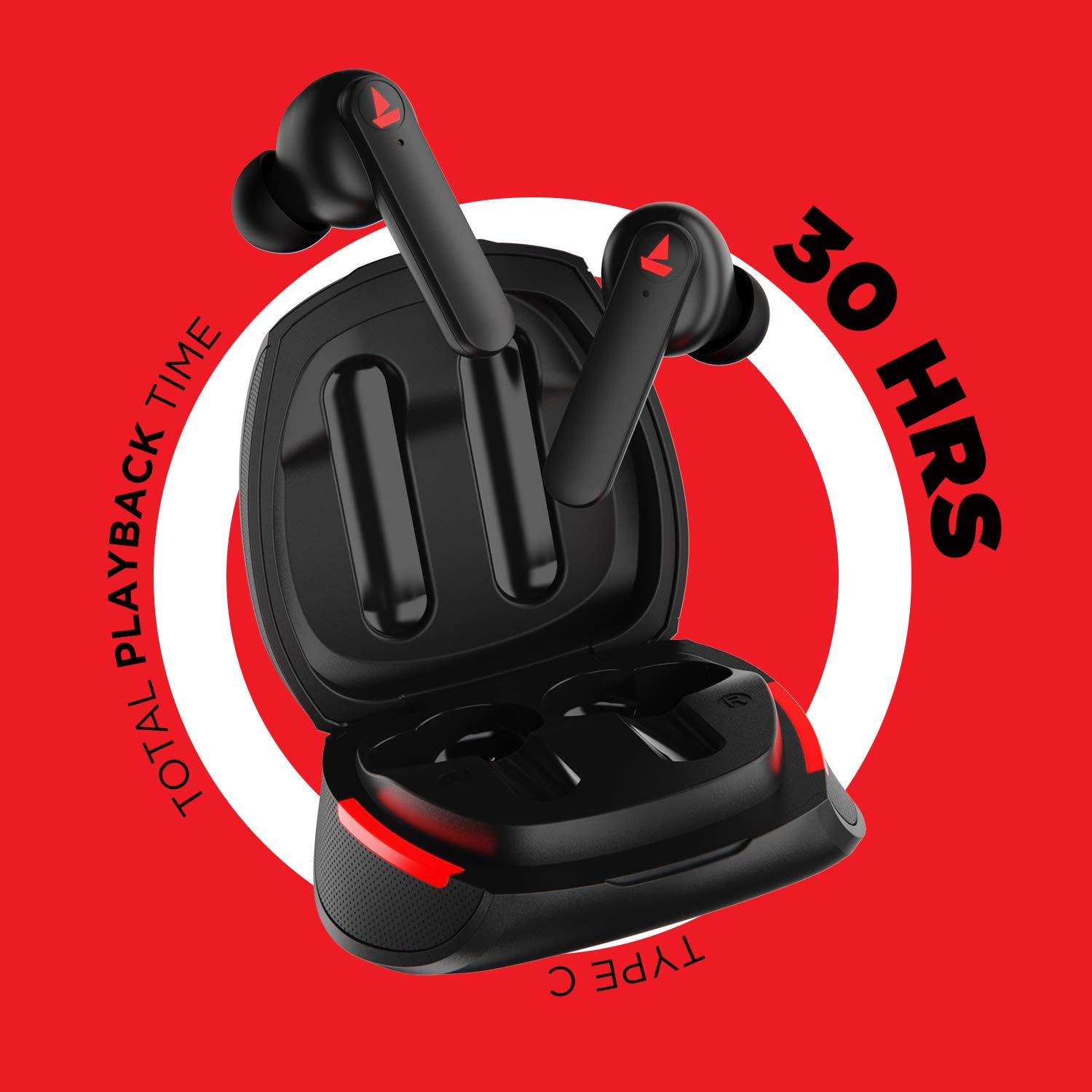
Sary: The Airdopes 641 earbuds resting in their charging case, illustrating the Type-C charging capability and the impressive 30 hours of total playback time.
3.2 Initial Pairing (IWP Technology)
The Airdopes 641 feature Instant Wake N' Pair (IWP) technology for quick and effortless connection.
- Sokafy ny saron'ny vata fampangatsiahana. Ny earbuds dia mandeha ho azy ary miditra amin'ny fomba fampiarahana.
- Alefaso ny Bluetooth amin'ny findainao na ny fitaovanao misy Bluetooth.
- Hitady ny "Airdopes 641" in the list of available devices and select it to pair.
- Once paired, you will hear an audio prompt, and the earbuds will be ready for use.
- The earbuds will automatically connect to the last paired device when the case lid is opened, provided Bluetooth is enabled on the device.
4. Torolàlana miasa
4.1 Power On/off
- Herim-batana: Open the charging case lid. The earbuds will power on automatically. Alternatively, long-press the Capacitive Touch Control (CTC) on both earbuds for 3 seconds.
- Mamono hery: Place the earbuds back into the charging case and close the lid. They will power off automatically. Alternatively, long-press the CTC on both earbuds for 5 seconds.
4.2 Capacitive Touch Controls (CTC)
The Airdopes 641 feature intuitive touch controls on each earbud.
- Play/Pause: Single tap on either earbud's CTC.
- Track manaraka: Double tap on the right earbud's CTC.
- Làlana teo aloha: Double tap on the left earbud's CTC.
- Valio/Atsaharo ny antso: Single tap on either earbud's CTC.
- Mandà ny antso: Long press on either earbud's CTC for 2 seconds.
- Ampandehano ny feo Assistant: Triple tap on either earbud's CTC.
- Fiakaram-peo: Long press the right earbud's CTC.
- Mihena ny feo: Long press the left earbud's CTC.
4.3 BEAST Mode (Low Latency Gaming)
Activate BEAST Mode for a low-latency audio experience, ideal for gaming.

Sary: The Airdopes 641 earbuds and their sleek charging case, emphasizing the "BEAST Mode" feature designed to provide a low-latency audio experience for gamers.
- Activate BEAST Mode: Triple tap on the right earbud's CTC.
- Deactivate BEAST Mode: Triple tap on the right earbud's CTC again.
5. Fikojakojana
Proper care ensures the longevity and performance of your Airdopes 641.
5.1 Fanadiovana
- Fafao moramora amin'ny lamba malefaka sy maina ary tsy misy loko ny fonon-tsofina sy ny vata fampangatsiahana.
- Aza mampiasa mpanadio abrasive, alikaola, na solvents simika.
- Regularly clean the ear tips and mesh to prevent wax buildup, which can affect sound quality.
5.2 Water and Sweat Resistance (IPX5)

Sary: The Airdopes 641 earbuds and their charging case surrounded by water splashes, illustrating their IPX5 rating for water and sweat resistance.
The Airdopes 641 are rated IPX5, meaning they are protected against low-pressure water jets from any direction. This makes them suitable for workouts and light rain.
- Aza alentika anaty rano ny sofina.
- Do not expose them to high-pressure water or steam.
- Ataovy azo antoka fa maina tsara ny écouteur alohan'ny hamerenana azy ao anaty boaty famandrihana mba hisorohana ny fahasimbana.
5.3 Fitehirizana
Tehirizo ao anaty vata fampangatsiahana ny sofina rehefa tsy ampiasaina mba hiarovana azy sy hitazonana azy ho voaloa.
6. Famahana olana
If you encounter issues with your Airdopes 641, try the following solutions.
6.1 Earbuds Tsy Mifandray/Mifandray
- Ataovy azo antoka fa voaloa ny sofina roa.
- Hamarino tsara fa mandeha ny Bluetooth amin'ny fitaovanao ary ao anatin'ny elanelan'ny fitaovanao ny écouteur.
- Try forgetting "Airdopes 641" from your device's Bluetooth list and re-pairing.
- Perform a factory reset as described below.
6.2 Famerenana amin'ny orinasa
A factory reset can resolve many common issues by restoring the earbuds to their original settings.

Sary: A visual guide detailing the steps for a factory reset of the Airdopes 641. It emphasizes clearing the device from pairing history first, then long-pressing the Capacitive Touch Control (CTC) on both earbuds inside the case for 10 seconds until a green LED flashes three times, followed by closing and reopening the case.
- Dingana 1: Before performing the reset, clear "Airdopes 641" from your pairing device history by forgetting the device on your phone/tablet.
- Dingana 2: Place both earbuds back inside the charging case in the correct orientation.
- Dingana 3: Long press the Capacitive Touch Control (CTC) on both earbuds inside the case for up to 10 seconds. The successful reset will be indicated by the flashing of a green LED three times.
- Dingana 4: Akatona ny saron'ny vata fampangatsiahana ary sokafy indray.
- Dingana 5: Once you take the earbuds out from the charging case, they automatically restart and are ready for a new pairing.
Note: Please make sure the case is charged before performing a factory reset.
6.3 No Sound/Low Volume
- Jereo ny haavon'ny feo amin'ny fitaovanao sy ny écouteur.
- Ataovy azo antoka fa mipetraka tsara ao an-tsofinao ny sofina.
- Clean any debris from the earbud mesh.
- Andramo ampifanaraho indray ny sofina.
7. Famaritana
| Anarana modely | Airdope 641 |
| Teknolojia fifandraisana | Wireless (Bluetooth) |
| Wireless Communication Technology | Bluetooth 5.0 |
| Karazana fanaraha-maso | Fikasihana, Fanaraha-maso amin'ny Feo |
| Karazana mpamily Audio | Driver Dynamic (6mm) |
| Fametrahana sofina | Ao amin'ny sofina |
| Form Factor | Ao amin'ny sofina |
| KEVITRA | plastika |
| Naoty fanoherana ny rano | IPX5 |
| Charging Port | USB Type-C |
| Fitaovana mifanentana | Tablets, Cellphones, Laptops, Desktops, Smart Speaker, Television |
8. Warranty sy fanohanana
For warranty information and customer support, please refer to the warranty card included with your product or visit the official boAt website. Tehirizo ny tapakila fividiananao ho an'ny fitakiana fiantohana.
Mpanamboatra: Imagine Marketing Pvt Ltd


