Sava lalana
The ZIPRO Dash Rowing Machine is designed to provide an effective and smooth full-body workout in the comfort of your home. Featuring a magnetic braking system, it offers quiet operation and adjustable resistance levels to suit individual training needs. The integrated training computer is compatible with the iConsole+ mobile application, allowing for wireless control via Bluetooth from your smartphone or tablet. Additionally, it supports the Kinomap application for enhanced training experiences. The computer tracks essential workout data such as time, stroke count, calorie consumption, and heart rate (with the included Polar telemetry band), displaying them on its LCD screen. Its foldable design ensures convenient storage.

Image: The ZIPRO Dash Foldable Rowing Machine, showcasing its sleek black design with green accents, magnetic resistance unit, and comfortable seat on a sturdy rail.
Fampahalalana manan-danja momba ny fiarovana
Please read all instructions carefully before assembling and using the ZIPRO Dash Rowing Machine. Keep this manual for future reference.
- Miresaha amin'ny dokotera alohan'ny hanombohana programa fanatanjahan-tena.
- Arovy amin'ny milina ny ankizy sy ny biby fiompy mandritra ny fampiasana.
- Place the rowing machine on a flat, stable surface with adequate clearance around it.
- Inspect the machine for loose or worn parts before each use. Do not use if damaged.
- Manaova kiraro sy akanjo ara-panatanjahantena mety mandritra ny fanatanjahan-tena.
- Aza mihoatra ny 135 kg (297 lbs) ny lanjan'ny mpampiasa.
- Use the machine only for its intended purpose as described in this manual.
- Atsaharo avy hatrany ny fanazaran-tena raha toa ka torana, fanina, na fanaintainana.
Fonosana fonosana
Carefully unpack all components and ensure you have received the following parts:
- Main Frame Assembly (with magnetic resistance unit and console mount)
- Seat Rail
- Sliding Seza
- Fanamafisana eo anoloana
- Mpiorina aoriana
- Footrests (2)
- Handlebar
- Training Computer (LCD display)
- Polar T34 Telemetry Heart Rate Band
- Fitaovana fitaovana (bolts, washers, nuts, fitaovana)
- User Manual
Raha misy piesy tsy ampy na simba dia mifandraisa avy hatrany amin'ny serivisy ho an'ny mpanjifa.
Assembly sy Setup
Assembly typically takes 30-60 minutes. It is recommended to have two people for assembly. Ensure all parts are present before beginning.
- Ampifandraiso ny stabilizers: Securely attach the front and rear stabilizers to the main frame using the provided bolts and tools. Ensure the stabilizing pads are properly aligned.
- Install Seat Rail: Connect the seat rail to the main frame. Make sure it is firmly attached and aligned.
- Fipetrahana eo amin'ny seza: Slide the seat onto the seat rail. Verify that the ball bearings allow for smooth movement.
- Attach Footrests: Secure the two footrests to the main frame. Ensure they are stable and the straps are adjustable.
- Connect Handlebar: Attach the handlebar to the pulling strap/chain mechanism.
- Install Console: Mount the training computer onto its designated holder. Insert the included batteries (AA Mignon cells). Connect any necessary cables from the main unit to the console.
- Fanamarinana farany: Before first use, double-check all bolts and connections to ensure they are tight and secure. Test the rowing motion and resistance adjustment.
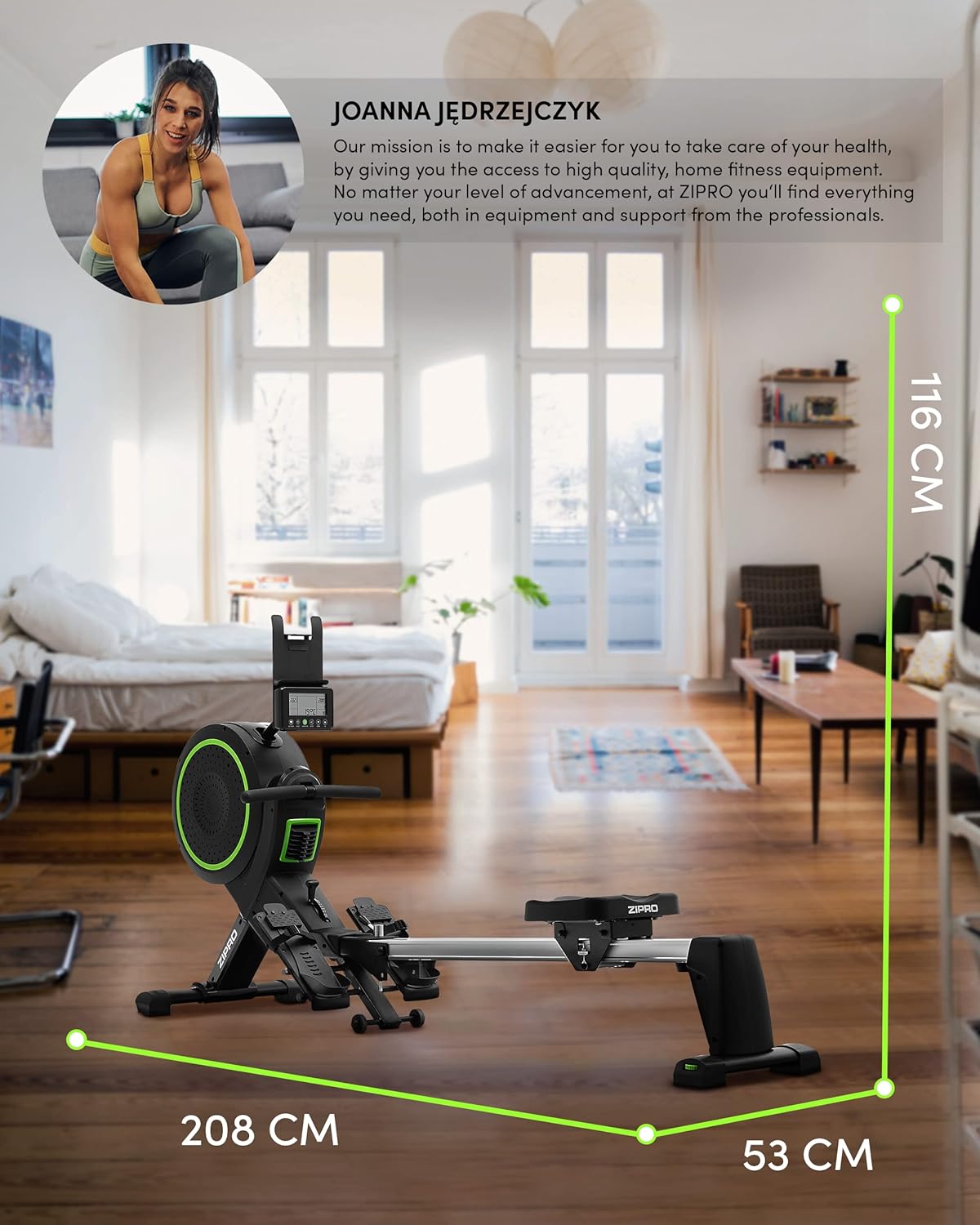
Image: Diagram showing the dimensions of the ZIPRO Dash Rowing Machine (208 cm length, 53 cm width, 116 cm height), useful for planning placement.
Torolàlana miasa
Powering On the Console
The LCD training computer powers on automatically when you begin rowing or press any button. It is powered by AA batteries (included).

Sary: akaiky view of the ZIPRO Dash Rowing Machine's LCD console, showing various workout metrics and control buttons.
Ahitsio Fanoherana
The ZIPRO Dash features an 8-step magnetic resistance system. To adjust the resistance, locate the resistance knob or lever on the main unit (often near the fan/flywheel housing). Turn the knob clockwise to increase resistance and counter-clockwise to decrease it. Choose a level that challenges you appropriately for your fitness level.
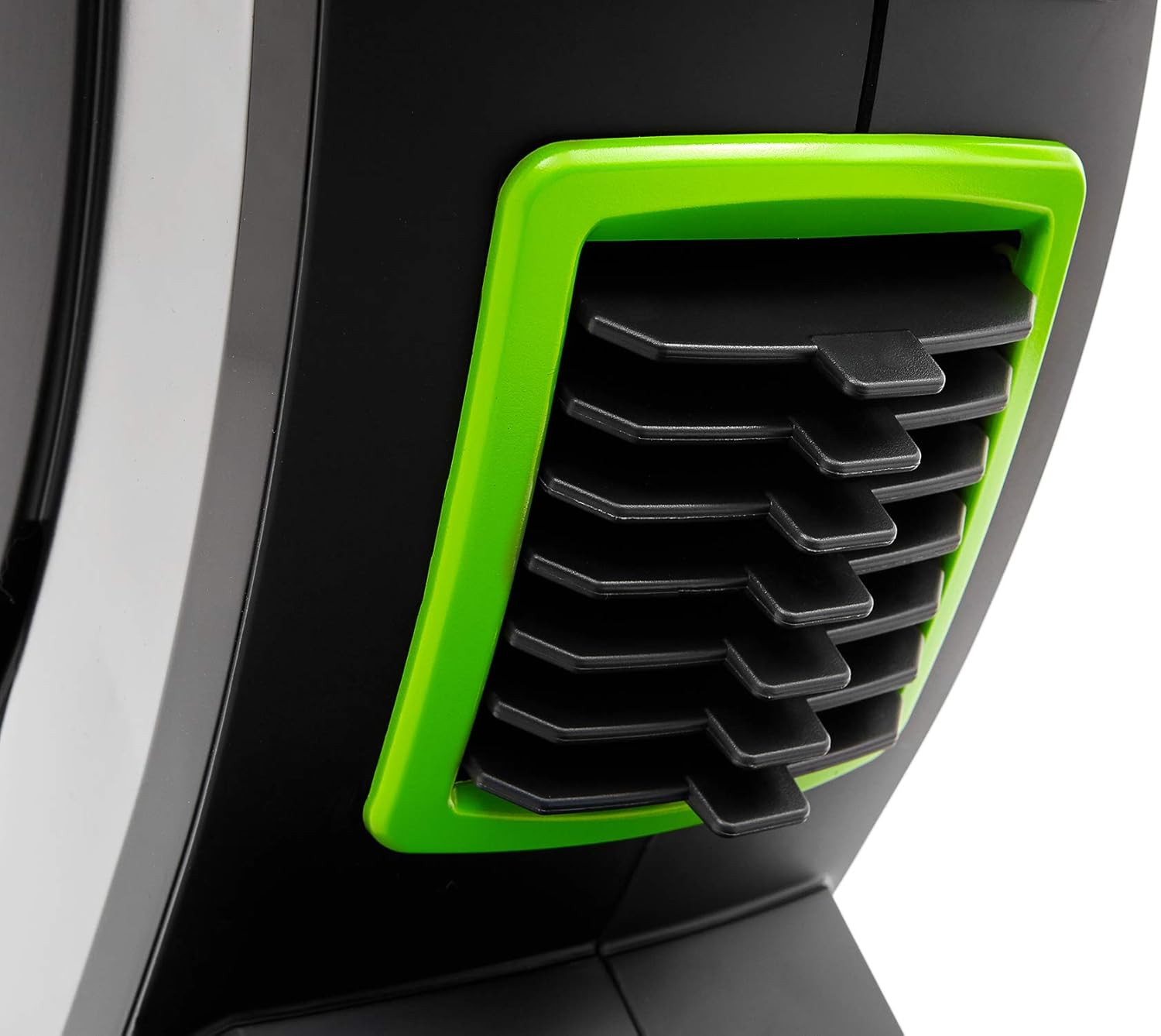
Image: Detail of the resistance adjustment mechanism on the ZIPRO Dash Rowing Machine, showing the numbered settings.
Mampiasa ny Computer Training
The LCD display shows various workout metrics:
- FOTOANA: Ny faharetan'ny fanazaran-tenanao.
- kapoka: Total number of strokes performed.
- KALORIANA: Tombanana kaloria nodorana.
- FONA FONA: Your heart rate, measured via the Polar T34 telemetry band (if worn and connected).
- Other metrics may include distance, strokes per minute, etc.
Use the buttons on the console (e.g., MODE, SET, RESET) to navigate through display modes, set target values, or reset your workout data. Refer to the console's specific instructions for detailed button functions.
Connecting to Mobile Applications (iConsole+ & Kinomap)
The ZIPRO Dash computer is Bluetooth-enabled for connectivity with mobile apps.
- Download Apps: Download the "iConsole+" and/or "Kinomap" applications from your device's app store.
- Alefaso ny Bluetooth: Hamarino tsara fa mandeha ny Bluetooth amin'ny findainao na takelakao.
- mampifandray: Open the chosen app and follow the in-app instructions to search for and connect to your ZIPRO Dash rowing machine. The app will typically detect the machine automatically.
- Toetoetra:
- iConsole+: Allows wireless control of the rowing computer, access to workout programs, and virtual routes.
- Kinomap: Tracks your progress and offers virtual routes with real-world video, allowing you to compete with other users.

Image: A user rowing on the ZIPRO Dash, with logos for Kinomap and iConsole+ apps, highlighting the machine's smart connectivity features.
Aforitra sy fitehirizana
The ZIPRO Dash is designed to be foldable for convenient storage.
- Mekanisma famoahana: Locate the folding release pin or knob, usually near the connection point of the seat rail to the main frame.
- Fold Up: Carefully lift the seat rail upwards until it locks into the vertical storage position. Ensure it is securely latched.
- Mifindra: Use the integrated transport wheels (located on the front stabilizer) to easily move the folded machine for storage.

Image: The ZIPRO Dash Rowing Machine shown in its folded, upright storage position, demonstrating its space-saving design.
fikarakarana
Regular maintenance will prolong the life of your rowing machine.
- Fanadiovana: Fafao ny milina amin'ny dokaamp lamba isaky ny fampiasana mba hanalana hatsembohana sy vovoka. Aza mampiasa mpanadio abrasive.
- fanosorana: Periodically check the seat rail for smooth operation. If needed, apply a small amount of silicone-based lubricant to the rail.
- Fanaraha-maso: Regularly check all bolts, nuts, and moving parts for tightness and wear. Tighten any loose fasteners. Inspect the pulling strap/chain for fraying or damage.
- Fanoloana bateria: If the console display becomes dim or unresponsive, replace the AA batteries. Note that the battery compartment might require unscrewing the console from its mount.
Fanamboarana
| OLANA | Antony mety hitranga | vahaolana |
|---|---|---|
| Console tsy mampiseho angona. | Maty na tsy mety ny fametrahana ny bateria. Mivaha ny fifandraisana. | Replace batteries. Check all cable connections to the console. |
| Resistance feels inconsistent or too weak/strong. | Resistance setting is incorrect. Internal mechanism issue. | Adjust the resistance knob. If problem persists, contact support. |
| Tsy mikoriana tsara ny seza. | Dirt or debris on the rail. Rail needs lubrication. | Clean the seat rail. Apply silicone lubricant. |
| Manao feo tsy mahazatra ny milina. | Loose bolts or components. Worn parts. | Check and tighten all bolts. Inspect for worn parts and contact support if necessary. |
| App (iConsole+/Kinomap) not connecting via Bluetooth. | Bluetooth off on device. App permissions. Console not active. | Ensure Bluetooth is on. Grant app permissions. Start rowing to activate console. Restart app/device. |
fepetra arahana
| Anarana modely | ZIPRO Dash |
| Laharana modely | 6299212 |
| loko | Mainty |
| Mekanisma fanoherana | Magnetika (8 niveau) |
| Karazana fampisehoana | LCD |
| Tracked Metrics | Time, Strokes, Calories, Heart Rate (with Polar T34 band) |
| fifandraisana | Bluetooth (iConsole+, Kinomap compatible) |
| Maximum lanja mpampiasa | 135 kg (297 lbs) |
| Maximum Recommended User Height | 200 sm (6 ft 7 in) |
| Haben'ny vokatra (L x W x H) | 207 x 53 x 115 sm (81.5 x 20.9 x 45.3 santimetatra) |
| Folded Dimensions (Approx.) | (Vertical storage, specific dimensions not provided but implied by foldable feature) |
| Lanja entana | 40 kg (88 lbs) |
| Fitaovana Frame | Metal / Alloy Steel |
| Loharanon-kery | Manual (hand-operated), Console: Batteries (AA) |
| Endri-javatra manokana | Foldable design, Anti-slip footrests, Portable device holder, Stabilizing pads, Transport wheels |
Warranty sy fanohanana
Raha mila fanazavana momba ny garantie, jereo azafady ny karatra garantie miaraka amin'ny vokatrao na tsidiho ny ZIPRO ofisialy. website. Tehirizo ny porofon'ny fividiananao ho an'ny fitakiana fiantohana.
If you encounter any issues not covered in the troubleshooting section or require further assistance, please contact ZIPRO customer support. Contact details can typically be found on the manufacturer's webtoerana na eo amin'ny fonosana vokatra.
Mpanamboatra: Morele.net Sp. z oo


