Sava lalana
This manual provides essential information for the safe and effective use of your Bytech Office Tray. Please read it thoroughly before use and retain it for future reference.
Information momba ny fiarovana
- Ensure the tray is placed on a stable, flat surface before use.
- Do not overload the tray beyond its intended capacity.
- Halaviro ny lelafo misokatra na ny loharano mafana be.
- Avoid placing sharp objects directly on the tray surface to prevent damage.
- Supervise children when they are near or using the product.
Vita ny vokatraview
The Bytech Office Tray is a versatile and portable solution designed to enhance your workspace comfort and organization.
Lafin-javatra fototra:
- Foldable design for use in various settings (home, office, bed, outdoor).
- Adjustable 360° rotating knobs for stable positioning.
- Sturdy, ergonomic design for comfort and easy portability.
- Compact folding for convenient storage in a laptop bag.
- No assembly required and easy-to-clean surface.
singa:
- Main Tray Surface
- Adjustable Legs with 360° Rotating Knobs
- Anti-slip stoppers (for laptop stability)
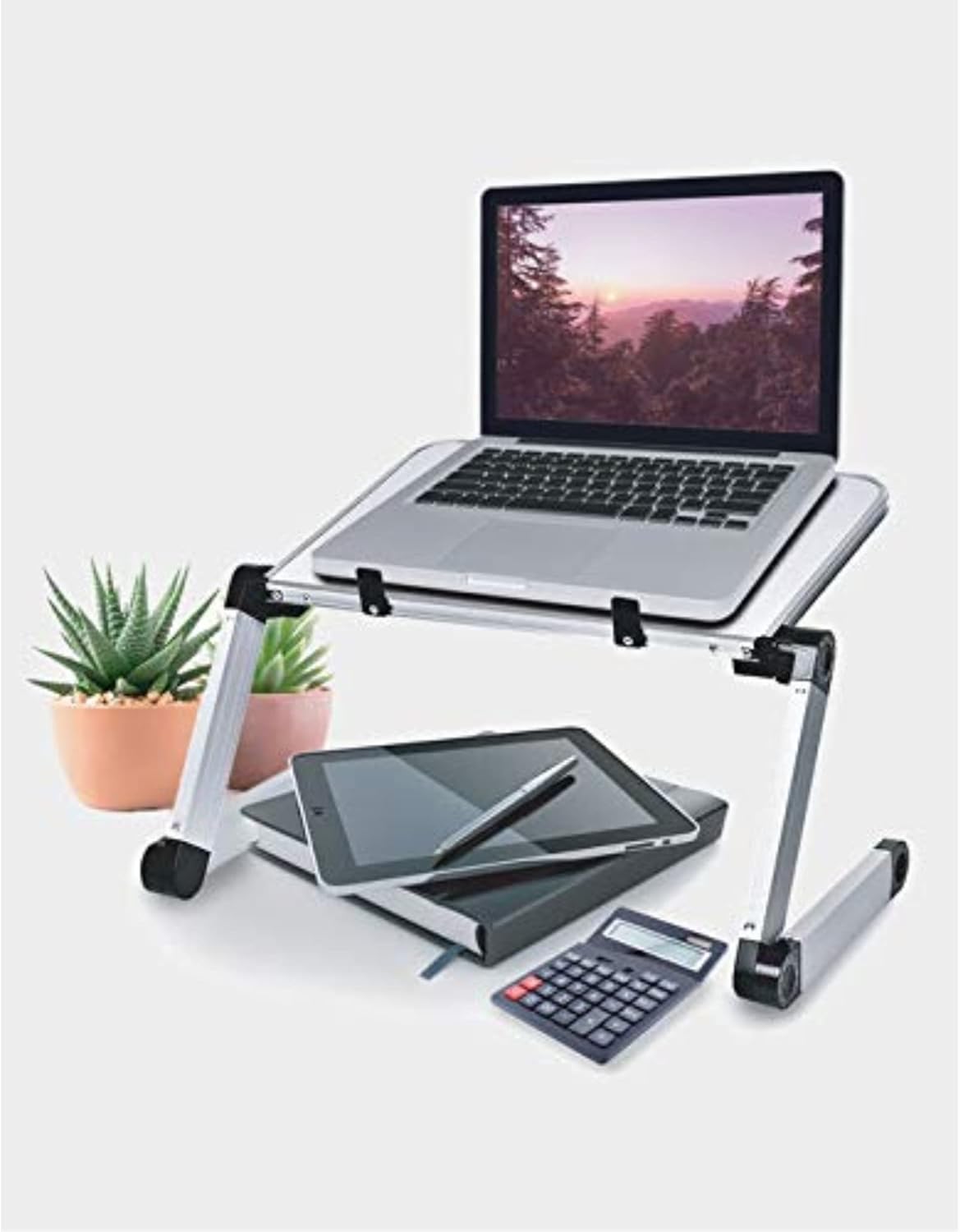
Image: The Bytech Office Tray in use, supporting a laptop. Below the tray, a tablet, notebook, and calculator are visible, demonstrating its utility as a portable workstation. The tray features adjustable legs and a white surface.
Hametraka
The Bytech Office Tray requires no assembly.
- Unfold the legs of the tray from their collapsed position.
- Adjust the angle and height of the tray by loosening the 360° rotating knobs on each leg.
- Position the tray to your desired height and angle, then tighten the knobs firmly to secure the position.
- Ensure all legs are stable and the tray is balanced before placing items on it.
Torolàlana miasa
The Bytech Office Tray is designed for versatile use as a portable desk or stand.
Using as a Laptop Stand:
- Place your laptop securely on the main tray surface. The integrated stoppers will help prevent the laptop from sliding.
- Adjust the tray to an ergonomic height and angle for comfortable typing and viewing.
Using as a Reading or Writing Desk:
- Place books, notebooks, or documents on the tray.
- Adjust the angle for optimal reading or writing posture.
Aforitra ho fitahirizana:
- Loosen the rotating knobs on the legs.
- Fold the legs inward until they are flat against the main tray surface.
- Tighten the knobs to secure the folded position for compact storage or transport.
fikarakarana
To ensure the longevity and cleanliness of your Bytech Office Tray:
- Fanadiovana: Kosehina amin'ny lamba malefaka ny tarehy, damp cloth. For stubborn marks, a mild soap solution can be used. Avoid abrasive cleaners or harsh chemicals.
- fitahirizana: Store the tray in a dry place away from direct sunlight and extreme temperatures when not in use.
- Fanaraha-maso: Periodically check the rotating knobs and leg joints to ensure they are secure and functioning correctly.
Fanamboarana
If you encounter issues with your Bytech Office Tray, refer to the following common solutions:
| OLANA | vahaolana |
|---|---|
| Tray is unstable or wobbly. | Ensure all 360° rotating knobs are tightened firmly after adjusting the legs. Verify the tray is on a flat, even surface. |
| Legs are difficult to adjust. | Loosen the rotating knobs sufficiently before attempting to adjust the leg angles. Do not force the joints. |
| Maloto na misy tasy ny velarana. | Diovy amin'ny malefaka, damp cloth and mild soap solution. Avoid abrasive materials. |
fepetra arahana
- marika: Bytech
- Laharana modely: BYLTTY10002
- Fitaovana: plastika
- loko: White
- Endri-javatra manokana: Adjustable, Foldable
- Haben'ny vokatra: 4.5 x 4.5 x 4.5 santimetatra
- Lanja entana: 5.59 kg
- UPC: 805112066728
- Ilaina ny fivoriambe: tsy misy
Warranty sy fanohanana
For warranty information or technical support, please contact Bytech customer service. Refer to the product packaging or Bytech's official webtranokala ho an'ny antsipiriany momba ny fifandraisana.